
1. Introduction
Welcome to the Lingo Plugs AI Translator Earbuds user manual. These earbuds are designed to provide real-time language translation, enhancing communication across various languages. This manual will guide you through the setup, operation, and maintenance of your new device, ensuring you get the most out of its advanced features.

Figure 1.1: Lingo Plugs AI Translator Earbuds with their charging case, alongside a user wearing an earbud. The image displays both black and white color variants of the earbuds and cases, highlighting their compact design.
2. Product Overview
2.1 Key Features
- AI-Powered Translation: Real-time translation for 144 languages using advanced AI technology.
- Smart Touch Controls: Intuitive touch operation for easy management of functions.
- Extended Battery Life: Up to 4 hours of continuous usage per charge.
- Clear Audio: Dual noise reduction technology ensures stable connection and crystal-clear sound.
- Comfortable Fit: Soft silicone ear tips provide all-day comfort and a secure fit.
- Portable Design: Compact and versatile, suitable for travel, business, and language learning.

Figure 2.1: Illustration of the Lingo Plugs AI Translator Earbuds featuring a silicone ear hanger for enhanced comfort and secure wear. A user is shown wearing an earbud, demonstrating its ergonomic design.
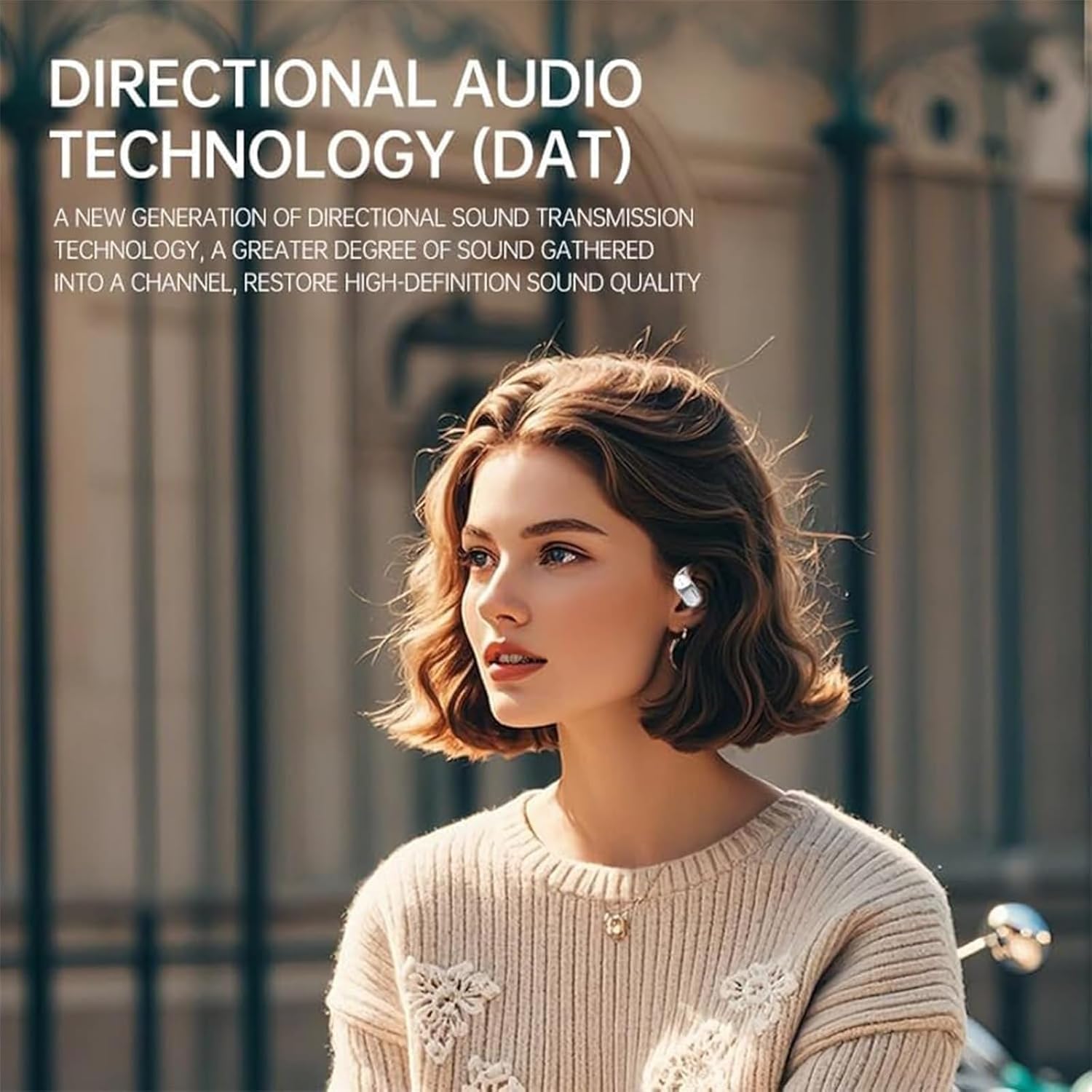
Figure 2.2: A user wearing a Lingo Plugs AI Translator Earbud, highlighting the Directional Audio Technology (DAT). This technology focuses sound transmission to restore high-definition audio quality.
2.2 Package Contents
The Lingo Plugs AI Translator Earbuds package includes the following items:
- Lingo Plugs Translator Earbuds (1 or 2 PCS, depending on purchase)
- Charging Cable (1 or 2 PCS)
- User Manual (1 or 2 PCS)
- Wireless Charging Case

Figure 2.3: The Lingo Plugs AI Translator Earbuds and their charging case, featuring a full-color touch screen display. The screen shows battery levels for both earbuds (L 100%, R 100%) and the current time (00:00 or 08:08).
3. Setup
3.1 Charging the Earbuds and Case
- Place the earbuds into the charging case.
- Connect the charging cable to the charging port on the case and to a compatible USB power source.
- The charging case display will indicate the charging status. A full charge typically takes 1.5 hours.
- Ensure the earbuds are fully charged before first use for optimal battery performance.
3.2 Initial Pairing with a Device
- Open the charging case. The earbuds will automatically enter pairing mode.
- On your smartphone or other Bluetooth-enabled device, navigate to the Bluetooth settings.
- Search for available devices and select "Lingo Plugs" from the list.
- Once connected, a confirmation sound or message will indicate successful pairing.
- For subsequent uses, the earbuds will automatically connect to the last paired device when removed from the case.
4. Operating Instructions
4.1 Touch Controls
The Lingo Plugs AI Translator Earbuds feature intuitive touch controls for managing various functions. Specific gestures (single tap, double tap, long press) on either earbud can control:
- Volume adjustment
- Music playback (play, pause, skip tracks)
- Call management (answer, end, reject calls)
- Activating voice assistant
- Switching translation modes
- Adjusting equalizer settings
- Controlling ambient sound
Refer to the detailed touch control diagram on the charging case display or the accompanying quick start guide for specific gesture mappings.

Figure 4.1: A visual representation of the Lingo Plugs AI Translator Earbuds' touch control functionality. The image displays the earbuds and charging case, surrounded by icons illustrating various features such as volume control, music playback, call management, low battery alerts, touch switch, menu styles, spatial audio, voice assistant, equalizer, and ambient sound settings.
4.2 Translation Modes
The earbuds support multiple translation modes to suit different communication scenarios:
- Binaural Mode: Both earbuds are used by one person for personal translation.
- Lecture Mode: One earbud is used by the speaker, and the other by the listener, for real-time interpretation of presentations or speeches.
- Conversational Mode: Each person wears one earbud for seamless two-way conversation translation.
- Text-to-Speech: Translates typed text into spoken language.
To switch between modes, use the touch controls or the dedicated Lingo Plugs application on your smartphone.

Figure 4.2: The Lingo Plugs AI Translator Earbuds demonstrating real-time translation capabilities across multiple languages. The image shows the earbuds and charging case, surrounded by speech bubbles displaying translations in Russian, French, English, German, and Japanese, emphasizing accuracy and speed.

Figure 4.3: Individuals engaged in conversation, with one person wearing a Lingo Plugs AI Translator Earbud. This illustrates the practical application of the earbuds for real-time translation in social or business environments, facilitating cross-cultural communication.
5. Maintenance
5.1 Cleaning
- Regularly clean the earbuds and charging case with a soft, dry, lint-free cloth.
- Do not use abrasive cleaners, alcohol, or chemical solvents.
- Gently remove any earwax or debris from the ear tips and speaker mesh using a small, soft brush or cotton swab.
5.2 Storage
- When not in use, store the earbuds in their charging case to protect them and keep them charged.
- Store the device in a cool, dry place, away from direct sunlight and extreme temperatures.
6. Troubleshooting
6.1 Common Issues and Solutions
| Issue | Possible Solution |
|---|---|
| Earbuds not pairing | Ensure earbuds are charged. Turn off and on your device's Bluetooth. Place earbuds back in case, close, then reopen to re-enter pairing mode. |
| No sound from earbuds | Check device volume. Ensure earbuds are connected. Try re-pairing. Clean speaker mesh if blocked. |
| Translation not working | Ensure earbuds are connected to the app. Check internet connection (if required for translation). Verify correct languages are selected. |
| Earbuds not charging | Ensure charging cable is securely connected. Try a different USB port or power adapter. Clean charging contacts on earbuds and case. |
| Poor audio quality | Ensure earbuds are properly seated in your ears. Check for obstructions in speaker mesh. Move closer to the connected device to avoid interference. |
If you encounter issues not listed here or if the suggested solutions do not resolve the problem, please contact customer support.
7. Specifications
| Feature | Detail |
|---|---|
| Product Name | Lingo Plugs AI Translator Earbuds |
| Model Number | 1 / 2000 series SHB2505BK/00 |
| Bluetooth Version | Bluetooth 5.4 |
| Connectivity Technology | Wireless |
| Battery Life (Earbuds) | 4 hours continuous usage |
| Charging Time (Case) | 1.5 hours for full charge |
| Translation Modes | Binaural, Lecture, Conversational, Text-to-Speech |
| Material | ABS + Metal |
| Control Mode | Touch operation |
| Ear Placement | In Ear |
| Item Weight | 8.1 ounces |
| Batteries | 1 x 12V battery (included) |
| Manufacturer | Generic |
8. Warranty and Support
For warranty information and customer support, please refer to the documentation provided at the time of purchase or contact your retailer. Keep your proof of purchase for any warranty claims.