
1. Setup Instructions
The SAUNABOX SmartSteam Kit Pro is designed for quick and easy assembly, typically taking 10-15 minutes without special tools. Follow these steps for a seamless setup:
- Assemble the Frame: Unfold the lightweight pop-up frame and connect the durable fiberglass poles according to the included diagram. Ensure all connections are secure.
- Attach the ThermoShield Cover: Drape the insulated ThermoShield cover over the assembled frame. The cover is designed to fit snugly, providing optimal heat retention.
- Position the SweatLock Floor Mat: Place the SweatLock floor mat inside the sauna tent, ensuring it covers the entire base. This mat helps manage condensation and provides a comfortable surface.
- Place the Portable Chair: Set up the portable chair inside the sauna tent on the SweatLock mat.
- Connect the SmartSteam Chamber: Place the SmartSteam chamber outside the tent. Connect the steam hose from the chamber to the designated port on the sauna tent.
- Fill the SmartSteam Chamber: Open the SmartSteam chamber and fill it with distilled water up to the maximum fill line. Close the lid securely.
- Power On: Plug in the SmartSteam chamber and power it on. Allow approximately 15 minutes for the water to heat and steam to fill the tent before entering.

Image: Step-by-step visual guide for assembling the sauna frame and connecting the steamer unit.
Video: Watch a quick demonstration of how fast and easy it is to set up your SAUNABOX SmartSteam Kit Pro.
Video: Detailed overview of the SAUNABOX Steam Sauna assembly process and initial setup.
2. Operating Instructions
The SAUNABOX SmartSteam Kit Pro features an intuitive control system for a personalized steam therapy experience.
- Power On and Pre-heat: After filling the SmartSteam chamber with distilled water and connecting it to the tent, power on the unit. Allow 10-15 minutes for the water to heat and the tent to fill with steam, reaching temperatures up to 140°F (60°C) with nearly 100% humidity.
- Adjust Settings: Use the handheld remote control to adjust the heat levels (7 options available) and set the timer (0-60 minutes). You can customize your session duration and intensity.
- Enter the Sauna: Once the desired temperature and steam level are reached, step inside the sauna tent and sit comfortably on the provided chair.
- Monitor and Adjust: If you feel too hot or need fresh air, you can partially unzip the removable window on the tent to control airflow.
- Enjoy Your Session: Relax and enjoy the full-body steam therapy for deep detoxification, muscle recovery, and stress relief.
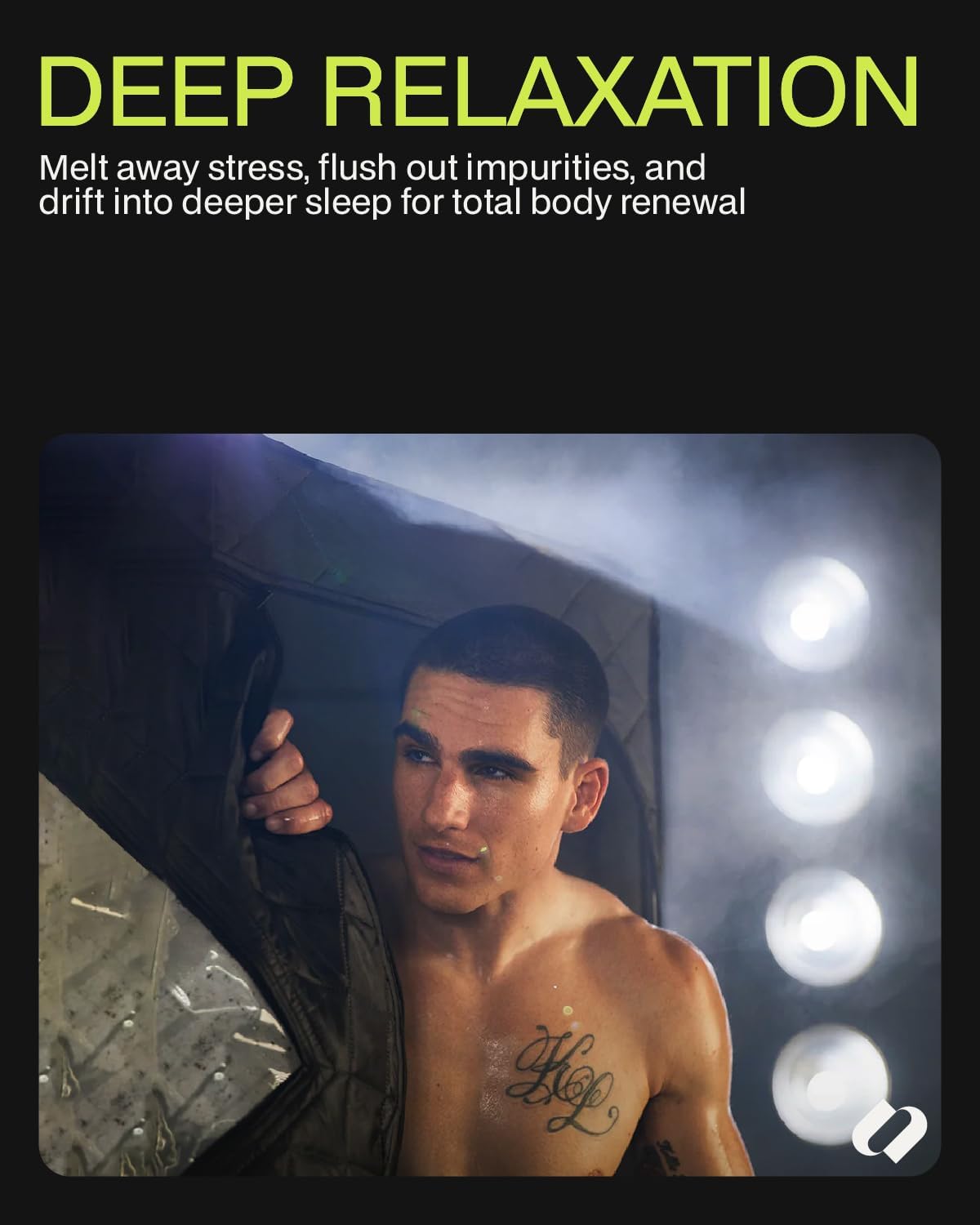
Image: A user experiencing deep relaxation inside the steamy SAUNABOX SmartSteam Kit Pro.
Video: A brief demonstration of the SAUNABOX SmartSteam Pro in operation, highlighting its features.
Video: Discover five key features that enhance the SAUNABOX experience.
3. Maintenance
Proper maintenance ensures the longevity and optimal performance of your SAUNABOX SmartSteam Kit Pro.
- Cleaning the Tent: After each use, wipe down the interior of the sauna tent with a clean, dry cloth to remove any condensation. The material is easy to clean.
- Drying: Leave the tent partially unzipped or open the removable window after use to allow it to air dry completely before folding and storing. This prevents moisture buildup.
- Descaling the SmartSteam Chamber: Periodically descale the SmartSteam chamber to prevent mineral buildup from water. Use a citric acid descaling agent (not included unless specified) as per the product instructions.
- Mat Care: The SweatLock floor mat can be removed and washed as needed to maintain hygiene.
4. Troubleshooting
If you encounter any issues with your SAUNABOX SmartSteam Kit Pro, refer to the following common solutions:
- Steamer Not Producing Steam:
- Ensure the SmartSteam chamber is filled with distilled water above the minimum level.
- Verify that the power cord is securely plugged into a working outlet and the unit is turned on.
- Check that the lid of the SmartSteam chamber is properly closed and twisted to the 'boiling' position if applicable.
- Zippers Catching:
- Operate zippers slowly and carefully. Avoid forcing them.
- Ensure the fabric around the zipper is not bunched up when opening or closing.
- Excessive Condensation on Window:
- This is normal due to high humidity. You can wipe it down with a towel if desired.
- For less condensation, slightly open the removable window to increase ventilation.
- Insufficient Heat:
- Ensure the tent is fully zipped and sealed to prevent heat loss.
- Check the heat level setting on the remote control and increase it if necessary.
- Verify that the steam hose is securely connected to the tent port.
5. Specifications
| Feature | Detail |
|---|---|
| Model Number | STEAMKIT-V1 |
| Product Dimensions | 71.97 x 34.02 x 34.02 inches |
| Item Weight | 36.2 pounds |
| Manufacturer | Youngy Health Co. Ltd. |
| Material | 3-Layer Premium Insulated Tent, ThermoShield Cover, Durable Fiberglass Frame |
| Temperature Range | Up to 140°F (60°C) |
| Timer Settings | 0-60 minutes |
| Heat Levels | 7 adjustable levels |
| Included Accessories | SweatLock floor mat, portable chair, waterproof phone holder, towel hook, carrying case |
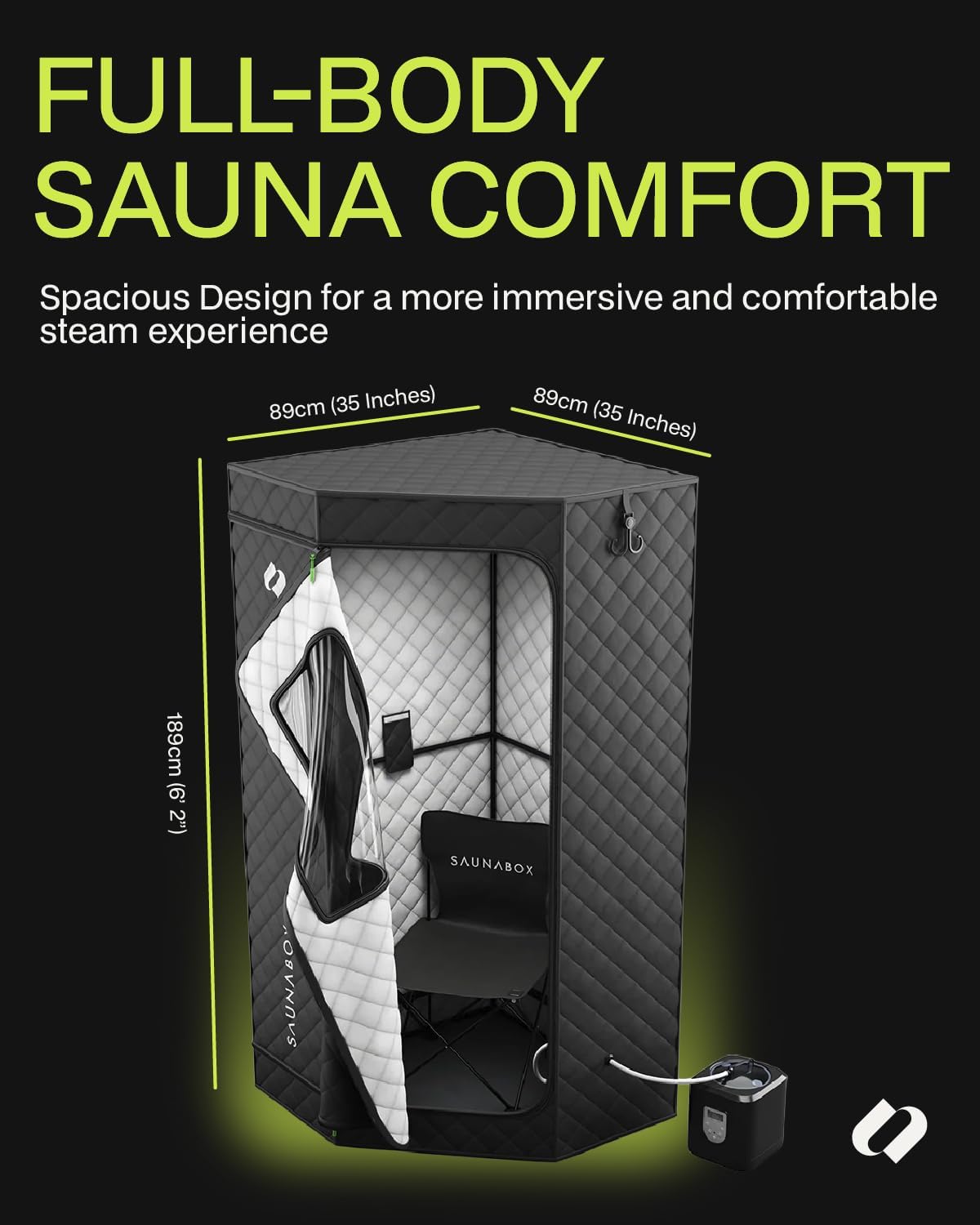
Image: The SAUNABOX SmartSteam Kit Pro showcasing its spacious design and key dimensions.
6. Warranty & Support
Your SAUNABOX SmartSteam Kit Pro is designed for durability and performance. For any questions or support needs, please refer to the following information:
- Protection Plan: A 2-Year Protection Plan is available for this product. Please refer to your purchase documentation for details on how to activate or claim under this plan.
- Manufacturer Support: For technical assistance, troubleshooting, or warranty claims, please contact the manufacturer, Youngy Health Co. Ltd., or visit the official SAUNABOX website for customer service contact information.