Introduction
Thank you for choosing the Cootway Floating Solar Pool Lights. This manual provides essential information for the safe and effective use of your new solar-powered pool lights. Please read these instructions carefully before use and retain them for future reference.
Product Overview
The Cootway Floating Solar Pool Lights are designed to illuminate your pool, garden, or patio with vibrant, dynamic lighting. Featuring solar charging, IP68 waterproofing, and remote control functionality, these lights offer both convenience and aesthetic appeal.
Key Features:
- Solar Powered: Automatically charges during the day (8-10 hours in direct sunlight) and illuminates at night (6-8 hours).
- Dynamic RGB Lighting: Offers a variety of colors and 9 dynamic lighting modes, including solid colors, breathing, slow flashing, and fast flashing.
- Dual Control: Easily change colors and modes using the included remote control or the button on the device itself.
- IP68 Waterproof: Designed for full submersion and outdoor use in various weather conditions.
- Versatile Placement: Floats in pools or hot tubs, and features a sturdy loop for hanging in gardens or patios.
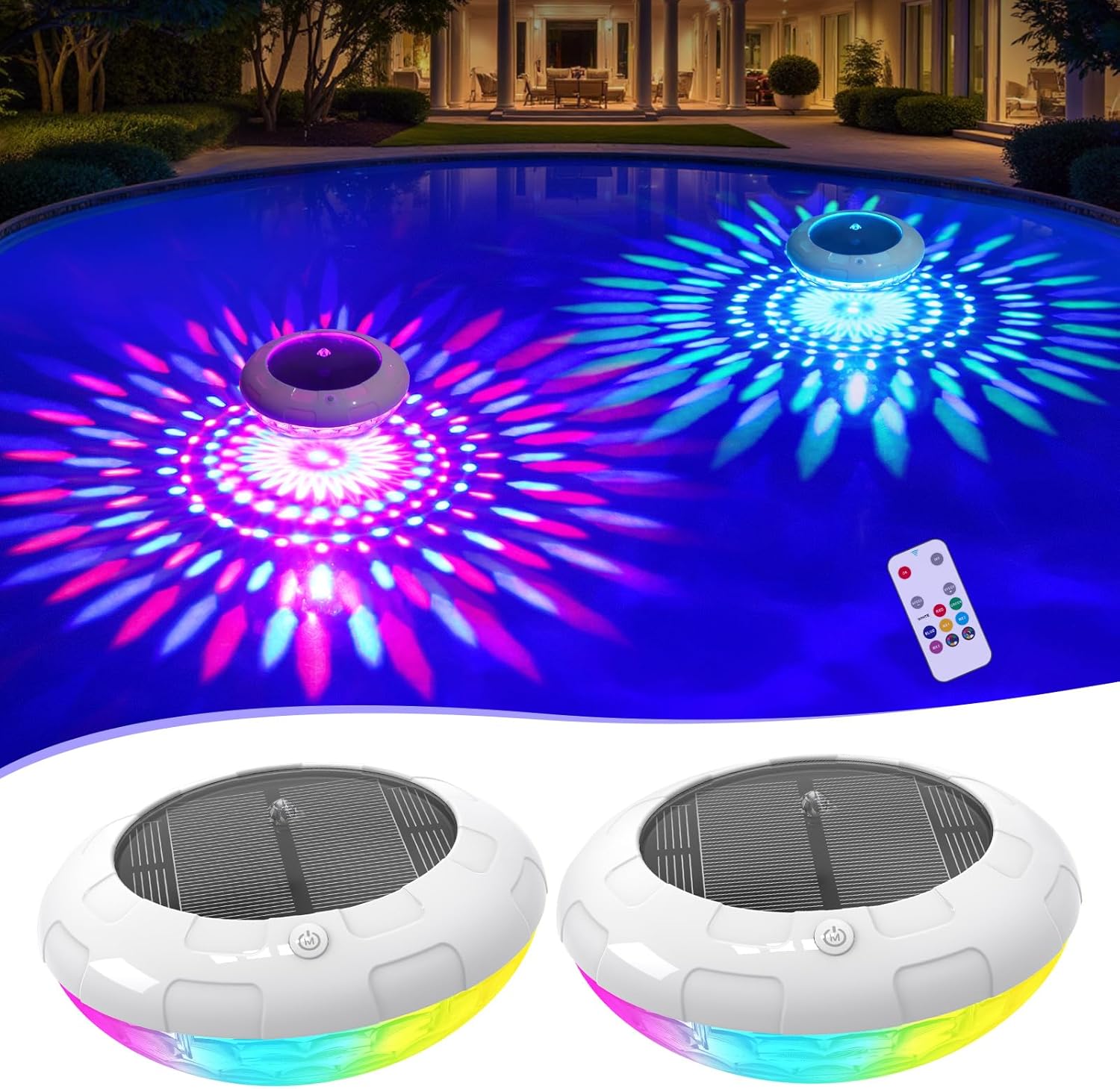
Image: Two Cootway floating solar pool lights creating vibrant light patterns in a swimming pool at night. A remote control is also shown.

Image: Multiple usage scenarios for the Cootway floating solar pool lights, including pools, hot tubs, and garden illumination.
Package Contents
Please check the package for the following items:
- Cootway Floating Solar Pool Light (2 units)
- Remote Control (1 unit)
- Instruction Manual (this document)
Setup Instructions
- Initial Charge: Before first use, place the solar pool lights in direct sunlight for 8 to 10 hours to ensure a full charge. The solar panel is located on the top surface of each light.
- Placement:
- Floating: Simply place the lights directly into your pool, hot tub, or pond. They are designed to float freely.
- Hanging: For garden or patio decoration, use the integrated sturdy loop to hang the lights in your desired location. Ensure the solar panel still receives adequate sunlight.
- Remote Control: The remote control is pre-paired with the lights. Ensure the remote has a working battery (typically a CR2025 coin cell, not explicitly stated if included or type, but common for such remotes).

Image: Illustration of the solar charging process during the day and automatic illumination at night.

Image: The Cootway light demonstrating its hangable design and suitability for various outdoor placements.
Operating Instructions
Automatic Operation:
The Cootway Floating Solar Pool Lights are equipped with a light sensor. After charging during the day, they will automatically turn on at dusk and turn off at dawn.
Manual Control (Device Button):
Each light has a power button located on its side. Press this button to cycle through basic color modes or to manually turn the light on/off.
Remote Control Operation:
The included remote control provides comprehensive control over the lights. Ensure the remote is pointed towards the lights for optimal response.
- ON/OFF: Press the ON button to turn the lights on, and OFF to turn them off.
- Color Selection: Choose from 7 solid colors (Red, Green, Blue, White, etc.) by pressing the corresponding color buttons.
- Dynamic Modes: Select from 16 dynamic modes, including various flashing, strobe, and fade effects.
- Speed Adjustment: Use the Speed+ and Speed- buttons to adjust the speed of dynamic lighting effects.
- Sync All Lights: The remote can control multiple lights simultaneously, allowing for synchronized lighting effects.

Image: A swimming pool at night, illuminated by Cootway lights displaying various dynamic color modes. Icons for button and remote control are shown.
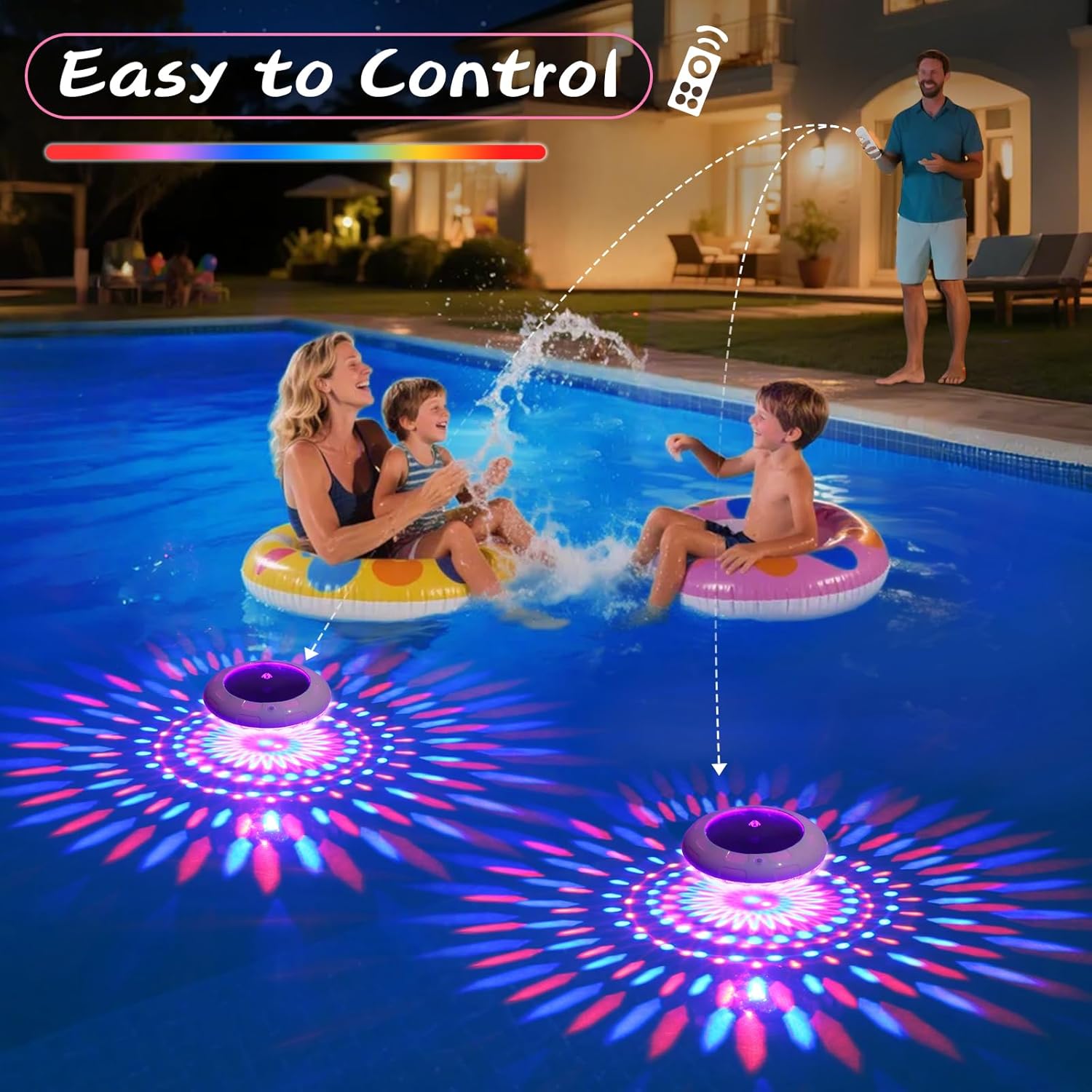
Image: A person operating the Cootway floating pool lights with a remote control from outside the pool.
Maintenance
- Cleaning: Periodically wipe the solar panel and the light's surface with a soft, damp cloth to remove dust, dirt, or debris. This ensures optimal solar charging efficiency. Avoid abrasive cleaners.
- Storage: If storing the lights for an extended period, ensure they are fully charged and store them in a cool, dry place.
- Battery: The lights contain a built-in Lithium Polymer battery. Do not attempt to replace the internal battery. For the remote control, replace the battery (if applicable, usually CR2025) when its range or responsiveness decreases.
Troubleshooting
| Problem | Possible Cause | Solution |
|---|---|---|
| Light does not turn on at night. | Insufficient solar charge. | Ensure the solar panel is exposed to direct sunlight for 8-10 hours during the day. Clean the solar panel if dirty. |
| Light is dim or only stays on for a short period. | Partial solar charge or aging battery. | Relocate the light to an area with more direct sunlight. If the issue persists after prolonged charging, the internal battery may be nearing its end of life. |
| Remote control is not working. | Remote battery is low or depleted; remote not pointed at light. | Replace the remote control battery (if applicable). Ensure there are no obstructions between the remote and the light, and point the remote directly at the light. |
| Light stopped working after a short period. | Possible internal fault or water ingress (unlikely due to IP68, but possible in extreme cases). | Ensure proper charging as described above. If the issue persists, contact Cootway customer support for assistance. |
Specifications
| Feature | Detail |
|---|---|
| Brand | Cootway |
| Model Name | CT282LWR |
| Color | White |
| Material | Polycarbonate |
| Product Dimensions | 6.5"L x 6.5"W x 3.3"H |
| Power Source | Solar Powered |
| Water Resistance Level | IP68 Waterproof |
| Light Source Type | LED |
| Light Color | RGB (Color Changing) |
| Control Method | Remote, Touch Button |
| Special Features | Color Changing, Energy Efficient, IP68 Waterproof, Remote & Button Control |
| Included Components | Remote Control |
| Battery | 1 Lithium Polymer battery (included) |
| Item Weight | 1.8 pounds (0.82 Kilograms) |

Image: A Cootway floating solar pool light in a pool, emphasizing its IP68 waterproof feature and physical dimensions.
Warranty and Support
For warranty information or technical support, please contact Cootway customer service through the retailer where the product was purchased or visit the official Cootway website. Please have your model number (CT282LWR) and purchase details ready when contacting support.

