
1. Introduction
This manual provides essential information for the installation and proper use of the CFguang BN41-01812A TV Main Board. This product is a replacement component designed to restore functionality to compatible Samsung television models. Due to the technical nature of this product, professional installation is highly recommended to ensure safety and correct operation.
2. Product Overview
The CFguang BN41-01812A is a replacement main board for select Samsung TV models. It serves as the central processing unit for the television, managing video, audio, and input/output functions. This board is designed to be a direct replacement for the original BN41-01812A main board.
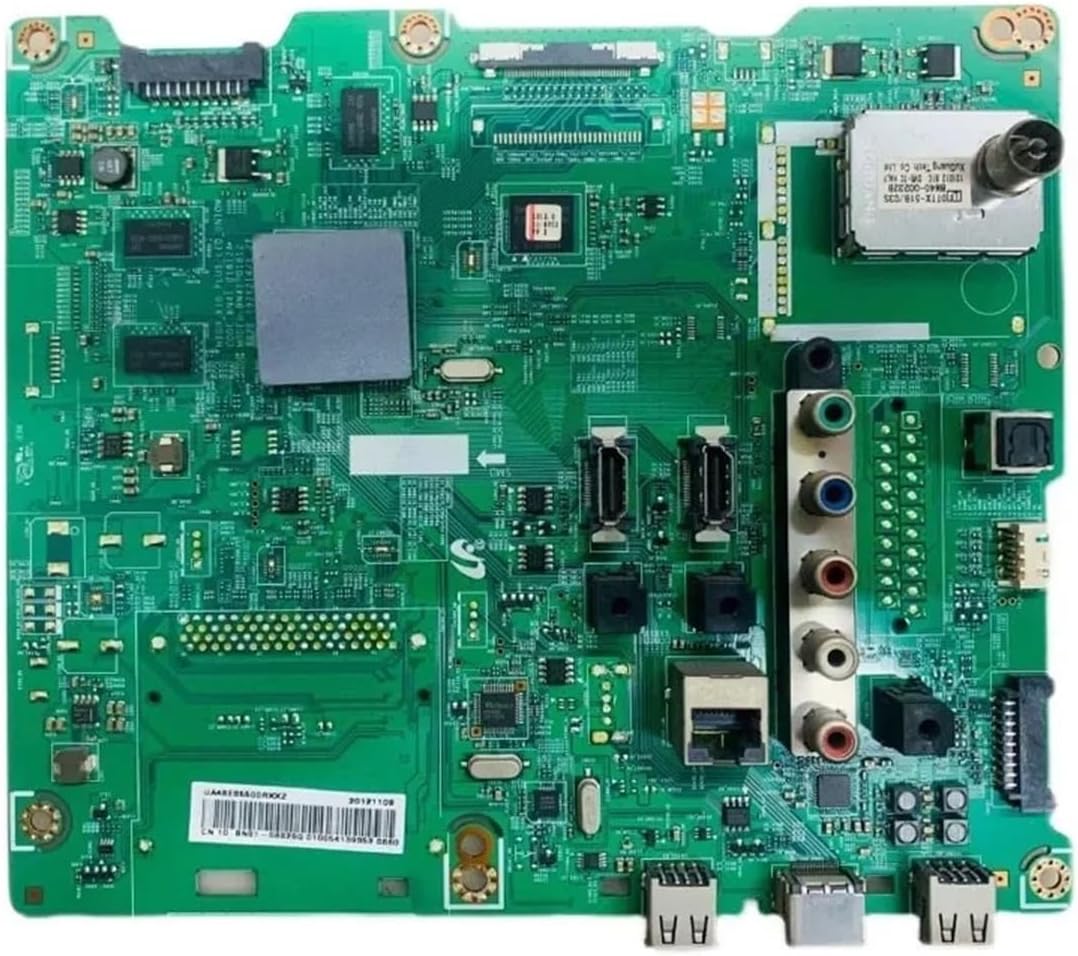
Image 2.1: Front view of the CFguang BN41-01812A TV Main Board, showing various ports and components.

Image 2.2: The main board with its model number, BN41-01812A, prominently displayed.
3. Compatibility
This CFguang BN41-01812A TV Main Board is compatible with the following Samsung TV models:
- UA32ES6200R
- UN40EH5300
- UN40EH5300F
- UN40EH5300FXZX
- UA46ES5600M
- UE46ES5500W
- UA46ES6800
Please verify your TV's existing main board model number matches BN41-01812A before purchasing and installing this replacement part.
4. Features and Specifications
4.1 Supported Functions
- HDMI: Yes
- AV (Audio/Video): Yes
- USB: Yes
4.2 Unsupported Functions
Please note that this specific main board model (BN41-01812A) does NOT support the following functions:
- Network Functionality: No (e.g., Ethernet, Wi-Fi)
- Tuner Functionality: No (e.g., Antenna, Cable TV input)
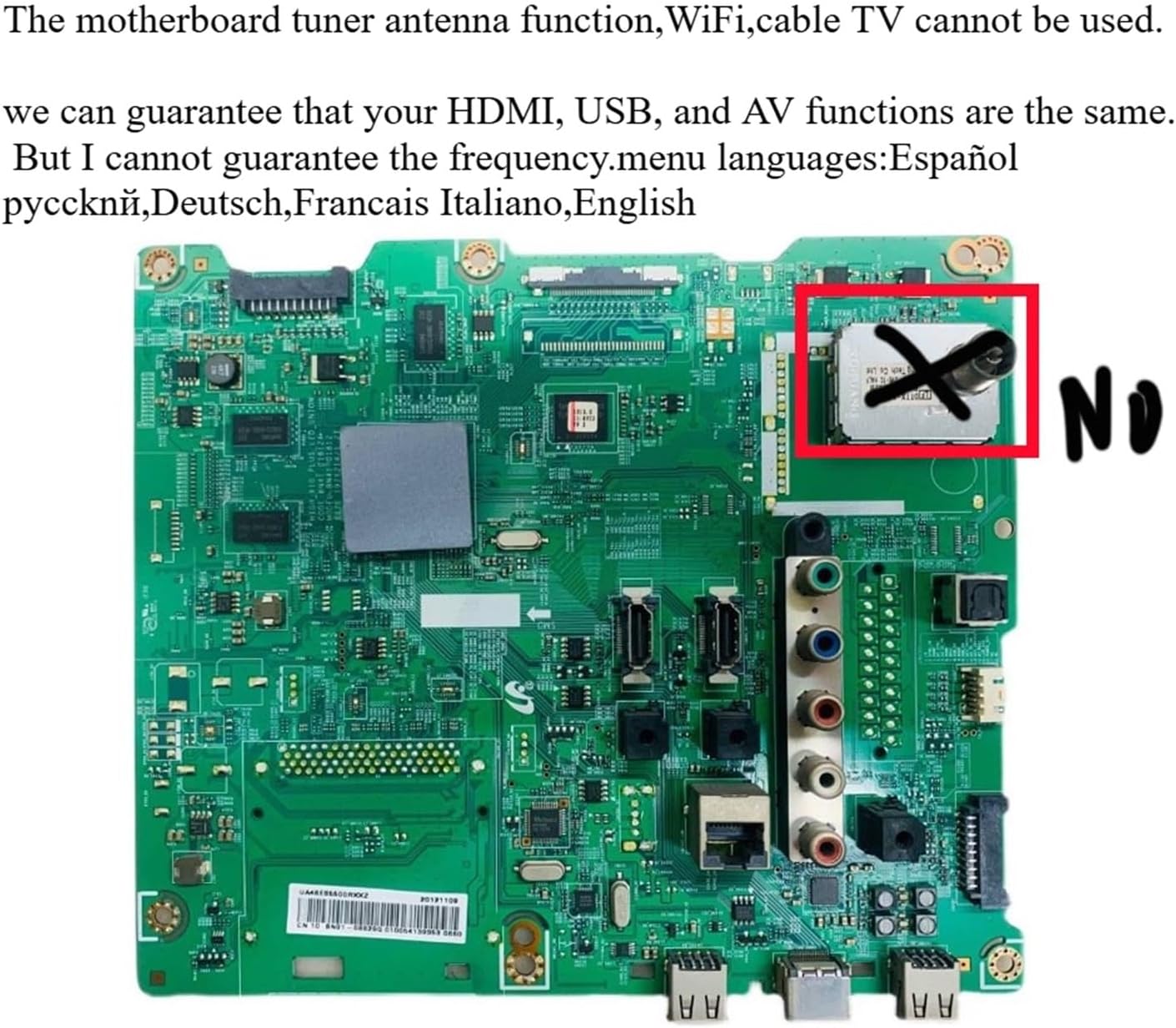
Image 4.1: The main board clearly indicating that the tuner/antenna function is not supported.
4.3 General Specifications
- Part Model: BN41-01812A
- Item Weight: Approximately 1.76 ounces (50 grams)
- Approximate Package Dimensions: 1.18 x 0.79 x 0.39 inches (3 x 2 x 1 cm)
- Manufacturer: CFguang

Image 4.2: A detailed view of the main board's components and identifying markings.
5. Installation
WARNING: Installation of this component involves working with high voltage electronics. Improper installation can lead to electric shock, personal injury, or damage to the television. Professional installation by a qualified technician is strongly recommended.
5.1 Pre-Installation Checklist
- Ensure the TV is completely unplugged from the power outlet.
- Gather necessary tools (e.g., screwdrivers, anti-static wrist strap).
- Work in a clean, static-free environment.
5.2 Installation Steps (General Guide)
- Carefully lay the TV screen-down on a soft, clean surface to prevent scratches.
- Remove the back cover of the television by unscrewing all retaining screws.
- Locate the existing main board. It is typically the largest circuit board with multiple input/output ports.
- Disconnect all cables connected to the old main board. Take photos or make notes to remember cable placement.
- Remove the screws securing the old main board to the TV chassis.
- Carefully lift out the old main board.
- Position the new CFguang BN41-01812A main board into place, ensuring it aligns with the mounting holes.
- Secure the new main board with the screws removed earlier.
- Reconnect all cables to their corresponding ports on the new main board. Double-check all connections for security.
- Before replacing the back cover, perform a preliminary power-on test (see Section 6).
- If the test is successful, replace the TV back cover and secure it with all screws.
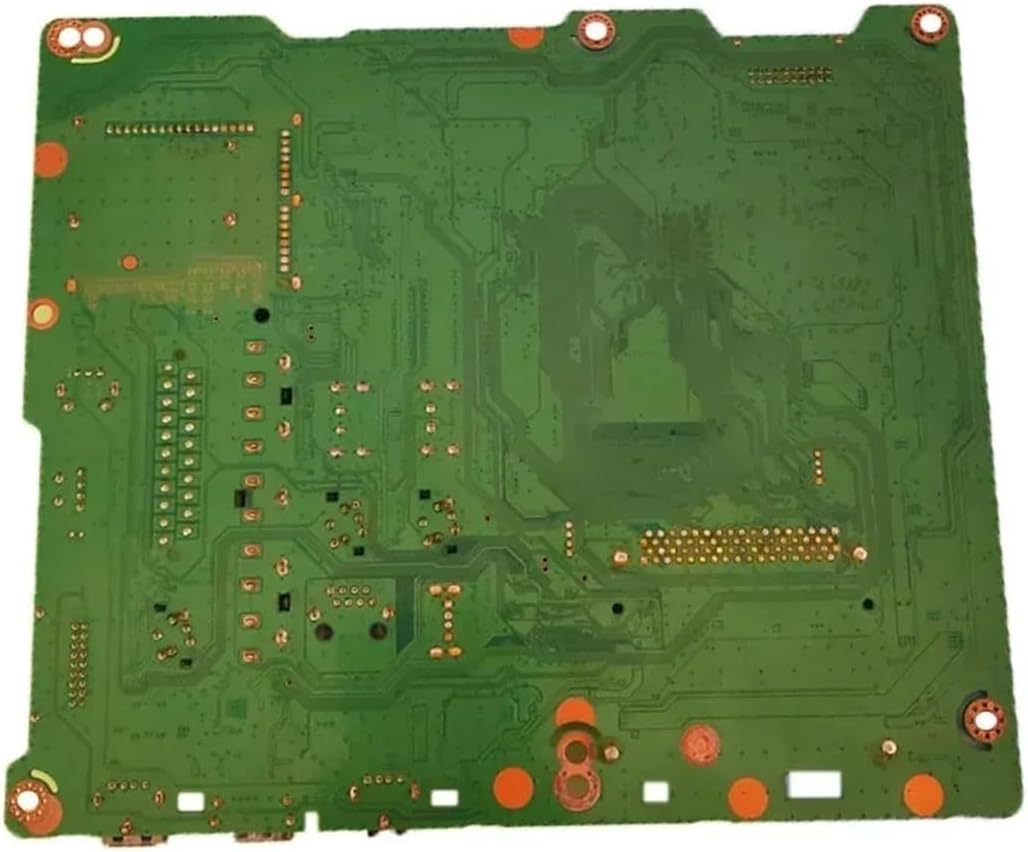
Image 5.1: Back view of the main board, illustrating the complexity of the component and the need for careful handling during installation.
6. Operation
After successful installation, reconnect the TV to a power source and power it on. The TV should display the manufacturer's logo and proceed to its normal operating state.
6.1 Verifying Functions
- HDMI: Connect an HDMI device (e.g., Blu-ray player, game console) to an HDMI port and verify video and audio output.
- AV: Connect an AV device (e.g., DVD player) to the AV input ports and verify video and audio output.
- USB: Insert a USB drive into a USB port and check if the TV recognizes it and can access media files.
Reminder: This main board does NOT support network or tuner functions. If your TV previously relied on these features, they will not be available with this replacement board.
7. Troubleshooting
If you encounter issues after installation, please refer to the following troubleshooting steps:
- No Power: Ensure the TV is securely plugged into a working power outlet. Double-check all internal power cable connections to the main board.
- No Picture/Sound: Verify all ribbon cables and connectors between the main board and other TV components (e.g., T-CON board, power supply board, speakers) are firmly seated. Test different input sources (HDMI, AV).
- Network/Tuner Functions Not Working: This is expected behavior. As stated in Section 4.2, this BN41-01812A main board does not support network (Wi-Fi/Ethernet) or tuner (Antenna/Cable TV) functionalities. External devices or alternative solutions will be required for these features.
- Incorrect Display/Colors: Check connections to the T-CON board and ensure the panel type settings (if accessible in service menu) are correct for your TV model.
If problems persist after following these steps, it is recommended to consult with a professional TV repair technician.
8. Maintenance
The CFguang BN41-01812A TV Main Board requires minimal maintenance once installed. To ensure its longevity:
- Keep the television in a well-ventilated area to prevent overheating.
- Avoid exposing the TV to excessive dust, moisture, or extreme temperatures.
- Do not attempt to clean the internal components of the main board unless you are a qualified technician.
9. Safety Information
- Always disconnect the TV from the power source before performing any installation, maintenance, or inspection.
- Electronic components can be sensitive to static electricity. Use an anti-static wrist strap when handling the main board.
- Do not attempt to modify the main board. Unauthorized modifications can lead to damage, fire, or electric shock.
- Keep out of reach of children.
10. Support
For technical assistance, warranty inquiries, or further questions regarding the CFguang BN41-01812A TV Main Board, please contact the seller or manufacturer directly through your purchase platform.