
1. Introduction
Thank you for choosing the Kangnice Y5000 4K Digital Camera. This manual provides detailed instructions on how to set up, operate, and maintain your camera to ensure optimal performance and longevity. Please read this manual thoroughly before using the camera and keep it for future reference.
The Y5000 is designed for capturing high-quality photos and videos, featuring 4K resolution, a 2.2-inch flip screen, and 16x digital zoom, making it suitable for students, photography enthusiasts, and various outdoor activities.
2. Product Overview
The Kangnice Y5000 is a versatile digital camera equipped with features to enhance your photography experience.

Figure 1: Front view of the Kangnice Y5000 4K Digital Camera, showing the lens and grip.
Key Features:
- 4K Video Resolution: Capture videos in stunning 4K (3840x2160) quality.
- 50 Million Pixels: High-resolution still images.
- 2.2-inch Flip Screen: A rotatable display for easy framing, especially for selfies and vlogging.
- 16x Digital Zoom: Magnify your subjects from a distance.
- CMOS Image Sensor: For improved image quality.
- Flippable Flash/Fill Light: Integrated flash for low-light conditions.
- Autofocus: Automatically adjusts focus for sharp images.
- Facial Recognition: Enhances portrait photography.
- USB Interface: For data transfer and charging.
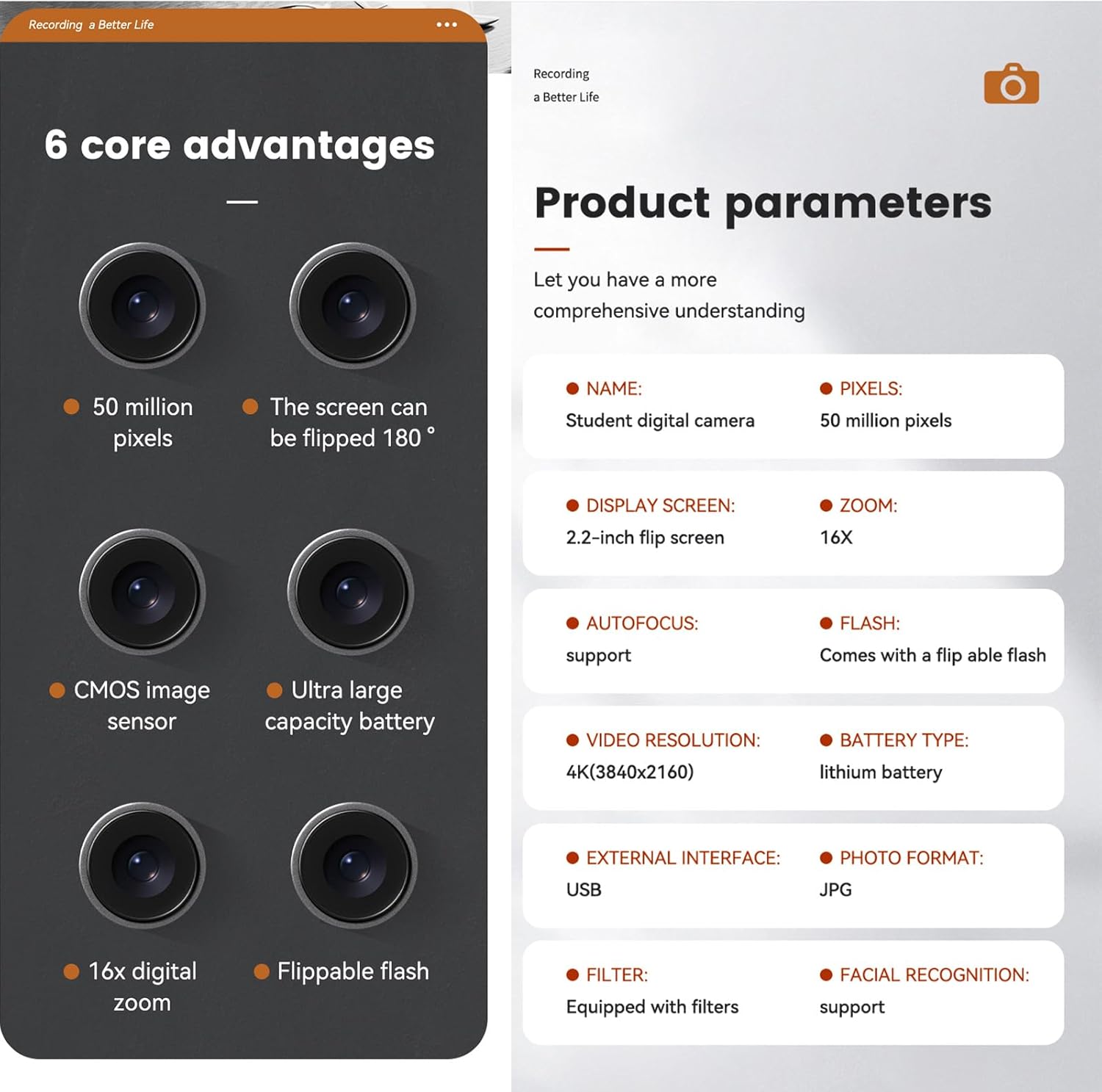
Figure 2: Overview of the camera's core advantages and product parameters.
3. Setup
3.1. Unpacking the Camera
Carefully remove all components from the packaging. Ensure you have the camera, USB cable, and any other included accessories.
3.2. Charging the Battery
- Locate the USB port on the camera.
- Connect the camera to a power source (e.g., computer USB port or USB wall adapter) using the provided USB cable.
- The charging indicator light will illuminate. Once fully charged, the light may change color or turn off.
3.3. Inserting a Memory Card (Not Included)
The Y5000 camera requires a memory card (e.g., microSD card) to store photos and videos. Ensure the card is compatible and formatted correctly.
- Locate the memory card slot on the camera.
- Insert the memory card into the slot with the contacts facing the correct direction until it clicks into place.
- To remove, gently press the card until it springs out.
4. Operating the Camera
4.1. Powering On/Off
Press and hold the Power button (usually located on the top or side of the camera) to turn the camera on or off.
4.2. Taking Photos
- Turn on the camera.
- Frame your shot using the 2.2-inch flip screen.
- Press the Shutter button halfway down to allow the camera to autofocus.
- Press the Shutter button fully to capture the photo.
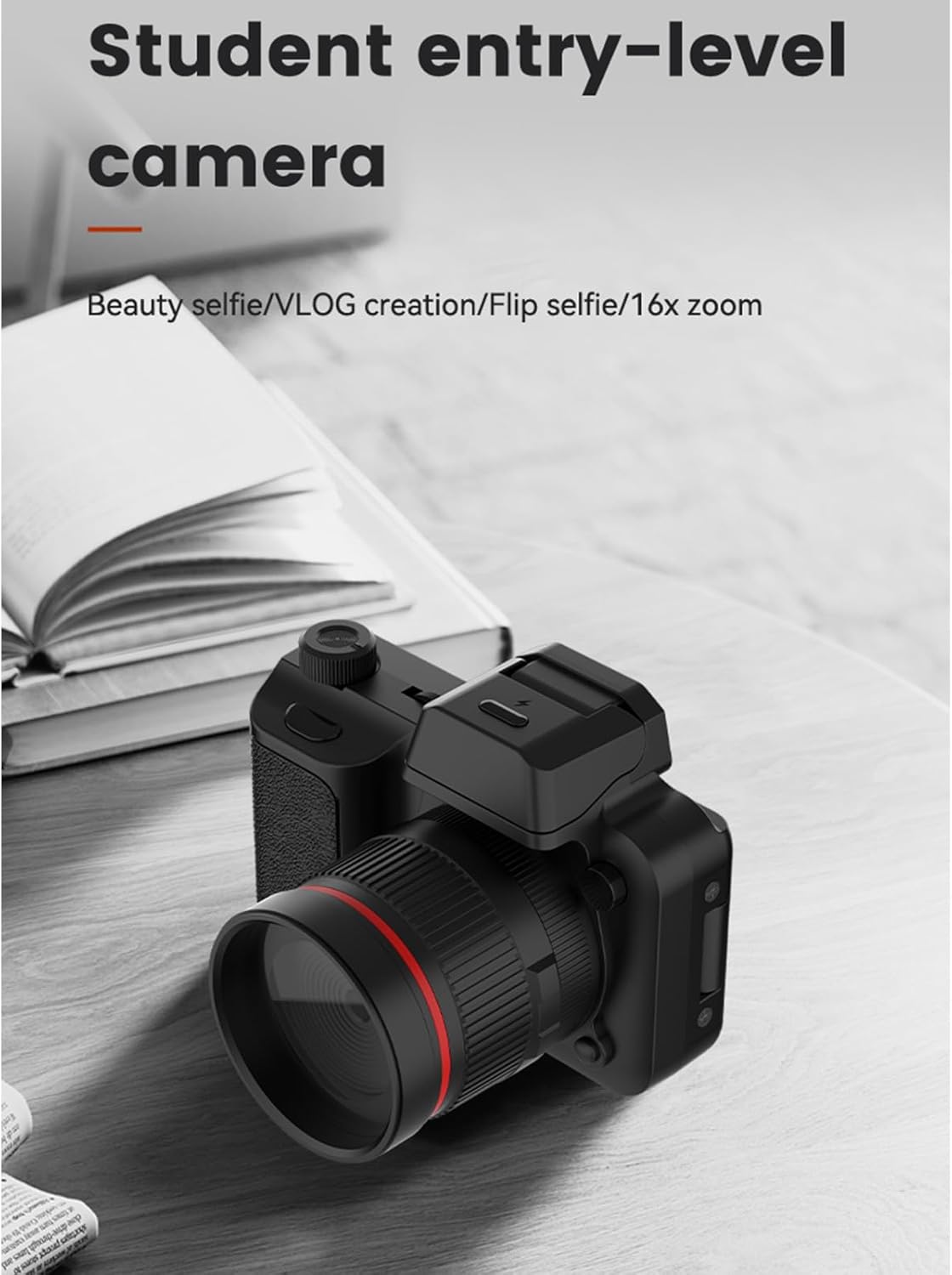
Figure 3: Side view of the camera, illustrating its compact design.
4.3. Recording Videos
- Switch the camera to video recording mode (refer to the on-screen menu or a dedicated mode button).
- Press the Record button (often marked with a red dot) to start recording.
- Press the Record button again to stop recording.
4.4. Using the Flip Screen
The 2.2-inch screen can be rotated 180 degrees. This is particularly useful for self-portraits, vlogging, or shooting from unusual angles.

Figure 4: The camera with its flip screen extended and flash raised, ready for use.
4.5. Using the Flash/Fill Light
To activate the built-in flippable flash, manually raise it from the camera body. The camera will automatically use the flash in low-light conditions when enabled in settings, or you can manually trigger it.

Figure 5: Demonstration of the flippable fill light improving night portraits.
4.6. Transferring Files (OTG Fast Transmission)
Connect the camera to a computer or compatible mobile device using the USB cable. The camera should appear as a removable drive, allowing you to copy photos and videos.

Figure 6: The camera connected to a smartphone via OTG for fast photo sharing.
5. Specifications
Below are the technical specifications for the Kangnice Y5000 4K Digital Camera:
| Feature | Specification |
|---|---|
| Model Name | Y5000 |
| Pixels | 50 Million Pixels |
| Display Screen | 2.2-inch Flip Screen |
| Zoom | 16x Digital Zoom |
| Autofocus | Supported |
| Flash | Flippable Flash |
| Video Resolution | 4K (3840x2160) |
| Battery Type | Lithium Battery |
| External Interface | USB |
| Photo Format | JPG |
| Filters | Equipped with filters |
| Facial Recognition | Supported |
| Component Material | ABS |
| Dimensions | 9.8 x 8.5 cm (approximate) |
Note: Specifications are subject to change without prior notice.
6. Maintenance
Proper care and maintenance will extend the life of your camera.
- Cleaning the Lens: Use a soft, lint-free cloth specifically designed for camera lenses. Avoid touching the lens with your fingers.
- Cleaning the Body: Wipe the camera body with a soft, dry cloth. Do not use harsh chemicals or solvents.
- Storage: Store the camera in a cool, dry place away from direct sunlight and extreme temperatures. If storing for an extended period, remove the battery.
- Water Resistance: This camera is not waterproof. Avoid exposure to water or high humidity.
- Battery Care: Do not expose the battery to fire or extreme heat. Dispose of batteries according to local regulations.
7. Troubleshooting
If you encounter issues with your camera, refer to the following common problems and solutions:
| Problem | Possible Cause / Solution |
|---|---|
| Camera does not power on. |
|
| Cannot take photos/record videos. |
|
| Images are blurry. |
|
| Flash is not working. |
|
8. Warranty and Support
For warranty information and customer support, please refer to the documentation provided at the time of purchase or contact Kangnice customer service through their official channels. Keep your proof of purchase for warranty claims.