
Introduction
This manual provides essential information for setting up, operating, maintaining, and troubleshooting your Gezoon 15.6 inch Laptop. This device is equipped with a 12th Gen Intel Alder Lake N100 processor, 12GB LPDDR5 RAM, and a 512GB SSD, designed for efficient performance in various tasks.
What's in the Box
Please check the contents of your package. If any items are missing or damaged, contact customer support.
- Gezoon 15.6 inch Laptop
- Power Adapter
- Keyboard Cover
- User Manual (this document)
- Warranty Card
Product Overview
Familiarize yourself with the key components and ports of your laptop.

Image: Overall view of the Gezoon 15.6 inch Laptop, detailing its 12th Gen Intel Alder Lake-N100 Processor, 12GB DDR5 RAM, 512GB M.2 SSD, 200W Front Camera, Dual WiFi, 38Wh Battery, Full-featured Type-C port, and Windows 11 Pro operating system.
Processor Details

Image: Detailed specifications of the 12th Gen Intel Alder Lake-N100 Processor, highlighting its 4 cores, 4 threads, 6MB cache, and Turbo Boost frequency of 3.4GHz.
The laptop is powered by a 12th Generation Intel Alder Lake-N100 processor, featuring 4 cores and 4 threads, with a 6MB cache and a turbo boost frequency of up to 3.4GHz. This processor is designed for efficient multitasking and smooth operation.
Ports and Connectors

Image: Side view of the Gezoon laptop illustrating its multiple ports. On one side, it features a Micro SD card slot, an earphone hole, and a USB 3.0 port. On the other side, it includes a DC power input, an HDMI port, a Full-Featured Type-C port, and another USB 3.0 port.
- USB 3.2 Gen1 Type-A Ports (x2): For connecting USB devices such as external hard drives, mice, and keyboards.
- Full-Featured Type-C Port: Supports data transfer, video output, and power delivery.
- Mini HDMI Port: For connecting to external displays or projectors.
- TF Card Reader: For reading and writing data from microSD cards.
- Headphone and Mic Combo Jack: For connecting headphones or external microphones.
- DC Power Jack: For connecting the power adapter to charge the laptop.
Setup
- Unpack the Laptop: Carefully remove the laptop and all accessories from the packaging.
- Charge the Battery: Before initial use, connect the power adapter to the DC power jack on the laptop and plug it into a power outlet. Allow the battery to charge fully. The charging indicator light will typically change color or turn off when fully charged.
- Power On: Open the laptop lid and press the power button, usually located on the top right of the keyboard area.
- Initial Windows Setup: Follow the on-screen instructions to complete the Windows 11 Pro setup. This includes selecting your language, region, connecting to a Wi-Fi network, and creating a user account.
- Connect Peripherals: Connect any external devices such as a mouse, keyboard, or external monitor to the appropriate ports.
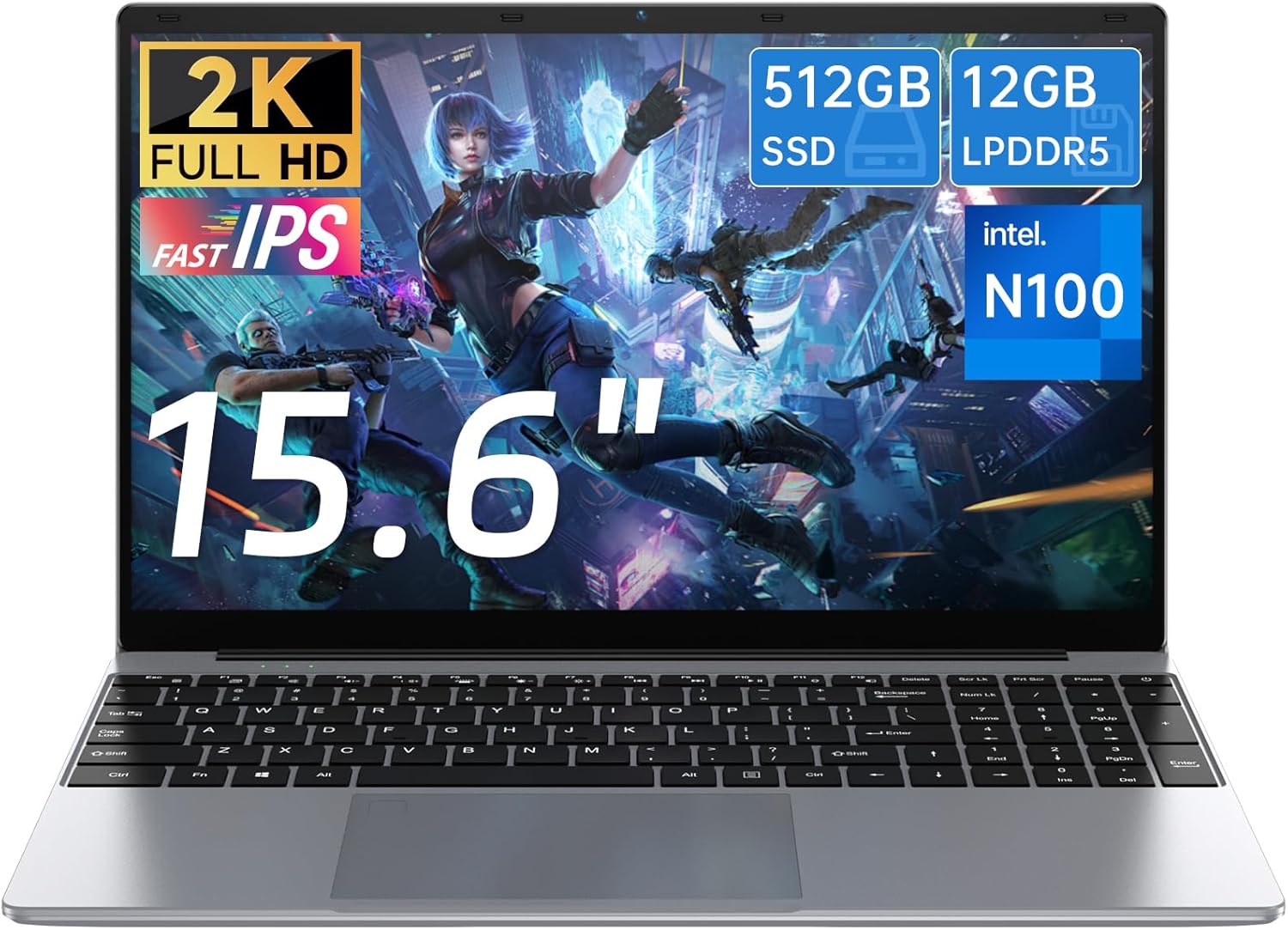
Image: The Gezoon 15.6 inch Laptop, showcasing its sleek design and open display, ready for initial setup and use.
Operating Instructions
Keyboard and Touchpad

Image: The Gezoon laptop featuring a full-size keyboard and its 180-degree flip capability, allowing for flexible viewing angles.
- Full-Size Keyboard: The laptop features a full-size keyboard for comfortable typing.
- Touchpad: Use the integrated touchpad for cursor control. It supports multi-touch gestures for scrolling, zooming, and other functions. Refer to Windows settings for touchpad customization.
- Function Keys: The function keys (F1-F12) often have secondary functions (e.g., volume control, screen brightness) accessible by pressing them alone or in combination with the Fn key.
Display and Visuals

Image: The Gezoon laptop's 15.6-inch Full HD display, showcasing its 1920x1080 resolution, 100% sRGB, 72% NTSC color gamut, and eye protection features for an immersive visual experience.
- 15.6-inch FHD IPS Display: Enjoy clear visuals with the 1920x1080 resolution display.
- External Display: Connect an external monitor via the Mini HDMI or Full-Featured Type-C port for extended or mirrored display options.
Audio and Webcam

Image: The Gezoon laptop highlighting its audio and video capabilities, including high-quality stereo speakers, a dual microphone system, and an HD webcam for clear communication and entertainment.
- Dual Stereo Speakers: Provides audio output for multimedia and system sounds.
- Dual Array Microphones: For clear audio input during video calls or recordings.
- HD Webcam: Integrated webcam for video conferencing and capturing images.
Maintenance
- Cleaning:
- Use a soft, lint-free cloth to clean the screen. For stubborn smudges, dampen the cloth slightly with water or a screen-cleaning solution.
- Wipe the keyboard and chassis with a soft, dry cloth. Avoid harsh chemicals.
- Battery Care:

Image: A user working on the Gezoon laptop, emphasizing its large-capacity 7.6V/6500mAh battery, which provides up to 12 hours of battery life.
- Avoid completely discharging the battery frequently.
- Store the laptop in a cool, dry place if not used for extended periods.
- Use only the original power adapter provided with the laptop.
- Software Updates: Regularly update your Windows operating system and drivers to ensure optimal performance and security.
- Data Backup: Periodically back up important data to an external drive or cloud storage to prevent data loss.
Troubleshooting
This section addresses common issues you might encounter with your laptop.
| Problem | Possible Solution |
|---|---|
| Laptop does not power on. |
|
| Screen is blank or black. |
|
| Wi-Fi connection issues. |
|
| Touchpad not responding. |
|
For further assistance, please refer to the support section or contact Gezoon customer service.
Specifications
| Feature | Detail |
|---|---|
| Brand | Gezoon |
| Model Name | intel N100 12GB RAM 512GB SSD LAPTOP |
| Screen Size | 15.6 Inches |
| CPU Model | Intel Processor N100 (12th Gen Alder Lake-N100) |
| Processor Speed | Up to 3.4 GHz (Turbo Boost) |
| RAM Memory Installed Size | 12 GB LPDDR5 |
| Hard Disk Size | 512 GB SSD (M.2 2280 SATA) |
| Operating System | Windows 11 Pro |
| Graphics Coprocessor | Intel UHD Graphics 730 |
| Resolution | 1920 x 1080 Pixels (FHD) |
| Refresh Rate | 120 Hz |
| Battery Capacity | 6500 mAh (7.6 Volts) |
| Battery Life (Average) | 10-12 Hours |
| Connectivity | 2.4G/5G Wi-Fi, Bluetooth 5, Ethernet (via adapter), HDMI, USB, Type-C |
| Ports | 2x USB 3.2 Gen1 Type-A, 1x Full-Featured Type-C, 1x Mini HDMI, 1x TF Card Reader, 1x Headphone/Mic Combo Jack, 1x DC Power Jack |
| Webcam | Yes (Front, 3 MP) |
| Item Weight | 1690 Grams |
| Dimensions (L x W x Th) | 12.6"L x 8.2"W x 0.7"Th |
Warranty and Support
Warranty Information
Your Gezoon laptop comes with a Two-year product and accessories warranty from the date of purchase. This warranty covers manufacturing defects and malfunctions under normal use. Please retain your proof of purchase for warranty claims.
The warranty does not cover damage caused by:
- Accidental damage, misuse, or abuse.
- Unauthorized repairs or modifications.
- Operating the device outside the specified environmental conditions.
Customer Support
If you encounter any issues not covered in the troubleshooting section or require further assistance, please contact Gezoon customer support. You can find contact information on the official Gezoon website or through your purchase platform.
For the latest drivers, software updates, and FAQs, please visit the official Gezoon support page.
