
1. Important Safeguards
When using electrical appliances, basic safety precautions should always be followed, including the following:
- Read all instructions before operating the toaster.
- Do not touch hot surfaces. Use handles or knobs.
- To protect against electrical shock, do not immerse cord, plugs, or toaster in water or other liquid.
- Close supervision is necessary when any appliance is used by or near children.
- Unplug from outlet when not in use and before cleaning. Allow to cool before putting on or taking off parts.
- Do not operate any appliance with a damaged cord or plug, or after the appliance malfunctions or has been damaged in any manner.
- The use of accessory attachments not recommended by the appliance manufacturer may cause injuries.
- Do not use outdoors.
- Do not let cord hang over edge of table or counter, or touch hot surfaces.
- Do not place on or near a hot gas or electric burner, or in a heated oven.
- Do not use appliance for other than intended use.
- Oversize foods, metal foil packages, or utensils must not be inserted in a toaster as they may create a fire or risk of electric shock.
- A fire may occur if toasters are covered or touching flammable material, including curtains, draperies, walls, and the like, when in operation.
- Do not attempt to dislodge food when toaster is plugged in.
- Always attach plug to appliance first, then plug cord into the wall outlet. To disconnect, turn any control to “off”, then remove plug from wall outlet.
2. Product Overview
The Dear Morning Touch Screen Toaster is a 2-slice stainless steel digital toaster designed for convenience and versatility. It features an intuitive LCD display and touch controls, offering a range of toasting options to suit various preferences.
Key Features:
- LCD Display & Touch Control: The wide slots toaster has a colorful LCD, allowing you to easily view the bread type, shade setting, and remaining toasting time.
- 6 Shade Settings: Provides a range of browning from light yellow to deep dark. Setting 3 is specially developed for a balanced toast.
- Multiple Functions: Features 1.5-inch wide slots suitable for various bread types. Includes Cancel, Defrost, and Reheat functions, plus dedicated bread type selections: Bagel, White, Waffle, English Muffin, Gluten-Free, and Grain.
- Memory Function: Press and hold for 3 seconds to set frequently used gear and bread type preferences. The toaster will remember your last baking selection if no memory setting is active.
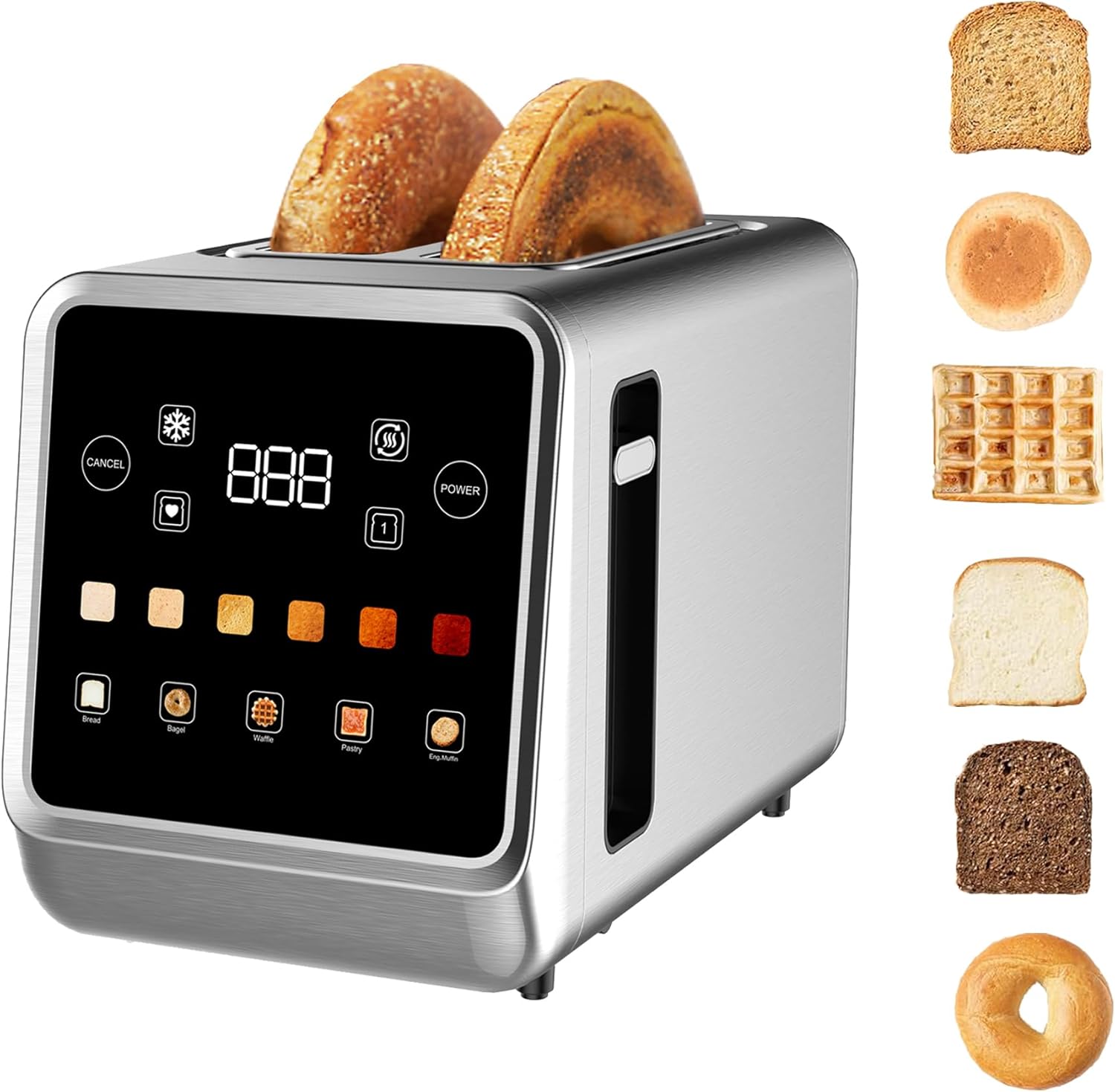
Image: Front view of the Dear Morning Touch Screen Toaster, showcasing its sleek design and digital display.
3. Setup
- Unpacking: Carefully remove the toaster from its packaging and remove all packing materials, including any protective films or stickers.
- Placement: Place the toaster on a stable, flat, heat-resistant surface, away from flammable materials such as curtains or walls. Ensure there is adequate ventilation around the appliance.
- First Use Preparation: Before first use, it is normal for a slight chemical smell to be present due to machine oil. To dissipate this, operate the toaster without bread for a few minutes on a medium setting. This smell will dissipate with subsequent uses.
- Power Connection: Plug the toaster into a standard 120V AC electrical outlet.
4. Operating Instructions
The toaster features an intuitive touch screen interface for easy operation.
Basic Toasting Steps:
- Insert Bread: Place up to two slices of bread or other items into the toasting slots. The 1.5-inch wide slots accommodate various bread types.
- Select Bread Type (Optional): On the touch screen, select the appropriate bread type (e.g., Bagel, White, Waffle, Eng. Muffin, Gluten Free, Grain). This optimizes toasting for specific items.
- Choose Shade Setting: Select your desired browning level from 1 (lightest) to 6 (darkest) using the touch controls. The LCD will display the selected shade and a countdown timer.
- Lower Lever: Press the toast lever down until it locks into place. The toasting cycle will begin.
- Completion: Once the toasting cycle is complete, the bread will automatically pop up.

Image: Visual guide demonstrating the four simple steps to operate the toaster: selecting bread type, desired function, shade setting, and pressing the lever.
Special Functions:
- Bagel Function: Select the 'Bagel' option for toasting just the cut side of bagels, leaving the outer side warm and soft.
- Defrost Function: Select the 'Defrost' option to toast frozen bread throughout. The toaster will automatically adjust the toasting time.
- Reheat Function: Use the 'Reheat' option to warm up previously toasted items without further browning.
- Cancel Function: Press the 'Cancel' button at any time to stop the toasting operation and eject the bread.
- Memory Function: To set a preferred gear and bread type, press and hold the memory function button for 3 seconds. The toaster will then bake according to these saved preferences when the memory function is selected. If no specific memory setting is saved, it will recall the last used baking selection.

Image: An overview of the toaster's digital touch screen, highlighting the countdown timer, single slice function, bread type selections, defrost, reheat, and cancel buttons.

Image: Illustration of the 6 browning levels, from light to dark, achievable with the toaster's shade settings.
Video: A demonstration of the WUNLY Touch Screen Toaster's features, including bread type selection, shade settings, and special functions like defrost and reheat. It also shows the removable crumb tray for easy cleaning.
5. Maintenance and Cleaning
Regular cleaning ensures optimal performance and longevity of your toaster.
- Always unplug the toaster and allow it to cool completely before cleaning.
- Crumb Tray: The toaster is equipped with a removable crumb tray located at the bottom. Pull out the tray, discard crumbs, and wipe it clean with a damp cloth. Ensure the tray is completely dry before reinserting.
- Exterior: Wipe the exterior of the toaster with a soft, damp cloth. Do not use abrasive cleaners or metal scouring pads, as these can scratch the surface.
- Interior: Never insert any objects into the toasting slots to clean. If food becomes lodged, unplug the toaster and carefully remove the food after it has cooled.
6. Troubleshooting
If you encounter any issues with your toaster, please refer to the following common problems and solutions:
- Toaster not turning on: Ensure the power cord is securely plugged into a working electrical outlet. Check if the power button on the touch screen is activated.
- Bread not toasting evenly: Ensure bread slices are centered in the slots. Different bread types and moisture levels can affect toasting. Adjust the shade setting as needed.
- Smoke coming from toaster: This can be caused by crumbs accumulating in the bottom of the toaster. Unplug the toaster, let it cool, and clean the crumb tray. Avoid using excessively buttery or sugary items that can drip and burn.
- Lever not staying down: Ensure the toaster is plugged in and powered on. The lever will not lock down if the toaster is not receiving power or if the toasting cycle has not been initiated correctly.
- Buttons unresponsive: Ensure the touch screen is clean and dry. If the issue persists, unplug the toaster for a few minutes and then plug it back in to reset.
If the problem persists after trying these solutions, please contact customer support.
7. Specifications
| Feature | Specification |
|---|---|
| Brand | Dear Morning |
| Model Number | B0DZX1DCSM |
| Colour | Grey |
| Product Dimensions | 33.02 x 24 x 19.56 cm |
| Item Weight | 1.83 kg |
| Power/Wattage | 900 watts |
| Voltage | 120 Volts (AC) |
| Material | Stainless Steel |
| Number of Slices | 2 |
| Special Features | Built-In Timer, Cancel Function, Removable Crumb Tray, Touchscreen |
8. Warranty and Support
This product comes with a standard manufacturer's warranty. For specific warranty details, including coverage period and terms, please refer to the warranty card included in your product packaging or contact the retailer where the product was purchased.
For technical support, troubleshooting assistance, or to inquire about replacement parts, please contact Dear Morning customer service through their official website or the contact information provided in your product documentation.