
ReTrack A6
ReTrack™ A6 Gimbal Stabilizer User Manual
Model: A6
Product Overview
The ReTrack™ A6 Gimbal Stabilizer is a multi-functional device designed to enhance your mobile photography and videography. It integrates a gimbal stabilizer, an extendable selfie stick, and a desktop tripod into one compact unit. Featuring advanced anti-shake technology and an integrated LED fill light, it provides stable and well-lit shots in various environments.
Key Features:
- 3-in-1 Versatile Design: Functions as a gimbal stabilizer, extendable selfie stick (up to 790mm), and desktop tripod.
- Advanced Anti-Shake Technology: Built-in gyroscope ensures exceptional stability, supporting horizontal/vertical screen switching and 360° rotation.
- Integrated LED Fill Light: Detachable and rechargeable with three lighting modes (cold, mixed, warm) for adaptable illumination.
- Long-lasting Power: Equipped with a 400mAh lithium battery for both the device and LED light, rechargeable via Type-C.
- Compact and Portable: Lightweight (240g) and folds to 180mm for easy transport.

Figure 1: The ReTrack A6 Gimbal Stabilizer showcasing its compact folded form, extended selfie stick mode with a smartphone, and stable tripod setup.
Setup Guide
1. Unfolding the Device:
Gently unfold the ReTrack A6 from its compact form. Extend the telescopic rod to your desired length for selfie stick use, or deploy the tripod legs for stable desktop placement.

Figure 2: The gimbal stabilizer extended to its maximum length of 790mm, illustrating its capability as an extended selfie stick.
2. Mounting Your Smartphone:
Open the phone clamp and securely place your smartphone. The device supports both front and rear mounting positions for versatile shooting angles.

Figure 3: Illustration of the two available mounting positions for your smartphone: the front mount and the rear mount, allowing for diverse shooting perspectives.
3. Charging the Device and LED Light:
Both the gimbal and the detachable LED fill light are equipped with built-in 400mAh lithium batteries. Use the provided Type-C cable to charge them. A visible power indicator light will show the charging status.

Figure 4: Detail of the Type-C charging port and the power indicator light, which provides visual feedback on the battery status.

Figure 5: The detachable LED fill light, highlighting its power switch and Type-C charging port for convenient recharging.
Operating Instructions
1. Powering On/Off and Basic Controls:
To power on or off the device, long press the camera button for 2 seconds. This button also functions as a shutter release for taking photos or starting/stopping video recording with a single click.

Figure 6: A detailed view of the control panel, explaining the functions of each button, including power, mode switching, and camera controls.
2. Switching Modes and Orientation:
- Horizontal/Vertical Screen Switching: Click the designated button to switch between horizontal and vertical phone orientations.
- Gimbal Modes:
- Selfie Mode: Stable grip for self-portraits.
- Sports Mode: Enhanced stability for dynamic movements.
- POV Half Follow Mode: Click to activate, double-click to cancel.
- Rotation Shot: The gimbal supports clockwise and counter-clockwise rotations for creative video effects.

Figure 7: The gimbal's ability to smoothly transition between horizontal and vertical orientations, as well as perform rotational shots for advanced filming techniques.
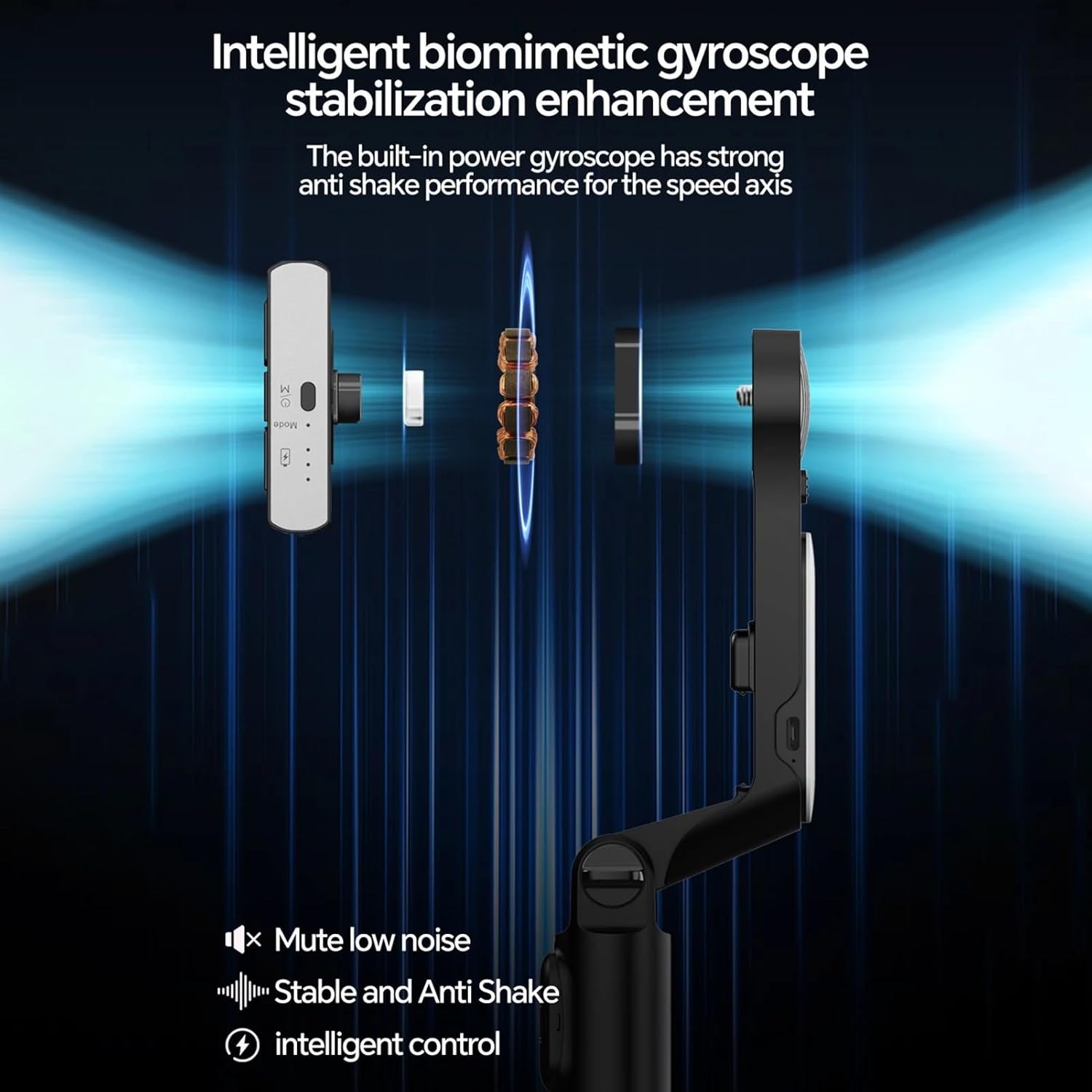
Figure 8: An internal view highlighting the intelligent biomimetic gyroscope, which is crucial for the device's stable and anti-shake performance.

Figure 9: A visual comparison demonstrating the superior stability and image quality achieved with the ReTrack A6 Gimbal compared to typical unstable shots.
3. Using the LED Fill Light:
The detachable LED fill light features 12 LED beads and offers three lighting modes: 11000K cold light, 7000K mixed light, and 3000K warm light. Click the key switch to cycle through modes and long press to adjust brightness. This light is ideal for improving illumination in various shooting conditions.
Maintenance
To ensure the longevity and optimal performance of your ReTrack A6 Gimbal Stabilizer, follow these maintenance guidelines:
- Cleaning: Use a soft, dry cloth to wipe the surface of the device. Avoid using liquid cleaners or solvents, as they may damage the electronics.
- Storage: When not in use, fold the gimbal stabilizer to its compact size and store it in a cool, dry place away from direct sunlight and extreme temperatures.
- Battery Care: For extended storage, ensure the battery is charged to approximately 50-60% to prevent deep discharge. Recharge periodically if stored for long periods.
Troubleshooting
If you encounter issues with your ReTrack A6 Gimbal Stabilizer, please refer to the following common troubleshooting steps:
| Problem | Possible Cause | Solution |
|---|---|---|
| Device does not power on. | Low battery or incorrect power-on procedure. | Ensure the device is fully charged. Long press the camera button for 2 seconds to power on. |
| Gimbal is unstable or shaky. | Phone not properly balanced or excessive movement. | Ensure your smartphone is securely and centrally mounted in the clamp. Avoid sudden, jerky movements. |
| Remote control not responding. | Remote battery low or not paired. | Check if the remote control has power. Refer to the pairing instructions (if applicable, though not explicitly mentioned in input, it's a common step for remotes). |
| LED light not working. | LED light battery low or not switched on. | Charge the LED fill light. Press the key switch to turn it on and cycle through modes. |
Specifications
| Feature | Detail |
|---|---|
| Product Dimensions | 5D x 5W x 30H Centimeters (folded) |
| Item Weight | 240g (as per description) |
| Max Extension Length | 790mm |
| Battery Capacity | 400mAh (Gimbal & LED Light) |
| Charging Interface | Type-C |
| LED Light Modes | 11000K Cold, 7000K Mixed, 3000K Warm |
| Material | ABS and Aluminum Alloy |
| Compatible Devices | Cellphone |
| Manufacturer | Transgold |
| Model Number | A6 |
Warranty and Support
This ReTrack™ A6 Gimbal Stabilizer comes with a 30 Day Warranty from the date of purchase. Please retain your proof of purchase for any warranty claims.
For technical support or further assistance, please refer to the contact information provided by your retailer or visit the official ReTrack website.