
1. Introduction
Thank you for choosing the LogiLink PA0338RF 10000mAh Power Bank. This manual provides essential information for the safe and efficient use of your device. Please read it carefully before use and retain it for future reference.
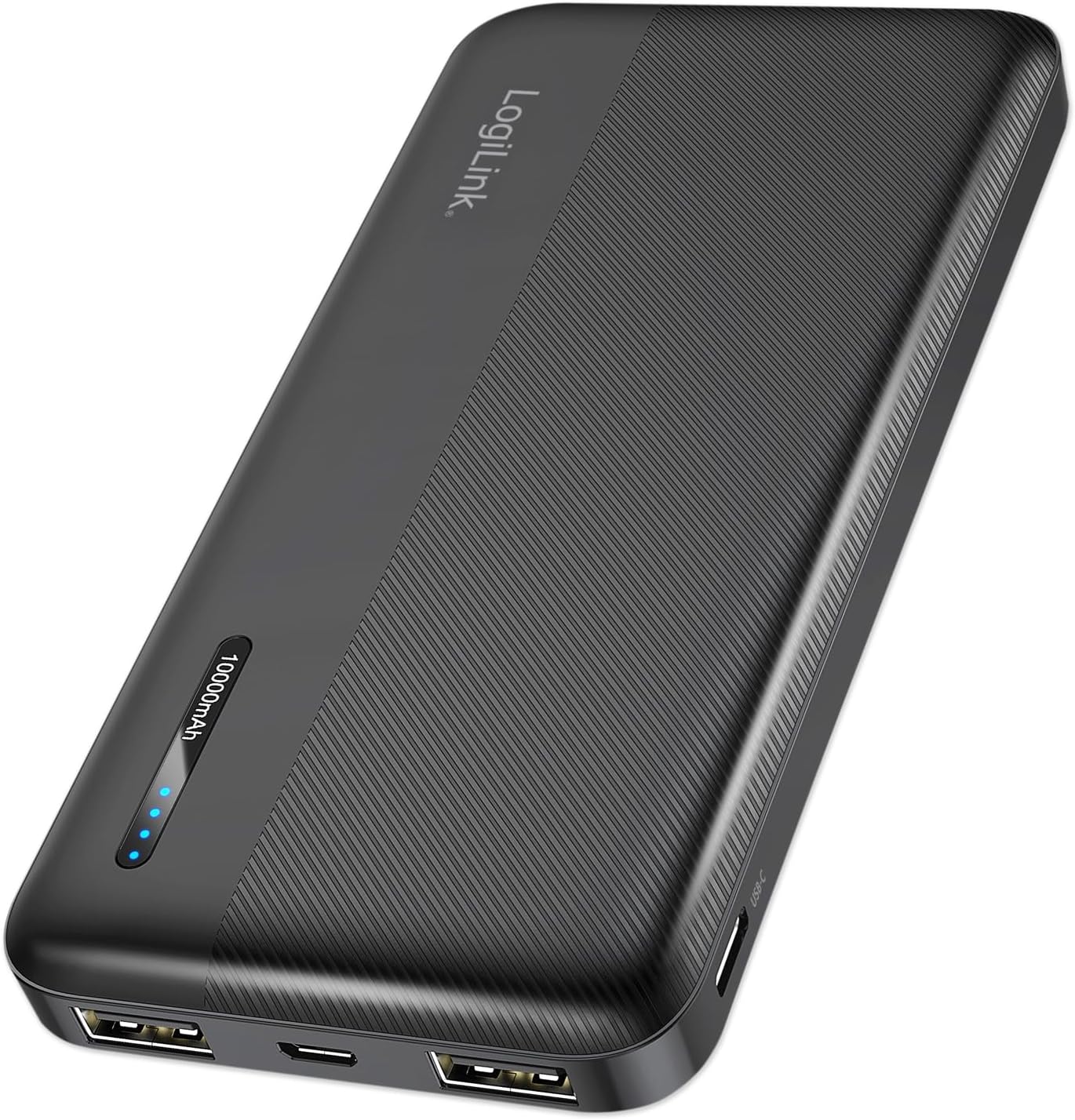
Figure 1: LogiLink PA0338RF 10000mAh Power Bank. This image displays the sleek, black power bank with its textured surface, LogiLink branding, and LED indicator lights.
2. Product Overview
2.1 Key Features
- High Capacity: 10000mAh for extended device charging.
- Multiple Ports: Two USB-A output ports and one USB-C input/output port.
- Fast Charging: Supports 12W total output for efficient charging.
- LED Indicator: Four LED lights display the current battery status.
- Safety Protections: Built-in safeguards against overcharge, deep discharge, overload, and short circuit.
- Compact Design: Portable and lightweight, ideal for travel.
2.2 Package Contents
- LogiLink PA0338RF 10000mAh Power Bank
- USB-A to USB-C Cable (30cm)
- User Manual (this document)

Figure 2: Included USB-A to USB-C Cable. This image shows the black USB-A to USB-C charging cable that comes with the power bank.
2.3 Device Layout

Figure 3: Power Bank Ports and Indicators. This diagram highlights the various ports and controls on the power bank, including the power button, LED indicator, Micro USB input, 2x USB-A outputs, and USB-C input/output.
- Power Button: Press to check battery status or initiate charging.
- LED Indicator: Displays remaining battery capacity.
- Micro USB Input: For charging the power bank.
- USB-A Output 1: For charging external devices.
- USB-A Output 2: For charging external devices.
- USB-C Input/Output: For charging the power bank or external devices.
3. Setup
3.1 Initial Charging
Before first use, it is recommended to fully charge your LogiLink PA0338RF Power Bank. Connect the included USB-A to USB-C cable (or a Micro USB cable) to the power bank's input port and the other end to a USB wall charger (not included) or a computer's USB port. The LED indicators will illuminate to show charging progress.
4. Operating Instructions
4.1 Charging the Power Bank
To charge the power bank, connect a USB cable to either the Micro USB input port or the USB-C input port. Connect the other end of the cable to a suitable USB power source (e.g., a wall adapter, computer USB port). The LED indicators will flash during charging and remain solid when fully charged.
4.2 Charging External Devices
To charge your mobile phone, tablet, or other USB-powered devices:
- Connect your device's charging cable to one of the power bank's USB-A output ports or the USB-C output port.
- Connect the other end of the cable to your device.
- The power bank will automatically begin charging your device. If not, press the power button once to activate charging.
The power bank supports simultaneous charging of up to three devices (two via USB-A, one via USB-C), with a total maximum output of 12W.
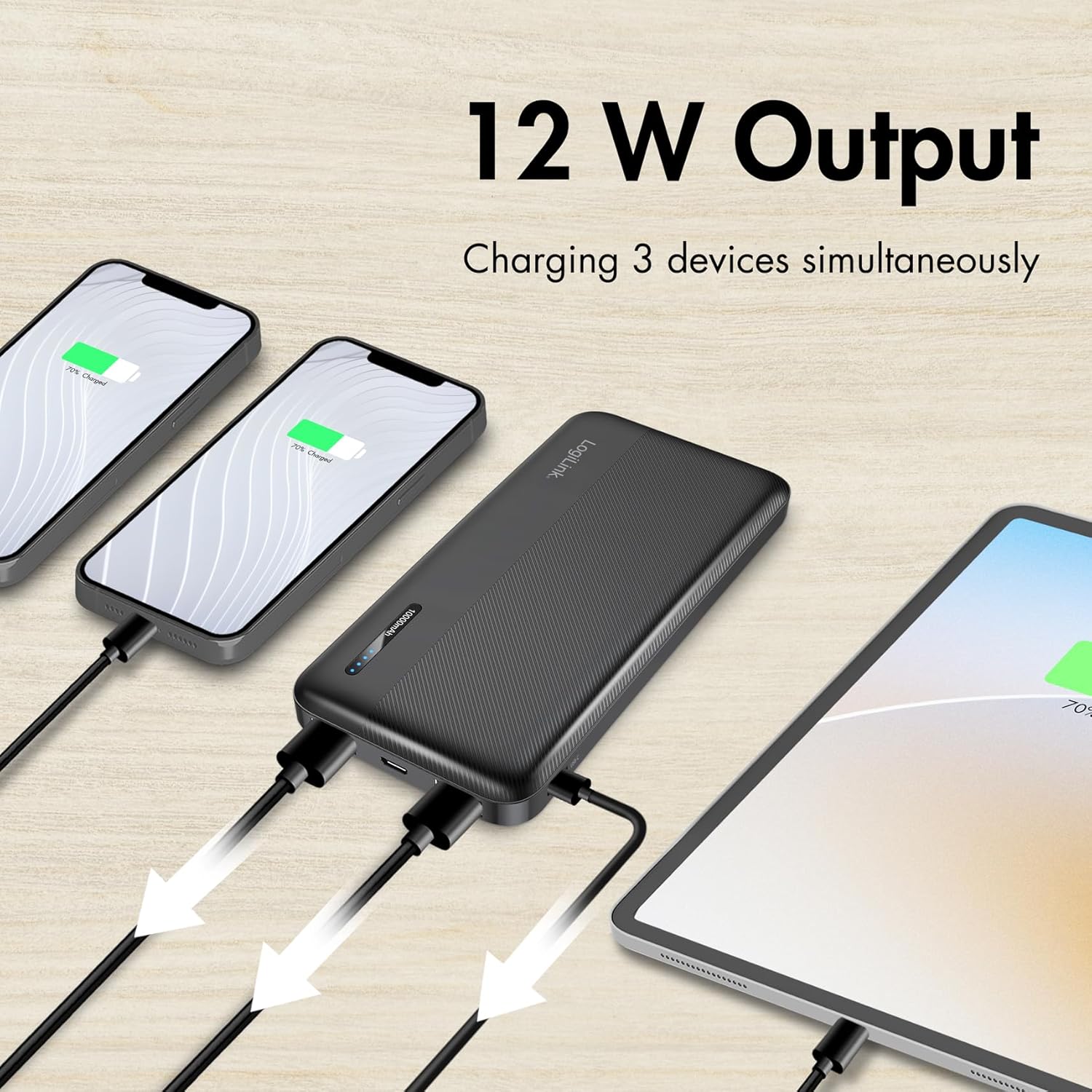
Figure 4: Charging Multiple Devices. This image illustrates the power bank simultaneously charging two smartphones and one tablet, demonstrating its multi-device charging capability.

Figure 5: Wide Device Compatibility. This image shows the power bank alongside various portable devices like smartphones and tablets, indicating its broad compatibility.
5. LED Indicator Guide
The four LED lights on the power bank indicate the remaining battery capacity:
- 4 LEDs Solid: 75% - 100% charged
- 3 LEDs Solid: 50% - 75% charged
- 2 LEDs Solid: 25% - 50% charged
- 1 LED Solid: 0% - 25% charged (recharge soon)
- LEDs Flashing: Power bank is currently charging
6. Safety Information
Your LogiLink PA0338RF Power Bank is equipped with multiple protection features to ensure safe operation:
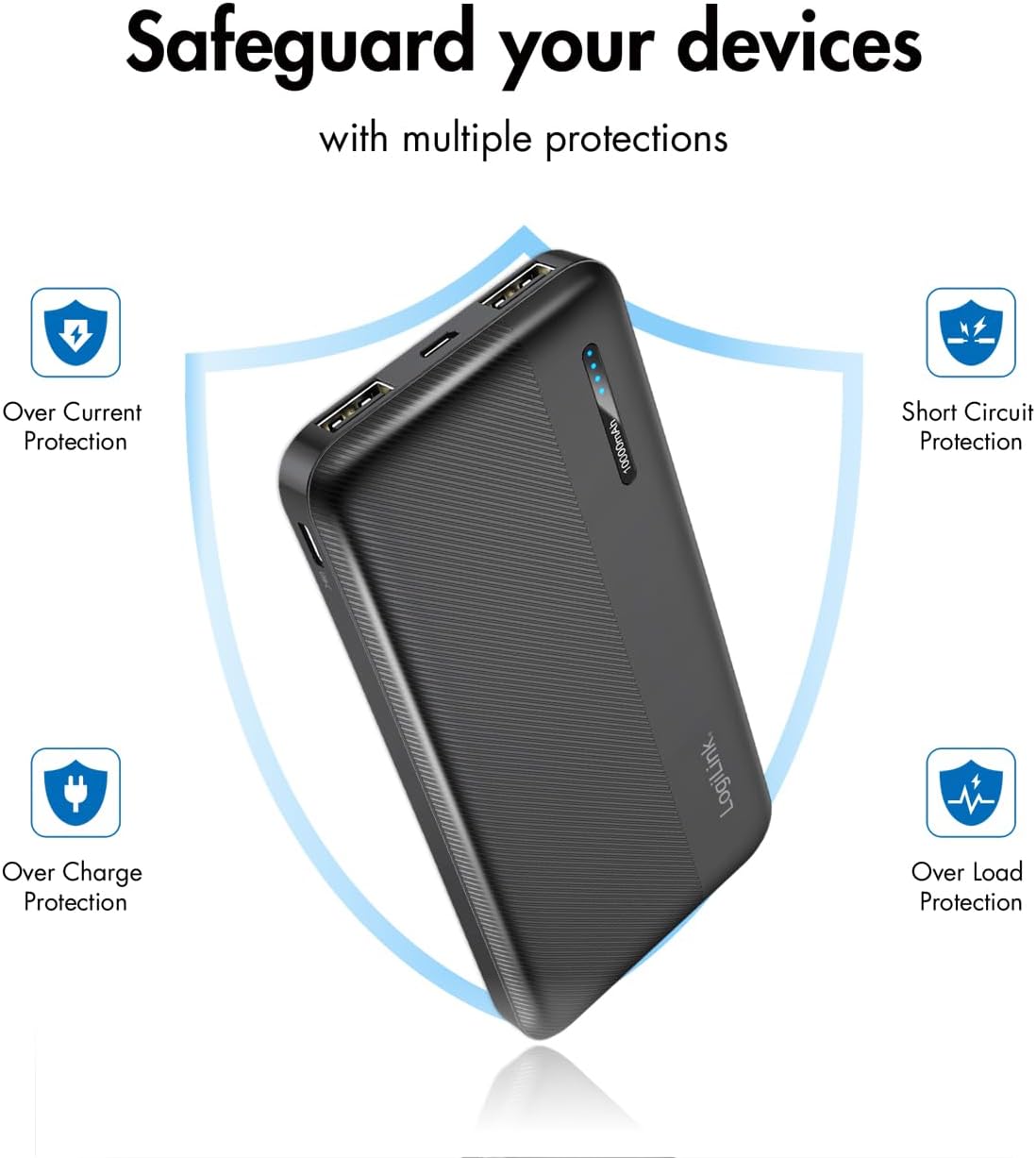
Figure 6: Multiple Protection Features. This image visually represents the power bank's built-in safeguards, including Over Current Protection, Short Circuit Protection, Over Charge Protection, and Over Load Protection.
- Overcharge Protection: Prevents the power bank from being overcharged.
- Deep Discharge Protection: Prevents the power bank from being fully depleted, extending battery life.
- Overload Protection: Protects against excessive current draw.
- Short Circuit Protection: Automatically shuts down in case of a short circuit.
General Safety Precautions:
- Do not expose the power bank to extreme temperatures, direct sunlight, or fire.
- Do not immerse the power bank in water or other liquids.
- Do not disassemble, modify, or attempt to repair the device.
- Keep out of reach of children.
- Use only certified cables and chargers.
- Dispose of the power bank responsibly according to local regulations.
7. Maintenance
- Clean the power bank with a soft, dry cloth. Do not use abrasive cleaners or solvents.
- Store the power bank in a cool, dry place when not in use.
- If storing for an extended period, charge the power bank to approximately 50% every three months to maintain battery health.
8. Troubleshooting
8.1 Power Bank Not Charging
- Ensure the charging cable is securely connected to both the power bank's input port and the power source.
- Try a different USB cable or power adapter.
- Verify the power source is active and providing power.
8.2 Device Not Charging from Power Bank
- Check if the power bank has sufficient charge (refer to LED indicators).
- Ensure the charging cable is securely connected to both the power bank's output port and your device.
- Press the power button on the power bank to activate charging.
- Try a different charging cable or a different output port on the power bank.
- Ensure your device is compatible with the power bank's output specifications.
8.3 Slow Charging
- Ensure you are using a high-quality cable.
- Check if your device supports faster charging and if the power bank's output matches.
- Charging multiple devices simultaneously may distribute the available power, potentially slowing down individual device charging.
9. Specifications
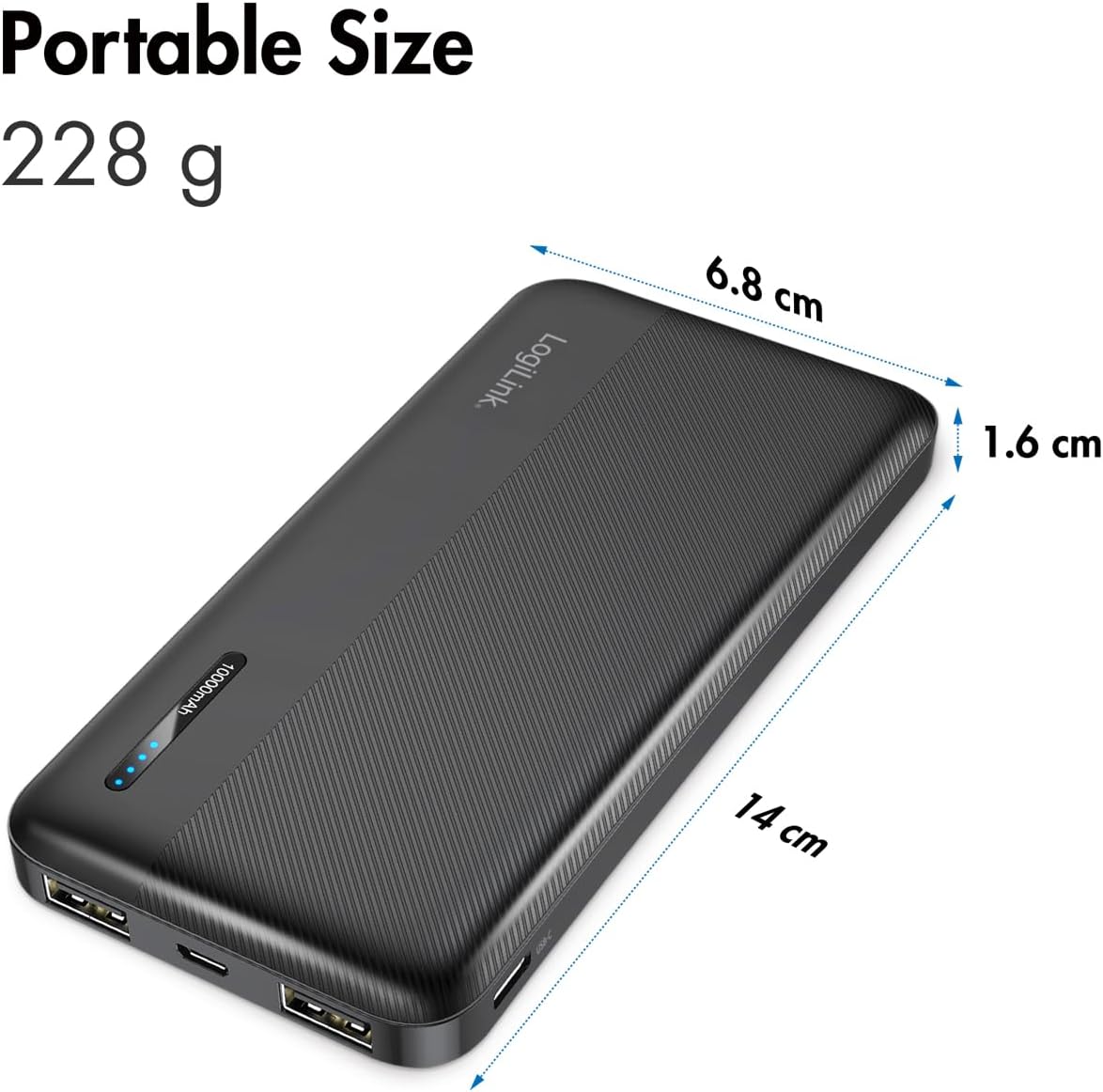
Figure 7: Portable Size and Dimensions. This image shows the power bank with its physical dimensions (14 cm length, 6.8 cm width, 1.6 cm thickness) and weight (228 g) highlighted, emphasizing its portability.
| Model | PA0338RF |
| Battery Capacity | 10000mAh |
| Input (Micro USB) | 5V/2.4A (12W max) |
| Input (USB-C) | 5V/2.4A (12W max) |
| Output (USB-A 1) | 5V/2.4A (12W max) |
| Output (USB-A 2) | 5V/2.4A (12W max) |
| Output (USB-C) | 5V/2.4A (12W max) |
| Total Max Output | 12W |
| Dimensions (L x W x H) | 14 x 6.8 x 1.6 cm |
| Weight | 228 g |
| Color | Black |
10. Warranty and Support
LogiLink products are designed for reliability and performance. For warranty information or technical support, please refer to the warranty card included with your purchase or visit the official LogiLink website. Please have your product model number (PA0338RF) and proof of purchase ready when contacting support.