
Introduction
This manual provides essential instructions for the setup, operation, and maintenance of your HAPINARY Desktop Aquarium Fish Tank. Please read this guide thoroughly before use to ensure proper functioning and the well-being of your aquatic pets. Retain this manual for future reference.
Safety Instructions
- Always unplug the power adapter before performing any maintenance or cleaning inside the aquarium.
- Ensure the power cord and adapter are kept dry. Do not immerse the adapter in water.
- Place the aquarium on a stable, level surface capable of supporting its full weight when filled with water and decorations.
- Keep out of reach of children and pets to prevent accidental damage or injury.
- Do not use abrasive cleaners or solvents on the aquarium surfaces, as they may damage the material.
- This product is designed for indoor use only.
Package Contents
Verify that all components are present and undamaged upon unpacking:
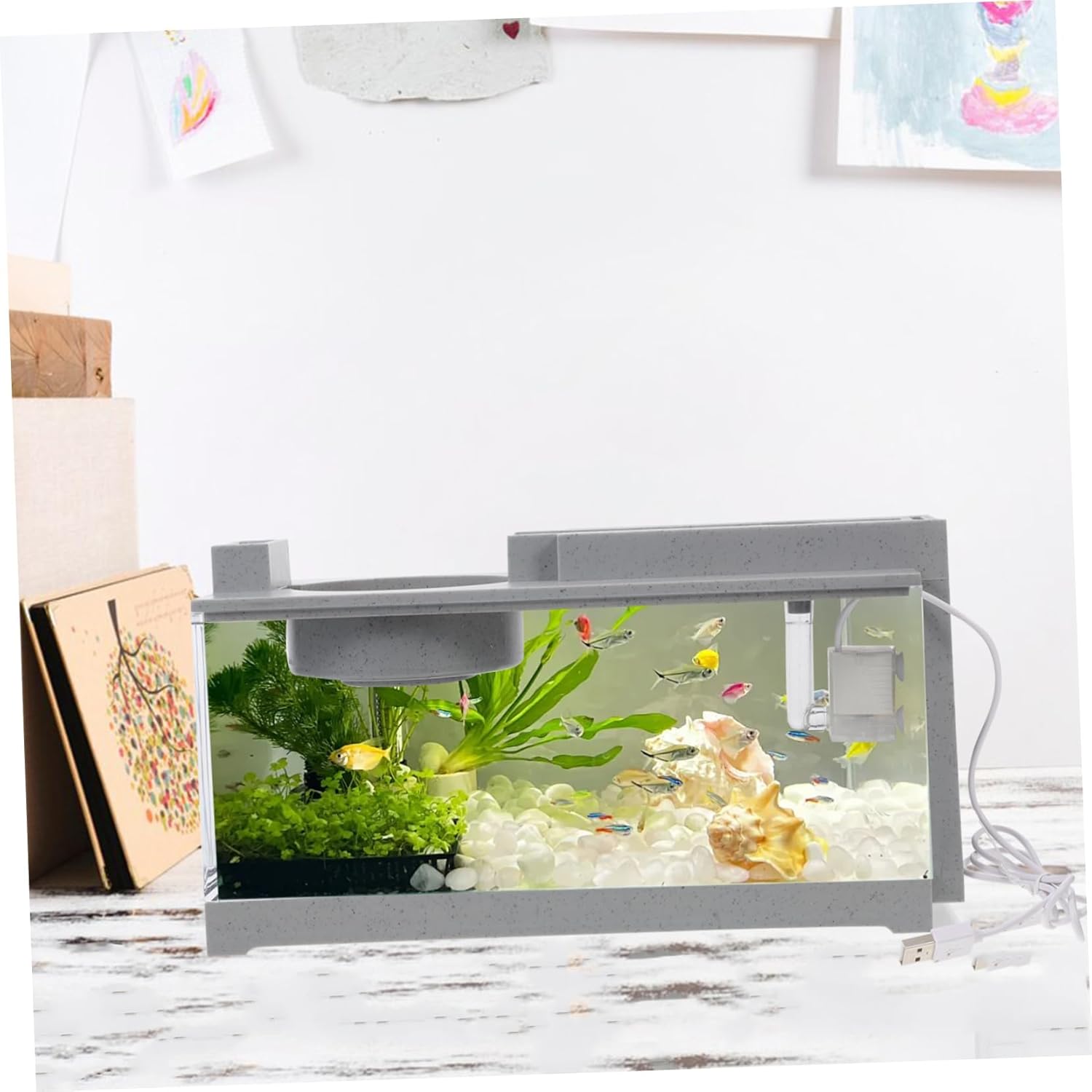
- Aquarium Tank (Acrylic/ABS)
- Integrated Filter System (if applicable)
- USB Power Cable
- User Manual
Setup
- Placement: Select a suitable location for your aquarium. It should be on a flat, sturdy surface away from direct sunlight, heat sources, and drafts. Ensure there is an electrical outlet nearby for the USB power cable.
- Rinse Components: Thoroughly rinse the aquarium tank, filter components, and any decorations (not included) with clean water. Do not use soap or detergents, as residues can be harmful to fish.
- Add Substrate and Decorations: If desired, add a layer of aquarium-safe substrate (gravel, sand) and decorations to the bottom of the tank.
- Fill with Water: Slowly fill the aquarium with dechlorinated water. Use a plate or plastic bag on the substrate to minimize disturbance. Fill to approximately 1 inch below the top edge.
- Install Filter: Ensure the integrated filter system is correctly positioned according to the design. Connect the USB power cable to the filter pump and then to a suitable USB power source (e.g., a USB wall adapter, not included).
- Water Conditioning: Add an appropriate amount of water conditioner to remove chlorine and chloramines, following the product instructions. Allow the filter to run for at least 24 hours to establish water circulation and filtration.
- Introduce Fish: After the water has been conditioned and the temperature is stable, you may gradually introduce your fish. Follow proper acclimation procedures to minimize stress.

Operating
- Power On/Off: The filter system operates continuously when connected to a powered USB source. To turn off, disconnect the USB cable.
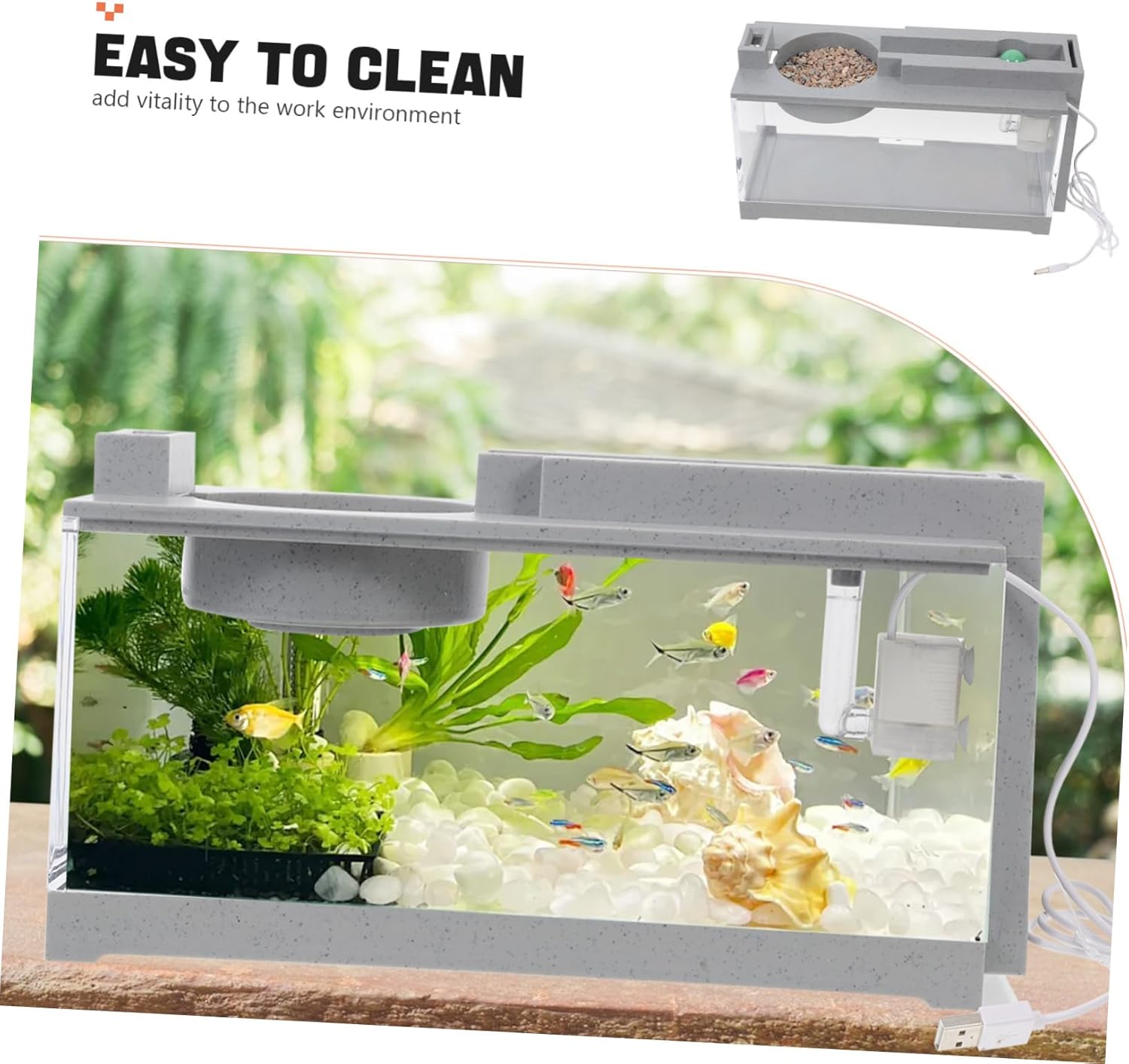
- Feeding: Feed your fish small amounts of appropriate fish food once or twice daily. Avoid overfeeding, as this can lead to poor water quality. The tank features a designated feeding area for convenience.
- Observation: Regularly observe your fish for any signs of stress or illness. Monitor water clarity and temperature.

Maintenance
Regular maintenance is crucial for a healthy aquatic environment.
- Daily Checks: Check water temperature, observe fish behavior, and ensure the filter is running properly.
- Weekly Water Changes: Perform a 25% water change weekly. Unplug the filter, remove approximately 25% of the tank water using an aquarium siphon, and replace it with fresh, dechlorinated water of a similar temperature.
- Filter Cleaning: Periodically rinse the filter media (sponge, carbon, etc.) in old aquarium water (removed during a water change) to preserve beneficial bacteria. Replace filter media as recommended by the manufacturer or when it becomes visibly clogged.
- Algae Removal: Use an aquarium-safe algae scraper or pad to clean the inside surfaces of the tank as needed.
- Tank Cleaning: For a more thorough cleaning, carefully remove fish and decorations, then clean the tank with a soft cloth and water. Avoid soaps or chemicals.
Troubleshooting
| Problem | Possible Cause | Solution |
|---|---|---|
| Filter not running | Power disconnected; pump clogged; impeller stuck | Check USB connection; unplug and clean pump impeller; ensure no debris is blocking intake. |
| Cloudy water | New tank syndrome; overfeeding; insufficient filtration; bacterial bloom | Perform partial water change; reduce feeding; clean/replace filter media; ensure proper cycling. |
| Fish appear stressed/sick | Poor water quality; incorrect temperature; overcrowding | Test water parameters (ammonia, nitrite, nitrate); ensure stable temperature; avoid overstocking. |
| Excessive algae growth | Too much light; excess nutrients (overfeeding) | Reduce lighting duration; decrease feeding; perform water changes; clean tank surfaces. |
Specifications
| Feature | Detail |
|---|---|
| Brand | HAPINARY |
| Model Number | QMYQHEXQAYL22T1032UPB |
| Material | Acrylonitrile Butadiene Styrene (ABS) |
| Product Dimensions (L x W x H) | 12.4 x 6.5 x 5.12 inches (31.50 x 16.50 x 13.00 cm) |
| Item Weight | 2.47 pounds (1.12 kg) |
| Color | Grey |
| Power Source | USB (cable included) |
Warranty and Support
For warranty information or technical support, please refer to the contact details provided with your purchase or visit the official HAPINARY website. Keep your proof of purchase for any warranty claims.