
Jakeko Lay Flat Low Profile Monitor Stand
Jakeko Lay Flat Low Profile Monitor Stand User Manual
Model: Lay Flat Low Profile Monitor Stand
1. Introduction
This manual provides comprehensive instructions for the Jakeko Lay Flat Low Profile Monitor Stand. This stand is designed to enhance your workspace by providing an ergonomic and adjustable solution for monitors ranging from 14 to 24 inches, featuring 75x75mm and 100x100mm VESA compatibility. Its unique lay-flat design allows for easy storage and portability, while the stable weighted base ensures secure monitor placement.
2. Safety Information
- Ensure all components are securely fastened before placing a monitor on the stand.
- Do not exceed the recommended monitor size and weight limits.
- Keep small parts and packaging materials away from children.
- Place the stand on a stable, level surface to prevent tipping.
- Avoid pinching fingers or cables during adjustment.
3. Package Contents
Please verify that all the following components are included in your package:
- Jakeko Lay Flat Low Profile Monitor Stand Base
- VESA Mounting Plate
- Assembly Screws (various sizes for monitor attachment)
- Instruction Manual
4. Specifications
| Brand | Jakeko |
| Model | Lay Flat Low Profile Monitor Stand |
| Material | Premium Cold-Rolled Steel |
| Color | Black |
| VESA Compatibility | 75x75mm, 100x100mm |
| Screen Size Compatibility | 14-24 inches |
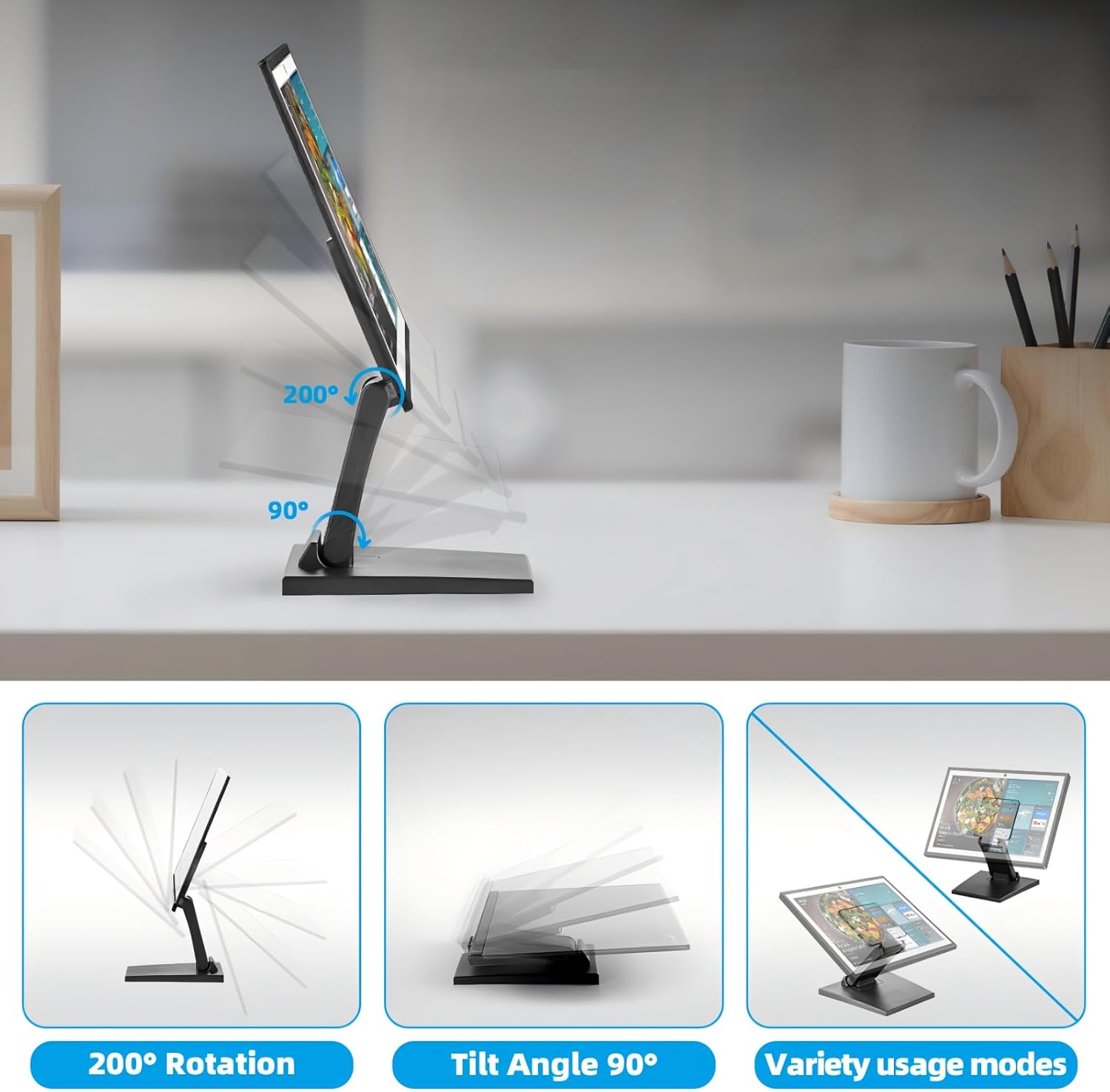
| Tilt Adjustment | -15° to +75° |
| Rotation | Smooth rotation (200° range) |
| Folded Profile | 2.25 inches (super-slim) |
| Base Type | Non-Slip Weighted Pedestal |
5. Setup Instructions
Follow these simple steps for quick and hassle-free assembly:
- Unpack Components: Carefully remove all parts from the packaging and ensure all items listed in the 'Package Contents' section are present.
- Attach VESA Plate to Monitor: Align the VESA mounting plate with the mounting holes on the back of your monitor. Use the appropriate screws provided to securely fasten the plate to the monitor. Ensure the screws are tightened firmly but do not overtighten.
- Attach Monitor to Stand: Slide the VESA plate, now attached to your monitor, onto the receiving bracket on the monitor stand. Ensure it clicks or slides into place securely. Some models may require an additional screw to lock the monitor in place.
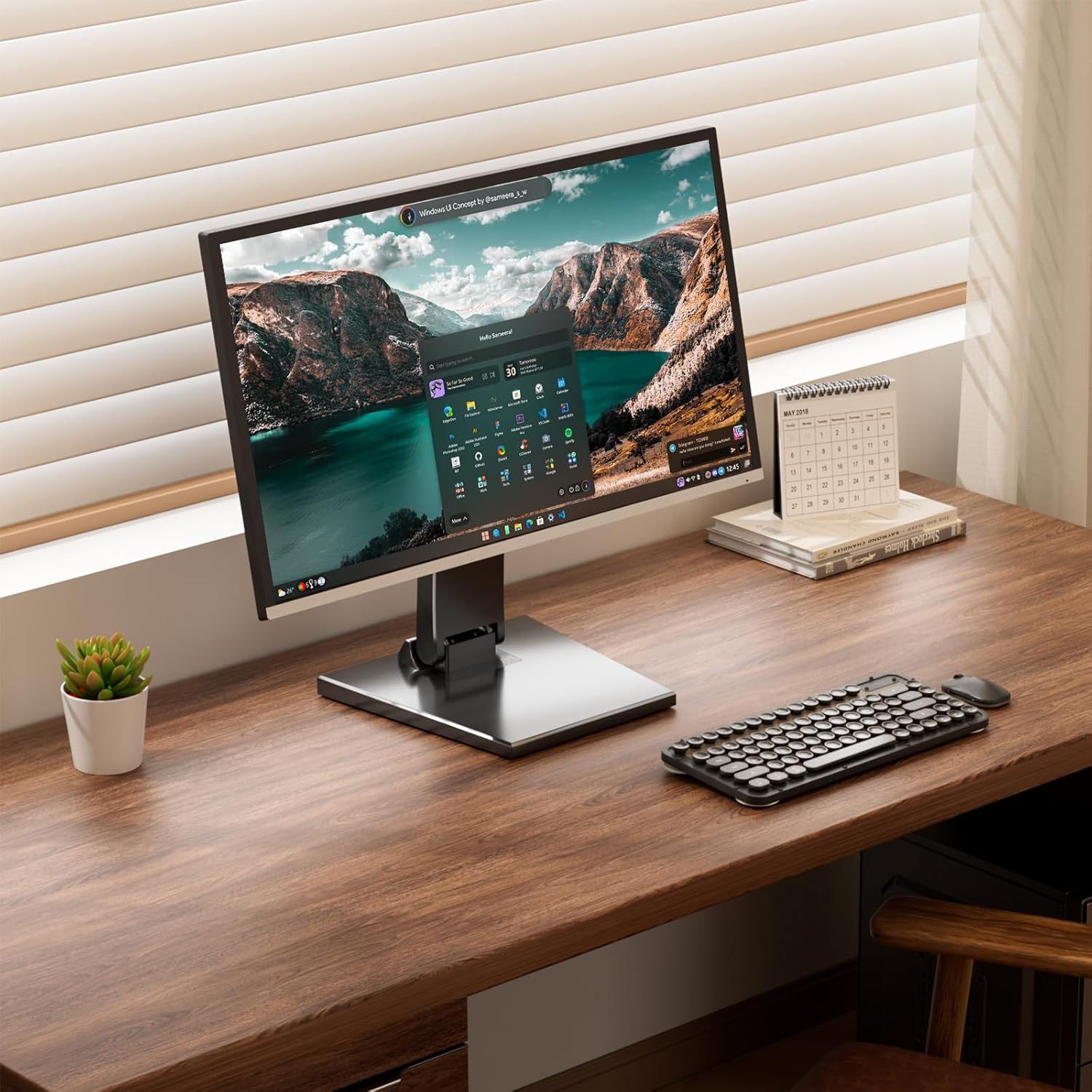
- Position the Stand: Place the assembled monitor stand on your desired stable and level desktop surface. The weighted base provides stability.

6. Operating the Monitor Stand
The Jakeko monitor stand offers various adjustments to optimize your viewing experience and promote ergonomic posture.
6.1. Adjusting Tilt
To adjust the tilt angle of your monitor, gently grasp the top and bottom edges of your monitor and tilt it forward or backward. The stand supports a tilt range from -15° (downward) to +75° (upward). Adjust to find your most comfortable viewing angle, reducing neck strain.
6.2. Adjusting Rotation (Portrait/Landscape)
The stand allows for smooth rotation of your monitor. To switch between landscape and portrait orientations, carefully rotate the monitor clockwise or counter-clockwise. This feature is useful for different tasks, such as coding or document review.
6.3. Ergonomic Posture
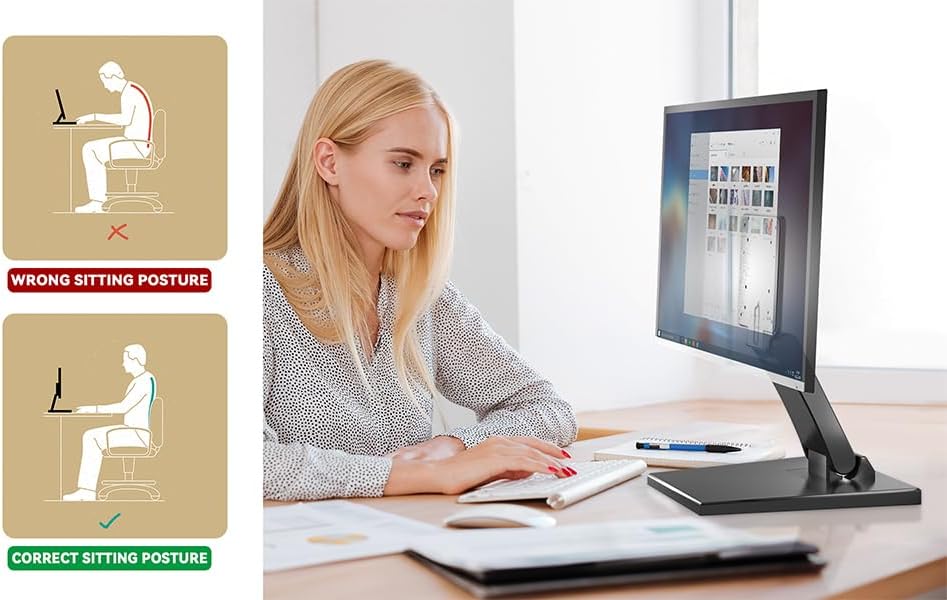
Proper adjustment of your monitor height and angle can significantly improve your posture and reduce discomfort. Position your monitor so that the top of the screen is at or slightly below eye level, and your eyes are approximately an arm's length away from the screen. Use the tilt and rotation features to achieve an optimal viewing angle that minimizes glare and neck strain.
7. Maintenance
To ensure the longevity and optimal performance of your Jakeko monitor stand, follow these simple maintenance guidelines:
- Cleaning: Wipe the stand with a soft, damp cloth. Avoid using abrasive cleaners or solvents, as these can damage the finish.
- Inspections: Periodically check all screws and connections to ensure they remain tight. Retighten if necessary.
- Movement: If the stand's joints become stiff, a small amount of silicone-based lubricant can be applied to the pivot points.
8. Troubleshooting
8.1. Monitor is unstable or wobbles
- Ensure the stand is placed on a flat, stable surface.
- Verify that all VESA mounting screws are securely tightened to the monitor and the stand.
- Check that the monitor's weight and size are within the specified limits for the stand.
8.2. Difficulty adjusting tilt or rotation
- The joints are designed to be firm to hold the monitor's position. Apply steady, gentle force when adjusting.
- Ensure no cables are obstructing the movement of the stand or monitor.
- If movement is excessively stiff, a small amount of silicone lubricant can be applied to the pivot points.
9. Warranty Information
Please refer to your purchase documentation or the retailer's website for specific warranty details regarding your Jakeko Lay Flat Low Profile Monitor Stand. Warranty terms typically cover manufacturing defects and material flaws for a specified period from the date of purchase.
10. Customer Support
For technical assistance, troubleshooting not covered in this manual, or general inquiries, please contact Jakeko customer support through the retailer where the product was purchased. You may also visit the official Jakeko website for additional resources and contact information.