
TYXTTGY 1020 Brushed Coreless Motor
Instruction Manual
TYXTTGY 1020 Brushed Coreless Motor with Gear for VISUO XS812 RC Drone
Introduction
This manual provides essential information for the installation, operation, and maintenance of your TYXTTGY 1020 Brushed Coreless Motor with Gear, designed as a spare part for the VISUO XS812 RC Drone. Please read this manual thoroughly before installation to ensure proper function and longevity of the motor.
This motor is a crucial component for the propulsion system of your quadcopter, ensuring stable flight and reliable performance. It is specifically designed to replace original motors in the VISUO XS812 drone.
Product Overview
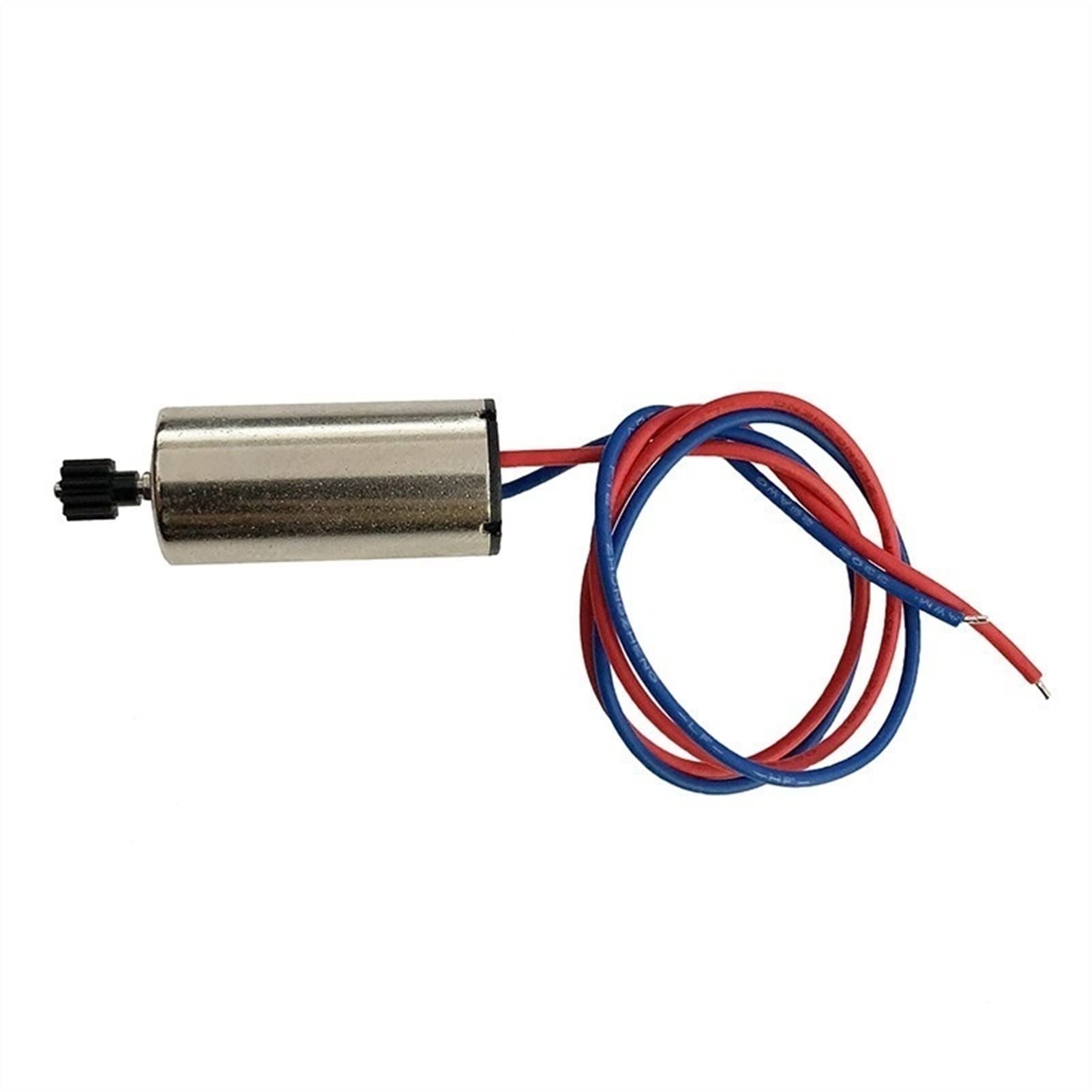
Figure 1: TYXTTGY 1020 Brushed Coreless Motor with Gear. This image shows the compact cylindrical motor body with a small black gear attached to one end of the shaft. Two wires, one red and one blue, extend from the other end of the motor, indicating electrical connections.
The 1020 Brushed Coreless Motor is a compact and lightweight power unit. It features an 11-tooth gear pre-installed on the shaft, ready for integration into the drone's propeller system. The motor is equipped with red and blue wires for electrical connection.
Key features include:
- Type: 1020 Brushed Coreless Motor
- Compatibility: Specifically designed for VISUO XS812 RC Drone
- Gear: 11 Tooth (pre-installed)
- Durability: Constructed from high-quality materials for robust performance
- Ease of Installation: Designed for straightforward replacement of existing drone motors
Setup and Installation
Before beginning installation, ensure the drone's battery is disconnected to prevent accidental power-on. It is recommended to work in a clean, well-lit area and have appropriate small tools (e.g., miniature screwdrivers, tweezers) available.
Required Tools:
- Small Phillips head screwdriver
- Tweezers (optional, for handling small wires)
- Soldering iron and solder (if original connections are soldered)
- Heat shrink tubing or electrical tape (for insulation)
Installation Steps:
- Identify the Motor: Determine which motor needs replacement (CW - Clockwise or CCW - Counter-Clockwise). This specific product is a CW (Clockwise) motor.
- Disassemble Drone: Carefully remove the drone's shell or cover to access the motor compartment. Refer to your VISUO XS812 drone's original manual for specific disassembly instructions.
- Disconnect Old Motor: Gently disconnect the wires of the faulty motor from the drone's flight controller or ESC (Electronic Speed Controller). Note the polarity (red to positive, blue to negative, or as indicated by the drone's wiring).
- Remove Old Motor: Unscrew or unclip the old motor from its mounting bracket.
- Install New Motor: Place the new TYXTTGY 1020 Brushed Coreless Motor into the designated motor mount. Ensure the gear aligns correctly with the propeller shaft or gear system. Secure it with screws or clips.
- Connect Wires: Connect the red and blue wires of the new motor to the corresponding terminals on the flight controller or ESC. Ensure correct polarity to avoid damage. If soldering, ensure strong, clean connections and insulate them with heat shrink tubing or electrical tape.
- Reassemble Drone: Carefully reattach the drone's shell or cover, ensuring all wires are tucked away and not pinched.
- Test Functionality: Reconnect the drone's battery and perform a low-power test flight or motor spin test to confirm proper operation of the newly installed motor.
Operating Considerations
Once installed, the motor operates as part of the drone's propulsion system. Proper operation relies on the drone's flight controller and battery. This motor is designed for continuous operation within the specified voltage and current limits of the VISUO XS812 drone.
- Propeller Balance: Ensure propellers are balanced and free from damage. Unbalanced propellers can cause excessive vibration, leading to premature motor wear.
- Overload Prevention: Avoid prolonged operation at maximum throttle, especially with heavy payloads, as this can overheat the motor.
- Environmental Factors: Operate the drone in environments free from excessive dust, moisture, or extreme temperatures, which can affect motor performance and lifespan.
Maintenance
Regular maintenance helps extend the lifespan of your motor and ensures optimal drone performance.
- Cleaning: Periodically inspect the motor for dust, dirt, or debris accumulation, especially around the shaft and gear. Use a soft brush or compressed air to gently clean the motor.
- Gear Inspection: Check the 11-tooth gear for any signs of wear, damage, or missing teeth. Replace the motor if the gear is significantly worn.
- Wire Integrity: Inspect the motor wires for fraying, cuts, or loose connections. Repair or re-insulate as necessary.
- Bearing Check: Gently spin the motor shaft by hand (without propeller) to check for smooth rotation. Any grinding or resistance may indicate worn bearings, requiring motor replacement.
- Storage: When not in use for extended periods, store the drone and its components in a cool, dry place, away from direct sunlight and extreme temperatures.
Troubleshooting
This section addresses common issues related to motor performance. If problems persist, consult a qualified technician or the drone manufacturer's support.
| Problem | Possible Cause | Solution |
|---|---|---|
| Motor not spinning or spinning weakly | Incorrect wiring polarity; Loose wire connection; Damaged motor; Faulty ESC/Flight Controller | Check wire connections and polarity; Re-solder if necessary; Replace motor if damaged; Test with a known good ESC/Flight Controller. |
| Excessive vibration from motor | Unbalanced propeller; Bent motor shaft; Damaged motor bearings | Check and balance propeller; Inspect motor shaft for bends; Replace motor if bearings are worn. |
| Motor overheating | Overload (heavy payload, prolonged max throttle); Poor ventilation; Internal motor short | Reduce payload/throttle; Ensure proper airflow around motor; Replace motor if internal short is suspected. |
| Unusual noise from motor | Debris in motor; Worn bearings; Damaged gear | Clean motor; Replace motor if bearings are worn or gear is damaged. |
Specifications
| Attribute | Value |
|---|---|
| Motor Type | 1020 Brushed Coreless Motor |
| Compatibility | VISUO XS812 RC Drone |
| Gear Teeth | 11 Tooth |
| Dimensions (Motor Body) | 10mm (Diameter) x 20mm (Length) |
| Weight | Approximately 5g |
| Manufacturer | TYXTTGY |
| Country of Origin | China |
Warranty and Support
For warranty information and technical support regarding your TYXTTGY 1020 Brushed Coreless Motor, please refer to the retailer or manufacturer's official website where the product was purchased. Keep your proof of purchase for any warranty claims.
For specific drone-related issues or compatibility questions with the VISUO XS812, please consult the drone manufacturer's support resources.
Note: Damage resulting from improper installation, misuse, or unauthorized modifications is not covered under warranty.
Ask a question about this manual
Ask about setup, troubleshooting, compatibility, parts, safety, or missing instructions. Manuals+ will review the question and use this page’s manual context to help answer it.