
Ba-FON169
Generic Ba-FON169 Over-Ear Bluetooth ANC Headphones User Manual
Model: Ba-FON169
Introduction
Thank you for choosing the Generic Ba-FON169 Over-Ear Bluetooth ANC Headphones. This manual provides essential information for setting up, operating, and maintaining your headphones to ensure optimal performance and longevity. Please read this manual carefully before use.
Product Overview
The Ba-FON169 headphones feature Active Noise Cancellation (ANC), Bluetooth 5.3 connectivity, 3D sound, and a built-in microphone for calls. Designed for comfort and durability, they are IPX4 water-resistant and offer extended battery life.

Image: Overview of the Ba-FON169 headphone controls, showing volume buttons, power button, ANC button, USB-C charging port, and auxiliary cable connection.
Key Features:
- Active Noise Cancellation (ANC): Significantly reduces external noise for an immersive audio experience.
- Bluetooth 5.3: Provides stable, high-fidelity audio transmission with a connection range of over 10 meters.
- Long Battery Life: Up to 15 hours of continuous use (ANC off) with fast charging via Type-C/USB-C.
- Premium Comfort: Lightweight design (182g) with soft, protein leather ear cushions and an adjustable headband for extended wear.
- IPX4 Water Resistance: Resistant to sweat and water splashes, suitable for physical activities.
- Integrated Microphone: For clear calls.
Setup
1. Charging the Headphones
Before first use, fully charge your headphones. Connect the provided USB-C cable to the charging port on the headphones and the other end to a compatible USB power source.
- Charging Time: Approximately 1.5 hours for a full charge.
- Quick Charge: 30 minutes of charging provides approximately 5 hours of music playback.
2. Powering On/Off
- To Power On: Press and hold the Power button until the indicator light illuminates.
- To Power Off: Press and hold the Power button until the indicator light turns off.
3. Bluetooth Pairing
- Ensure the headphones are powered off.
- Press and hold the Power button for approximately 5 seconds until the indicator light flashes blue and red, indicating pairing mode.
- On your device (smartphone, tablet, PC), enable Bluetooth and search for available devices.
- Select "Ba-FON169" from the list of available devices.
- Once paired, the indicator light will turn solid blue or flash blue slowly.
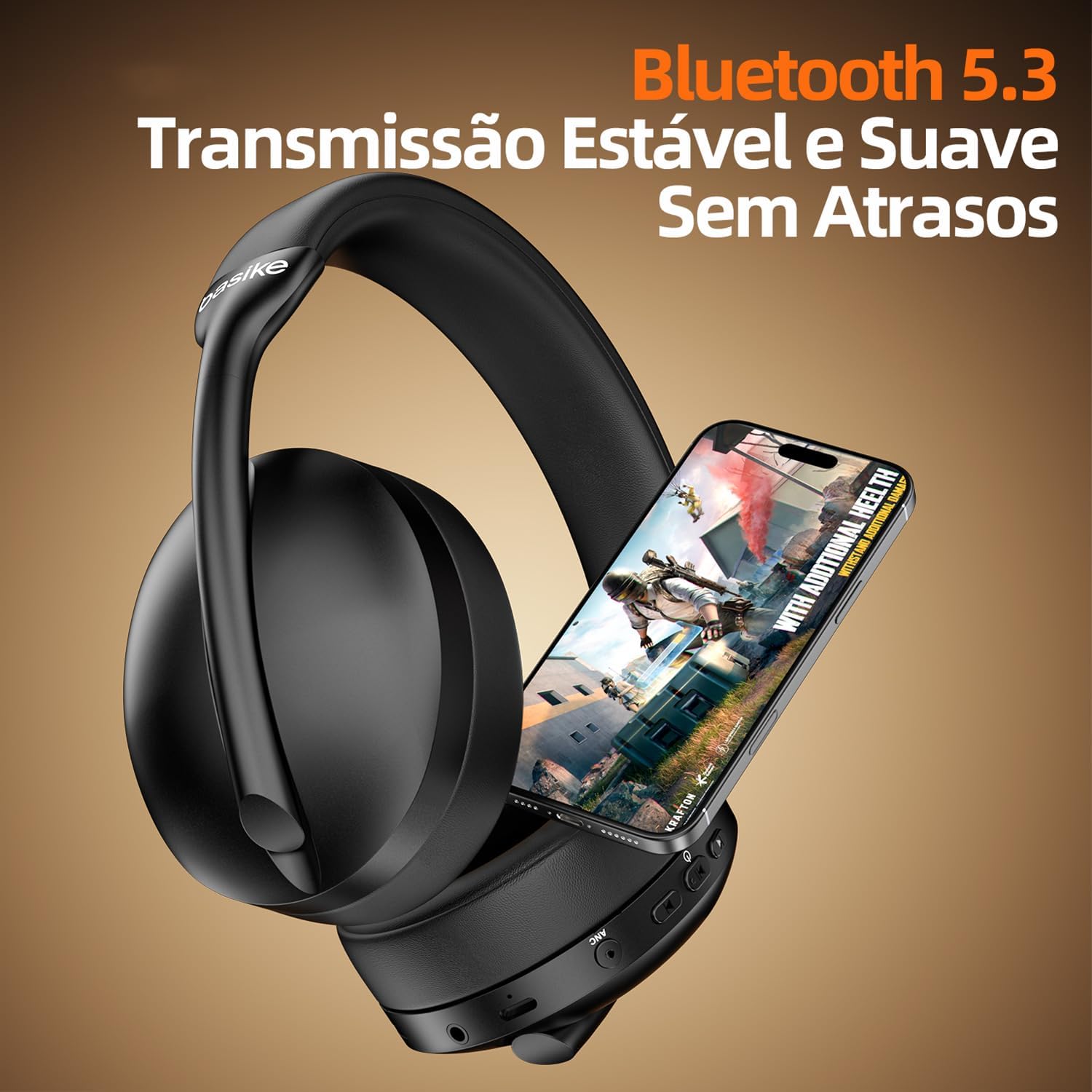
Image: The Ba-FON169 headphones connected via Bluetooth to a smartphone, illustrating stable wireless transmission.
Operating Instructions
Basic Controls
- Power On/Off: Press and hold the Power button.
- Volume Up: Press the "Vol+" button.
- Volume Down: Press the "Vol-" button.
- Next Track: Press and hold the "Vol+" button.
- Previous Track: Press and hold the "Vol-" button.
- Play/Pause: Single press the Power button.
Active Noise Cancellation (ANC)
- Activate ANC: Press the ANC button. An indicator light will show when ANC is active.
- Deactivate ANC: Press the ANC button again.

Image: A person wearing the Ba-FON169 headphones, demonstrating the active noise cancellation feature by showing sound waves being suppressed.
Making and Receiving Calls
- Answer Call: Single press the Power button when a call comes in.
- End Call: Single press the Power button during a call.
- Reject Call: Press and hold the Power button for 2 seconds when a call comes in.
- Redial Last Number: Double-press the Power button.
Video: Demonstration of answering a call using the Ba-FON169 headphones, highlighting the ease of use for communication.
3D Sound Experience
The headphones feature 3D sound technology for an immersive audio experience, enhancing music, movies, and games.

Image: The Ba-FON169 headphones with "Áudio 360° REALITY" and "Hi-Pure AUDIO" logos, indicating advanced sound technology for an immersive experience.
Maintenance
Cleaning
- Wipe the headphones with a soft, dry cloth.
- For ear cushions, use a slightly damp cloth with mild soap if necessary, then dry thoroughly.
- Do not use harsh chemicals or abrasive cleaners.
Storage
- Store the headphones in a cool, dry place away from direct sunlight and extreme temperatures.
- When not in use, consider folding them for compact storage.

Image: The Ba-FON169 headphones demonstrating their multi-angle adjustment, including swivel and extension, for a comfortable fit and compact storage.
Water Resistance (IPX4)
The Ba-FON169 headphones are IPX4 rated, meaning they are resistant to splashes of water and sweat. They are not designed for submersion in water. Avoid exposing them to heavy rain or showering.
Troubleshooting
| Problem | Possible Cause | Solution |
|---|---|---|
| Headphones do not power on. | Low battery. | Charge the headphones fully. |
| Cannot pair via Bluetooth. | Headphones not in pairing mode; device Bluetooth off; too far from device. | Ensure headphones are in pairing mode (flashing blue/red). Turn on Bluetooth on your device. Move headphones closer to the device (within 10 meters). |
| No sound or low volume. | Volume too low; headphones not connected; audio source issue. | Increase volume on headphones and device. Re-pair headphones. Check audio source. |
| ANC not working effectively. | ANC not activated; environmental noise too high. | Ensure ANC is activated. ANC is most effective for low-frequency, constant noise. |
Specifications
| Feature | Detail |
|---|---|
| Model | Ba-FON169 |
| Frequency Response | 20Hz - 200,000Hz |
| Battery Capacity | 250mAh |
| Battery Life | 10-15 hours (ANC off) |
| Speaker Driver | 40mm |
| Connection Distance | >10 meters |
| Charging Interface | Type-C/USB-C |
| Impedance | 32Ω |
| Voltage | DC 3.7V |
| Charging Time | 1.5 hours |
| IP Rating | IPX4 (Sweat and water splash resistant) |
| Weight | 182g |
| Bluetooth Version | 5.3 |
| Noise Control | Active Noise Cancellation |
| Ear Placement | Circumaural (Over-Ear) |
| Material | Metal, Plastic |
Warranty and Support
The product comes with a 1-year warranty as per the manufacturer's terms. For any questions, issues, or technical support, please contact our customer service team. We are committed to ensuring your satisfaction and will respond to inquiries within 24 hours.
Contact Information: Refer to your purchase documentation or the seller's contact details for support.
Safety Information
- Do not disassemble, repair, or modify the headphones.
- Avoid exposing the headphones to extreme temperatures, humidity, or corrosive environments.
- Do not use the headphones at excessively high volumes for prolonged periods to prevent hearing damage.
- Keep out of reach of children.
Related Documents - Ba-FON169
 |
ComfortBridge™ Communicating Technology: Technical Training Module TRC-8 for HVAC Professionals This technical training module introduces ComfortBridge™ Communicating Technology, an HVAC system algorithm by Daikin Comfort Technologies North America, Inc. It covers its features, installation, the CoolCloud™ HVAC App, and specific furnace models. Designed for trained HVAC-R installers and technicians. |
 |
Automatic Upper Arm Blood Pressure Monitor User Manual - DONGGUAN E-TEST TECHNOLOGY CO., LTD. Comprehensive user manual for the DONGGUAN E-TEST TECHNOLOGY CO., LTD. Automatic Upper Arm Blood Pressure Monitor (Models BA-831X to BA-856). Covers safety, operation, specifications, troubleshooting, maintenance, and regulatory information. |
 |
Entel DTEx MED Fire Fighter Series Radios: Quick Start User Guide A quick start user guide for the Entel DTEx MED Fire Fighter Series radios (DT800FF, DT900FF), covering setup, operation, controls, accessories, and safety information. |
 |
American Buildings Skylight Product Manual and Installation Details Comprehensive product manual detailing installation, side views, and specific connection details for American Buildings' Long Span III Roof Skylights, including UL90 approved models. Covers various SK series skylights and their assembly. |
 |
Boult Audio ProBass FLuidX Wireless Bluetooth Over-Ear Headphones User Manual User manual for Boult Audio ProBass FLuidX Wireless Bluetooth Over-Ear Headphones. Includes pairing instructions, charging details, functions, and safety precautions. |
 |
Fujikura 2023 Goods Catalog: Portable Power Stations & Solar Solutions Explore the Fujikura 2023 Goods Catalog featuring a wide range of portable power stations, solar panels, and accessories for outdoor, emergency, and everyday use. Discover models like ULTORA POWER and BIG POWER. |
Ask a question about this manual
Ask about setup, troubleshooting, compatibility, parts, safety, or missing instructions. Manuals+ will review the question and use this page’s manual context to help answer it.