
1. Introduction
Thank you for choosing the RSSIDOL Mini Karaoke Machine H08. This portable entertainment system is designed to provide clear audio and fun features for users. It includes a compact speaker unit and two wireless microphones, offering multiple connectivity options and interactive sound effects. Please read this manual thoroughly before use to ensure proper operation and maintenance.
2. What's in the Box
- 1 x RSSIDOL Mini Karaoke Machine (Speaker Unit)
- 2 x Wireless Microphones
- 1 x USB Cable (for charging)
- 1 x User Manual
3. Product Overview
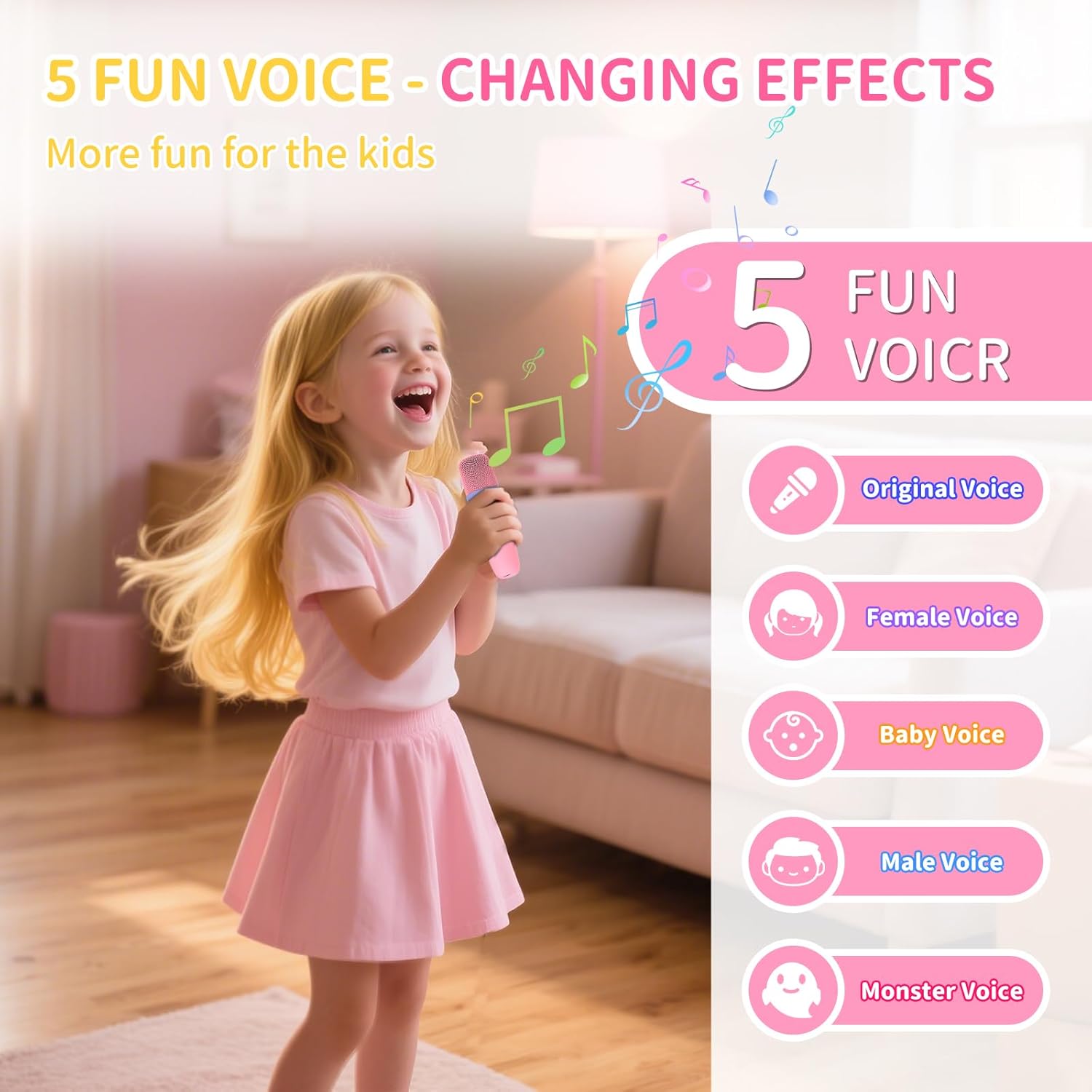
Figure 3.1: The RSSIDOL Mini Karaoke Machine, featuring the main speaker unit and two wireless microphones.

Figure 3.2: Detail of one of the wireless microphones, showing control buttons.

Figure 3.3: The RGB light panel on the speaker unit, which illuminates with various colors.

Figure 3.4: The integrated leather carrying handle for easy portability.
Speaker Unit Features:
- RGB Lights: Six different colorful light effects that synchronize with music.
- Control Buttons: Power, volume, mode, and light controls located on the top panel.
- Connectivity Ports: USB Type C (charging), USB Disk, AUX Audio, TF Card slot.
- Portable Design: Compact size with a leather carrying handle.
Wireless Microphones Features:
- Clear Sound: Equipped with noise reduction for clear vocal output.
- Voice Changing Effects: Four magical sound effects (girl, boy, baby, monster).
- Independent Controls: Power and volume controls on each microphone.
4. Setup Guide
4.1 Charging the Device
Before first use, fully charge the karaoke machine and both microphones. Use the provided USB-C cable to connect the speaker unit to a power source. The microphones also charge via USB. A full charge provides up to 6 hours of playtime at 80% volume.
4.2 Powering On/Off
- Speaker Unit: Press and hold the power button on the speaker unit until the indicator light turns on.
- Microphones: Press and hold the power button on each microphone until the indicator light illuminates.
- To power off, repeat the process by pressing and holding the power button on each device.
4.3 Connecting Microphones
The wireless microphones are designed to automatically pair with the speaker unit when both are powered on and within range. If pairing does not occur automatically, ensure both devices are charged and try restarting them.
4.4 Bluetooth Connection
To connect the karaoke machine to your smartphone, tablet, or other Bluetooth-enabled device:
- Ensure the speaker unit is powered on and in Bluetooth mode (indicated by a flashing blue light).
- On your device, go to Bluetooth settings and search for available devices.
- Select "RSSIDOL H08" (or similar name) from the list to pair.
- Once connected, the speaker will emit a confirmation sound, and the blue light will become solid.

Figure 4.1: Rear view of the speaker unit with various connectivity ports labeled.
4.5 Other Connection Methods
- AUX Audio: Connect an external audio device using a 3.5mm AUX cable (not included) to the AUX port.
- TF Card: Insert a TF (MicroSD) card into the designated slot to play music directly.
- USB Disk: Insert a USB flash drive into the USB port to play audio files.
- TWS Pairing: For true wireless stereo sound, two RSSIDOL H08 units can be paired together. Power on both units, then press and hold the TWS button on one unit until it pairs with the other.
5. Operating Instructions
5.1 Adjusting Volume
- Speaker Volume: Use the '+' and '-' buttons on the speaker unit to adjust the overall volume.
- Microphone Volume: Use the dedicated volume buttons on each wireless microphone to control individual microphone output.
5.2 Voice Changing Effects
The microphones feature four voice changing effects to enhance your singing experience. Press the dedicated voice effect button on the microphone to cycle through the following options:
- Original Voice
- Girl Voice
- Baby Voice
- Monster Voice

Figure 5.1: Visual representation of the voice changing effects.
5.3 RGB Light Modes
The speaker unit features six dynamic RGB light effects. Press the light button on the speaker unit to cycle through different light patterns and colors. The lights will respond to the rhythm of the music.
6. Maintenance
- Cleaning: Use a soft, dry cloth to clean the surface of the speaker and microphones. Do not use liquid cleaners or abrasive materials.
- Battery Care: To prolong battery life, avoid fully discharging the device frequently. Charge regularly, even if not in use for extended periods.
- Storage: Store the device in a cool, dry place away from direct sunlight and extreme temperatures.
7. Troubleshooting
| Problem | Possible Cause | Solution |
|---|---|---|
| No sound from speaker | Volume too low; device not powered on; not connected. | Increase volume; power on device; ensure proper connection (Bluetooth, AUX, etc.). |
| Microphone not working | Microphone not powered on; low battery; not paired. | Power on microphone; charge microphone; re-pair with speaker unit. |
| Bluetooth connection unstable | Device too far from speaker; interference. | Move devices closer; avoid obstacles; turn off other Bluetooth devices. |
| RGB lights not working | Lights turned off; device malfunction. | Press the light button to activate; contact support if issue persists. |
8. Specifications
| Feature | Detail |
|---|---|
| Model Number | H08 |
| Brand | RSSIDOL |
| Connectivity Technology | Bluetooth 5.4 |
| Audio Input | Wireless Microphones, Bluetooth, FM, AUX, TF Card, USB, TWS Pairing |
| Power Source | Battery Powered (1200mAh Lithium Ion) |
| Output Wattage | 5 Watts |
| Speaker Count | 1 |
| Item Weight | 12 ounces (0.75 Pounds) |
| Product Dimensions | 3.5 x 4.3 x 3.5 inches |
| Material | Acrylonitrile Butadiene Styrene (ABS), Silicone |
| Frequency Response | 20 KHz |
| Impedance | 4 Ohms |
| Compatible Devices | Smartphone, Tablet |
9. Warranty and Support
For warranty information or technical support, please refer to the contact details provided on the product packaging or the official RSSIDOL website. Keep your purchase receipt as proof of purchase for any warranty claims.
