
1. Introduction
Welcome to the KAIGERR AX15 Laptop User Manual. This guide provides essential information for setting up, operating, maintaining, and troubleshooting your new laptop. Please read this manual thoroughly to ensure optimal performance and longevity of your device.
The KAIGERR AX15 is a high-performance laptop designed for productivity and entertainment. It features an Intel Quad-Core processor, 16GB DDR4 RAM, a 512GB M.2 SSD, and a 15.6-inch Full HD IPS display running on Windows 11.
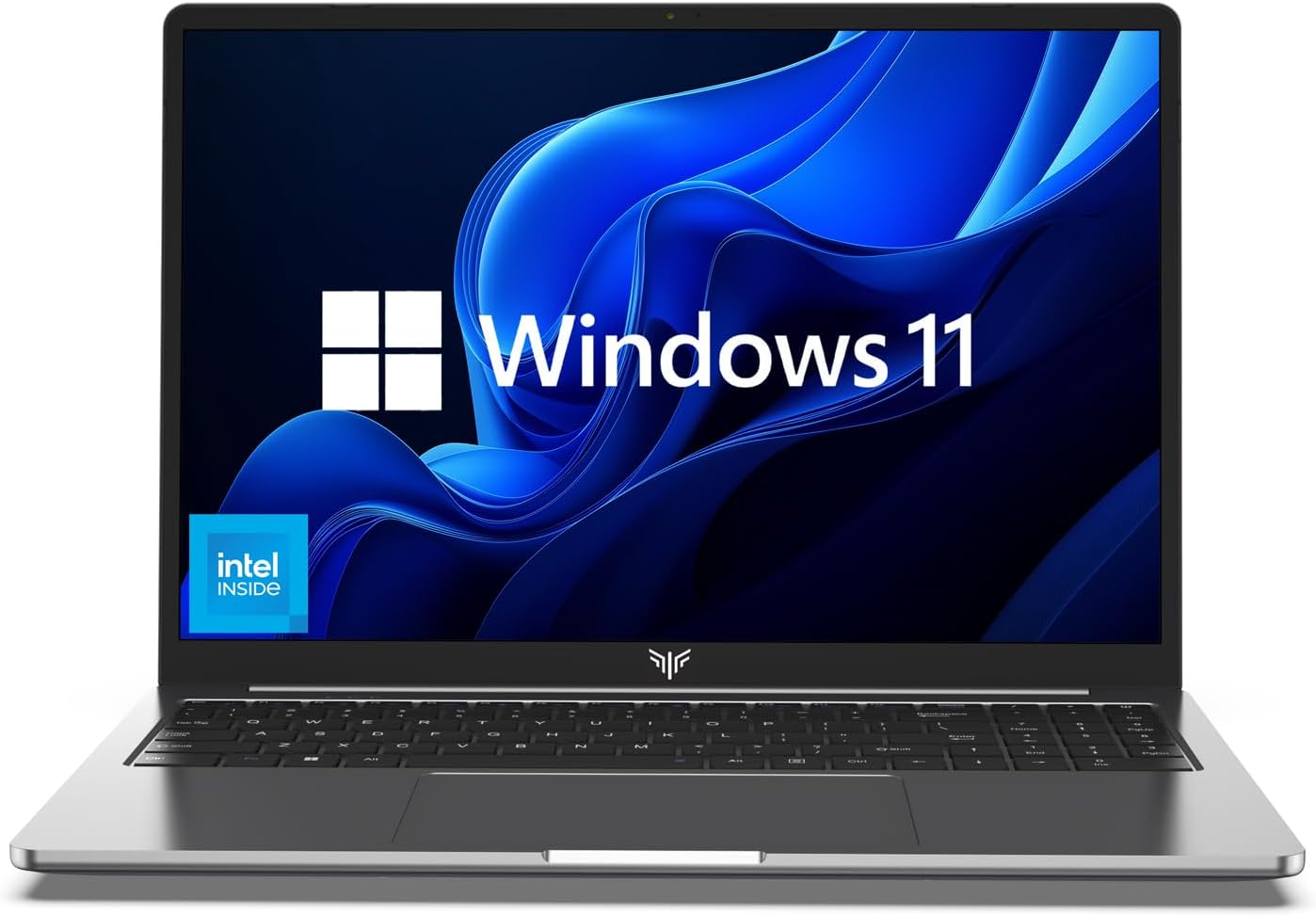
Image 1.1: KAIGERR AX15 Laptop with Windows 11 interface.
2. Setup
2.1 Unboxing and Initial Inspection
Carefully remove the laptop and all accessories from the packaging. Verify that all components are present:
- KAIGERR AX15 Laptop
- Power Adapter
- User Manual (this document)
Inspect the laptop for any physical damage. If you find any damage or missing parts, contact customer support immediately.
2.2 Connecting Power
Before first use, ensure the laptop is fully charged. Connect the power adapter to the Type-C DC Jack on the laptop and then plug it into a power outlet. The charging indicator light will illuminate.
2.3 Initial Boot-up and Windows 11 Setup
Press the power button to turn on the laptop. The system will guide you through the initial Windows 11 setup process. Follow the on-screen instructions to configure language, region, network, and user accounts.
3. Operating Instructions
3.1 Power On/Off and Sleep Mode
- Power On: Press the power button located on the keyboard.
- Power Off: Click the Windows Start button, then select Power > Shut down.
- Sleep Mode: Click the Windows Start button, then select Power > Sleep, or close the laptop lid.
3.2 Keyboard and Touchpad Usage
The laptop features a full-size keyboard and a large precision touchpad. Refer to the Windows 11 settings for customizing touchpad gestures.
3.3 Connecting Peripherals
The KAIGERR AX15 offers a variety of ports for connecting external devices:
- USB 2.0 x1: For older USB devices.
- USB 3.2 x2: For high-speed data transfer with compatible USB devices.
- Type-C (Data) x1: For data transfer with USB-C devices.
- HDMI Type A x1: Connect to external displays or projectors.
- 3.5mm Headphone Jack x1: For audio output to headphones or external speakers.
- 128GB TF Card Socket x1: For expanding storage with a TF card.
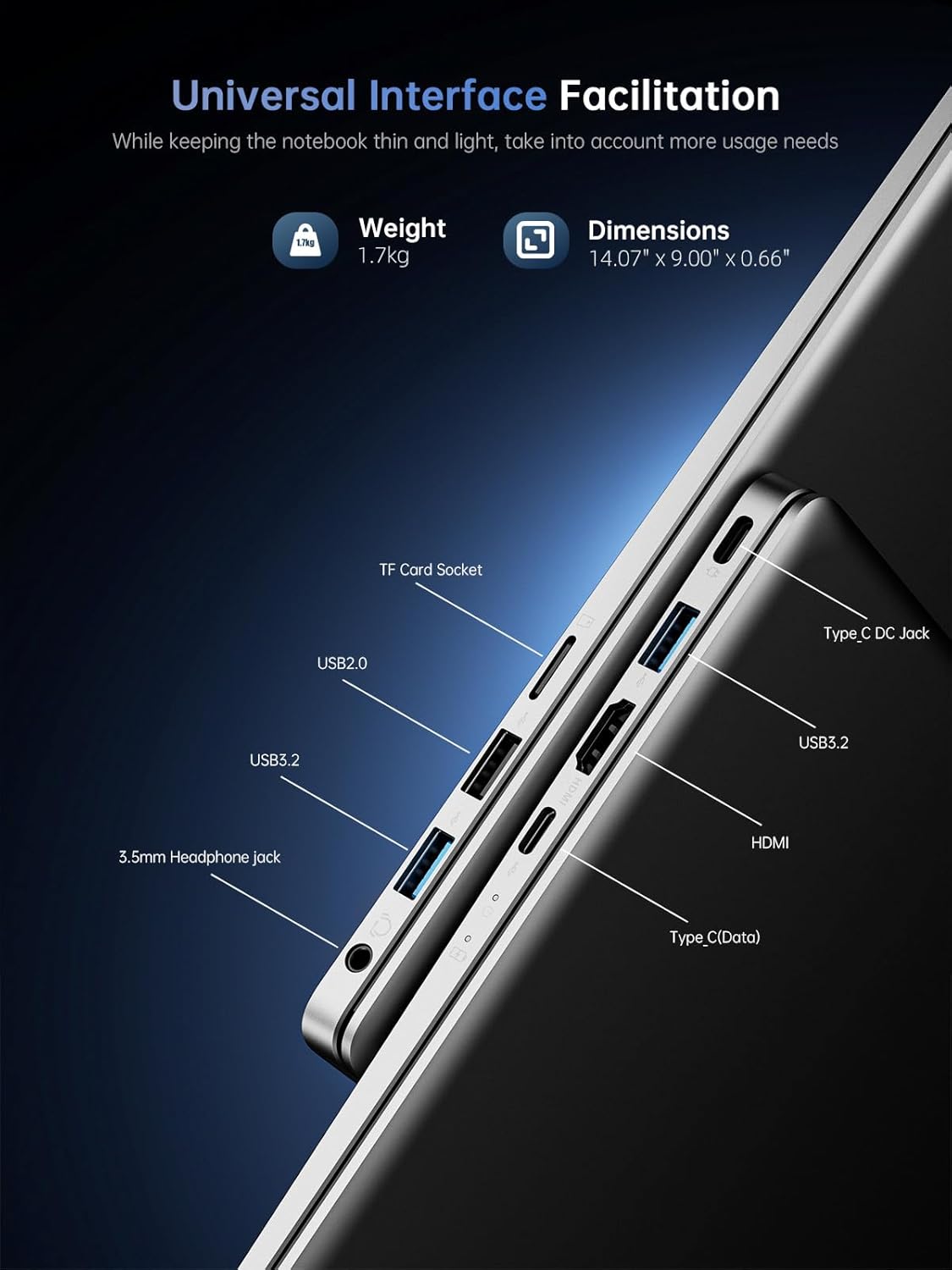
Image 3.1: Laptop port layout.
3.4 Network Connectivity
- Wi-Fi: The laptop supports 802.11ac Wi-Fi. To connect, click the Wi-Fi icon in the taskbar, select your network, and enter the password.
- Bluetooth: Bluetooth 5.0 is integrated. To pair devices, go to Windows Settings > Bluetooth & devices.
3.5 Webcam and Audio
The laptop includes a front-facing webcam and built-in speakers and microphone for video calls and audio playback.

Image 3.2: Communication features of the KAIGERR AX15.
4. Maintenance
4.1 Cleaning the Laptop
Use a soft, lint-free cloth slightly dampened with water or a screen cleaner to clean the display and exterior surfaces. Avoid harsh chemicals or abrasive materials.
4.2 Battery Care
To maximize battery life:
- Avoid extreme temperatures.
- Do not fully discharge the battery frequently.
- Unplug the charger once the battery is full if you plan to use it for extended periods while plugged in.

Image 4.1: Battery endurance information.
4.3 Software Updates
Regularly check for and install Windows updates to ensure your system has the latest security patches and performance improvements. Go to Windows Settings > Windows Update.
4.4 Storage Management and Upgrades
The laptop comes with a 512GB M.2 SSD. You can expand storage by using a 128GB TF card or upgrading the SSD to up to 2TB. SSD upgrades require opening the machine and should be performed under professional guidance to avoid damage and maintain warranty validity.

Image 4.2: Upgrade support for RAM and SSD.
4.5 Cooling System
The laptop features a scientific cooling scheme with a silent fan and copper tubing to prevent overheating. Ensure the vents are not obstructed during use.

Image 4.3: Laptop cooling system.
5. Troubleshooting
This section addresses common issues you might encounter with your KAIGERR AX15 laptop.
| Problem | Possible Solution |
|---|---|
| Laptop does not power on | Ensure the power adapter is securely connected and the battery is charged. Try a different power outlet. |
| Screen is blank or black | Check if the laptop is in sleep mode (press any key or the power button). Ensure external display cables are properly connected if using one. |
| Wi-Fi connection issues | Restart your router and the laptop. Check Wi-Fi settings in Windows to ensure Wi-Fi is enabled and connected to the correct network. |
| Slow performance | Close unnecessary applications. Check for Windows updates. Ensure sufficient free space on the SSD. |
| Battery drains quickly | Adjust power settings in Windows. Reduce screen brightness. Close power-intensive applications. |
If these solutions do not resolve your issue, please contact KAIGERR customer support.
6. Specifications
Key technical specifications for the KAIGERR AX15 laptop:
| Feature | Specification |
|---|---|
| Model Name | AX15 |
| Processor | Intel Quad-Core (up to 3.6GHz) |
| RAM | 16GB DDR4 SDRAM |
| Storage | 512GB M.2 SSD (expandable to 2TB) |
| Display | 15.6 Inches, 1920x1080 Pixels (Full HD IPS) |
| Operating System | Windows 11 |
| Graphics | Integrated Intel Graphics |
| Ports | 1x USB 2.0, 2x USB 3.2, 1x Type-C (Data), 1x HDMI, 1x 3.5mm Headphone Jack, 1x TF Card Socket, 1x Type-C DC Jack |
| Wireless Connectivity | 802.11ac Wi-Fi, Bluetooth 5.0 |
| Battery | Lithium Ion (7.6V/5000mAh) |
| Dimensions (LxWxH) | 14.07 x 9 x 0.66 inches |
| Weight | 3.74 pounds |
7. Warranty and Support
KAIGERR is committed to providing quality products and excellent customer service.
7.1 Warranty Information
Your KAIGERR AX15 laptop comes with 12 months of repair service from the date of purchase. This warranty covers manufacturing defects. Damage caused by misuse, accidents, or unauthorized modifications is not covered.
7.2 Technical Support
We offer unlimited technical support for all customers. Our dedicated team is available to assist you with any questions or issues you may encounter.
7.3 Contact Information
For technical support or warranty claims, please contact us via:
- Email: service@ikaigerr.com
- Phone (US): +1 833 988 3568 (Monday-Friday, 9am-5pm EST)

Image 7.1: KAIGERR customer support details.


