
Introduction
This manual provides detailed instructions for the assembly, operation, and maintenance of your WAMPAT White Dresser TV Stand (Model W11Q3125A). Please read all instructions carefully before beginning assembly and retain this manual for future reference.
Safety Information
- Always secure the cabinet to the wall using the provided anti-tip kit to prevent tipping. This is crucial for households with children or pets.
- Do not place heavy objects on the top of the cabinet that could cause it to tip over.
- Keep the area around the cabinet clear of obstacles to prevent accidents.
- Ensure all screws and fasteners are tightened securely before use. Periodically check and re-tighten as needed.
- Do not allow children to climb on or play with the dresser.
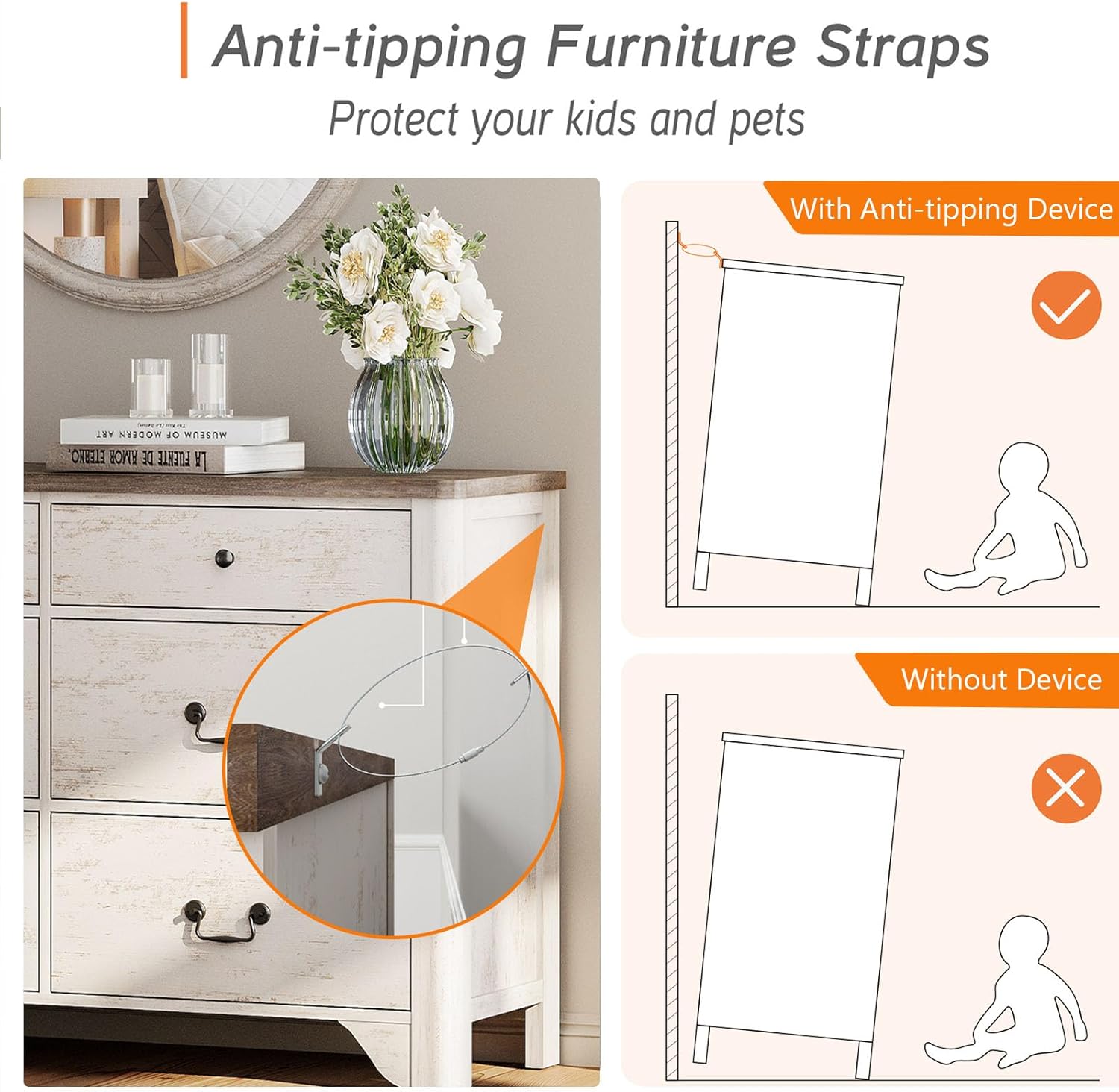
Image: Anti-tipping furniture straps are essential for safety, preventing the unit from falling forward.
Product Overview
The WAMPAT White Dresser TV Stand is a versatile furniture piece designed for various rooms, offering ample storage and a stable platform for televisions up to 110 inches. It combines a 6-drawer TV stand with two 3-drawer chests, allowing for flexible arrangement.
Key Features:
- Large TV Compatibility: Accommodates TVs ranging from 55 to 110 inches.
- Ample Storage: Features a total of 12 spacious drawers (one 6-drawer unit and two 3-drawer units) for organizing media devices, books, clothing, and accessories.
- Durable Construction: Crafted from high-quality engineered wood with a white finish that resists scratches and moisture.
- Stylish Design: Curved profile and black metal handles contribute to a rustic, farmhouse aesthetic.
- Enhanced Safety: Includes a wall-anchoring anti-tip kit for stability.
- Easy Maintenance: Waterproof surface allows for quick and easy cleaning.
Specifications:
| Attribute | Detail |
|---|---|
| Brand | WAMPAT |
| Model Name | W11Q3125A+AAX2-TV01 |
| Product Dimensions | 15.7"D x 110.2"W x 31.5"H |
| Color | White |
| Material | Engineered Wood |
| Item Weight | 273.9 Pounds |
| Number of Drawers | 12 (1x 6-drawer, 2x 3-drawer) |
| Special Features | Anti-Tip Safety, Scratch Resistant, Space Saving |
| Assembly Required | Yes |

Image: Product dimensions for the 3-drawer and 6-drawer units, and the combined 12-drawer configuration.

Image: Visual guide for TV size compatibility, showing the stand can accommodate TVs up to 110 inches.
Assembly Instructions
Your WAMPAT White Dresser TV Stand consists of one 6-drawer unit and two 3-drawer units. Please follow the instructions below for assembling each module, then combine them as desired.
Tools Required (Not Included):
- Phillips Head Screwdriver
- Hammer (optional, for dowels)
Part Identification:
All parts are labeled for easy identification. Refer to the included parts list in your packaging to ensure all components are present before starting assembly.
Module 1: 3-Drawer Chest Assembly (x2)
Follow the steps outlined in the video below for assembling each of the two 3-drawer chest modules. While the video may feature a slightly different model number (W11Q408AA or W11Q3126N), the general assembly process for the 3-drawer unit is applicable.
Video: Assembly guide for a WAMPAT 3-drawer dresser. This video illustrates the general steps for constructing one of the two 3-drawer units included in your TV stand.
Key Steps (as shown in video):
- Screw cam bolts (A) into designated panels.
- Insert dowels (C) into panels and attach side panels using cam locks (B).
- Secure the base and top panels, ensuring all cam locks are tightened.
- Slide the back panel into place.
- Assemble the drawer boxes by inserting dowels, attaching sides, and securing with screws and cam locks.
- Attach handles to the drawer fronts.
- Insert the completed drawers into the chest.
Module 2: 6-Drawer TV Stand Assembly (x1)
Refer to the following video for the assembly of the central 6-drawer TV stand module. While the video may feature a slightly different model number (W11Q408AA or W11Q3126N), the general assembly process for the 6-drawer unit is applicable.
Video: Assembly guide for a WAMPAT 6-drawer dresser. This video illustrates the general steps for constructing the central 6-drawer unit of your TV stand.
Key Steps (as shown in video):
- Screw cam bolts (A) into designated panels.
- Insert dowels (C) into panels and attach side panels using cam locks (B).
- Secure the base and top panels, ensuring all cam locks are tightened.
- Slide the back panel into place.
- Assemble the drawer boxes by inserting dowels, attaching sides, and securing with screws and cam locks.
- Attach handles to the drawer fronts.
- Insert the completed drawers into the chest.
Final Arrangement:
Once all three modules (one 6-drawer and two 3-drawer units) are assembled, arrange them side-by-side to form the complete 12-drawer TV stand. Ensure they are aligned and stable. Use the provided anti-tip kit to secure the entire unit to the wall.
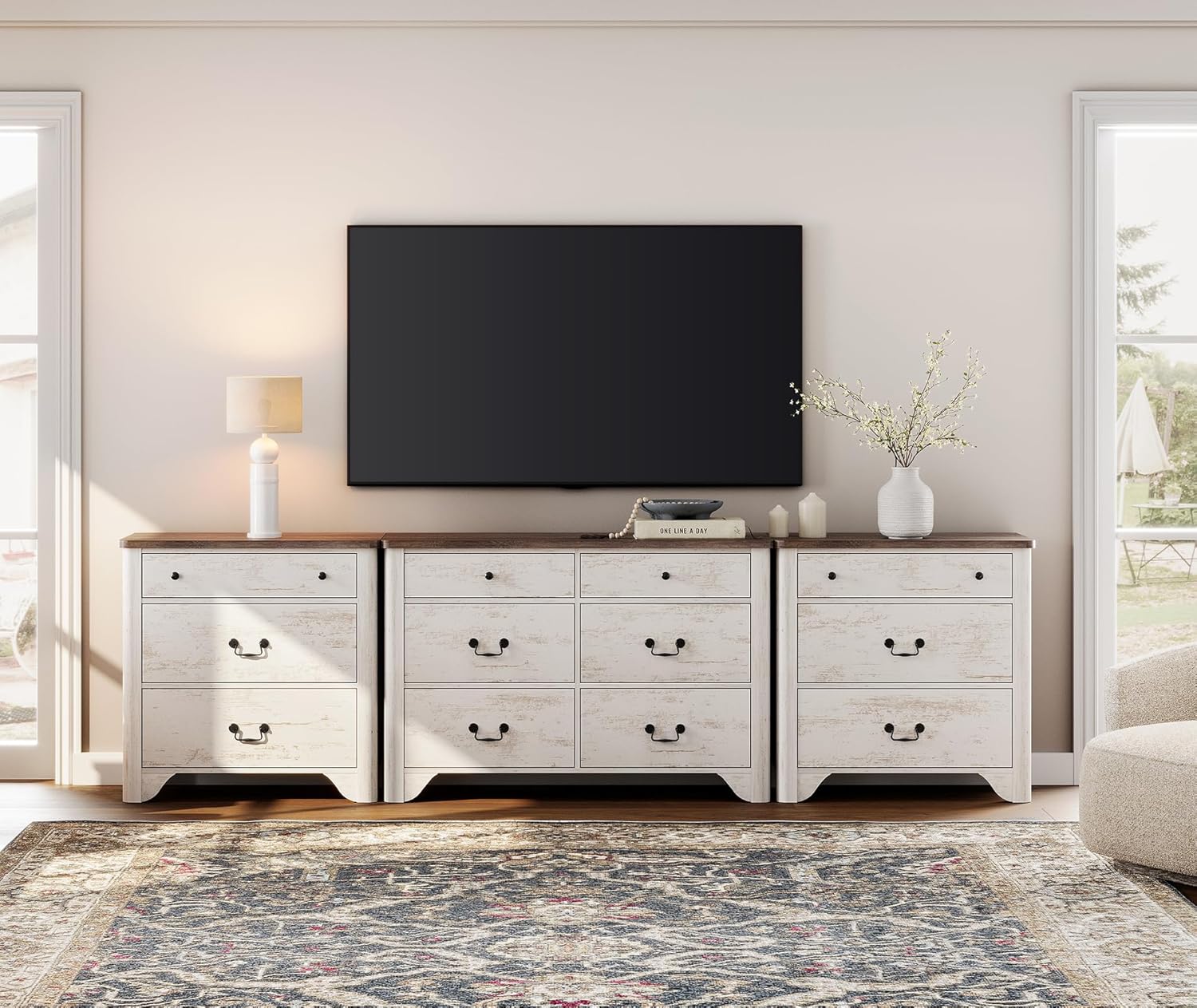
Image: The complete WAMPAT White Dresser TV Stand, formed by combining the 6-drawer and two 3-drawer units.

Image: Drawers of the WAMPAT Dresser TV Stand, demonstrating the large storage capacity.
Maintenance
- Cleaning: Wipe surfaces with a soft, damp cloth. Avoid harsh chemicals or abrasive cleaners. The waterproof surface is designed for easy cleaning.
- Dusting: Regularly dust with a dry, soft cloth to prevent buildup.
- Spills: Promptly clean up any spills to prevent staining or damage to the finish.
- Hardware: Periodically check all screws, bolts, and cam locks to ensure they remain tight. Re-tighten as necessary to maintain stability.
- Avoid Direct Sunlight: Prolonged exposure to direct sunlight can cause fading or discoloration.
- Humidity Control: Maintain a stable humidity level in the room to prevent wood from warping or cracking.

Image: The waterproof surface of the dresser, designed for easy cleaning.
Troubleshooting
| Problem | Possible Cause | Solution |
|---|---|---|
| Unit is wobbly or unstable. | Loose fasteners or uneven floor. | Ensure all cam locks and screws are fully tightened. Adjust furniture levelers if present, or place shims under the legs on uneven floors. Verify anti-tip kit is securely installed. |
| Drawers do not slide smoothly. | Drawer slides are misaligned or obstructed. | Check that the drawer slides are correctly installed and aligned on both the drawer and the cabinet. Ensure no debris is obstructing the slides. Lubricate slides with a silicone-based lubricant if necessary. |
| Gaps between panels. | Cam locks not fully engaged or panels not pushed together completely. | Loosen relevant fasteners, push panels firmly together, and then re-tighten cam locks until snug. Do not overtighten. |
Warranty and Support
WAMPAT products are designed for quality and durability. For specific warranty details, please refer to the warranty card included with your product or contact WAMPAT customer service directly. If you encounter any issues with missing parts, assembly, or product defects, our customer service team is available to assist you.
For support, please visit the WAMPAT Store on Amazon or contact the seller, Dropship Shopping Centre, through your Amazon order details.