
1. Introduction
Thank you for purchasing the VBESTLIFE Digital LED Wood Clock. This compact and stylish alarm clock features a clear LED display, temperature and date functions, and adjustable brightness. Designed for convenience and aesthetic appeal, it is suitable for various settings including bedrooms, offices, and living rooms. Please read this manual carefully to ensure proper use and maintenance of your new clock.
Package Contents:
- 1 x LED Wood Clock
- 1 x USB Cable
- 1 x User Manual

Image 1.1: The LED Wood Clock and its accompanying USB cable, as found in the package.
2. Product Overview and Features
The VBESTLIFE LED Wood Clock combines functionality with a minimalist design, making it a versatile addition to any space. Its key features include:
- Time Display: Displays time in 12-hour or 24-hour format.
- Temperature Display: Shows ambient temperature.
- Date Display: Displays current date.
- Alarm Clock Function: Set multiple alarms to wake you up.
- Memory Function: Retains settings during power interruptions (requires CR2032 battery).
- Brightness Adjustment: Three levels of LED display brightness for day and night use.
- Voice Control Power Saving Mode: Display turns off automatically and can be activated by sound (e.g., clapping, tapping).

Image 2.1: Front view of the LED Wood Clock, showcasing its clear digital time display against the wooden finish.

Image 2.2: The LED Wood Clock positioned on a bedside table, illustrating its compact size and suitability for bedroom environments.
3. Components and Controls
Familiarize yourself with the various components and control buttons located on the back of the clock.

Image 3.1: Rear view of the clock, highlighting the battery case, power adapter jack, and control buttons (SET, UP, DOWN, RESET).
- Battery Case: Compartment for 3 x AAA batteries (main power, not included).
- CR2032 Cell (Memory Battery) Slot: For the memory battery (not included) to retain settings.
- Power Adapter Jack: For connecting the USB cable for continuous power.
- SET Key: Used to enter setting modes and confirm selections.
- UP Key: Used to increase values or navigate upwards in menus.
- DOWN Key: Used to decrease values or navigate downwards in menus.
- RESET Key: Used to reset the clock to factory defaults.
4. Setup
4.1 Powering the Clock
The clock can be powered by either AAA batteries or via the included USB cable.
- Battery Installation: Open the battery case on the back of the clock. Insert 3 x AAA batteries (not included) ensuring correct polarity (+/-).
- Memory Battery Installation: Locate the CR2032 cell slot. Insert one CR2032 cell (not included) to enable the memory function, which saves your settings during power loss.
- USB Power: Connect the small end of the USB cable to the power adapter jack on the back of the clock. Connect the other end to a USB power source (e.g., computer USB port, USB wall adapter).
Note: For continuous display and optimal performance, it is recommended to use the USB power supply. Batteries are ideal for portability or as a backup power source.
5. Operating Instructions
5.1 Setting Time and Date
- Press the SET button to enter time setting mode. The hour digits will flash.
- Use the UP and DOWN buttons to adjust the hour.
- Press SET again to move to minute setting. Adjust minutes with UP/DOWN.
- Continue pressing SET to cycle through year, month, and day settings, adjusting each with UP/DOWN.
- After setting the date, press SET to exit setting mode.
5.2 Setting Alarms
The clock supports multiple alarms. To set an alarm:
- In normal display mode, press the UP button to cycle through display modes (Time, Date, Temperature).
- Press and hold the SET button until the alarm icon appears and the alarm hour flashes.
- Use UP/DOWN to set the alarm hour, then press SET.
- Set the alarm minutes using UP/DOWN, then press SET.
- To enable/disable the alarm, use UP/DOWN when the alarm is flashing. Press SET to confirm.
5.3 Brightness Adjustment
The clock offers three levels of brightness. In normal time display mode, press the DOWN button to cycle through the brightness levels (Bright, Medium, Dim).
5.4 Voice Control Power Saving Mode
To activate the voice control power saving mode:
- In normal display mode, press the DOWN button until the display turns off. This indicates the voice control mode is active.
- To activate the display, make a sound (e.g., clap your hands, tap the clock, or speak loudly). The display will light up for a few seconds and then turn off again to save power.
- To disable voice control mode and keep the display on continuously, press the DOWN button again until the display remains lit.
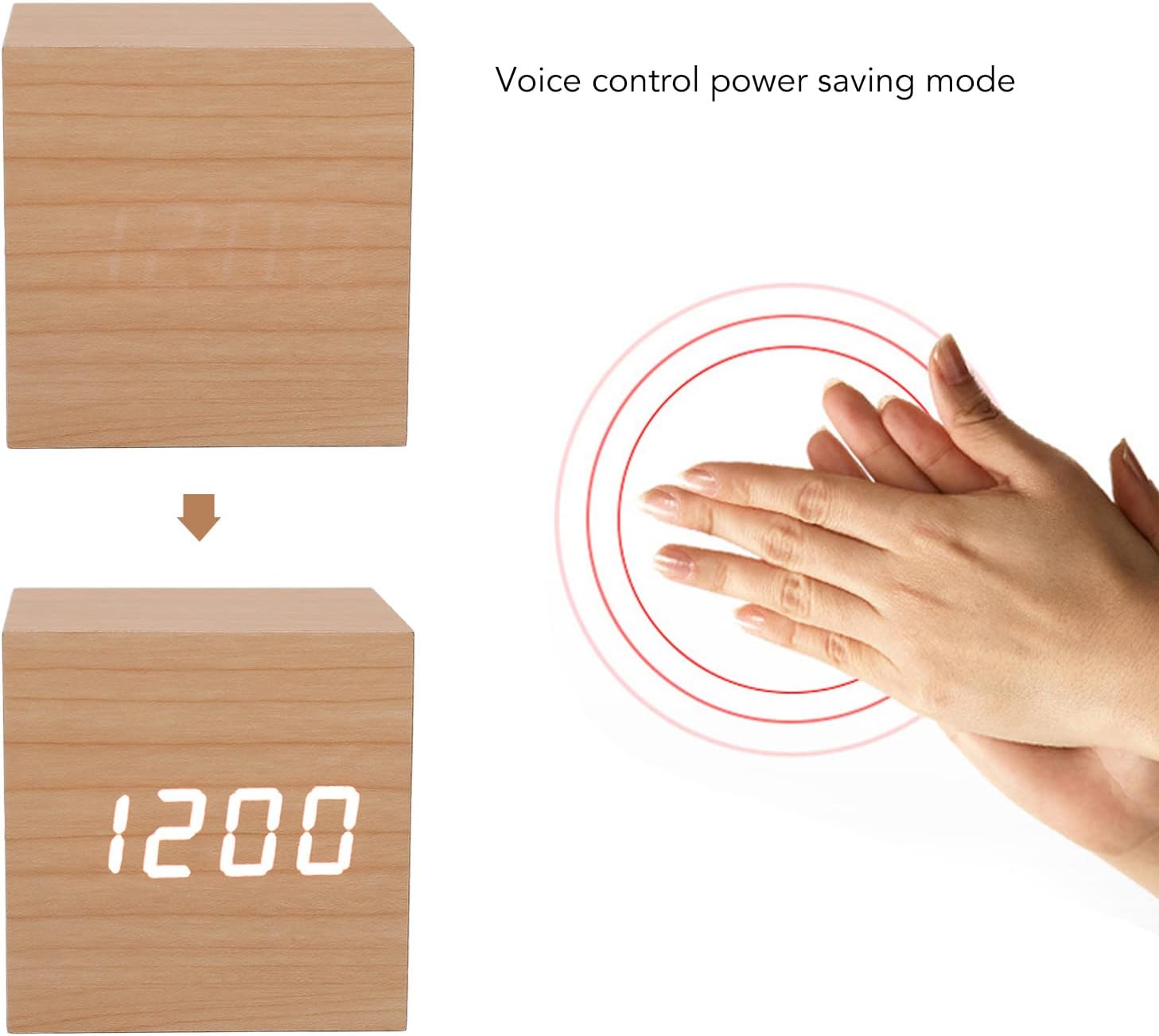
Image 5.1: Visual representation of the voice control power saving mode, where the display activates upon detecting sound, such as a clap.
6. Maintenance
6.1 Cleaning
To clean the clock, gently wipe the surface with a soft, dry cloth. Do not use abrasive cleaners, solvents, or chemical sprays, as these may damage the finish or internal components.
6.2 Battery Replacement
If the display becomes dim or the clock functions erratically when powered by AAA batteries, it is time to replace them. Replace all 3 AAA batteries simultaneously. If the clock loses its settings frequently, replace the CR2032 memory battery.
7. Troubleshooting
| Problem | Possible Cause | Solution |
|---|---|---|
| Display is off or dim. | Voice control mode is active, batteries are low, or power cable is disconnected. | Tap the clock or make a sound to activate display. Replace AAA batteries. Ensure USB cable is securely connected. Adjust brightness level. |
| Clock loses time/settings. | CR2032 memory battery is dead or not installed. | Install or replace the CR2032 memory battery. |
| Alarm does not sound. | Alarm is not enabled or volume is too low (if adjustable). | Ensure the alarm is set and enabled in the settings. (Note: This model has a fixed alarm sound level). |
| Buttons are unresponsive. | Temporary software glitch. | Press the RESET button on the back of the clock using a thin object (e.g., paperclip). |
8. Specifications
| Attribute | Detail |
|---|---|
| Item Type | LED Wood Clock |
| Material | MDF, PVC |
| Color | Log White |
| Functions | Time, Temperature, Date, Alarm Clock, Memory, Brightness Adjustment |
| Power Source | 3 x AAA Batteries (not included), USB Cable (included) |
| Memory Battery | 1 x CR2032 Cell (not included) |
| Product Dimensions | 3.15 x 1.5 x 3.15 inches (8 x 3.8 x 8 cm) |
| Item Weight | 5.5 ounces (156 grams) |
| Model Number | VBESTLIFEn67kxuieb1 |
9. Warranty and Support
9.1 Warranty Information
This product is covered by a standard manufacturer's warranty against defects in materials and workmanship. Please refer to the product packaging or your purchase receipt for specific warranty terms and duration. The warranty typically covers manufacturing defects but does not cover damage caused by misuse, accidents, unauthorized modifications, or normal wear and tear.
9.2 Customer Support
If you encounter any issues with your VBESTLIFE Digital LED Wood Clock that are not resolved by the troubleshooting guide, or if you require further assistance, please contact the retailer or the manufacturer's customer support. Keep your purchase receipt handy as proof of purchase may be required for warranty claims.
For more information or to explore other VBESTLIFE products, visit the official VBESTLIFE store on Amazon: VBESTLIFE Amazon Store


