Introduction
Thank you for choosing the Piluyaa A16 Mini Pro Open Ear Earbuds. These wireless earbuds are designed to provide a comfortable listening experience with advanced features such as Bluetooth 5.4 connectivity, ANC+ENC noise reduction, and a digital display charging case. This manual will guide you through the setup, operation, and maintenance of your new earbuds.
Package Contents

Image: Contents of the Piluyaa A16 Mini Pro Earbuds package, including the earbuds, charging case, user guide, and USB Type-C charging cable.
Please check the package for the following items:
- Piluyaa A16 Mini Pro Wireless Earbuds
- Charging Case with Digital Display
- USB Type-C Charging Cable
- User Guide (this manual)
Setup Guide
1. Charging the Earbuds and Case
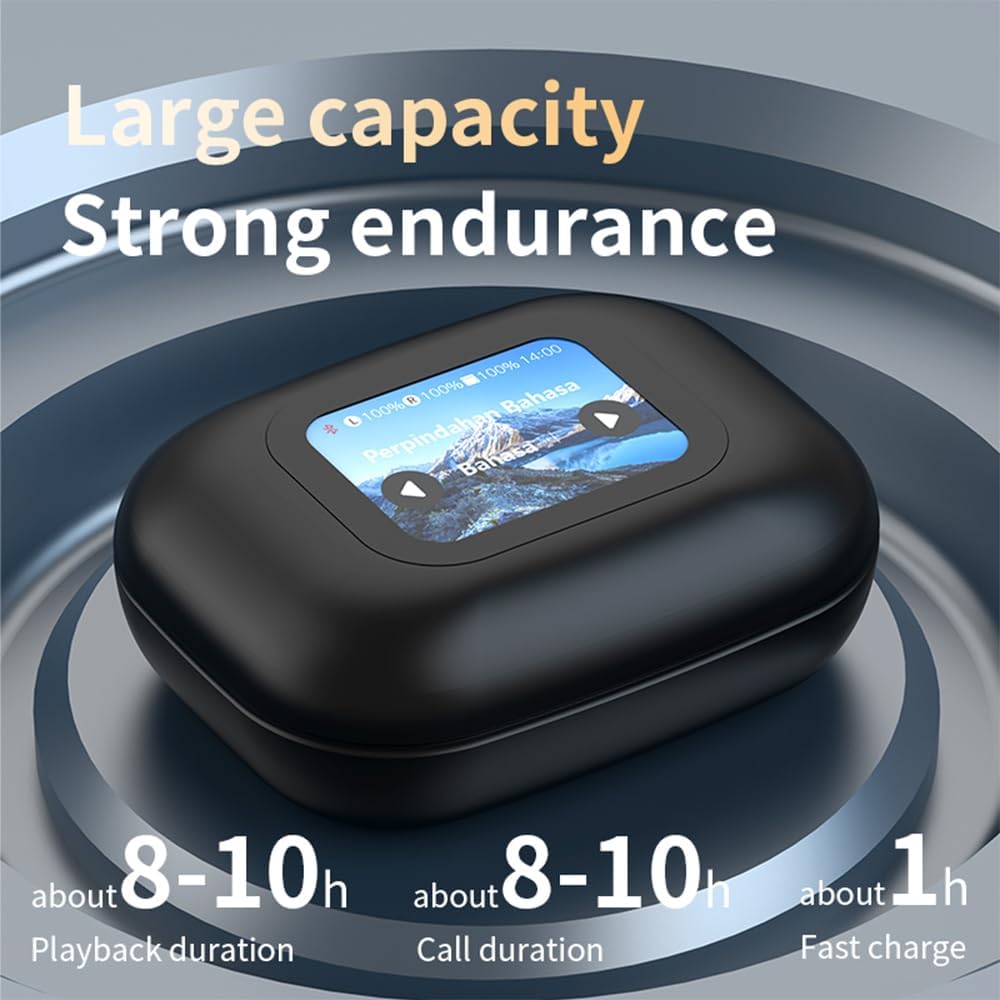
Image: The charging case displaying battery levels and estimated playback/call duration.
- Place the earbuds into the charging case. Ensure they are correctly seated.
- Connect the provided USB Type-C charging cable to the charging port on the case and plug the other end into a USB power adapter (not included).
- The LED digital display on the charging case will show the charging status and battery levels.
- A full charge for the case takes approximately 1.5 hours. The earbuds charge while in the case.
2. Pairing with Your Device

Image: Illustration showing the earbuds pairing with various devices like smartphones, tablets, and laptops, highlighting wide compatibility and simple pairing process.
- Open the charging case. The earbuds will automatically enter pairing mode.
- On your device (smartphone, tablet, etc.), enable Bluetooth.
- Search for "A16 Mini Pro" in the list of available Bluetooth devices.
- Select "A16 Mini Pro" to connect. Once connected, the earbuds will indicate successful pairing.
- The earbuds support multi-point connection, allowing seamless transmission between two paired devices.
Operating Instructions
Touch Controls

Image: A visual guide to the touch controls on the earbuds, detailing actions for playback, calls, volume, and voice assistant.
The A16 Mini Pro earbuds feature intuitive touch controls on each earbud:
| Action | Left Earbud (L) | Right Earbud (R) |
|---|---|---|
| Play/Pause | Click x1 | Click x1 |
| Voice Assistant | Hold 2s | Hold 2s |
| Previous Song | Click x2 | N/A |
| Next Song | N/A | Click x2 |
| Answer Call | Click x1 | Click x1 |
| Reject Call | Hold 2s | Hold 2s |
| Volume Down | Click x3 | N/A |
| Volume Up | N/A | Click x3 |
Noise Control Modes

Image: Visual representation of the three noise control modes: Normal Mode, Noise Cancellation Mode, and Transparent Mode.
The earbuds support ANC+ENC dual noise reduction. You can switch between modes using the touch controls or through the connected device's settings if applicable:
- Normal Mode: Standard audio playback without active noise cancellation.
- Noise Cancellation Mode: Reduces ambient noise for an immersive listening experience.
- Transparent Mode: Allows you to hear your surroundings while listening to audio, enhancing awareness.
Charging Case Digital Display

Image: A hand interacting with the touch screen of the charging case, demonstrating various functions and settings available on the display.
The charging case features a full-color LED touch screen. This display provides information such as:
- Battery levels of both earbuds and the charging case.
- Playback progress and controls.
- Settings for brightness, EQ modes, and other functions.
- App connection reminders.
Maintenance and Care

Image: An earbud with water droplets, illustrating its IP7 waterproof rating.
- Cleaning: Regularly clean the earbuds and charging case with a soft, dry, lint-free cloth. Do not use harsh chemicals or abrasive materials.
- Water Resistance: The earbuds are IP7 water resistant, protecting them from sweat and rain. However, they are not designed for swimming or submersion in water. Ensure the charging port is dry before charging.
- Storage: When not in use, store the earbuds in their charging case to protect them and keep them charged. Store in a cool, dry place away from extreme temperatures.
- Battery Care: To prolong battery life, avoid fully discharging the earbuds and charging case frequently. Charge them regularly, even if not in constant use.
Troubleshooting
| Problem | Possible Solution |
|---|---|
| Earbuds not pairing |
|
| No sound from one earbud |
|
| Charging case display not working |
|
| Poor sound quality |
|
Specifications
| Feature | Detail |
|---|---|
| Model Name | A16 Mini Pro-Black |
| Brand | Piluyaa |
| Connectivity Technology | Wireless (Bluetooth 5.4) |
| Noise Control | Active Noise Cancellation (ANC+ENC) |
| Audio Driver Type | Bone Conduction Driver |
| Earpiece Shape | Open Ear |
| Control Method | Touch |
| Battery Life (Earbuds) | Up to 10 hours on a single charge |
| Total Playtime (with Charging Case) | Up to 80 hours |
| Charging Time (Case) | Approx. 1.5 hours (Type-C) |
| Water Resistance | IP7 Water Resistant |
| Frequency Range | 20Hz - 20,000Hz |
| Impedance | 16 Ohm |
| Item Weight | 0.25 oz per earbud (approx. 5.9 ounces total package) |
| Compatible Devices | Smartphones, Tablets, Smart Speakers, Televisions |
Warranty and Support
Piluyaa products are designed for quality and reliability. For any issues or questions regarding your A16 Mini Pro earbuds, please refer to the following:
- Customer Support: Please contact the seller or manufacturer directly through the platform where you purchased the product for assistance.
- Warranty Information: Specific warranty terms and conditions may vary by region and retailer. Please retain your proof of purchase for any warranty claims.

Image: A customer service representative wearing a headset, symbolizing available support.


