
Introduction
Thank you for choosing the Bicepos 2000 Sq.Ft 30 Pints Dehumidifier, Model BP02. This manual provides essential information for the safe and efficient operation, setup, maintenance, and troubleshooting of your new appliance. Please read these instructions thoroughly before use and retain them for future reference.
Safety Instructions
To prevent injury to the user or others and property damage, the following instructions must be followed. Incorrect operation due to ignoring instructions may cause harm or damage.
- Always operate the unit on a stable, level surface.
- Do not block the air inlet or outlet. Maintain at least 8 inches (20 cm) clearance from walls or other objects.
- Ensure the power cord is not damaged and is properly grounded.
- Do not use the dehumidifier in areas where flammable gases or liquids are stored.
- Unplug the unit before cleaning or performing any maintenance.
- Keep children and pets away from the unit during operation.
- Do not insert objects into the air vents.
- If the unit makes unusual noises, emits strange odors, or smokes, turn it off immediately and unplug it. Contact customer support.
Product Overview
Components
The Bicepos Dehumidifier is designed for efficient moisture removal. Key components include:
- Air Inlet Grille
- Air Outlet
- Control Panel
- Water Tank (2L / 0.52 Gallon capacity)
- Continuous Drain Outlet
- Power Cord
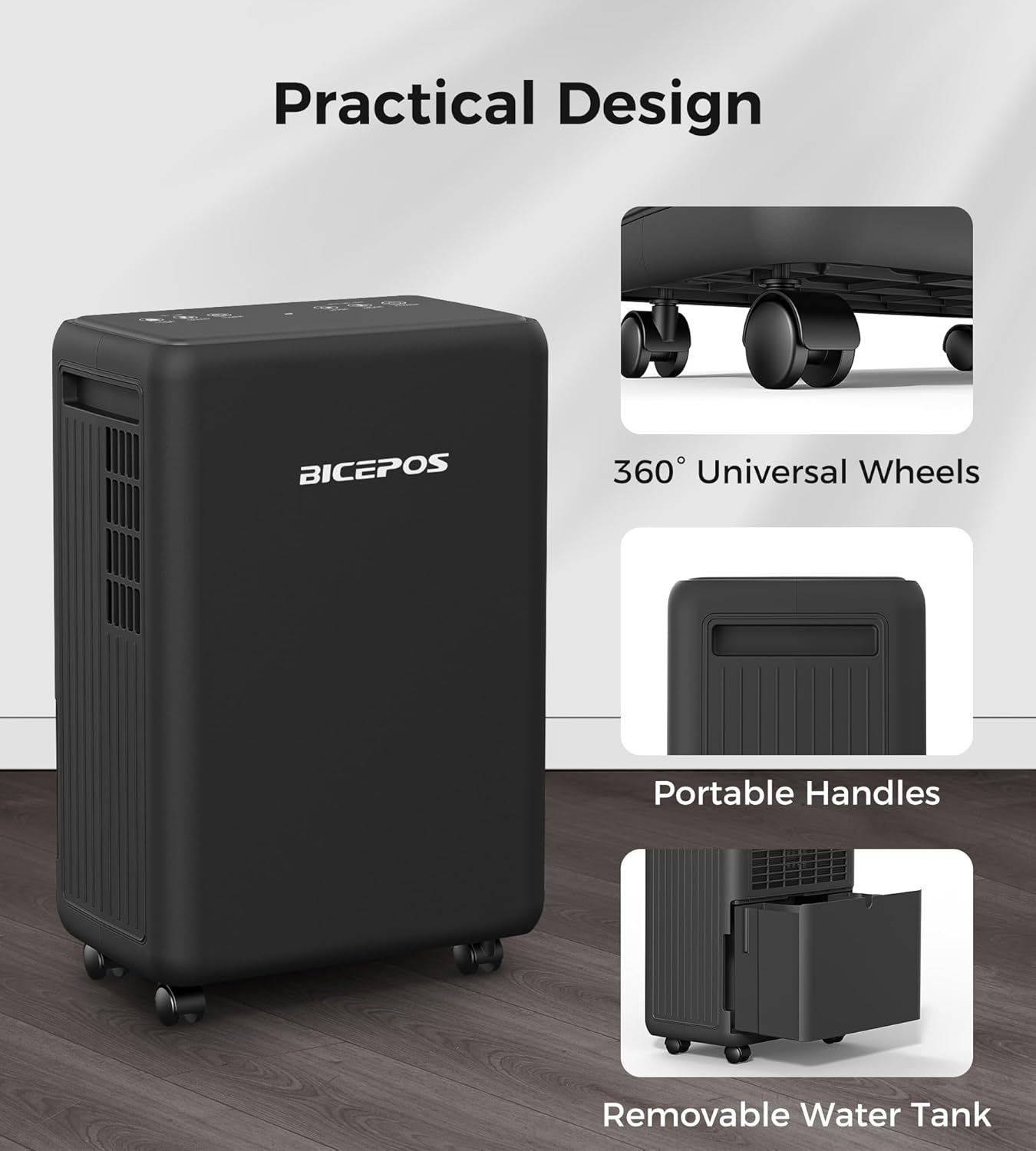
- Universal Wheels for mobility
- Ergonomic Handles

Control Panel
The intelligent touch panel allows for easy control and monitoring of the dehumidifier's functions.

- POWER Button: Turns the unit on or off.
- MODE Button: Selects between DEHU (automatic dehumidification), DRY (clothes drying), and CONT (continuous dehumidification) modes.
- HUMI (Humidity) Buttons: Adjusts the target humidity level (30%-80% RH in 5% increments).
- SPEED Button: Selects between low and high fan speeds.
- TIMER Button: Sets the 1-24 hour timer for automatic on/off operation.
- LOCK Button (3s): Activates or deactivates the child lock function by pressing and holding for 3 seconds.
- Display: Shows current humidity, timer settings, and error codes.
Setup
- Unpacking: Carefully remove the dehumidifier from its packaging. Retain packaging materials for future storage or transport.
- Placement: Place the unit upright on a firm, level surface. Ensure there is at least 8 inches (20 cm) of space around the unit for proper airflow. Avoid placing it near heat sources or in direct sunlight.
- Power Connection: Plug the power cord into a grounded electrical outlet. Ensure the voltage matches the specifications on the unit's label.
- Initial Operation: For optimal performance, allow the unit to stand upright for at least 24 hours before initial use if it was not transported upright.
Operating Instructions
Turning On/Off
- Press the POWER button to turn the unit on. The display will show the current humidity level.
- Press the POWER button again to turn the unit off.
Selecting Operating Modes
Press the MODE button to cycle through the available modes:

- DEHU Mode (Automatic Dehumidification): The unit will automatically adjust its operation to maintain the set humidity level. Use the HUMI buttons to set your desired humidity between 30% and 80% RH.
- DRY Mode (Clothes Drying): Optimizes fan speed for efficient clothes drying. The unit will run continuously at high fan speed to reduce moisture.
- CONT Mode (Continuous Dehumidification): The unit will run continuously at the lowest possible humidity setting, regardless of the ambient humidity. This is suitable for very damp spaces requiring maximum moisture removal.
Setting Humidity Level (DEHU Mode Only)
In DEHU mode, press the HUMI up or down buttons to set the desired humidity level. The setting range is 30% to 80% Relative Humidity (RH), adjustable in 5% increments. The unit will operate until the set humidity is reached, then cycle on and off to maintain it.
Adjusting Fan Speed
Press the SPEED button to switch between Low and High fan speeds. Higher fan speed results in faster dehumidification and increased noise.
Setting the Timer
The 24-hour timer allows for delayed start or delayed stop operation.
- To set Auto-Off: While the unit is running, press the TIMER button. Use the HUMI buttons to set the desired number of hours (1-24) after which the unit will turn off.
- To set Auto-On: While the unit is off, press the TIMER button. Use the HUMI buttons to set the desired number of hours (1-24) after which the unit will turn on.
- The timer indicator light will illuminate when the timer is active. To cancel the timer, press the TIMER button until "00" is displayed or turn the unit off and on again.
Child Lock Function
To prevent accidental changes to settings, press and hold the LOCK button for 3 seconds to activate the child lock. The control panel will be locked. Repeat the action to unlock.
Drainage Options
Your Bicepos dehumidifier offers two methods for water removal:

1. Manual Drainage (Water Tank)
- When the water tank is full, the unit will automatically shut off, and an indicator light will flash.
- Carefully pull out the water tank from the front of the unit.
- Empty the collected water.
- Slide the empty water tank back into the unit until it clicks into place. The unit will resume operation.
2. Continuous Drainage (Drain Hose)
- For continuous operation without emptying the tank, attach the included drain hose to the continuous drain outlet at the back of the unit.
- Ensure the hose is sloped downwards to allow gravity to drain the water into a floor drain, large bucket, or other suitable receptacle.
- Do not allow the end of the hose to be submerged in water, as this can cause water to back up into the unit.
Maintenance
Regular maintenance ensures optimal performance and extends the lifespan of your dehumidifier.
Cleaning the Air Filter
- The air filter should be cleaned every two weeks or more frequently depending on usage and air quality.
- Turn off the unit and unplug it from the power outlet.
- Remove the air filter from the back of the unit.
- Wash the filter with warm, soapy water. Rinse thoroughly and allow it to air dry completely before reinstalling.
- Do not operate the dehumidifier without the filter installed.
Cleaning the Water Tank
- Clean the water tank regularly to prevent mold and mildew growth.
- Remove the tank and wash it with mild detergent and warm water.
- Rinse thoroughly and dry before placing it back into the unit.
Storing the Dehumidifier
- If the unit will not be used for an extended period, unplug it and empty the water tank.
- Clean the air filter and the water tank.
- Wrap the power cord and secure it.
- Store the unit upright in a cool, dry place, away from direct sunlight and extreme temperatures.
Troubleshooting
Before contacting customer support, please refer to the following troubleshooting guide for common issues.
| Problem | Possible Cause | Solution |
|---|---|---|
| Unit does not turn on. | No power, power cord loose, water tank full. | Check power supply, ensure cord is plugged in firmly, empty water tank. |
| No water collected. | Humidity too low, room temperature too low, air filter clogged, unit in DRY or CONT mode. | Ensure ambient humidity is above 30% RH, ensure room temperature is above 41°F (5°C), clean air filter, select DEHU mode and set desired humidity. |
| Unit is noisy. | Unit not on a level surface, air filter clogged, fan speed set to High. | Place on a level surface, clean air filter, select Low fan speed. |
| "FL" or "P2" error code. | Water tank full or incorrectly installed. | Empty water tank and ensure it is correctly reinserted. |
| "DF" error code. | Defrosting in progress. | This is normal. The unit will automatically resume operation after defrosting. |
Specifications
- Brand: bicepos
- Model: BP02
- Dehumidification Capacity: 30 Pints/day (at 95°F, 95% RH)
- Coverage Area: Up to 2000 sq.ft
- Water Tank Capacity: 2L (0.52 Gallon)
- Humidity Setting Range: 30% - 80% RH
- Operation Modes: DEHU (Auto), DRY (Clothes Drying), CONT (Continuous)
- Fan Speeds: Low, High
- Timer: 1-24 Hours
- Special Features: Adjustable Humidity Control, Auto Shut-Off (full tank), Auto-Defrost, Auto-Restart, Child Lock, Universal Wheels, Portable Handles, Drain Hose Included
- Product Dimensions (D x W x H): 7.72" x 12.64" x 17.44"
- Item Weight: 19.14 pounds
- UPC: 762284910900
Warranty and Support
For warranty information or technical support, please refer to the warranty card included with your product or contact Bicepos customer service. Please have your model number (BP02) and purchase date available when contacting support.
You can often find support contact details on the official Bicepos website or through your retailer.


