
1. Introduction
Thank you for choosing the eeTao 21V Replacement Charger. This charger is designed to provide reliable power for your Avhrit ZHP0052MG AT636 Cordless Car Buffer Polisher's 21.0V 2AH battery. This manual provides essential information for the safe and efficient use of your charger. Please read it thoroughly before use and retain it for future reference.
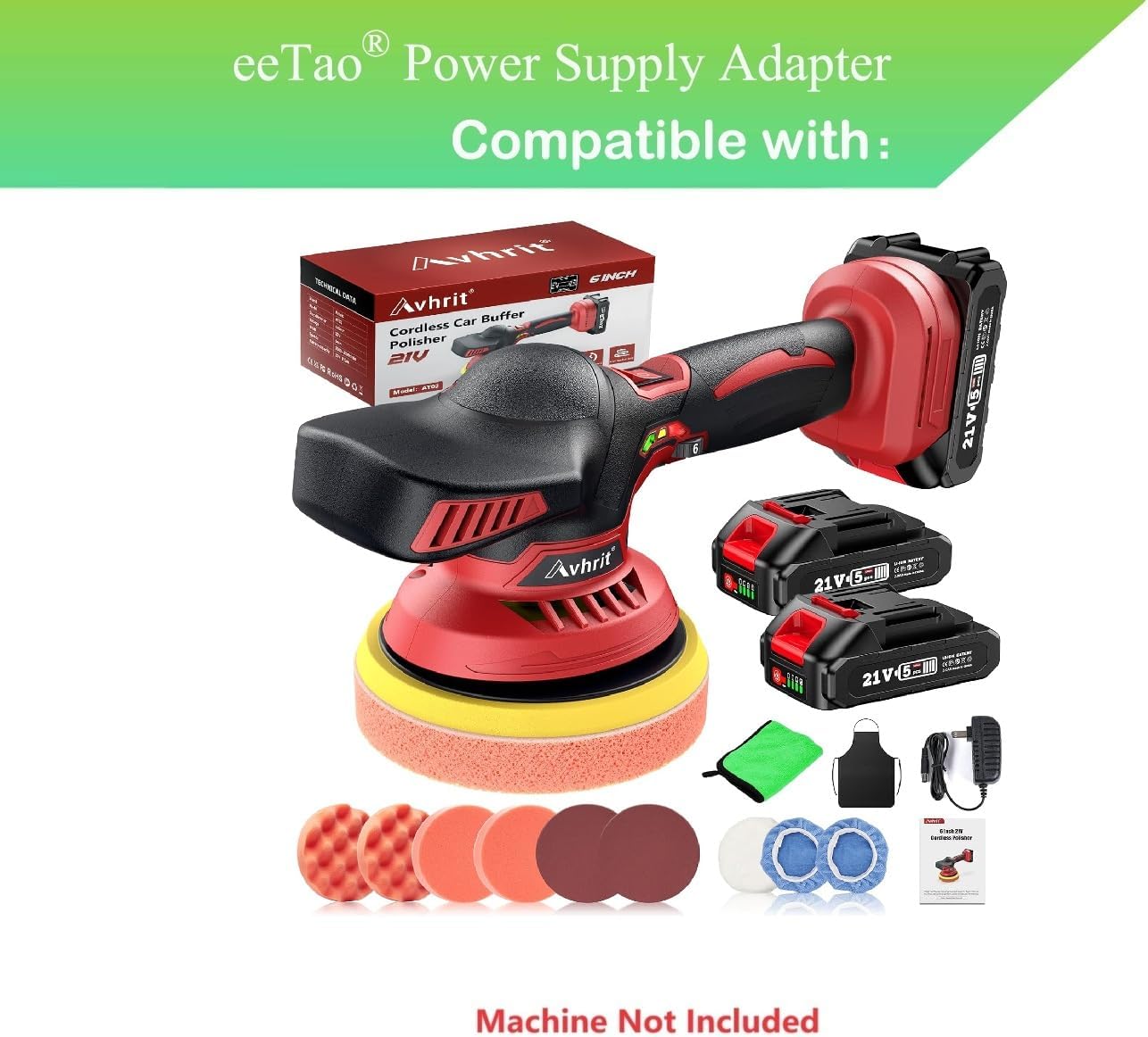
Image 1.1: The eeTao 21V Replacement Charger shown with a compatible Avhrit Cordless Car Buffer Polisher and its batteries. Note that the polisher machine itself is not included with the charger.
2. Safety Information
To ensure safe operation and prevent damage, observe the following safety precautions:
- Indoor Use Only: This charger is designed for indoor use. Do not expose it to rain, moisture, or extreme temperatures.
- Electrical Safety: Ensure the power outlet voltage matches the charger's input voltage (100-240 VAC, 50/60 Hz). Do not use if the cord or plug is damaged.
- Compatibility: Use this charger only with compatible 21.0V 2AH batteries for Avhrit ZHP0052MG AT636 Cordless Car Buffer Polishers. Using it with incompatible devices may cause damage or injury.
- Ventilation: Do not cover the charger during operation. Ensure adequate ventilation to prevent overheating.
- Protection Features: The charger includes Over Voltage Protection (OVP), Over Current Protection (OCP), and Short Circuit Protection (SCP) for enhanced safety.
- Children and Pets: Keep the charger out of reach of children and pets.

Image 2.1: The charger incorporates multiple security protection features such as temperature, short circuit, overcharge, anti-interference, and lightning protection to ensure safe and fast charging.
3. Setup
Follow these steps to set up your eeTao 21V Replacement Charger:
- Unpack: Carefully remove the charger from its packaging. Inspect it for any signs of damage.
- Connect to Power: Plug the AC power cord of the charger into a standard 100-240 VAC wall outlet.
- Connect to Battery: Insert the barrel connector of the charger into the charging port of your Avhrit 21.0V 2AH battery. Ensure a firm connection.

Image 3.1: A detailed view of the eeTao 21V Replacement Charger, highlighting its compact design and the barrel connector for battery charging.
4. Operating Instructions
Once the charger is properly connected to both the power outlet and the battery, the charging process will begin automatically. The charger is designed to deliver a stable 24.8 Volts (DC) output at 0.8 Amps to efficiently charge your battery.
- Charging Indication: Refer to your Avhrit battery or polisher manual for specific charging indicator lights or signals. The eeTao charger itself does not typically feature indicator lights.
- Charging Time: Charging time will vary depending on the battery's current charge level and capacity.
- Disconnecting: Once the battery is fully charged, disconnect the charger from the battery first, then unplug it from the wall outlet.
5. Maintenance
Proper maintenance ensures the longevity and performance of your charger:
- Cleaning: Disconnect the charger from power before cleaning. Use a soft, dry cloth to wipe the exterior. Do not use liquid cleaners or solvents.
- Storage: Store the charger in a cool, dry place away from direct sunlight and moisture when not in use. Avoid wrapping the cable too tightly.
- Cable Care: Regularly inspect the power cord and barrel connector for any signs of damage, fraying, or bending. Do not use if damaged.

Image 5.1: The charger features a premium cable construction with an inner insulator, coarsening core, and TPE protective layer for durability and efficient power transfer.
6. Troubleshooting
If you encounter issues with your charger, refer to the following common problems and solutions:
| Problem | Possible Cause | Solution |
|---|---|---|
| Battery not charging |
|
|
| Charger feels warm during use | Normal operation. | A slight warmth is normal during charging. If it becomes excessively hot or emits smoke/odor, disconnect immediately and cease use. Ensure proper ventilation. |
| Charger not powering on |
|
|
7. Specifications
| Feature | Specification |
|---|---|
| Brand | eeTao |
| Model Number | Avhrit ZHP0052MG Car Polisher Charger |
| Input Voltage | 100-240 VAC, 50/60 Hz |
| Output Voltage | 24.8 Volts (DC) |
| Output Current | 0.8 Amps |
| Connector Type | Barrel |
| Compatible Devices | Avhrit ZHP0052MG Cordless Car Buffer Polisher (21.0V 2AH Battery) |
| Protection Features | OVP, OCP, SCP |
| Color | Black |
| Item Weight | 3 Ounces |
| Power Source | Corded Electric |
| Power Plug | Type A - 2 pin (North American) |
8. Warranty and Support
eeTao provides the following warranty for this product:
- 30 Days Refund: If you are not satisfied with your purchase, you may be eligible for a refund within 30 days.
- 24 Months Exchange: The product is covered by a 24-month exchange policy for manufacturing defects.
For warranty claims or technical support, please contact your retailer or the eeTao customer service department. Please have your purchase information and product model number ready when contacting support.