
Introduction
Thank you for choosing the Navia EN4T 3-in-1 Tower Air Cooler. This versatile appliance combines the functions of a fan, humidifier, and air cooler to provide a comfortable and refreshing environment. Designed for ease of use and efficiency, the EN4T features a slim, modern design and a convenient 4-liter removable water tank. Please read this manual carefully before operation to ensure proper use, maintenance, and optimal performance of your device.
Setup Instructions
- Unpacking: Carefully remove the air cooler from its packaging. Retain all packaging materials for future storage or transport.
- Placement: Place the unit on a firm, level surface. Ensure there is adequate space around the unit for proper airflow. The recommended dimensions for placement are approximately 24 cm (depth) x 24 cm (width) x 108 cm (height).
- Fill Water Tank: Pull out the removable 4-liter water tank from the bottom rear of the unit. Fill the tank with clean water. For enhanced cooling, you may add ice packs (included) to the water tank. Do not exceed the maximum fill line. Securely reinsert the water tank.
- Power Connection: Plug the power cord into a standard electrical outlet. Ensure the voltage matches the specifications of the unit.

Image: Navia EN4T Tower Air Cooler with its dimensions (24cm D x 24cm W x 108cm H) clearly indicated.

Image: Front view of the Navia EN4T Tower Air Cooler, showing the air outlet and water level indicator.
Operating Instructions
The Navia EN4T can be operated using the control panel on top of the unit or the included remote control.
Control Panel and Remote Control Functions:
- Power Button: Press to turn the unit ON or OFF.
- Mode Button: Cycle through the operating modes:
- Fan Mode: Operates as a standard fan, circulating air without water.
- Humidifier Mode: Uses water from the tank to add moisture to the air.
- Cooler Mode: Utilizes water and ice packs to provide evaporative cooling.
- Speed Button: Adjust the fan speed (Low, Medium, High).
- Oscillation Button: Activate or deactivate the 80-degree oscillation feature for wider air distribution.
- Timer Button: Set the operating time for automatic shut-off.
- Night Mode Button: Activates a quiet, low-speed operation for minimal disturbance during sleep.
- Negative Ion Function: Activates the negative ion generator for improved air quality.
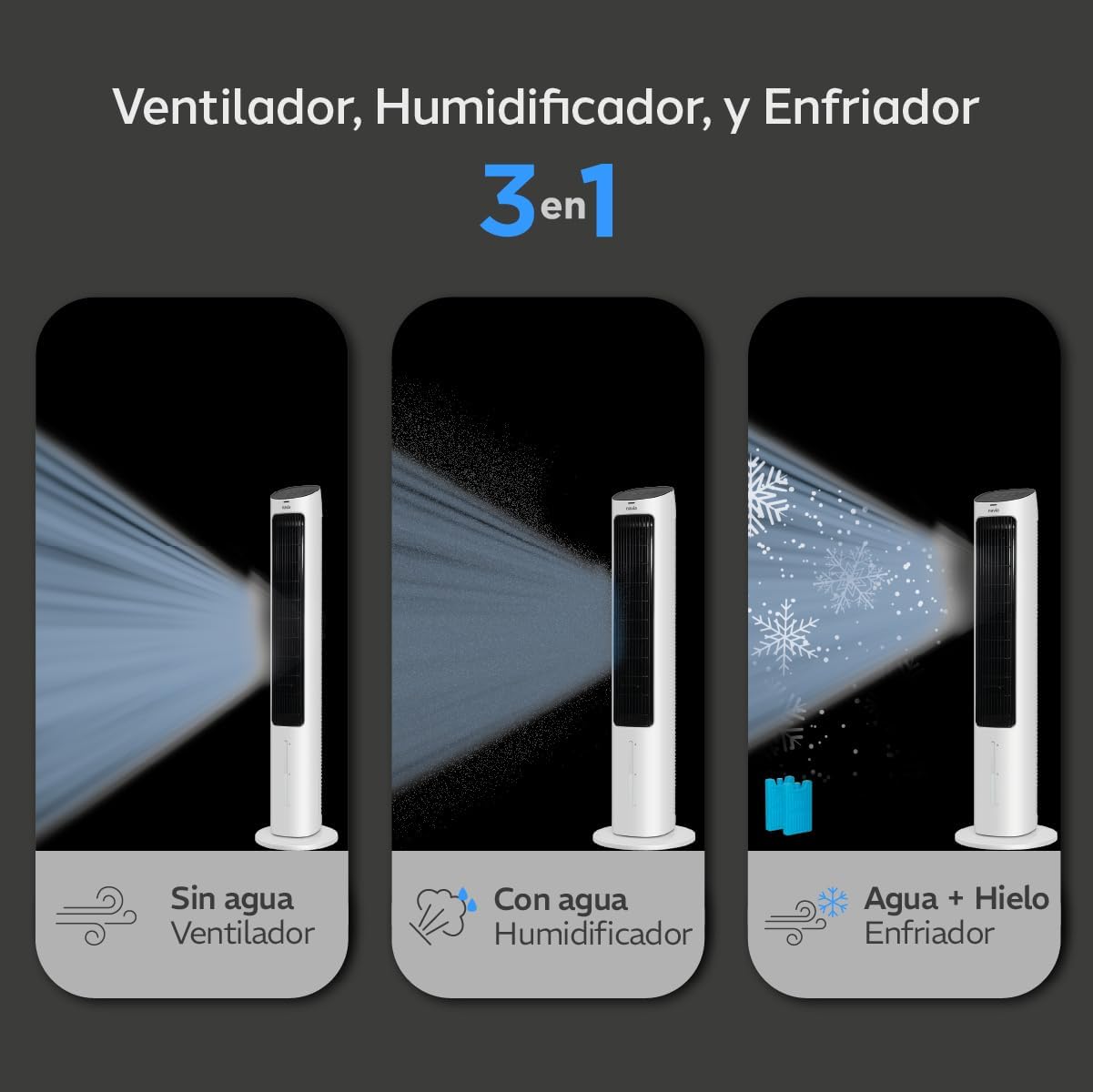
Image: Visual representation of the three operating modes: Fan (without water), Humidifier (with water), and Cooler (with water and ice).
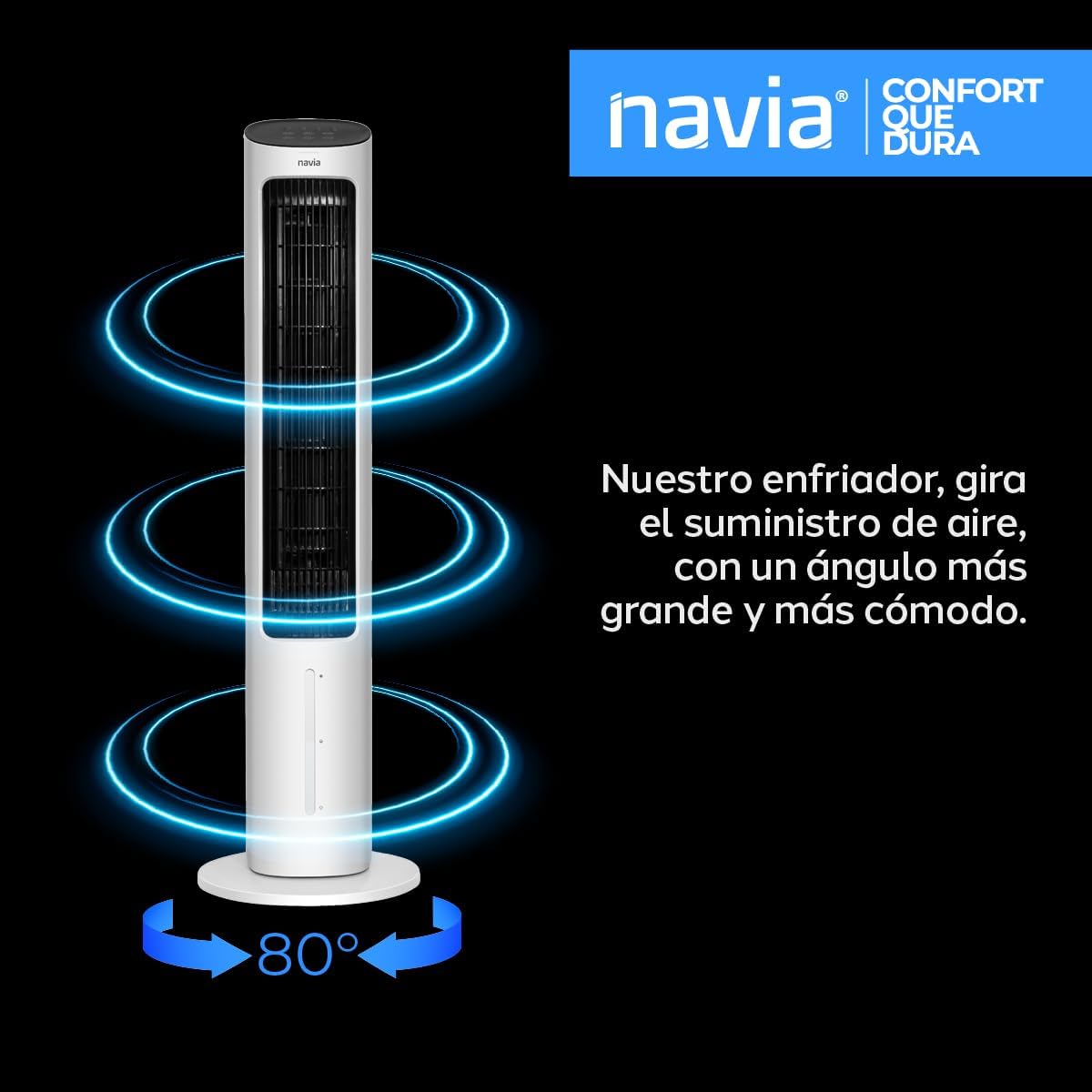
Image: The Navia EN4T air cooler illustrating its 80-degree oscillation capability for wide air distribution.

Image: The Navia EN4T air cooler positioned in a bedroom, highlighting its quiet 'Night Mode' for comfortable sleep.

Image: Key features of the Navia EN4T, including ice packs for cooling, humidifier function, and negative ion function.
Maintenance
Regular maintenance ensures the longevity and efficient operation of your Navia EN4T air cooler.
- Cleaning the Water Tank: The 4-liter water tank is removable for easy cleaning. Regularly empty and clean the tank to prevent mold or mildew buildup. Use mild soap and water, then rinse thoroughly.
- Exterior Cleaning: Wipe the exterior of the unit with a soft, damp cloth. Do not use abrasive cleaners or solvents. Ensure the unit is unplugged before cleaning.
- Storage: If storing the unit for an extended period, ensure the water tank is empty and dry. Clean the unit thoroughly and store it in a cool, dry place, preferably in its original packaging.
Troubleshooting
If you encounter issues with your Navia EN4T, please refer to the following common problems and solutions:
- Unit does not turn on:
- Check if the power cord is securely plugged into a working electrical outlet.
- Ensure the power button on the unit or remote control has been pressed.
- No cooling effect in Cooler Mode:
- Verify that the water tank is filled with water.
- Ensure ice packs are placed in the water tank for optimal cooling.
- Check if the unit is set to Cooler Mode.
- Low airflow:
- Check if the air intake or outlet is obstructed.
- Increase the fan speed setting.
- Unusual noise:
- Ensure the unit is placed on a stable, level surface.
- Check for any foreign objects inside the unit (unplug before inspecting).
If the problem persists after attempting these solutions, please contact customer support.
Specifications
| Feature | Detail |
|---|---|
| Brand | Navia |
| Model Name | EN4T |
| Material | Plastic |
| Mounting Type | Floor Mount |
| Special Feature | Timer, Humidifier, Cooler, Negative Ion Function |
| Color | White |
| Airflow Capacity | 211 Cubic Feet Per Minute |
| Control Type | Remote |
| Tank Capacity | 4 Liters |
| Recommended Uses | Residential cooling in dry climates |
| Form Factor | Tower |
| Operation | Automatic |
| Item Dimensions (D x W x H) | 24 cm x 24 cm x 108 cm |
| Included Components | Power Cable, Remote Control, Ice Packs |
Warranty Information
The Navia EN4T 3-in-1 Tower Air Cooler comes with a 1-year manufacturer's warranty. This warranty covers defects in materials and workmanship under normal use. Please retain your proof of purchase for warranty claims. The warranty does not cover damage caused by misuse, accident, unauthorized modification, or improper installation.
Customer Support
For technical assistance, warranty claims, or any questions regarding your Navia EN4T 3-in-1 Tower Air Cooler, please contact Navia customer support. Refer to the contact information provided with your product packaging or visit the official Navia website for support details.