
BOVUGAC 11 Plus
BOVUGAC Tablet Case User Manual
Model: 11 Plus
Introduction
This manual provides comprehensive instructions for the proper use, installation, and maintenance of your BOVUGAC Protective Case for TCL NXTPAPER 11 Plus Tablet 11.5 inch. Designed for full protection, this case features a folding stand, pencil holder, and wrist strap, crafted from premium PU leather for durability and scratch resistance. Please read this manual thoroughly to ensure optimal performance and longevity of your product.
Setup and Installation
Follow these steps to correctly install your tablet into the protective case:
- Prepare Your Tablet: Ensure your TCL NXTPAPER 11 Plus Tablet is clean and free of dust or debris before installation.
- Align the Tablet: Gently slide your tablet into the case, ensuring that the tablet's edges align with the case's frame.
- Secure the Tablet: Press firmly but gently around the edges of the tablet to ensure it is fully seated and secured within the case. Verify that all corners are properly covered.
- Check Cutouts: Confirm that all precise cutouts for ports, buttons, and the camera are perfectly aligned and accessible.

Image: The BOVUGAC tablet case in black, showcasing its design and how the tablet fits securely within it, with the stand deployed.

Image: Detailed view highlighting the precise cutouts for the volume buttons, charging port, and camera, ensuring full accessibility.
Operating Instructions
Your BOVUGAC tablet case offers several features designed to enhance your tablet experience:
- Folding Stand: The case can be folded into a stand, providing multiple viewing angles. This is ideal for watching movies, video calls, or comfortable typing. Simply fold the front cover back and secure it using the integrated design to create a stable triangular support.
- Pencil Holder: A dedicated slot is integrated into the case to securely hold your stylus or digital pencil, preventing loss and ensuring it's always within reach.
- Wrist Strap: Utilize the built-in wrist strap for a secure, one-handed grip, making it easier and safer to carry your tablet, especially when on the move.
- Full Protection: The premium PU leather material and reinforced corners provide comprehensive protection against drops, scratches, and daily wear and tear.
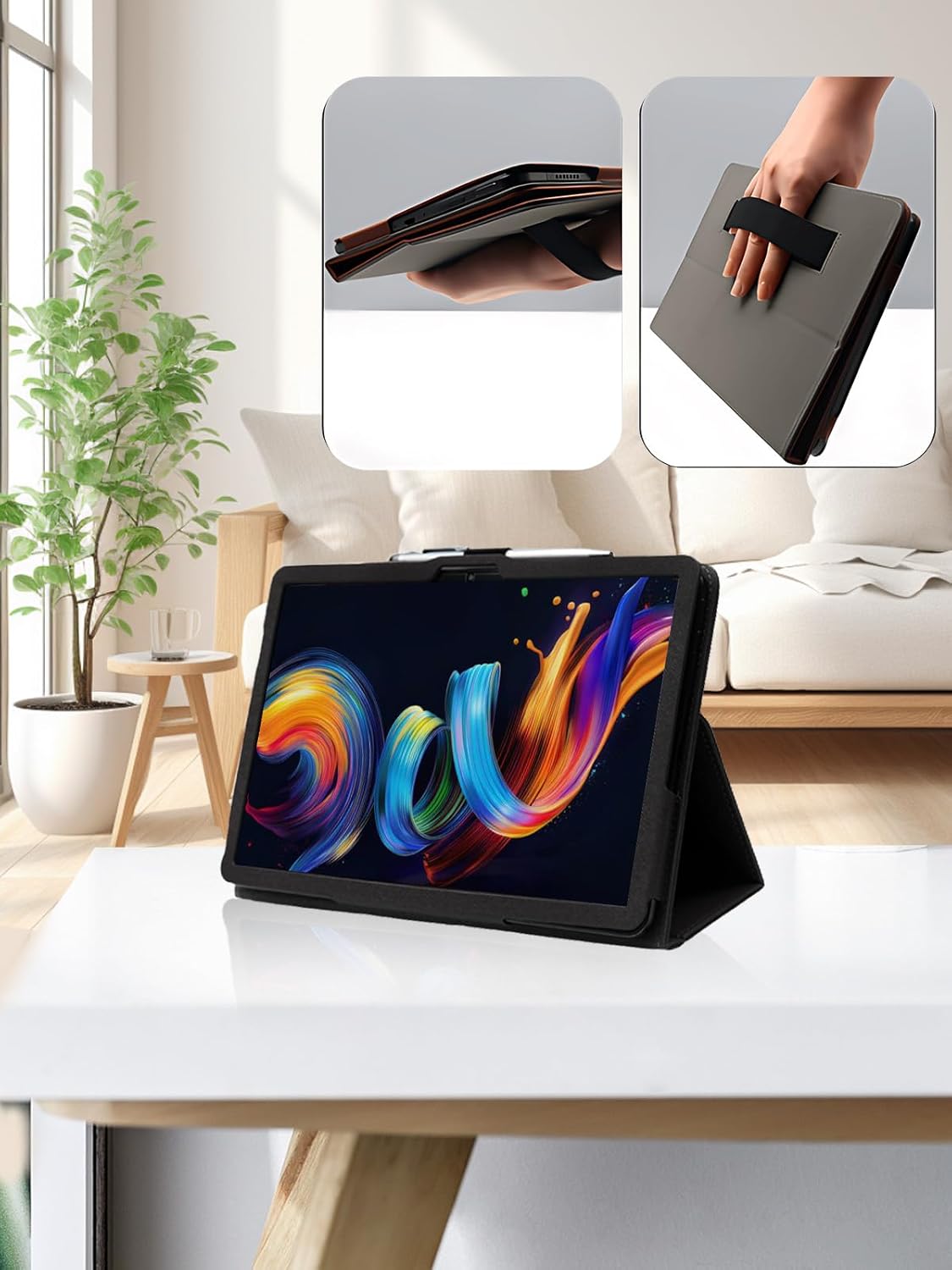
Image: The tablet case in use, demonstrating the folding stand feature for hands-free viewing in a typical home environment.
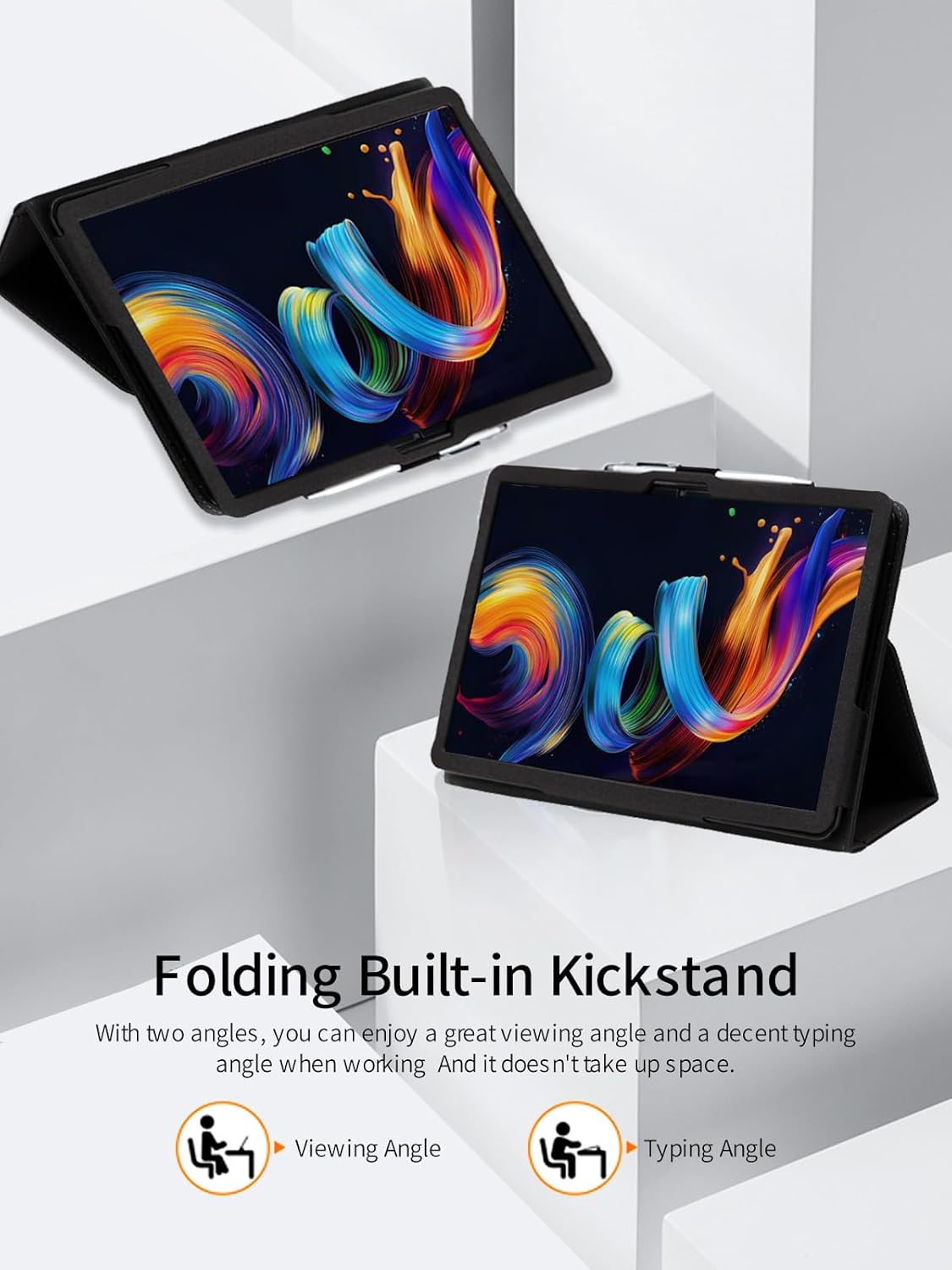
Image: Illustration of the two primary folding angles: one optimized for viewing content and another for comfortable typing.

Image: A hand utilizing the integrated wrist strap on the back of the case, demonstrating secure one-handed holding.
Maintenance and Care
To keep your BOVUGAC tablet case in excellent condition, follow these maintenance guidelines:
- Cleaning: Wipe the exterior of the case with a soft, damp cloth. For stubborn stains, a mild soap solution can be used, but avoid harsh chemicals or abrasive cleaners as they may damage the PU leather.
- Drying: Allow the case to air dry completely after cleaning. Do not expose it to direct sunlight or high heat, which can cause the material to crack or warp.
- Storage: When not in use, store the case in a cool, dry place away from direct sunlight and extreme temperatures.
- Avoid Sharp Objects: Keep the case away from sharp objects to prevent scratches or punctures to the PU leather.

Image: Visual representation of the material properties: waterproof, lightweight (lithe), and breathable, contributing to the case's durability and comfort.
Troubleshooting
If you encounter any issues with your tablet case, refer to the following common solutions:
- Case Does Not Fit: Ensure you have the correct model of tablet. This case is specifically designed for the TCL NXTPAPER 11 Plus Tablet 11.5 inch. Double-check your tablet's model number.
- Tablet Feels Loose: Re-install the tablet, ensuring it is fully seated and all corners are securely tucked into the case. The case is designed for a snug fit.
- Stand Instability: Ensure the folding stand is properly engaged and placed on a flat, stable surface. Adjust the angle to find the most stable position.
- Pencil Holder Too Tight/Loose: The pencil holder is designed for standard stylus sizes. If your stylus is unusually thick or thin, it may not fit perfectly.
Specifications
| Feature | Detail |
|---|---|
| Product Name | Protective Case for TCL NXTPAPER 11 Plus Tablet 11.5 inch |
| Brand | BOVUGAC |
| Model Number | 11 Plus |
| Compatible Devices | TCL NXTPAPER 11 Plus Android 15 Tablet 11.5 inch |
| Material | Premium PU Leather |
| Color | Black |
| Special Features | Folding Stand, Pencil Holder, Wrist Strap, Full Protection, Scratch Resistant, Slim Fit |
| Item Weight | 3.52 ounces |
| Package Dimensions | 0.3 x 0.3 x 0.3 inches (approximate) |
Warranty and Support
Return Policy: This product is eligible for a refund or replacement within 30 days of purchase, in accordance with standard return policies.
Manufacturer: BOVUGAC
For further assistance, inquiries, or to report any issues not covered in this manual, please contact the seller directly through the platform where the purchase was made. Please have your order details ready when contacting support.
Ask a question about this manual
Ask about setup, troubleshooting, compatibility, parts, safety, or missing instructions. Manuals+ will review the question and use this page’s manual context to help answer it.