
Introduction
This manual provides essential information for the safe and effective operation of your DAYETTE H13 True HEPA Air Purifier, Model AP202. Please read thoroughly before use and retain for future reference.
Important Safety Information
- Read all instructions before operating the appliance.
- Do not operate if the power cord or plug is damaged.
- Keep the appliance away from water or other liquids.
- Ensure proper ventilation around the unit.
- Do not block air inlets or outlets.
- Unplug the appliance before cleaning or maintenance.
- This appliance is for indoor use only.
- Keep out of reach of children and pets.
- Use only official DAYETTE replacement filters.
What's Included
- DAYETTE H13 True HEPA Air Purifier (AP202)
- H13 True HEPA Filter (pre-installed inside the unit)
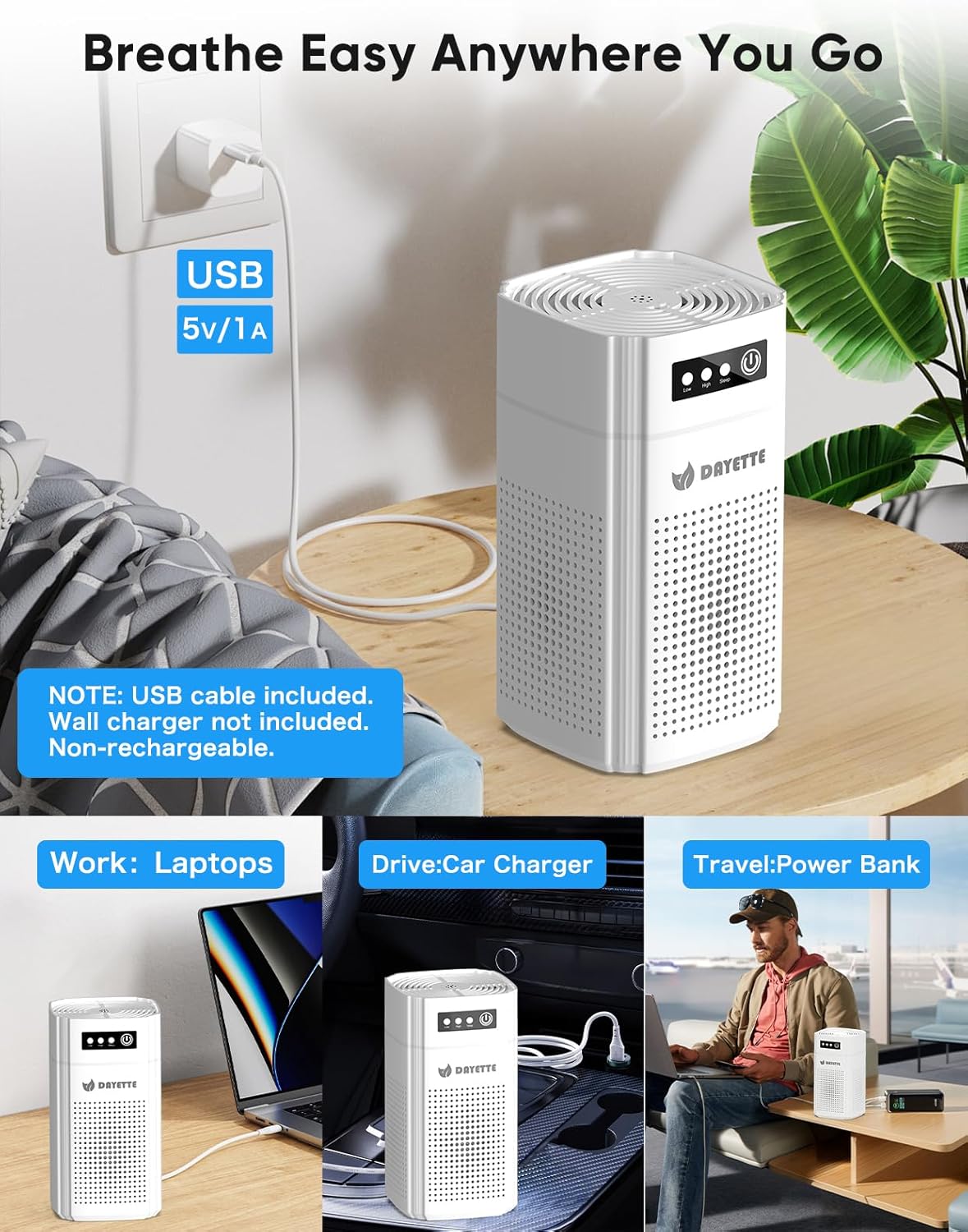
- USB Power Cable (wall plug not included)
- Aroma Pad (pre-installed) + 5 extra wicks
- User Manual
Initial Setup
Unpack the Air Purifier: Carefully remove the air purifier from its packaging.
Remove Filter Packaging: Turn the unit upside down. Twist the base counter-clockwise to unlock and remove it. Pull out the H13 True HEPA filter. Remove any plastic packaging from the filter. Reinsert the filter into the unit and secure the base by twisting clockwise until locked.
Connect Power: Insert the USB power cable into the designated port on the unit. Connect the other end to a compatible USB power source (e.g., power bank, car charger, laptop, or a 5V/1A wall adapter, not included).
This image illustrates the process of unpacking the air purifier. First, remove the base by twisting it. Then, extract the cylindrical H13 True HEPA filter and remove its protective plastic wrapping before reinserting it and securing the base.
Video demonstrating the easy setup of the DAYETTE AP202 air purifier, including filter removal and power connection. This video shows how to quickly set up the DAYETTE AP202 air purifier. It highlights the simple process of removing the filter from its protective plastic and connecting the USB power cable for immediate use.
Operating Your Air Purifier
The DAYETTE AP202 features a touch control panel on the top for easy operation.
Power On/Off: Touch the power symbol (
 ) to turn the unit on or off.
Fan Speed Adjustment: Touch the fan speed symbol (
) to cycle through 3 fan speeds: Low, Medium, and High.Sleep Mode: Touch the moon symbol (
) to activate Sleep Mode. In this mode, the fan operates at its lowest speed (15dB) and the display lights dim for undisturbed rest.Timer Function: Touch the timer symbol (
) to set the operating time for 2, 4, or 8 hours. The unit will automatically shut off after the selected duration.Light Control: Touch the light bulb symbol (
) to turn the ambient light on or off.Child Lock: Press and hold the lock symbol (
) for 3 seconds to activate or deactivate the child lock. When active, other buttons will not respond.Aroma Diffuser Function: Locate the small compartment on the top panel. Add a few drops of your preferred essential oil onto the aroma pad. The air purifier will then diffuse the scent along with purified air. 5 extra wicks are included for replacement.

This image displays the intuitive touch controls located on the top of the air purifier. Users can easily adjust settings such as fan speed, activate sleep mode, set a timer, control the ambient light, and engage the child lock feature.
This image demonstrates how to use the built-in aroma diffuser. Simply open the small compartment on the top of the unit and add a few drops of essential oil to the pad to enjoy a soothing fragrance.
Video demonstrating the aroma diffuser function of the DAYETTE AP202 air purifier. It illustrates how to add essential oils to the designated pad, allowing the unit to circulate both purified air and pleasant fragrances.
Maintenance
Filter Replacement: The filter should be replaced every 2-3 months, or approximately every 2000 hours of use, depending on air quality and usage. A filter indicator light on the control panel will illuminate when replacement is needed. Use only official DAYETTE replacement filters to ensure optimal performance.
Cleaning the Unit: Wipe the exterior of the air purifier with a soft, dry cloth. Do not use abrasive cleaners or immerse the unit in water.

This diagram provides a visual guide for replacing the air filter. It shows how to twist off the base, remove the old filter, and insert a new one, ensuring the unit continues to purify air effectively.
Troubleshooting
| Problem | Possible Cause | Solution |
|---|---|---|
| Unit does not turn on | Power cable not connected properly; No power from USB source. | Check USB cable connection; Ensure USB power source is active. |
| Reduced airflow or unusual noise | Filter is dirty or clogged; Filter packaging not removed. | Clean or replace the filter; Ensure all plastic packaging is removed from the filter. |
| Odors persist | Filter needs replacement. | Replace the H13 True HEPA filter. |
| Control panel unresponsive | Child lock is active. | Press and hold the lock symbol for 3 seconds to deactivate child lock. |
| Filter indicator light is on | Filter needs replacement. | Replace the filter and press the filter reset button. |
Product Specifications
| Feature | Detail |
|---|---|
| Model Number | AP202 |
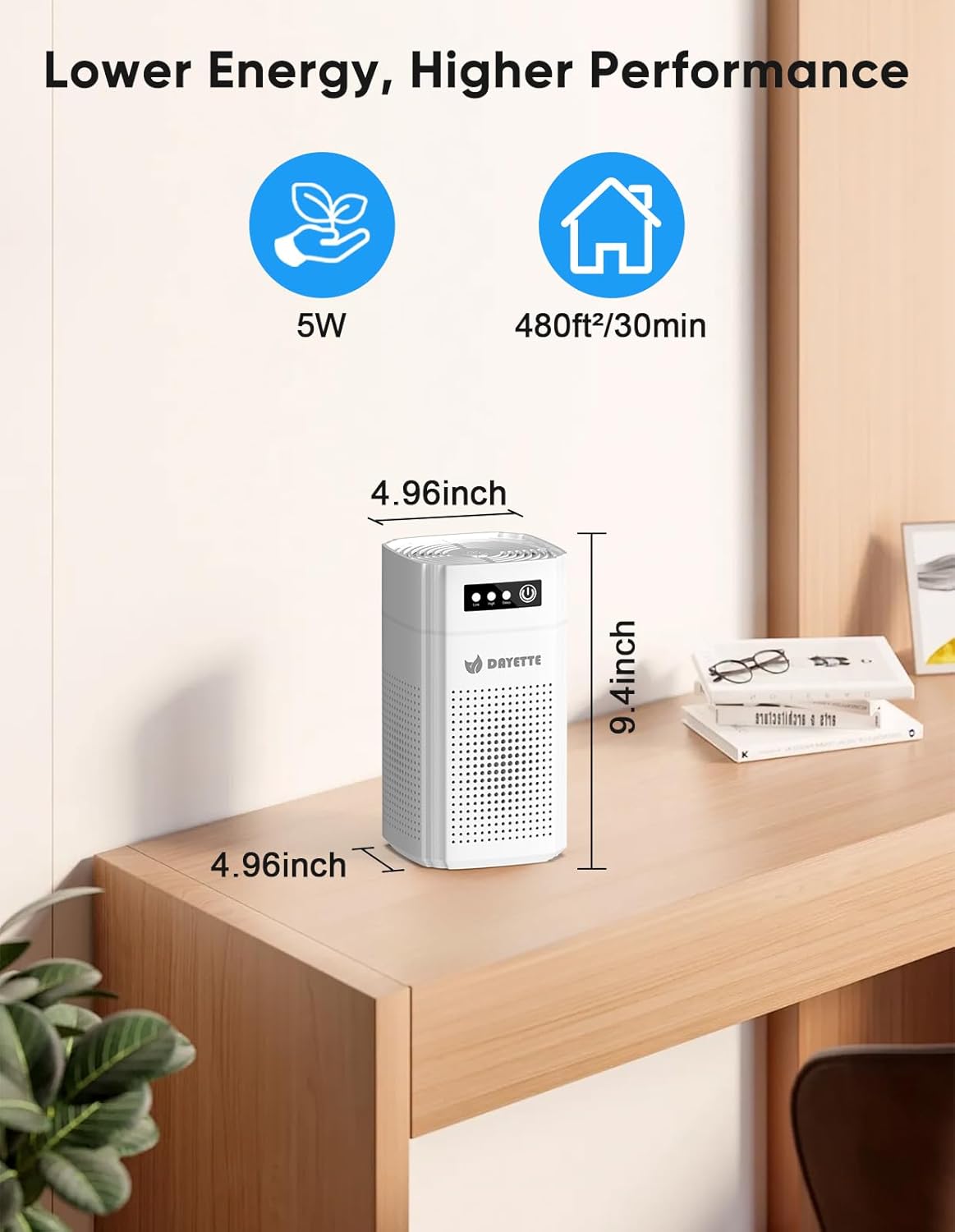
| Product Dimensions | 4.96"D x 4.96"W x 9.4"H |
| Item Weight | 1.5 Pounds |
| Power Source | AC/DC (USB powered) |
| Coverage Area | Up to 480 ft²/30 min (960 ft²/hour) |
| Filtration Type | H13 True HEPA Filter |
| Noise Level (Sleep Mode) | 15dB |
| Certifications | ETL/FCC/EPA/CARB (CARB EO: G-24-213) |
Warranty and Customer Support
For warranty information, technical support, or to purchase official replacement filters, please visit the official DAYETTE website or contact customer service through your retailer.
Ensure to use only genuine DAYETTE replacement filters to maintain product performance and warranty validity.