
Pinaple CQV-SWR120
CQV-SWR120 Digital Power SWR Meter User Manual
Model: CQV-SWR120 | Brand: Pinaple
1. Introduction
The Pinaple CQV-SWR120 is a compact and portable digital power standing wave meter designed for hobbyists and professionals. It features a full-color LCD display that provides direct readings of forward power, reflected power, antenna power, antenna efficiency, standing wave ratio (SWR), and battery voltage. This device includes advanced functions such as a high-level radio alarm, delay shutdown, automatic boot on launch, battery undervoltage protection, LED dual indicators, power fine-tuning, and SWR fine-tuning. It also supports one-click switching between Chinese and English menus for user convenience.

Figure 1.1: CQV-SWR120 Digital Power SWR Meter and included USB charging cable.
2. Key Features
- Comprehensive Display: Directly shows forward power, reflected power, antenna power, antenna efficiency, standing wave ratio, and battery voltage on a 240x240 full-color HD display.
- Wide Measurement Range: Supports a power range of 0.5W to 120W (up to 200W in SSB mode) and a frequency range of 1.8MHz to 50MHz. SWR measurement range is 1.0 to 99.99.
- High Precision: Utilizes digital processing and stable measurement algorithms for accurate readings in various operating environments.
- Alarm Functions: Features a high SWR alarm and battery undervoltage protection with visual (yellow light) and audible (buzzer) indicators. The buzzer can be silenced with one click.
- User-Friendly Interface: Includes power fine-tuning, SWR fine-tuning, and a one-click function to switch between Chinese and English menus.
- Power Management: Equipped with a built-in 1000mAh battery, delay shutdown, and automatic boot on launch.
- Multi-interface Design: Provides a 5V/1A Type-C charging interface, ANT interface, and TX interface for versatile connectivity.

Figure 2.1: The meter's full-color display showing various power and SWR parameters.

Figure 2.2: Illustration of the wide measurement range of the CQV-SWR120.
3. Package Contents
Verify that all items are present in the package:
- 1 x CQV-SWR120 Digital Power SWR Meter
- 1 x USB Type-C Charging Cable
- 1 x Antenna (as specified in product details)
4. Setup and Connections
Before operating the CQV-SWR120, ensure it is adequately charged and properly connected to your radio equipment.
- Charging the Device: Connect the provided USB Type-C cable to the 5V/1A Type-C charging interface on the side of the meter. Connect the other end to a compatible USB power source (e.g., computer USB port, wall adapter). The "CHARGE" indicator light will illuminate during charging. The "FULL" indicator light will illuminate when charging is complete.
- Connecting the Antenna: Connect your antenna to the "ANT" interface on the meter.
- Connecting to Radio Station: Connect your radio transmitter to the "TX" interface on the meter. Ensure all connections are secure.
- Powering On: Locate the power switch, typically on the side or front panel, and switch it to the "ON" position. The device will automatically boot up.

Figure 4.1: Detailed view of the CQV-SWR120 interfaces and controls.
5. Operating Instructions
The CQV-SWR120 is designed for straightforward operation. Familiarize yourself with the controls and display functions.
5.1 Display Overview
The 240x240 full-color HD display provides real-time data:
- FWD: Forward Power (in Watts)
- REF: Reflected Power (in Watts)
- ANT: Antenna Power (in Watts)
- EEF: Antenna Efficiency (in Percentage)
- SWR: Standing Wave Ratio
- BAT: Battery Voltage (in Volts)
5.2 Button Functions
The device features three main buttons:
- "Down" Button: Used for navigating menus or decreasing values.
- "UP" Button: Used for navigating menus or increasing values.
- "M/U" Button: Serves as a multi-function button, typically for mode switching or confirming selections. A single click can switch between Chinese and English menus.
5.3 Power and SWR Fine-Tuning
The meter allows for fine-tuning of power and SWR readings. Refer to the on-screen menu options accessed via the "Down" and "UP" buttons to adjust these parameters as needed for calibration or specific measurement requirements.
5.4 Alarm Management
When a high SWR condition or low battery voltage is detected, the device will activate an alarm. The "ALERT" indicator (yellow light) will illuminate for low battery, and a buzzer will sound. To silence the buzzer, press the "M/U" button once.
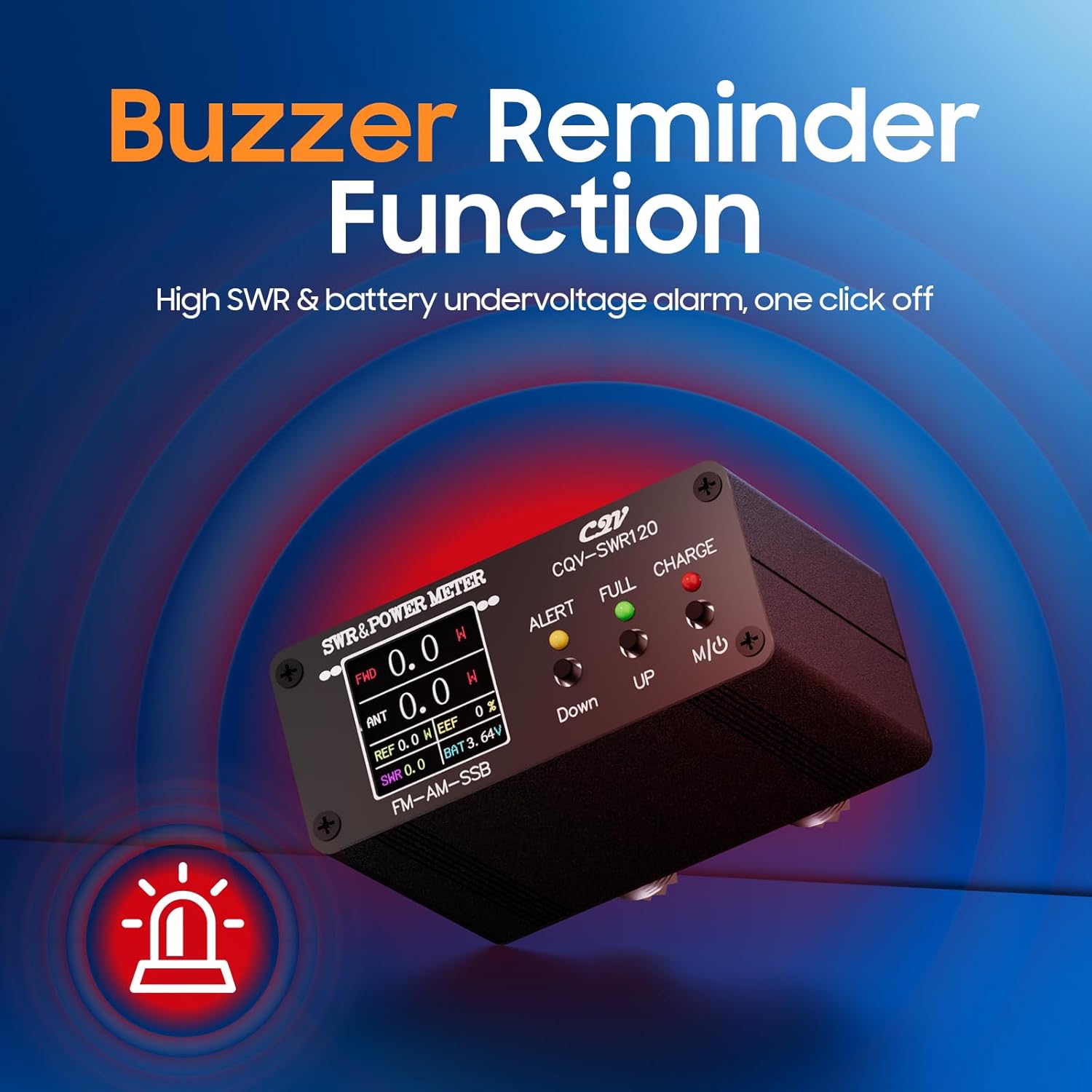
Figure 5.1: The meter's alarm function, indicating high SWR or low battery.
6. Maintenance and Care
- Cleaning: Use a soft, dry cloth to clean the device. Do not use abrasive cleaners or solvents.
- Storage: Store the meter in a cool, dry place away from direct sunlight and extreme temperatures.
- Battery Care: To prolong battery life, avoid fully discharging the battery frequently. Charge the device regularly, especially if it will be stored for extended periods.
- Connections: Periodically check all cable connections for wear or damage. Ensure connectors are clean and free of debris.
7. Troubleshooting
| Problem | Possible Cause | Solution |
|---|---|---|
| Device does not power on. | Low battery or power switch is off. | Charge the device using the Type-C cable. Ensure the power switch is in the "ON" position. |
| Display is dim or unreadable. | Low battery or direct sunlight interference. | Charge the device. Operate in a shaded area or adjust viewing angle. |
| SWR alarm constantly sounds. | High SWR detected, or incorrect antenna/radio setup. | Check antenna and radio connections. Verify antenna tuning. Press "M/U" to silence the buzzer temporarily. |
| Readings appear inaccurate. | Improper calibration or faulty connections. | Perform power and SWR fine-tuning. Check all cables and connectors for damage or loose connections. |
| Cannot switch language. | Incorrect button press or software issue. | Ensure you are pressing the "M/U" button correctly for language switching. If the issue persists, try restarting the device. |
8. Specifications
| Parameter | Value |
|---|---|
| Model | CQV-SWR120 |
| Power Measurement Range | 0.5W - 120W (SSB mode up to 200W) |
| Frequency Range | 1.8MHz - 50MHz |
| SWR Measurement Range | 1.0 - 99.99 |
| Display | 240 x 240 Full Color HD LCD |
| Battery Capacity | 1000mAh |
| Charging Interface | 5V/1A Type-C |
| Dimensions (L x W x H) | 88mm x 63mm x 38mm (approx. 3.6 x 2.48 x 1.5 inches) |
| Item Weight | 9.5 ounces (approx. 269 grams) |
| Included Components | Meter, USB Type-C Cable, Antenna |

Figure 8.1: Physical dimensions of the CQV-SWR120 meter.
9. Warranty Information
This Pinaple CQV-SWR120 Digital Power SWR Meter comes with a 2-Year Warranty from the date of purchase. This warranty covers manufacturing defects and malfunctions under normal use. It does not cover damage caused by misuse, accidents, unauthorized modifications, or improper installation.
Please retain your proof of purchase for warranty claims.
10. Customer Support
For technical assistance, troubleshooting, or warranty inquiries, please contact Pinaple customer support through the retailer's platform or visit the official Pinaple website for contact information.
Note: Specific contact details may vary by region or retailer. Refer to your purchase documentation for the most accurate support information.