
1. Safety Information
For safety reasons, children must not climb on or play with this product. Ensure the table is placed on a stable, level surface to prevent tipping. Always adhere to the maximum weight recommendations for each shelf.
Warning: To prevent injury, always use the included anti-tip device to secure the table to a wall, especially in households with children or pets.
2. Product Overview
The HOOBRO 4-Tier Industrial Style Console Table (Model WW79XG01) is a versatile and space-saving furniture piece designed for various home environments. Its stepped design accommodates items of different heights, offering ample storage and display space.
- Spacious Storage: Features a 4-tier stepped design for organizing photo albums, books, decorations, and storage boxes.
- Versatile Placement: Suitable for use as a console table in hallways, a side table in living rooms, a sofa table, or a display shelf.
- Durable Construction: Constructed from high-quality particleboard and metal for stability and longevity. Includes an anti-tip device for enhanced safety.
- Industrial Retro Style: Classic white finish with wood grain accents complements various interior decoration styles.

Image 1: The HOOBRO 4-Tier Console Table in white, showcasing its design and storage capabilities in a home setting.
3. Specifications
| Brand | HOOBRO |
| Model Name | Console Table |
| Model Number | WW79XG01 |
| Color | White |
| Dimensions (L x W x H) | 75 x 22 x 76 cm (29.5 x 8.6 x 29.9 inches) |
| Product Weight | 6.7 Kilograms (14.7 lbs) |
| Maximum Weight Recommendation | 40 Kilograms (88 lbs) total |
| Frame Material | Metal |
| Top Material Type | Engineered Wood |
| Number of Shelves | 4 |
| Assembly Required | Yes |
| Recommended Assembly Tools | Screwdriver, Allen Wrench (included) |

Image 2: Detailed dimensions and weight capacities for each section of the console table.
4. Assembly Instructions
This console table is designed for easy assembly. All necessary mounting accessories and detailed illustrated instructions are included in the package. Please follow these general steps:
- Unpack Components: Carefully unpack all parts and hardware. Verify that all components listed in the instruction manual are present.
- Identify Parts: Lay out all parts and identify them using the provided diagrams.
- Assemble Frame: Begin by assembling the metal frame components according to the step-by-step illustrations. Ensure all screws are finger-tightened initially.
- Attach Shelves: Secure the engineered wood shelves to the assembled frame.
- Tighten All Fasteners: Once all parts are in place, fully tighten all screws and bolts using the provided tools. Do not overtighten.
- Install Anti-Tip Device: Attach the anti-tip device to the back of the table and secure it to a wall stud or appropriate anchor point.
If you encounter any difficulties during assembly, refer to the detailed instruction manual included in your package or contact customer support.

Image 3: Visual representation of key features such as the adjustable feet for stability on uneven floors and the mesh bottom shelf.
5. Usage Guidelines
This console table is designed for indoor use only. To ensure optimal performance and longevity, please observe the following guidelines:
- Placement: Position the table on a flat, stable surface. Use the adjustable feet to level the table if the floor is uneven.
- Weight Distribution: Distribute weight evenly across the shelves. Do not exceed the maximum weight capacity of 40 kg (88 lbs) for the entire unit.
- Avoid Overloading: Do not place excessively heavy items on any single shelf, especially the upper tiers.
- Stability: Always use the anti-tip device to secure the table to a wall, particularly if heavy items are placed on upper shelves or if the table is in an area with high traffic.
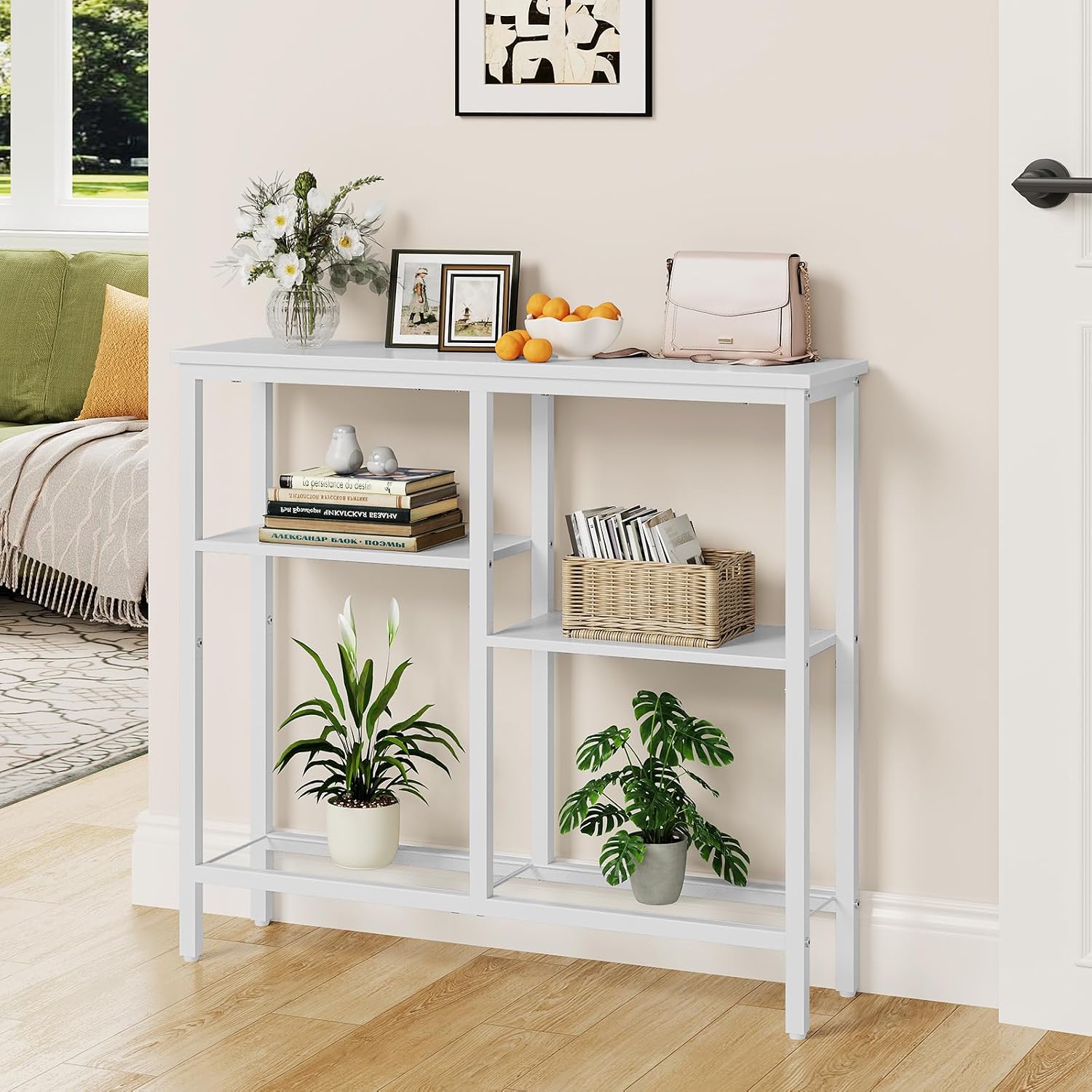
Image 4: The console table positioned in an entryway, demonstrating its practical use for decor and storage.
6. Maintenance
Proper care will help maintain the appearance and functionality of your HOOBRO console table.
- Cleaning: Wipe surfaces with a soft, damp cloth. Avoid using harsh chemicals or abrasive cleaners, which can damage the finish.
- Spills: Clean up spills immediately to prevent staining or damage to the engineered wood surfaces.
- Heat and Moisture: Avoid placing hot items directly on the surface. Use coasters or protective pads. Keep the table away from excessive moisture or direct sunlight to prevent warping or fading.
- Fastener Check: Periodically check all screws and bolts to ensure they remain tight. Retighten as necessary.

Image 5: A close-up view of the tabletop surface, highlighting its texture and finish.
7. Troubleshooting
If you encounter any issues with your console table, refer to the following common solutions:
- Table is Wobbly:
- Ensure all screws and bolts are securely tightened.
- Adjust the leveling feet at the bottom of the legs to compensate for uneven floors.
- Verify that the table is placed on a flat, stable surface.
- Parts Missing or Damaged:
- Carefully re-check the packaging and all contents.
- Contact HOOBRO customer support with your purchase details for assistance.
- Difficulty Assembling:
- Review the illustrated instruction manual step-by-step.
- Ensure you are using the correct hardware for each step.
- Do not force parts together; if they don't fit, re-check the orientation.
8. Warranty and Support
HOOBRO is committed to providing high-quality products. For specific warranty information, please refer to the documentation included with your purchase or visit the official HOOBRO website. If you have any questions, require replacement parts, or need further assistance, please contact HOOBRO customer support.
Contact Information: Please refer to your purchase receipt or the HOOBRO brand store on Amazon for the most current customer service contact details.


