
1. Introduction
Thank you for choosing the GarveeHome 67-inch Corner TV Stand. This entertainment center is designed to accommodate 55, 65, and 75-inch televisions, featuring integrated LED lighting, convenient power outlets, and ample storage. This manual provides essential information for assembly, operation, maintenance, and troubleshooting to ensure safe and optimal use of your product.
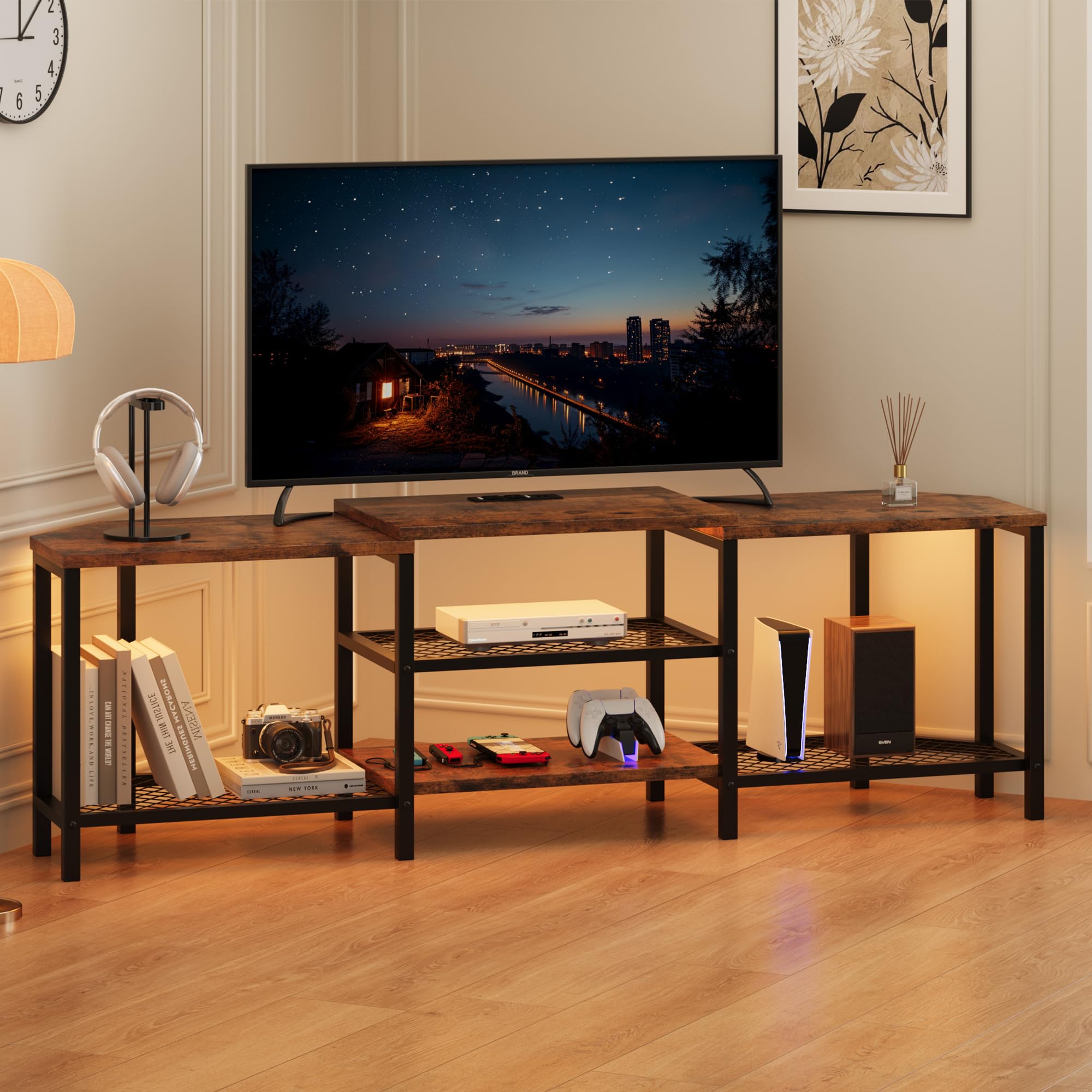
Image 1.1: The GarveeHome 67-inch Corner TV Stand, showcasing its design and functionality in a living room setting.
2. Safety Information
- Avoid placing heavy items on the top shelf to prevent tip-over.
- Always supervise children around the TV stand.
- Do not cover the LED lights to prevent heat buildup.
- Follow the assembly instructions carefully to ensure stability.
- Do not overload the shelves to maintain the stand's stability and prevent damage.
3. Components List
Before assembly, ensure all components are present and undamaged. Refer to the included assembly guide for a detailed list of parts and hardware.
- Engineered Wood Panels (Top, Side, Shelves)
- Metal Frame Components
- LED Light Strip with Controller
- Integrated Power Outlet Unit (2 AC outlets, 2 USB ports)
- Hardware Bag (screws, dowels, cam locks, etc.)
- Assembly Guide
4. Setup and Assembly
Assembly of the GarveeHome TV Stand requires basic tools (not included, typically a screwdriver). It is recommended to assemble the unit on a soft, clean surface to prevent scratches. Follow the step-by-step instructions provided in the included assembly guide.
- Unpack Components: Carefully remove all parts from the packaging and verify against the parts list in the assembly guide.
- Assemble Frame: Attach the metal frame components using the provided hardware. Ensure all connections are secure.
- Install Shelves: Secure the engineered wood shelves and mesh shelves into the frame.
- Integrate Power Unit: Install the power outlet unit into its designated slot.
- Attach LED Lights: Adhere the LED light strip to the designated areas, typically along the underside of the top panels or shelves. Connect the LED controller.
- Final Check: Ensure all screws are tightened and the stand is stable before placing any items on it.

Image 4.1: Dimensional overview of the TV stand, indicating its 66.9-inch width, 15.8-inch depth, and 19.7-inch height, along with compatible TV sizes.
5. Operating Instructions
5.1 LED Lighting System
The integrated LED lighting system enhances your entertainment area. It features multiple modes and colors, controllable via a remote or a dedicated app (if applicable, refer to LED light instructions).
- Power On/Off: Use the power button on the remote or app to turn the lights on or off.
- Color Selection: Choose from a wide range of colors using the color palette on the remote or app.
- Mode Selection: Select various dynamic modes such as fade, jump, or flash, or activate music sync mode (if available).
- Brightness Adjustment: Adjust the intensity of the lights to your preference.

Image 5.1: The TV stand displaying its LED lighting capabilities, cycling through different colors to create varied room atmospheres.
5.2 Power Outlets
The built-in power strip provides convenient access to power for your devices.
- AC Outlets: Two standard 5V/12A AC outlets are available for powering televisions, gaming consoles, or other electronics.
- USB Ports: Two 5V/2A USB ports are provided for charging smartphones, tablets, or other USB-powered devices.
- Power Cord: The unit includes a 6.5-foot power cord for connection to a wall outlet.

Image 5.2: Detail of the integrated power outlets, highlighting the AC and USB charging capabilities for various electronic devices.
6. Maintenance
Proper care will extend the life and appearance of your TV stand.
- Cleaning: Wipe surfaces with a soft, damp cloth. Avoid harsh chemicals or abrasive cleaners that may damage the finish.
- Spills: Immediately wipe up any spills to prevent staining or water damage to the engineered wood.
- Dusting: Regularly dust the surfaces and shelves to prevent buildup.
- Hardware Check: Periodically check all screws and connections to ensure they remain tight and secure.

Image 6.1: Visual representation of the TV stand's features, including its easy-to-clean surface, open mesh shelves for ventilation, and robust, stable construction.
7. Troubleshooting
If you encounter issues with your TV stand, refer to the following common problems and solutions:
| Problem | Possible Cause | Solution |
|---|---|---|
| LED lights not working | Loose connection, power issue, faulty remote/controller | Check all cable connections. Ensure the power adapter is plugged in. Replace remote battery or try controlling via app. |
| Power outlets not functioning | Not plugged into wall, circuit breaker tripped, faulty unit | Ensure the TV stand's power cord is securely plugged into a working wall outlet. Check your home's circuit breaker. Test with another device. |
| Stand feels unstable | Loose hardware, uneven floor | Retighten all assembly screws. Adjust any leveling feet if present, or place shims under the legs on an uneven floor. |
8. Specifications
- Brand: GarveeHome
- Model: Corner TV Stand
- Material: Engineered Wood
- Color: Brown
- Dimensions: 67 x 15.7 x 19.7 inches (Length x Width x Height)
- Item Weight: 35.9 pounds
- Compatibility: Suitable for 55, 65, and 75-inch TVs
- Power Outlets: 2 AC Outlets (5V/12A), 2 USB Ports (5V/2A)
- Included Components: Hardware bag and assembly guide
- UPC: 199108242471
- ASIN: B0DZBLSNFY
9. Warranty and Support
GarveeHome is committed to providing quality products. For warranty information, product support, or to report missing/damaged parts, please contact GarveeHome customer service. Refer to the packaging or the official GarveeHome website for contact details.
You can visit the GarveeHome store online for more information: GarveeHome Store