
1. Introduction
Thank you for choosing the Datarm DT-02 Rechargeable Soft Selfie Light. This portable LED light is designed to provide soft, even illumination for various applications, including selfies, video conferencing, vlogging, and photography. This manual provides essential information for the safe and effective use of your device.

The Datarm DT-02 Rechargeable Soft Selfie Light in pink, shown with its clip and various usage scenarios.
2. Product Overview
2.1 Package Contents
- Selfie Light x 1
- Type-C Cable x 1
- Hot Shoe Mount x 1
- Front Clip x 1

An illustration detailing the components included in the Datarm DT-02 selfie light package: the light unit, Type-C charging cable, hot shoe mount, and front clip.
2.2 Device Components
Familiarize yourself with the main components and controls of your selfie light:
- ON/OFF Button: Powers the device on or off.
- Mode (M) Button: Changes the color temperature of the light.
- Brightness Increase (+) Button: Increases the light's brightness level.
- Brightness Decrease (-) Button: Decreases the light's brightness level.
- Battery Indicator Lights: Displays the current battery charge level.
- Type-C Charging Port: For recharging the internal battery.
- Integrated Clip: For attaching to devices.
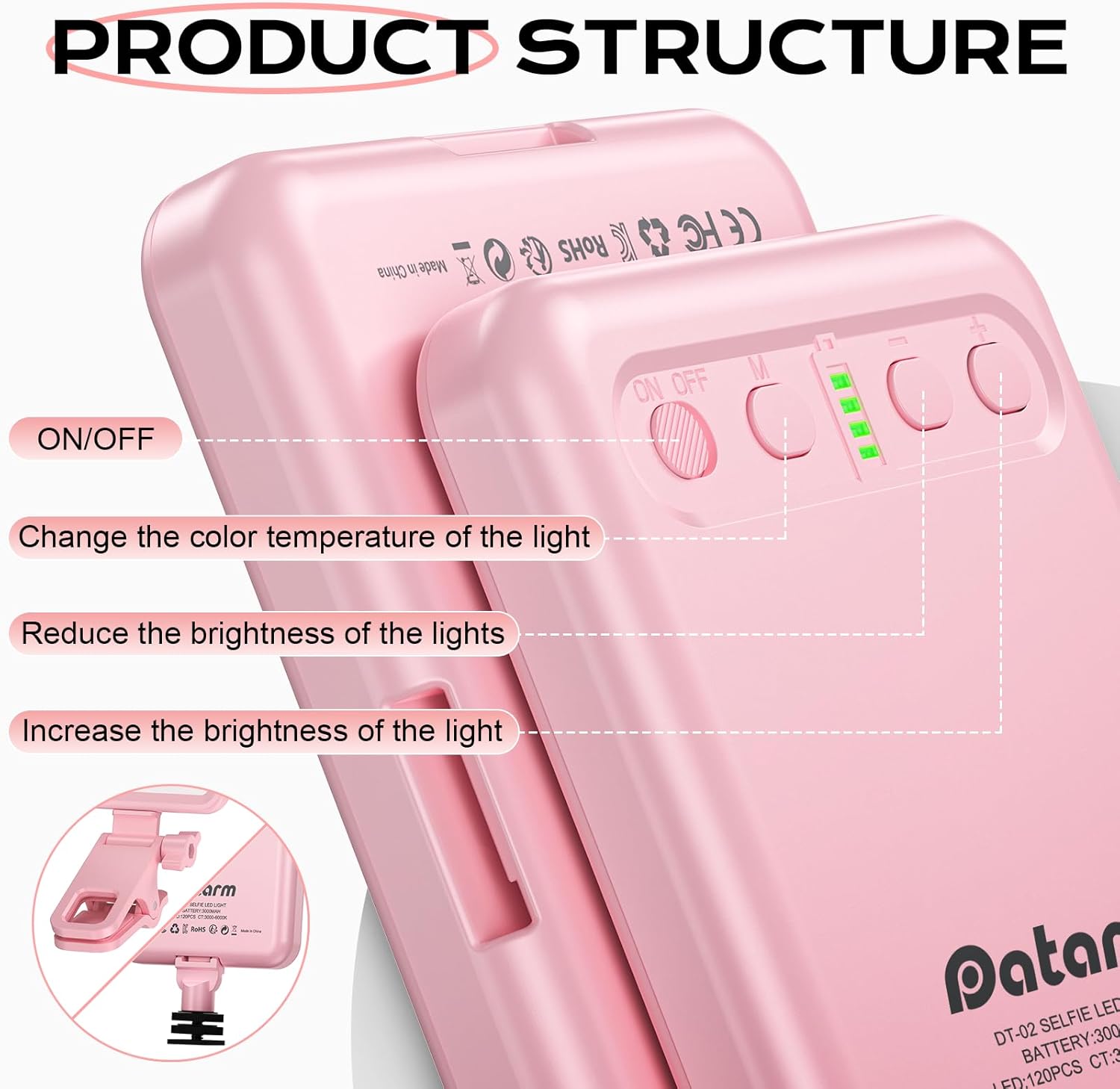
Detailed view of the Datarm DT-02 selfie light's control buttons, including power, mode selection for color temperature, and brightness adjustment controls.
3. Specifications
| Feature | Specification |
|---|---|
| Model Number | DT-02 |
| Dimensions | 4.37 x 4.29 x 1.34 inches |
| Item Weight | 1.23 ounces |
| Battery Type | 1 Lithium Ion battery (required) |
| Battery Life | 4-14 hours (depending on brightness setting) |
| Charging Time | Approximately 2 hours |
| Charging Voltage | 5V/2A |
| Connectivity | USB Type-C |
| Color Temperature Range | 3000K - 6000K |
| Color Rendering Index (CRI) | 90+ |
| UPC | 795847266640 |
4. Setup
4.1 Attaching the Selfie Light
The Datarm DT-02 features a versatile clip design for attachment to various devices:
- For Phones/Tablets/Laptops: Use the integrated clip. The clip has a soft silicone pad to protect your device's screen and ensure stability. It can be clipped in two directions and offers over 180° adjustable rotation for both horizontal and vertical installation.
- For Cameras/Tripods: Attach the included Hot Shoe Mount to the selfie light, then slide it into your camera's hot shoe or mount it onto a tripod with a compatible screw.
- Using the Front Clip: For specific phone setups, the additional front clip can provide alternative mounting options.

An illustration of the Datarm DT-02 selfie light's 180-degree adjustable clip and its broad compatibility with different devices, including cameras, smartphones, tablets, laptops, and desktop monitors.

Step-by-step guide demonstrating how to easily install the Datarm DT-02 selfie light onto a smartphone using the front clip and onto a camera via the hot shoe mount.
5. Operating Instructions
5.1 Power On/Off
- Press the ON/OFF button to turn the light on.
- Press the ON/OFF button again to turn the light off.
5.2 Adjusting Color Temperature
The selfie light offers three distinct color temperature modes:
- Press the Mode (M) button to cycle through the color modes:
- Cold Light: Bright, cool white illumination.
- Warm + Cold Light (Natural Light): A balanced blend of warm and cool tones.
- Warm Light: Soft, warm yellow illumination.
5.3 Adjusting Brightness
The light features 10 adjustable brightness levels for each color mode:
- Press the + button to increase the brightness.
- Press the - button to decrease the brightness.
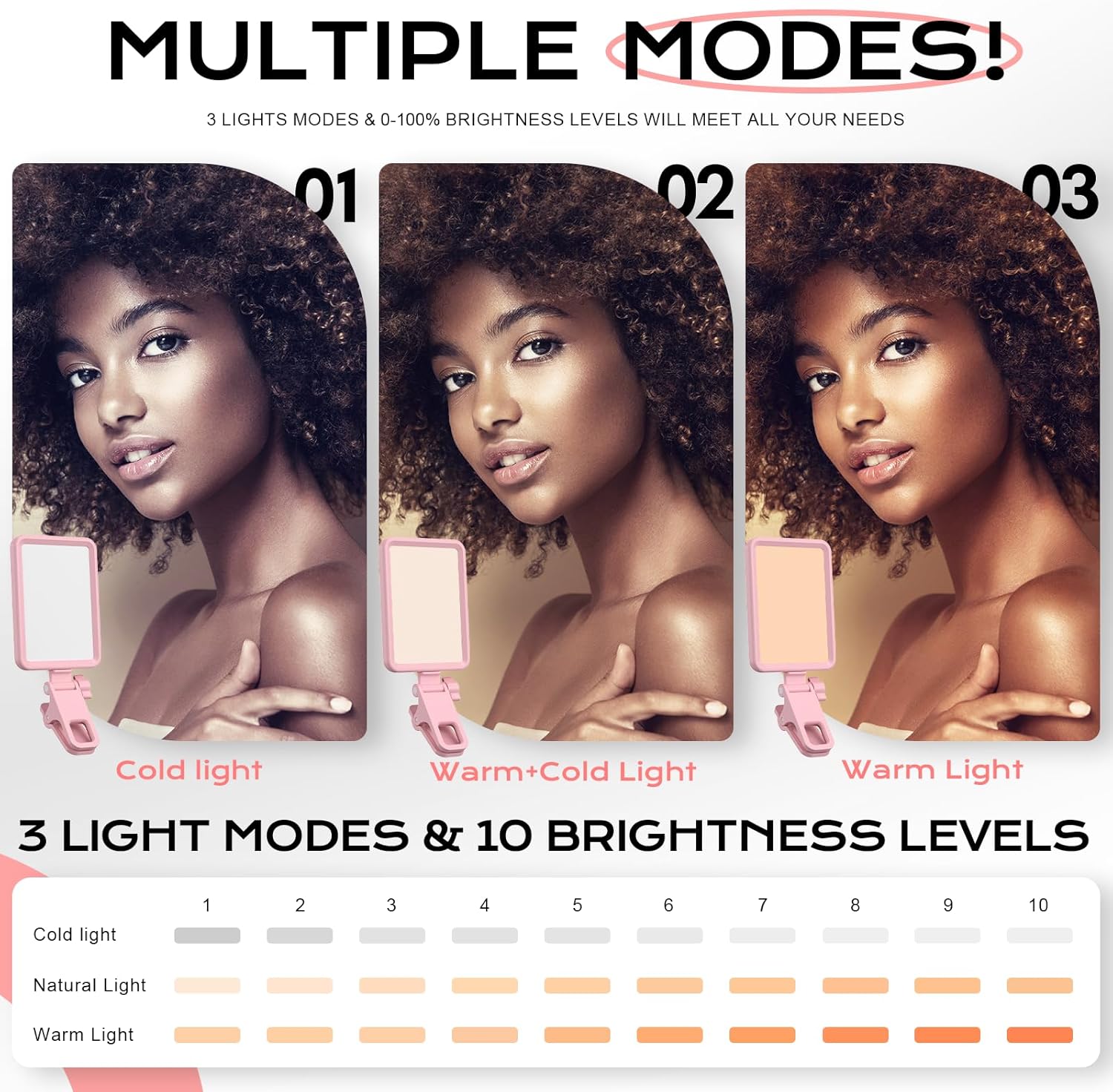
A visual guide to the three distinct color temperature modes (Cold, Natural, Warm) and ten adjustable brightness levels available on the Datarm DT-02 selfie light.
6. Charging
The Datarm DT-02 Selfie Light has a built-in rechargeable battery.
- Connect the included Type-C cable to the charging port on the selfie light.
- Connect the other end of the cable to a USB power source (e.g., computer, wall adapter, power bank) with a 5V/2A output.
- The battery indicator lights will show the charging status. When fully charged, all indicator lights will be solid.
- A full charge takes approximately 2 hours and provides 4-14 hours of operation, depending on the brightness level used.
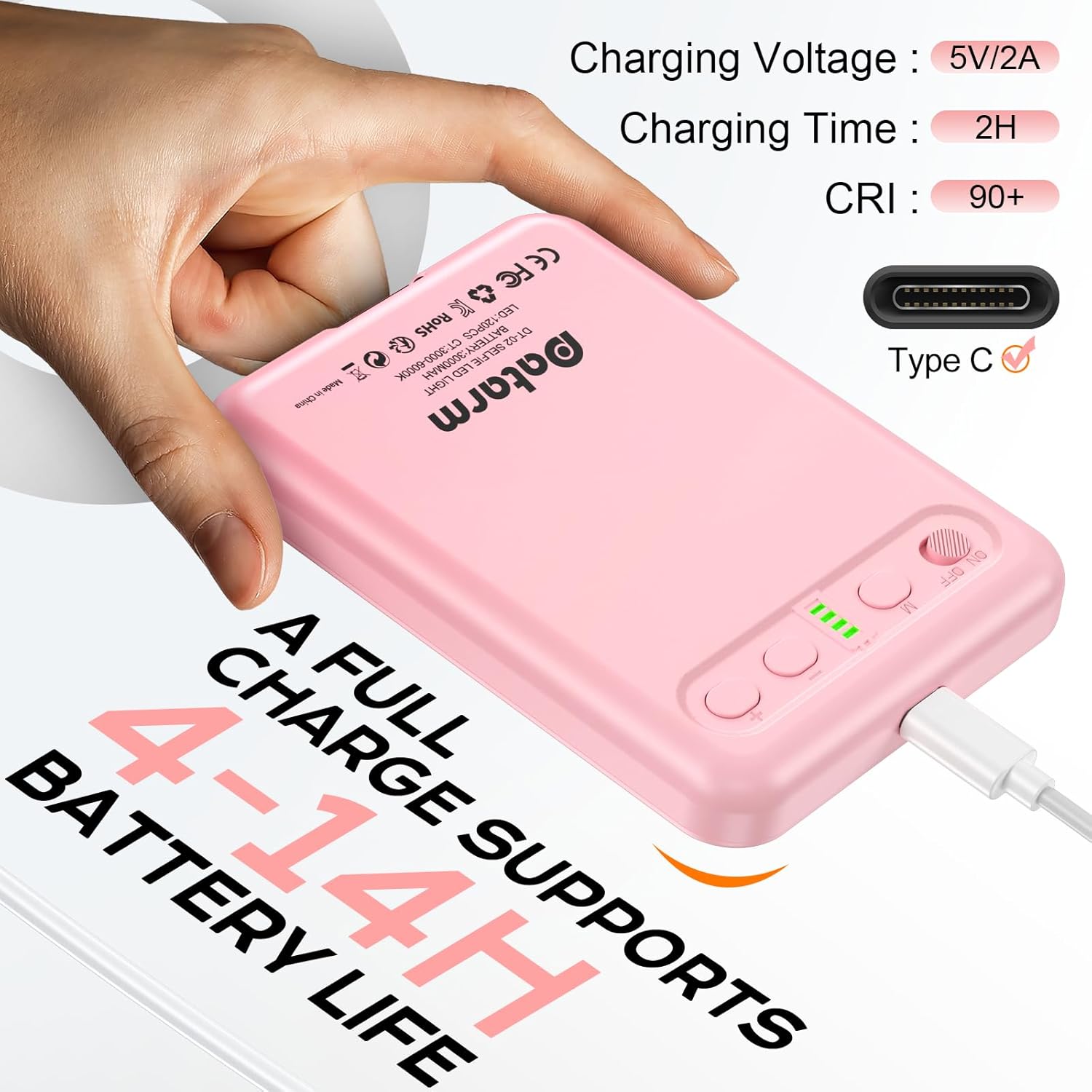
The Datarm DT-02 selfie light connected for charging via its Type-C port, highlighting its 5V/2A charging voltage, 2-hour charging time, and 4-14 hour battery life.
7. Maintenance
To ensure the longevity and optimal performance of your selfie light:
- Cleaning: Wipe the device with a soft, dry cloth. Do not use harsh chemicals or abrasive cleaners.
- Storage: Store the light in a cool, dry place away from direct sunlight and extreme temperatures.
- Battery Care: If storing for an extended period, charge the battery to approximately 50% every three months to prevent deep discharge.
- Avoid Water: This device is not waterproof. Keep it away from liquids.
8. Troubleshooting
If you encounter issues with your Datarm DT-02 Selfie Light, refer to the following common solutions:
| Problem | Possible Solution |
|---|---|
| Light does not turn on. | Ensure the battery is charged. Press and hold the ON/OFF button for a few seconds. |
| Light is not charging. | Check the Type-C cable and power adapter. Ensure they are securely connected and functioning correctly. Try a different cable or power source. |
| Brightness or color mode cannot be changed. | Ensure the device is powered on. Press the M, +, or - buttons firmly. If unresponsive, try turning the device off and on again. |
| Light flickers or is unstable. | Charge the battery fully. Ensure there are no strong electromagnetic interferences nearby. |
9. Warranty and Support
For warranty information or technical support, please contact Datarm customer service through the retailer where the product was purchased or visit the official Datarm website. Please retain your proof of purchase for warranty claims.