Introduction
This instruction manual provides guidance for the installation, operation, and maintenance of your DHUFKN replacement parts kit for Ecovacs Deebot N20, N20 Plus, and N20 PRO Plus robotic vacuums. This kit includes essential components such as the main brush, filters, mop cloths, and side brushes, designed to restore your vacuum's optimal cleaning performance and maintain air quality.

Figure 1: Overview of DHUFKN replacement parts kit with approximate dimensions for Ecovacs Deebot N20, N20 Plus, and N20 PRO Plus.
Setup and Installation
The DHUFKN replacement parts are designed for easy, direct replacement without the need for professional assistance or additional tools. Always turn off your Ecovacs Deebot vacuum and disconnect it from power before performing any maintenance or part replacement. Follow these steps to install each component:
1. Main Brush Installation
- Turn off your Ecovacs Deebot vacuum and place it on a flat surface.
- Locate the main brush cover on the underside of the vacuum.
- Press the release tabs or unclip the cover to remove it.
- Lift out the old main brush.
- Insert the new DHUFKN main brush, ensuring the ends align with the slots in the vacuum.
- Replace the main brush cover and secure it.

Figure 2: DHUFKN Replacement Main Brush.
2. Filter Installation
- Open the dustbin compartment of your vacuum.
- Remove the dustbin.
- Locate the filter assembly within the dustbin.
- Remove the old filter by pulling it out.
- Insert the new DHUFKN filter into the designated slot, ensuring it is seated correctly.
- Close the dustbin and reinsert it into the vacuum.
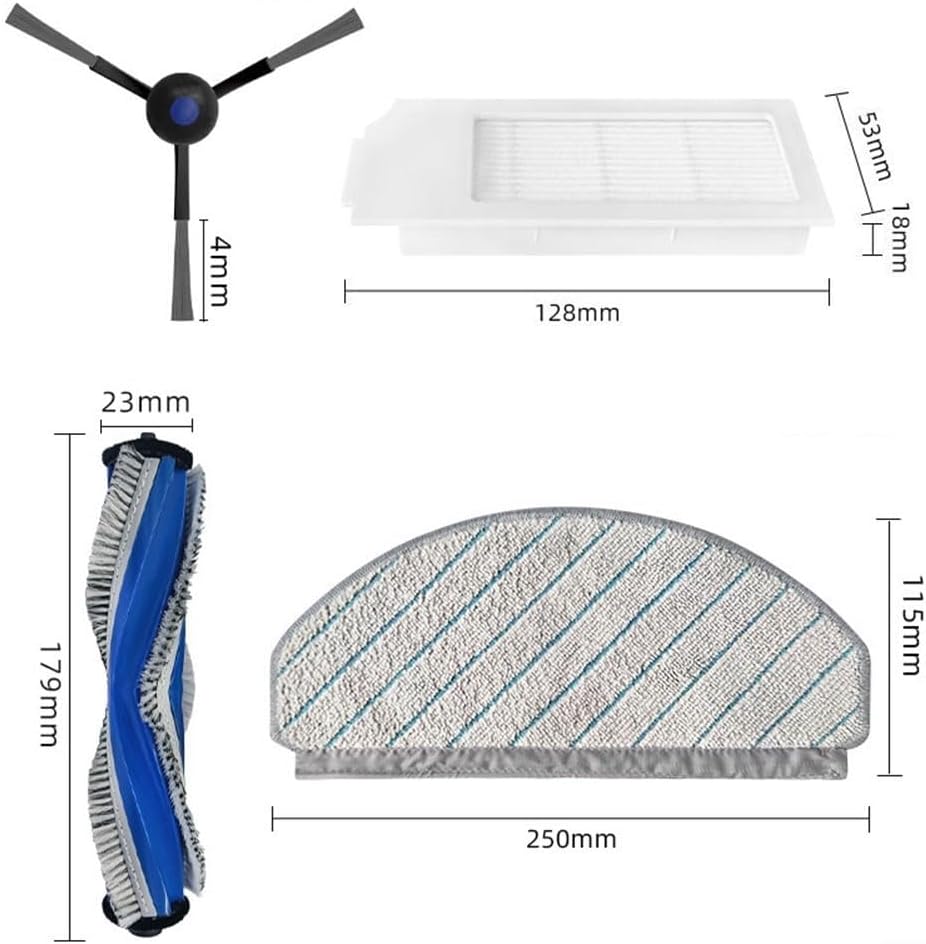
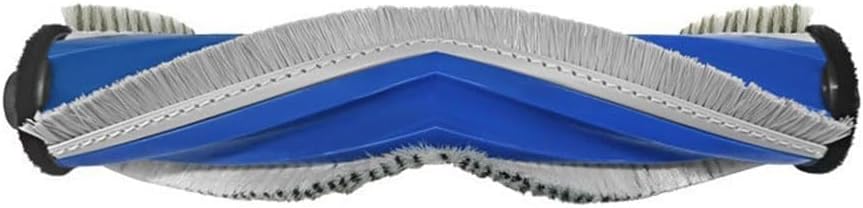
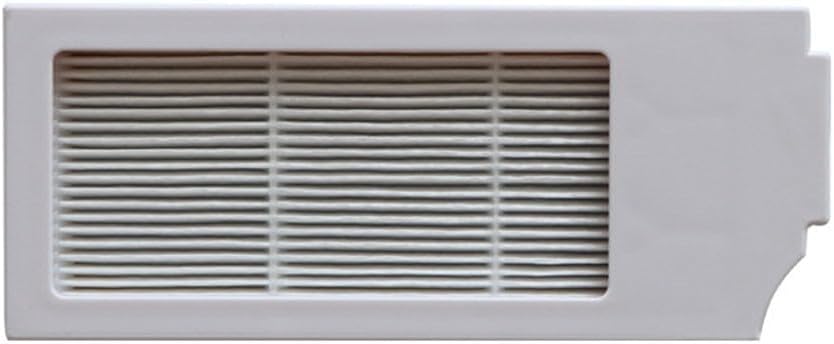
Figure 3: DHUFKN Replacement Filters.
3. Mop Cloth Installation
- If your vacuum has a mopping module, remove it from the vacuum.
- Detach the old mop cloth from the mopping plate (usually via hook-and-loop fasteners or clips).
- Attach the new DHUFKN mop cloth to the mopping plate, ensuring it is securely fastened.
- Reattach the mopping module to the vacuum.


Figure 4: DHUFKN Replacement Mop Cloths.
4. Side Brush Installation
- Turn off your Ecovacs Deebot vacuum and place it on a flat surface.
- Locate the side brushes on the underside of the vacuum.
- Carefully pull the old side brush upwards to remove it, or unscrew it if applicable (some models use screws).
- Align the new DHUFKN side brush with the post on the vacuum and press it down firmly until it clicks into place, or screw it in.
- Repeat for all side brushes.

Figure 5: DHUFKN Replacement Side Brush.
Operating Principles
Once installed, these replacement parts work in conjunction with your Ecovacs Deebot vacuum to maintain its cleaning efficiency:
- The main brush effectively sweeps and collects dirt and debris from various floor surfaces, ensuring a thorough cleaning experience.
- The filters are essential for capturing dust, allergens, and other particles, contributing to cleaner and healthier air in your home.
- The mop cloths enable the vacuum to perform wet mopping, efficiently cleaning hard floors and leaving them spotless.
- The side brushes extend the cleaning reach, effectively sweeping along edges and into corners to ensure no dirt or debris is missed.
Maintenance
Regular maintenance of your replacement parts is crucial for extending their lifespan and ensuring your vacuum operates at peak performance. Always turn off your vacuum and disconnect it from power before cleaning or replacing parts.
- Main Brush: Inspect the main brush weekly for tangled hair or debris. Use a cleaning tool (often included with the vacuum) to cut and remove any tangles. Replace the main brush every 6-12 months, or sooner if visible wear or damage occurs.
- Filters: Tap the filters gently over a trash can weekly to remove accumulated dust. Do not wash filters with water unless specified by the vacuum manufacturer. Replace filters every 1-3 months, depending on usage frequency and household environment.
- Mop Cloths: After each mopping cycle, remove and wash the mop cloth. Hand washing with mild detergent and air drying is recommended. Replace mop cloths every 3-6 months, or when they show signs of wear or reduced cleaning effectiveness.
- Side Brushes: Check side brushes weekly for bent bristles or debris. Clean any tangled hair. If bristles are permanently bent or damaged, replace the side brushes every 3-6 months.
Troubleshooting
If you encounter issues after replacing parts, consider the following:
- Parts not fitting correctly: Ensure you have purchased the correct replacement kit for your specific Ecovacs Deebot N20, N20 Plus, or N20 PRO Plus model. Double-check the alignment during installation.
- Reduced cleaning performance: Verify that all parts are installed correctly and are free from obstructions. Check if filters are clogged or brushes are worn out, indicating a need for replacement.
- Unusual noises: Ensure the main brush and side brushes are free of tangled hair or debris that could cause friction. Reinstall parts to confirm they are seated properly.
Specifications
This DHUFKN replacement parts kit is compatible with Ecovacs Deebot N20, N20 Plus, and N20 PRO Plus robotic vacuums.
| Component | Option A Quantity | Option B Quantity |
|---|---|---|
| Main Brush | 1 | 1 |
| Filters | 2 | 4 |
| Mop Cloths | 3 | 5 |
| Side Brushes | 4 | 6 |
Material: Nylon, Plastic, Microfiber, Filter media.
Approximate Dimensions (may vary slightly by component):
- Side Brush: 4mm brush length
- Filter: 128mm (length) x 53mm (width) x 18mm (height)
- Main Brush: 179mm (length) x 23mm (diameter)
- Mop Cloth: 250mm (length) x 115mm (width)
Warranty and Support
For any questions regarding the DHUFKN replacement parts or for technical support, please contact the manufacturer directly through your purchase platform or their official website. Keep your purchase receipt for warranty claims, if applicable.