
PREPOP B0DZ69QQC6
PREPOP Remote Control Excavator Toy User Manual
Model: B0DZ69QQC6
Introduction
This manual provides detailed instructions for the safe and effective use of your PREPOP Remote Control Excavator Toy. Designed for children aged 6 years and up, this remote-controlled excavator features a durable metal shovel and realistic functions for an engaging play experience. Please read this manual thoroughly before operation to ensure proper setup and enjoyment.

Image: The PREPOP Remote Control Excavator Toy with its remote control.
Setup
1. Battery Installation
The remote control requires 2 x 9V batteries (included). The excavator itself is powered by a rechargeable battery.
- Remote Control: Locate the battery compartment on the back of the remote control. Open the cover, insert the 9V batteries, ensuring correct polarity (+/-), and close the cover securely.
- Excavator: The excavator's rechargeable battery is pre-installed. Ensure it is securely connected before first use.
2. Charging the Excavator
The excavator comes with a USB charger. Connect the charger to the excavator's charging port and plug the USB end into a compatible USB power source (e.g., computer, USB wall adapter). The charging indicator light will show the charging status. Allow sufficient time for a full charge before initial operation.
3. Pairing the Remote Control
Turn on both the excavator and the remote control. The remote control and excavator should automatically pair. If pairing fails, turn both devices off and on again, ensuring they are close to each other.
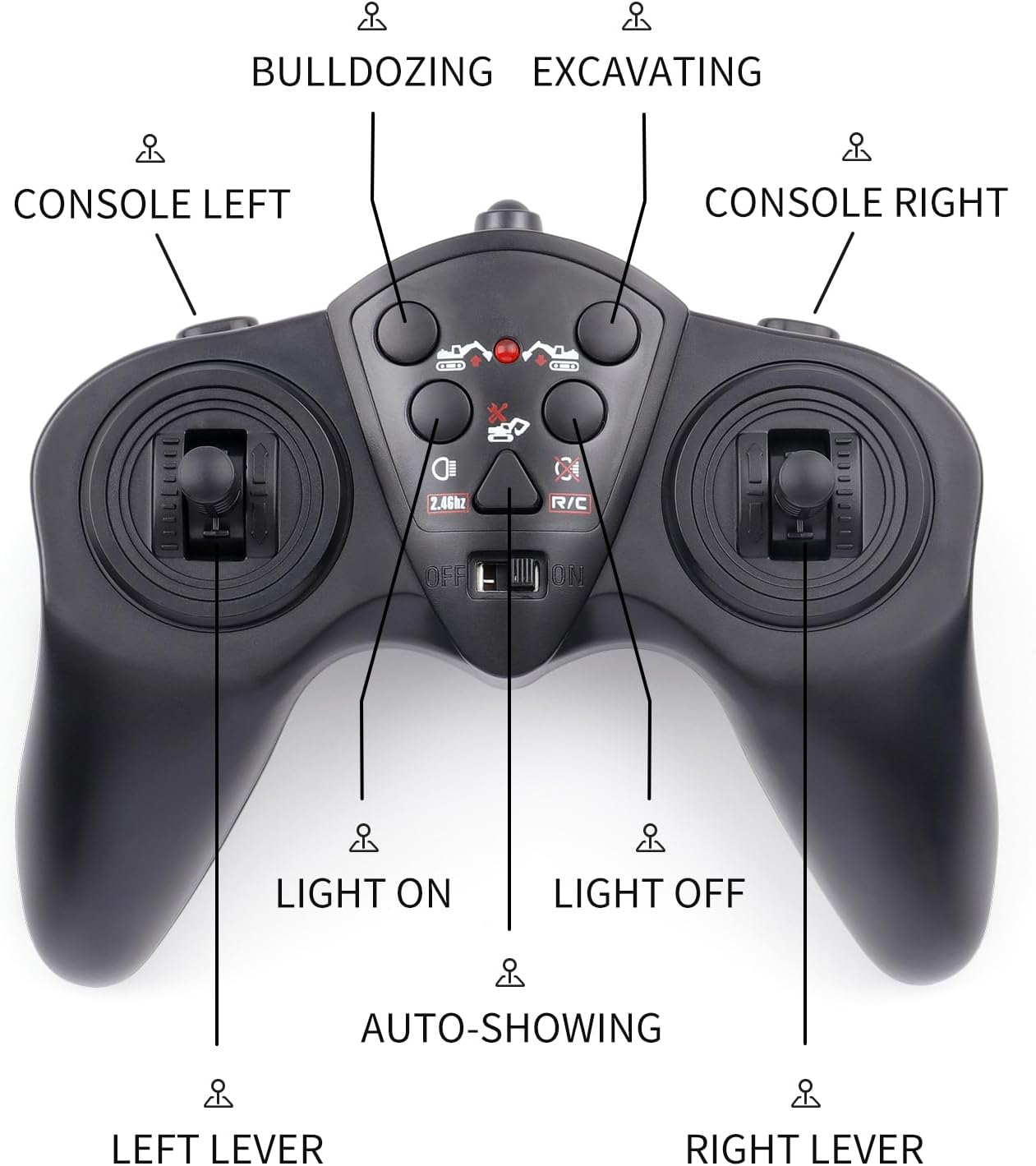
Image: Front view of the excavator, ready for operation.
Operating Instructions
Familiarize yourself with the remote control layout and functions before operating the excavator.
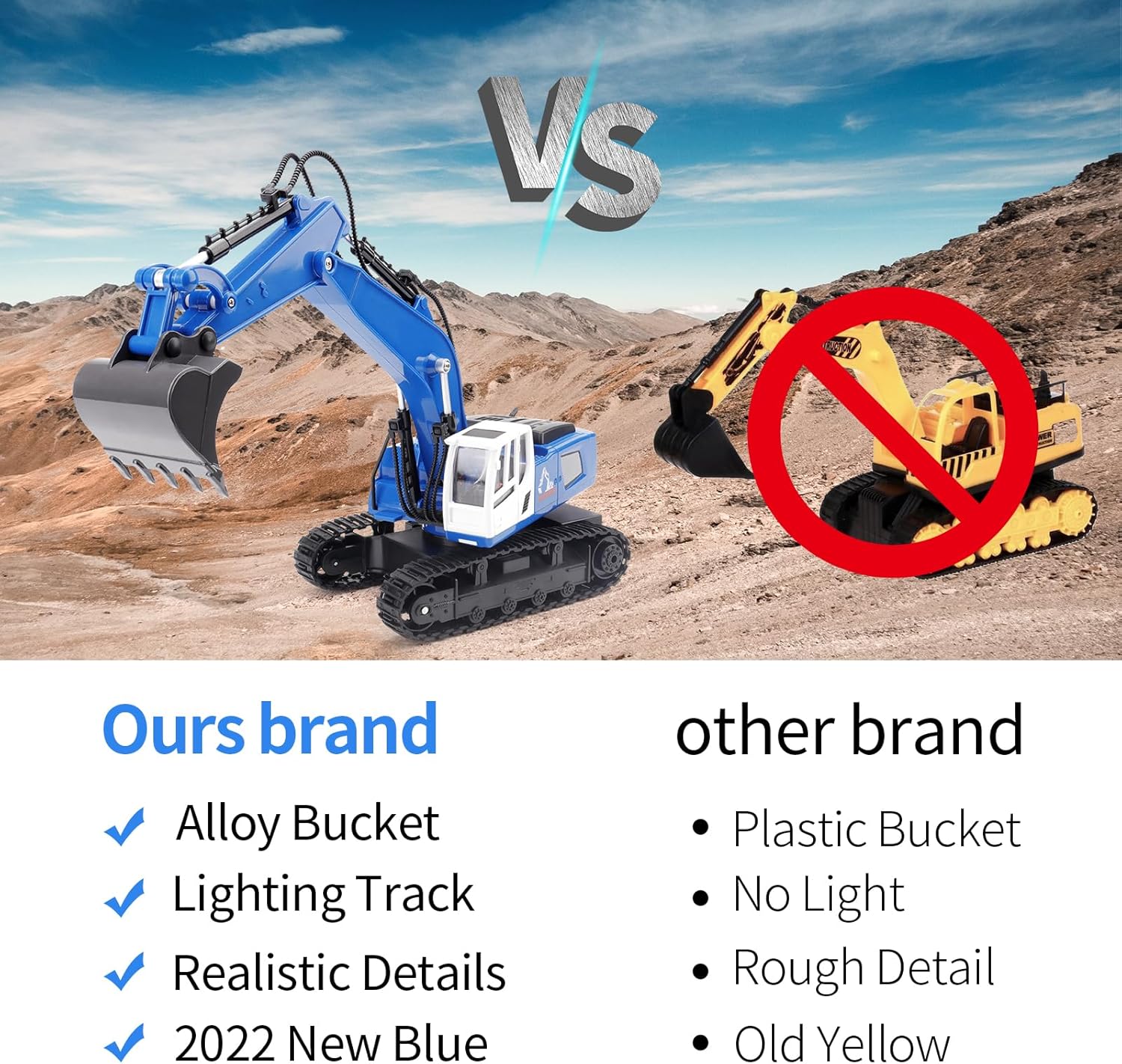
Image: Detailed diagram of the remote control with labeled functions.
Basic Movement
- Forward/Backward: Use the left lever to move the excavator forward or backward.
- Turn Left/Right: Use the left lever in combination with the right lever, or independently, to steer the excavator left or right.
- 360-Degree Rotation: The excavator's cabin can rotate 360 degrees. Use the console buttons or specific lever combinations (refer to remote diagram) to achieve full rotation.

Image: The excavator demonstrating its 360-degree rotation capability.
Excavator Arm and Bucket Control
- Bulldozing/Excavating: Use the designated buttons on the remote control (labeled 'Bulldozing' and 'Excavating') to control the main arm and bucket movements.
- Console Left/Right: These buttons control the specific articulation of the excavator arm and bucket for precise digging and lifting actions.
- Light On/Off: Activate or deactivate the working lights on the excavator using the 'Light On' and 'Light Off' buttons.
- Sound Effects: The excavator features realistic sound effects. These can be activated or deactivated via a dedicated button on the remote control.

Image: Side view of the excavator, showcasing its movable arm and bucket.
Maintenance
- Cleaning: Wipe the excavator and remote control with a soft, dry cloth after each use. Avoid using water or harsh chemicals, as this can damage electronic components.
- Battery Care:
- Always fully charge the excavator's battery before storage.
- Remove batteries from the remote control if the toy will not be used for an extended period to prevent leakage.
- Do not overcharge the excavator's battery.
- Storage: Store the toy in a cool, dry place away from direct sunlight and extreme temperatures.
- Inspection: Periodically inspect the tracks, arm joints, and electrical connections for any signs of wear or damage.
Troubleshooting
| Problem | Possible Cause | Solution |
|---|---|---|
| Excavator does not respond to remote control. | Low batteries in remote or excavator; not paired; interference. | Replace remote batteries; charge excavator battery; re-pair devices; move away from other electronic devices. |
| Excavator moves slowly or inconsistently. | Low battery charge. | Recharge the excavator's battery fully. |
| Unusual odor during operation. | Potential motor strain or electrical issue. | Discontinue use immediately and contact customer support. Ensure the toy is not being operated beyond its intended capacity. |
| Bucket or arm joints appear loose or break easily. | Wear and tear; manufacturing variation. | Inspect the connecting pins. If damaged, contact customer support for replacement parts or repair guidance. |
Specifications
- Brand: PREPOP
- Model: B0DZ69QQC6
- Package Dimensions: 14.41 x 7.48 x 5.47 inches
- Item Weight: 1.9 pounds
- Manufacturer Recommended Age: 6 years and up
- Batteries: 2 x 9V batteries (included for remote control), rechargeable battery for excavator (included).
Warranty and Support
For any questions, concerns, or warranty inquiries regarding your PREPOP Remote Control Excavator Toy, please contact the manufacturer, PREPOP, directly through their official channels or the retailer where the product was purchased. Please retain your proof of purchase for warranty claims.
For additional support, you may visit the PREPOP Store on Amazon.