
VISAUTO C20
VISAUTO C20 Dashcam User Manual
Model: C20
Introduction
Thank you for choosing the VISAUTO C20 Dashcam. This manual provides detailed instructions for the installation, operation, and maintenance of your device. Please read this manual thoroughly before using the product to ensure proper functionality and to maximize your driving safety and recording experience. The VISAUTO C20 is designed to capture high-quality video footage of your journeys, offering advanced features for enhanced security and convenience.
1. Setup Guide
1.1 Package Contents
Before installation, please verify that all components are present:
- VISAUTO C20 Dashcam (Front Camera)
- Rear Camera (1080p)
- Power Cable for Front Camera
- Static Stickers (x2)
- Mounting Plate
- User Manual
- Dust Cloth
- 32GB MicroSD Card
1.2 Installation
The VISAUTO C20 Dashcam features a compact and discreet design, ensuring it does not obstruct your view while driving. It supports both suction cup and adhesive mounting options.
- Choose a Location: Select a position on your windshield, preferably behind the rearview mirror, that provides a clear view of the road ahead and does not interfere with the driver's line of sight.
- Clean the Surface: Ensure the chosen area on the windshield is clean and dry. Use the provided dust cloth if necessary.
- Attach the Mount: Apply one of the static stickers to the windshield first, then attach the mounting plate to the sticker. This allows for easier removal without leaving residue. Secure the dashcam to the mounting plate.
- Install Rear Camera: Mount the rear camera on the rear windshield, ensuring a clear view. Route the cable discreetly to the front dashcam unit.

This image displays the complete VISAUTO C20 Dashcam system, including the main front camera unit, the rear camera, an included 32GB microSD card, and a smartphone screen demonstrating the companion application with GPS and live view.
1.3 Power Connection
The dashcam does not include an internal battery and requires continuous power from your vehicle's power outlet (cigarette lighter/USB/fuse box) for operation.
- Connect the power cable to the dashcam's power input port.
- Plug the other end of the power cable into your vehicle's 12V power outlet.
- Route the power cable along the edge of the windshield and dashboard to keep it tidy and out of the way.
1.4 Memory Card Insertion
A 32GB microSD card is included with your dashcam. The device supports cards up to 256GB.
- Locate the microSD card slot on the dashcam.
- Insert the microSD card with the gold contacts facing the back of the dashcam until it clicks into place.
- It is recommended to format the memory card within the dashcam's settings before first use and periodically thereafter to ensure optimal performance.
1.5 App Download and WiFi Connection
Control your dashcam remotely and access recordings via the dedicated mobile application.
- Download the App: Search for the official VISAUTO app on the App Store (iOS) or Google Play Store (Android) and install it on your smartphone.
- Enable WiFi on Dashcam: Turn on the dashcam. Access the dashcam's settings to enable its WiFi hotspot. The WiFi name (SSID) and password will be displayed on the dashcam screen.
- Connect via Phone: On your smartphone, go to WiFi settings and connect to the dashcam's WiFi network using the provided SSID and password.
- Open App: Launch the VISAUTO app. The app should automatically detect and connect to your dashcam, allowing you to view live footage, download videos, and adjust settings.
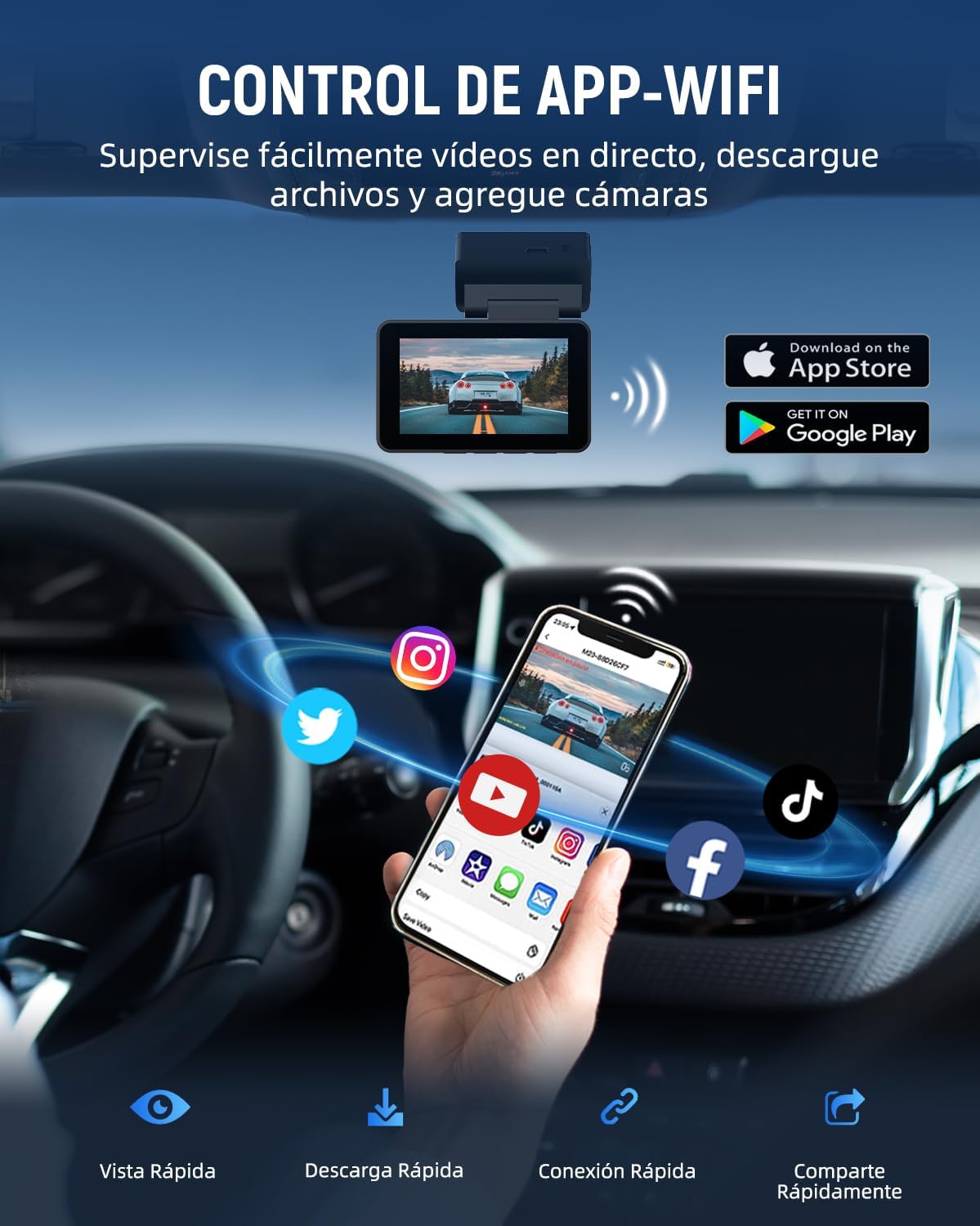
Manage your dashcam conveniently with the dedicated mobile app. Connect via WiFi to view live footage, download recordings, and adjust settings directly from your smartphone.
2. Operating Instructions
2.1 Basic Recording
Once powered on, the VISAUTO C20 Dashcam will automatically begin recording. It utilizes loop recording, which means it continuously records and overwrites the oldest unlocked video files when the memory card is full.

The VISAUTO C20 Dashcam features dual recording, capturing the road ahead in crisp 4K Ultra HD and the rear view in 1080p, ensuring comprehensive coverage of your journey.
2.2 App Control
The mobile app provides comprehensive control over your dashcam:
- Live View: Stream real-time video from both front and rear cameras to your smartphone.
- Video Playback & Download: Browse recorded videos, play them back, and download important clips directly to your phone's gallery.
- Settings Adjustment: Modify dashcam settings such as video resolution, G-sensor sensitivity, loop recording duration, and more.
- GPS Information: View GPS data, including speed and route tracking, directly within the app.
2.3 Voice Control
The VISAUTO C20 supports voice commands for hands-free operation (English only). This allows you to control basic functions without taking your hands off the wheel.
- "Turn on screen": Activates the dashcam display.
- "Turn off screen": Deactivates the dashcam display.
- "Turn on Audio": Enables audio recording.
- "Turn off Audio": Disables audio recording.
- "Take photo": Captures a still image.
- "Lock the video": Locks the current recording segment, preventing it from being overwritten.

For hands-free operation, the dashcam supports voice commands. Easily control functions like turning the screen on/off, audio recording, taking photos, and locking videos with simple voice prompts.
3. Key Features
3.1 Exceptional Night Vision
The VISAUTO C20 is equipped with WDR (Wide Dynamic Range) technology and a large F1.8 aperture lens, significantly enhancing its performance in low-light conditions. This ensures clear and detailed video capture even at night.
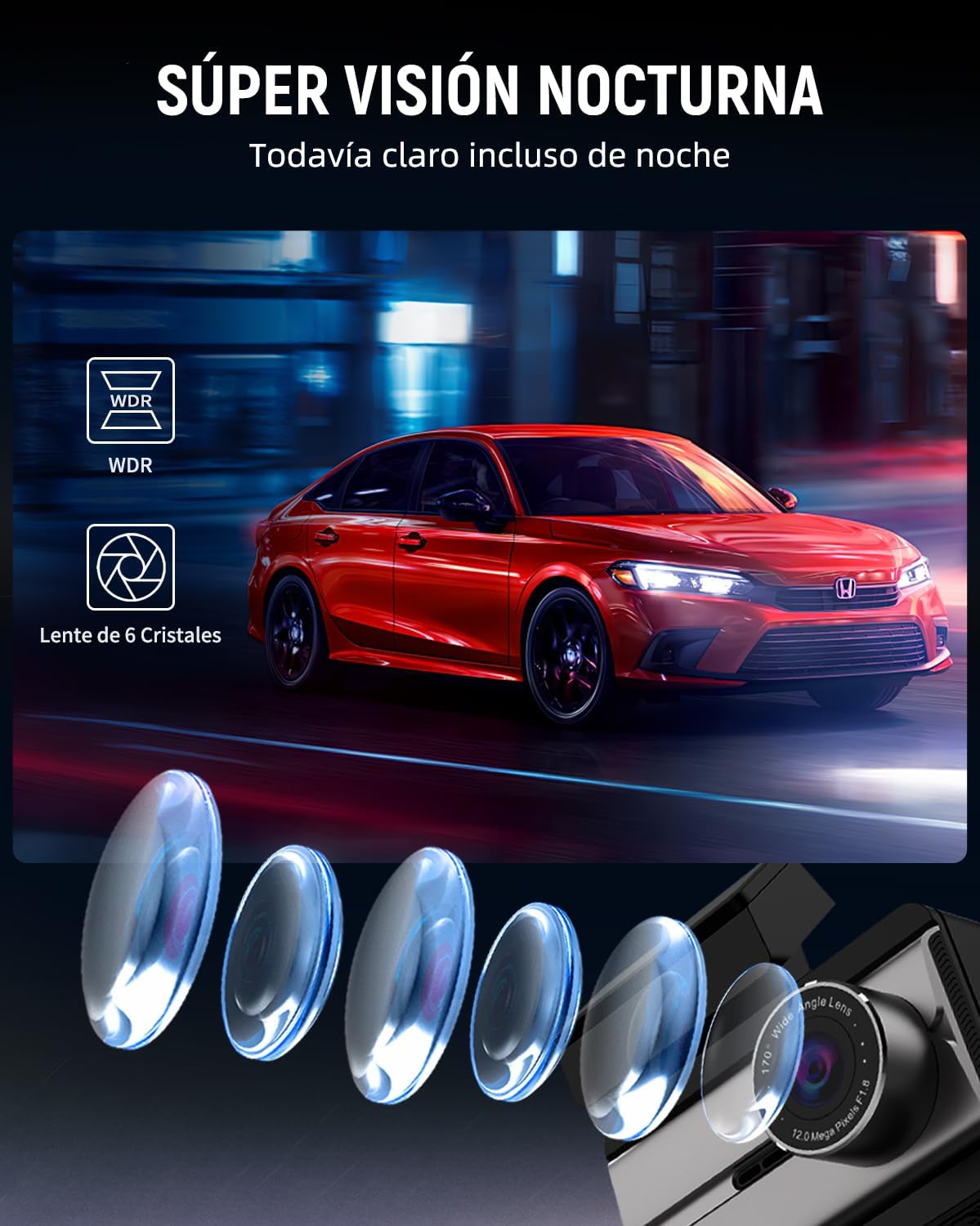
Equipped with advanced WDR (Wide Dynamic Range) technology and a large F1.8 aperture, the VISAUTO C20 Dashcam provides superior night vision, capturing clear and detailed footage even in challenging low-light conditions.
3.2 Intelligent Driving Assistant (ADAS, BSD, LCA)
Leveraging an advanced chip, the dashcam provides intelligent alerts and assistance to improve driving safety:
- ADAS (Advanced Driver-Assistance Systems): Provides voice alerts for critical situations such as lane departure and forward collision warnings.
- BSD (Blind Spot Detection): Warns the driver of objects in the vehicle's blind spots.
- LCA (Lane Change Assist): Assists drivers in safely changing lanes by alerting them to approaching vehicles in adjacent lanes.
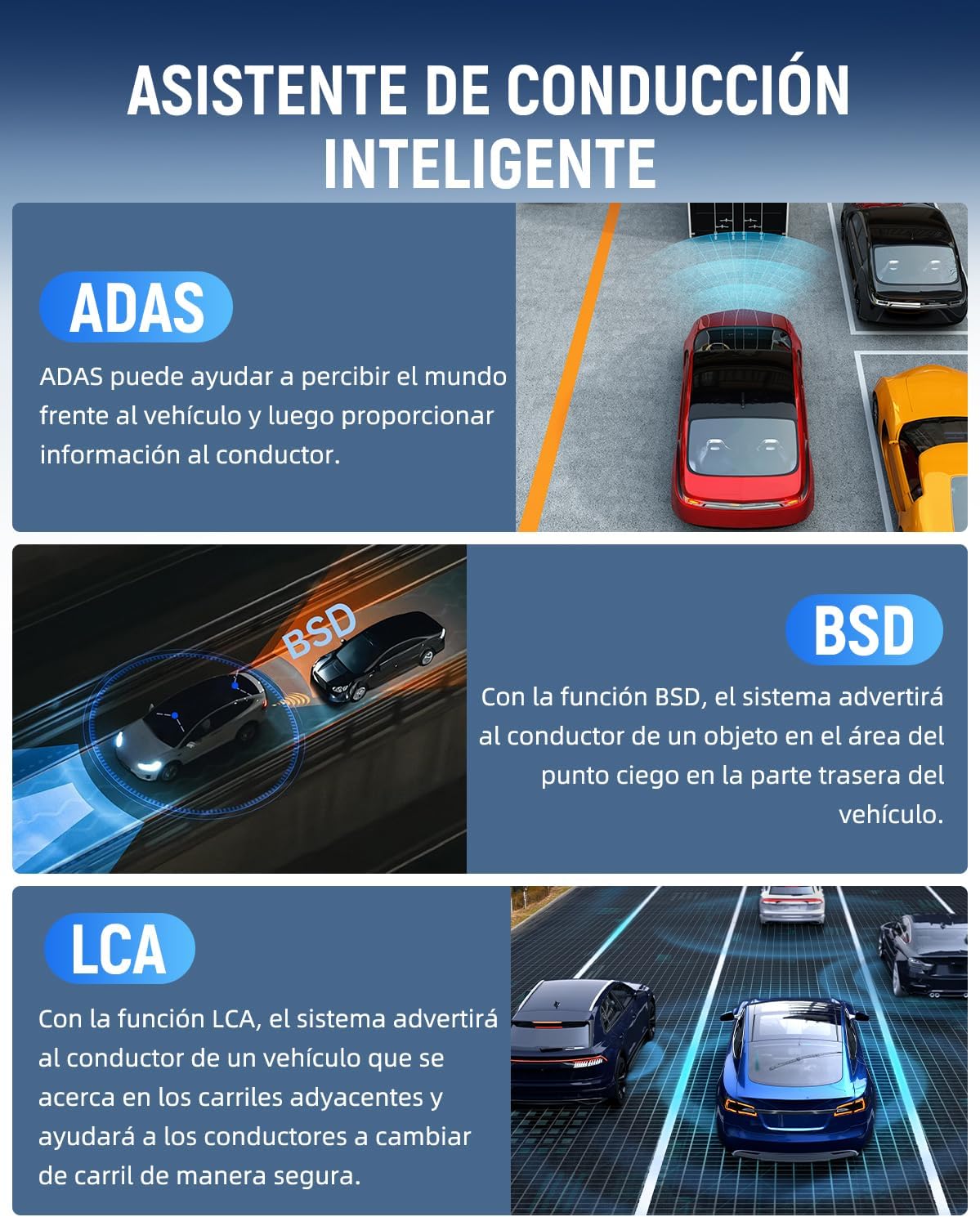
The VISAUTO C20 Dashcam integrates intelligent driving assistance systems including ADAS (Advanced Driver-Assistance Systems) for forward collision and lane departure warnings, BSD (Blind Spot Detection) to alert about objects in blind spots, and LCA (Lane Change Assist) for safer lane changes.
3.3 G-Sensor & Loop Recording
The built-in G-sensor detects sudden movements, impacts, or collisions. When triggered, it automatically locks the current video segment, protecting it from being overwritten by the loop recording function. This ensures crucial event footage is preserved.

In the event of a sudden impact or collision, the built-in G-sensor automatically detects the event and locks the current video segment, preventing it from being overwritten and ensuring critical evidence is preserved.

The dashcam features seamless loop recording, continuously overwriting the oldest unlocked footage when the memory card is full. It comes with a 32GB card and supports up to 256GB, providing ample storage for your recordings.
3.4 24/7 Parking Monitoring
With the optional hardwire kit (ASIN: B0DZGR77XR, sold separately), the dashcam can monitor your vehicle 24 hours a day. If the G-sensor detects a collision or impact while parked, it will automatically record and lock a video, providing protection against theft and vandalism.

With the optional hardwire kit (ASIN: B0DZGR77XR), the dashcam provides 24-hour parking monitoring. If an impact or motion is detected while parked, the camera will automatically record and lock the footage, offering continuous protection for your vehicle.
4. Maintenance
4.1 Memory Card Management
- Formatting: It is recommended to format the microSD card every 2-4 weeks to prevent data corruption and ensure smooth recording. This can usually be done through the dashcam's settings menu or via the mobile app. Formatting will erase all data on the card, so back up any important files first.
- Card Lifespan: MicroSD cards have a limited lifespan due to continuous read/write cycles. If you experience frequent recording errors or corrupted files, consider replacing the memory card.
4.2 Cleaning the Lenses and Screen
- Use the provided dust cloth or a soft, lint-free microfiber cloth to gently wipe the camera lenses and the dashcam screen.
- Do not use abrasive cleaners or solvents, as they may damage the lens coating or screen.
- Ensure the windshield area where the camera is mounted is clean to avoid reflections or obstructions in the recording.
4.3 Firmware Updates
Periodically check the VISAUTO official website or the mobile app for available firmware updates. Firmware updates can improve performance, add new features, or fix bugs. Follow the instructions provided with the update carefully.
5. Troubleshooting
If you encounter issues with your VISAUTO C20 Dashcam, refer to the following common problems and solutions:
| Problem | Possible Cause | Solution |
|---|---|---|
| Dashcam does not power on. | No power supply; loose connection; faulty power cable. | Ensure the power cable is securely connected to both the dashcam and the vehicle's power outlet. Check if the vehicle's power outlet is functioning. Try a different power source if available. |
| Video footage is blurry or unclear. | Protective film on lens; dirty lens; incorrect resolution settings. | Remove any protective film from the lens. Clean the lens with the provided dust cloth. Check the video resolution settings in the dashcam menu or app and ensure it's set to 4K (front) and 1080p (rear). |
| Memory card full / Recording stops. | Loop recording off; too many locked files; faulty memory card. | Ensure loop recording is enabled in settings. Manually delete unnecessary locked files. Format the memory card regularly. If issues persist, try a new, high-quality microSD card (Class 10 or higher). |
| WiFi connection issues with app. | Incorrect WiFi password; phone too far from dashcam; app not updated. | Verify the WiFi password. Ensure your phone is close to the dashcam. Restart both the dashcam and your phone. Update the app to the latest version. |
| Dashcam feels warm during operation. | Normal operating temperature. | It is normal for electronic devices to generate heat during operation, especially when recording in high resolution or in warm environments. The supercapacitor ensures stable performance in extreme climates. If the device becomes excessively hot to touch or causes mounting adhesive to fail, ensure it is not exposed to direct sunlight for prolonged periods when parked, and re-secure the mount if necessary. |
6. Product Specifications
| Feature | Detail |
|---|---|
| Brand | VISAUTO |
| Model Name | C20 |
| Video Capture Resolution | Front: 4K Ultra HD (3840 x 2160) / Rear: 1080p |
| Screen Size | 3 Inches (8 cm) |
| Flash Memory Type | microSD |
| Included Memory Card Size | 32 GB (Supports up to 256GB) |
| Compatible Devices | Tablet, Smartphone |
| Special Features | Motion Detection, Blind Spot Detection, Voice Control, App Control, Built-in WiFi, G-Sensor, Night Vision, GPS |
| Mounting Type | Suction Mount or Adhesive Mount |
| Real Angle of View | 170 Degrees |
| Product Dimensions | 5 x 15 x 10 cm |
| Item Weight | 610 g |
| Batteries Included | No |
| Batteries Required | No |
7. Warranty and Support
7.1 Warranty Information
The VISAUTO C20 Dashcam comes with a standard manufacturer's warranty. Please refer to the warranty card included in your package or visit the official VISAUTO website for detailed warranty terms and conditions. Keep your purchase receipt as proof of purchase for warranty claims.
7.2 Customer Support
For technical assistance, troubleshooting, or any questions regarding your VISAUTO C20 Dashcam, please contact our customer support team. Contact information can typically be found on the official VISAUTO website or on the packaging.
We are committed to providing excellent service and support for our products.