Introduction
This manual provides instructions for the safe and effective operation of your Pyle 15-inch Bluetooth Portable PA Speaker System. Please read this manual thoroughly before use and retain it for future reference.
What's in the Box
- PA Speaker System
- Remote Control
- Power Adapter
- Two Wireless Microphones
- Wired Microphone
- Tablet Stand
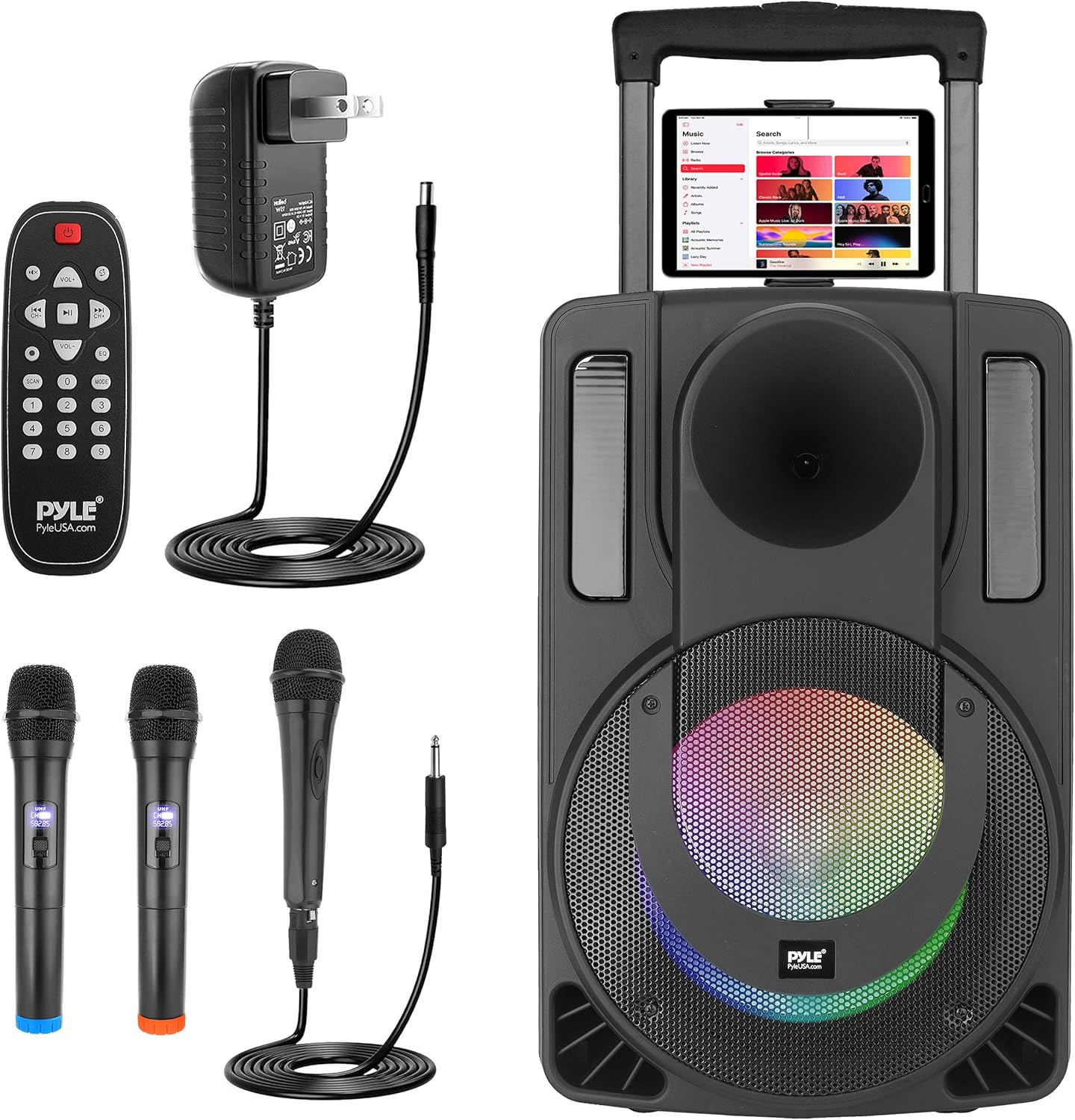
Image: The Pyle PA Speaker System shown with all included accessories: a remote control, power adapter, two wireless microphones, one wired microphone, and a tablet stand.
Product Overview
The Pyle PHPWA15TB.5 is a portable PA speaker system designed for various audio applications. It features a 15-inch subwoofer and a 2.4-inch tweeter for sound reproduction. The unit includes integrated LED lights, a retractable trolley handle, and wheels for portability.
Portability Features

Image: A person demonstrating the portability of the Pyle PA Speaker System by pulling it with its retractable trolley handle and integrated wheels.
Control Panel Features
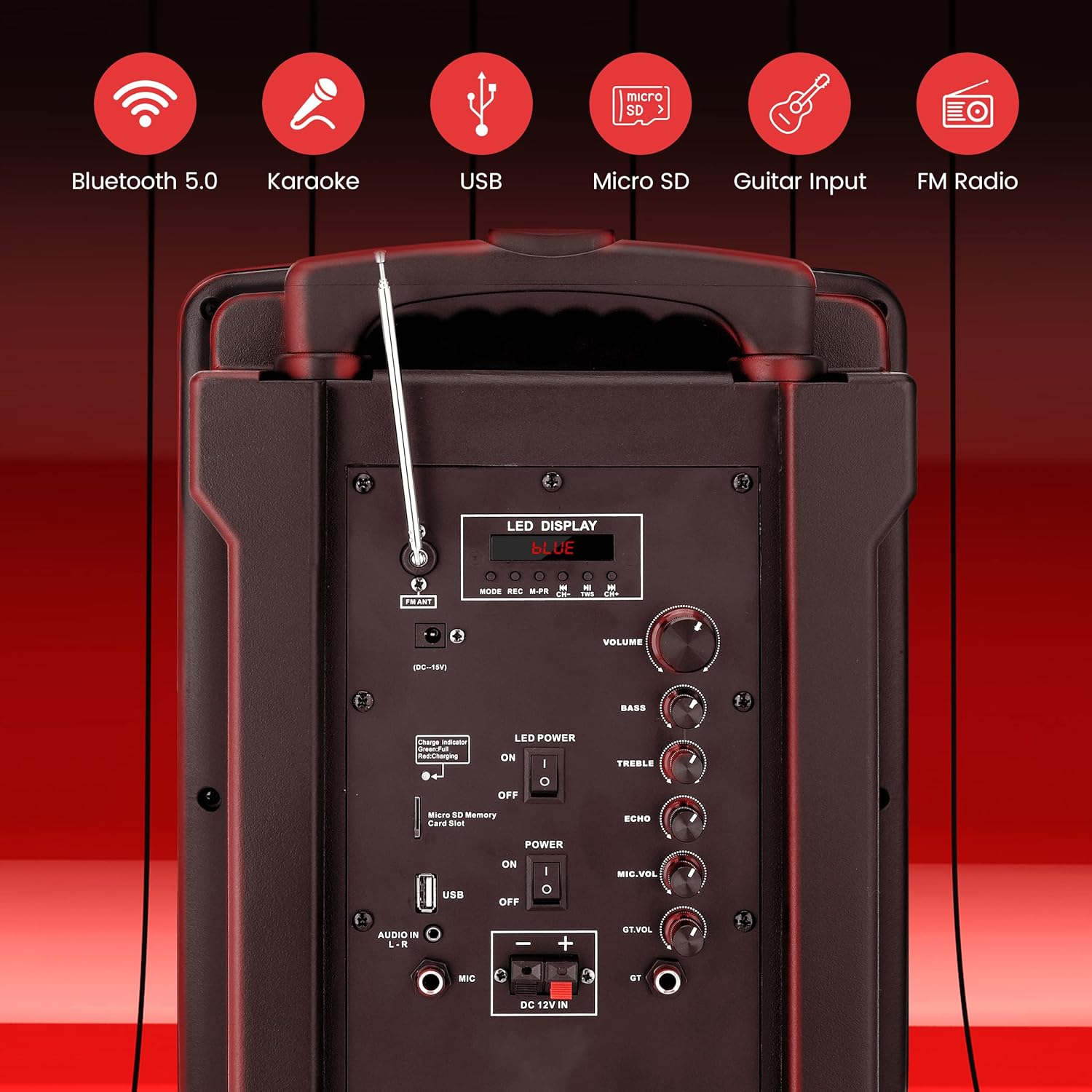
Image: The rear control panel of the Pyle PA Speaker System, displaying the LED display, volume, bass, treble, echo, microphone volume, guitar volume controls, USB/Micro SD slots, AUX input, and power switch.
- LED Display: Shows current mode and track information.
- FM ANT: FM antenna for radio reception.
- DC-19V Input: Power adapter connection.
- Charge Indicator: LED light indicating charging status.
- Power Switch: Turns the unit ON/OFF.
- USB/Micro SD Card Slot: For media playback.
- Audio Input (L-R): AUX input for external devices.
- MIC Input: For wired microphone connection.
- DC 12V IN: External 12V power input.
- Volume Control: Adjusts overall system volume.
- Bass Control: Adjusts low-frequency output.
- Treble Control: Adjusts high-frequency output.
- Echo Control: Adjusts microphone echo effect.
- Mic. Vol. Control: Adjusts microphone volume.
- GT. Vol. Control: Adjusts guitar volume (if connected).
Setup
Initial Charging
Before first use, fully charge the speaker system. Connect the power adapter to the DC-19V input on the rear panel and plug it into a wall outlet. The charge indicator LED will illuminate during charging.
Assembling the Tablet Stand
Attach the included tablet stand to the designated slot on top of the speaker system. Ensure it is securely fastened to hold your tablet or smartphone.
Microphone Setup
- Wireless Microphones: Insert batteries (not included) into the wireless microphones. Turn them on. They will automatically pair with the speaker system.
- Wired Microphone: Connect the wired microphone cable to the MIC input on the control panel.
Operating Instructions
Power On/Off
Toggle the Power Switch on the rear panel to turn the unit ON or OFF.
Mode Selection
Press the 'MODE' button on the control panel or remote control to switch between Bluetooth, FM Radio, USB, SD, and AUX input modes. The selected mode will be displayed on the LED screen.
Bluetooth Connectivity
- Ensure the speaker is in Bluetooth mode. The LED display will show 'BLUE'.
- Enable Bluetooth on your smartphone, tablet, or other device.
- Search for available devices and select 'PYLE SPEAKER' to pair.
- Once paired, you can stream audio wirelessly.
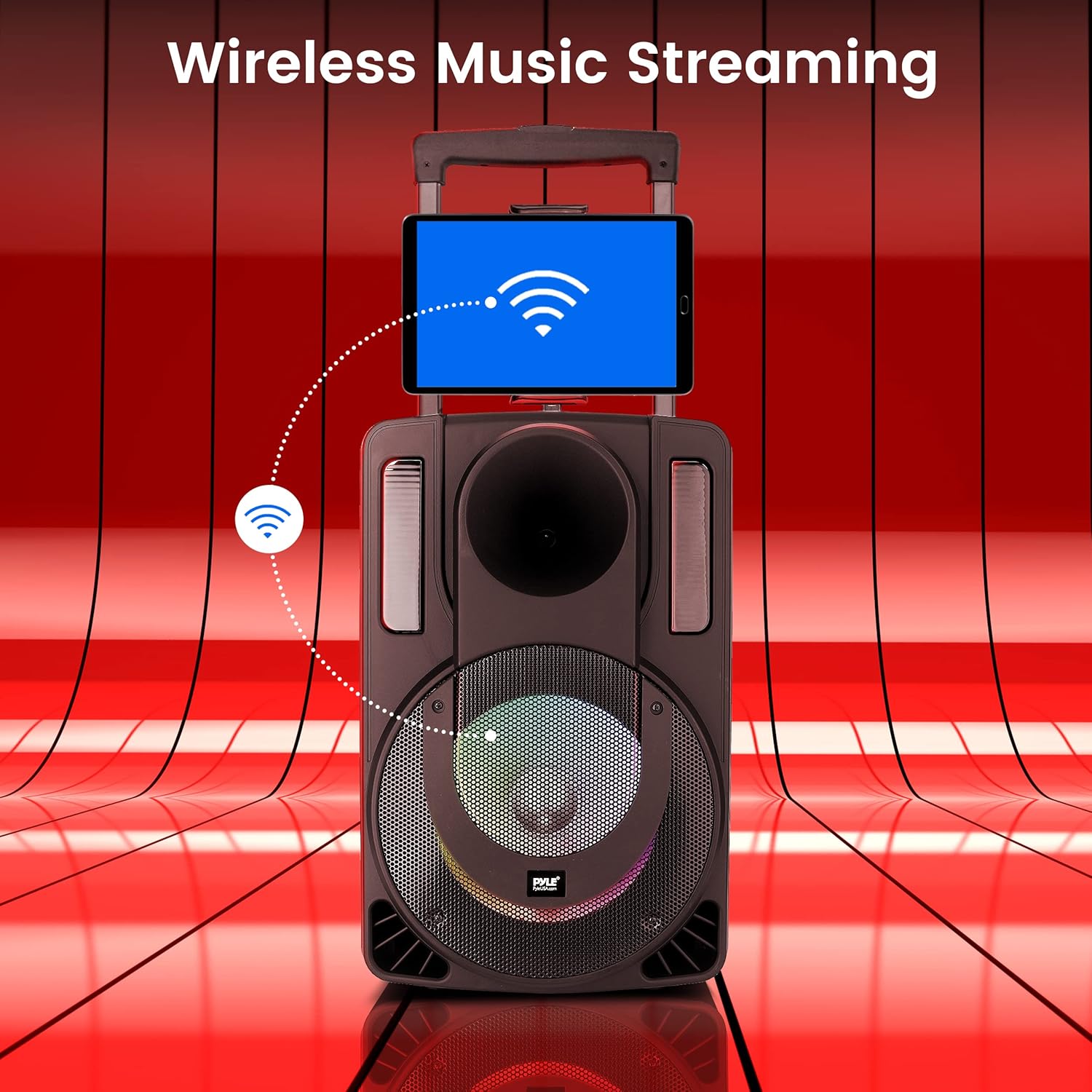
Image: The Pyle PA Speaker System demonstrating wireless music streaming from a tablet securely placed on its integrated stand.
USB/SD Card Playback
Insert a USB flash drive or SD card into the respective slot. The system will automatically switch to USB/SD mode and begin playing compatible audio files. Use the playback controls (Play/Pause, Next, Previous) on the control panel or remote.
FM Radio Operation
- Switch to FM Radio mode.
- Press the 'PLAY/PAUSE' button to initiate an automatic station scan. The system will save available stations.
- Use the 'NEXT' and 'PREVIOUS' buttons to navigate through saved stations.
Microphone Usage (Karaoke)
Adjust the 'MIC. VOL.' knob to control the microphone volume. Use the 'ECHO' knob to add an echo effect to vocals. Ensure microphones are powered on and connected correctly.

Image: A woman and a child using microphones with the Pyle PA Speaker System, demonstrating its use for karaoke and the microphone priority function, which lowers music volume when speaking into the mic.
LED Party Lights
The speaker features multi-color flashing LED lights. These lights can be turned ON or OFF using the dedicated 'LED POWER' switch on the control panel. The lights synchronize with the music playback.
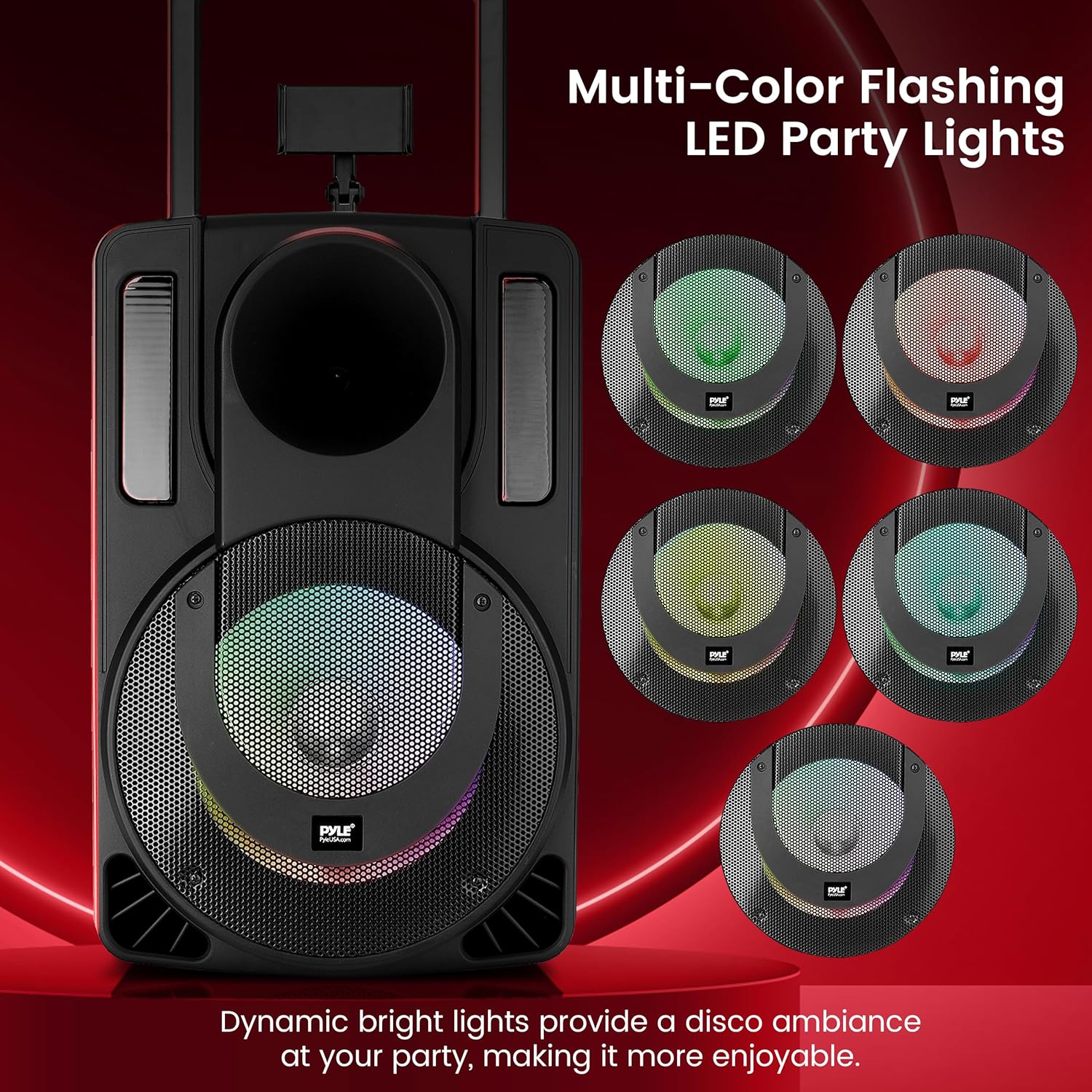
Image: The Pyle PA Speaker System displaying its multi-color flashing LED party lights, highlighting the dynamic visual effects.
Microphone Priority Function
When activated, the microphone priority function automatically lowers the music volume when a microphone is in use, ensuring vocals are clear and prominent. This function is typically controlled via a button on the remote or control panel (refer to specific button labels).
Maintenance
- Cleaning: Use a soft, dry cloth to clean the speaker's exterior. Do not use harsh chemicals or abrasive cleaners.
- Storage: Store the unit in a cool, dry place away from direct sunlight and extreme temperatures when not in use for extended periods.
- Battery Care: To prolong battery life, avoid fully discharging the battery frequently. Recharge the unit regularly, even if not in constant use.
Troubleshooting
| Problem | Solution |
|---|---|
| No power | Ensure the power adapter is securely connected and plugged into a working outlet. Check the power switch. Charge the battery if it is depleted. |
| No sound output | Check the master volume control. Ensure the correct input mode is selected. Verify audio cables are connected properly (for AUX/wired mic). |
| Bluetooth not connecting | Ensure the speaker is in Bluetooth mode. Turn off and on Bluetooth on your device. Move your device closer to the speaker. Forget the device on your phone and re-pair. |
| Microphone feedback/noise | Reduce microphone volume. Do not point the microphone directly at the speaker. Adjust the 'ECHO' control. |
| USB/SD card not playing | Ensure the USB drive/SD card is inserted correctly. Verify that the audio files are in a compatible format (e.g., MP3). Try a different USB drive/SD card. |
Specifications
- Model: PHPWA15TB.5
- Power Output: 680 Watts (Peak)
- Speaker Type: Portable PA Speaker System
- Woofer Size: 15 inches
- Tweeter Size: 2.4 inches
- Connectivity: Bluetooth, AUX, USB, Micro SD, FM Radio
- Microphones: 2 Wireless, 1 Wired
- Battery Life: Up to 4 hours (rechargeable)
- Material: Plastic
- Item Weight: 34.7 Pounds
- Dimensions: 30 x 18.5 x 17 inches (Package)
- UPC: 842893179865

Image: An exploded view diagram illustrating the internal components of the Pyle PA Speaker, specifically highlighting the 15-inch subwoofer and 2.4-inch tweeter.
Warranty and Support
Pyle products are designed and manufactured to high quality standards. This product is covered by a limited warranty. For specific warranty terms and conditions, please refer to the warranty card included with your purchase or visit the official Pyle website.
For technical support, troubleshooting assistance, or service inquiries, please visit the Pyle support section on their official website or contact their customer service department. Keep your purchase receipt and model number (PHPWA15TB.5) handy when contacting support.
Official Pyle Website: www.pyleusa.com


