
TotsyFun TotsyFun-53
TotsyFun Smart Watch User Manual
Model: TotsyFun-53
1. Introduction
The TotsyFun Smart Watch is a versatile activity and fitness tracker designed for both women and men, compatible with iOS 9.0 & Android 4.4 or higher smartphones. It offers a wide range of features including advanced health monitoring, smart connectivity for calls and notifications, and over 70 sports modes. Its customizable watch faces and durable waterproof design make it suitable for various lifestyles and occasions.

Image: TotsyFun Smart Watch in Wine Red, showcasing its sleek design and vibrant display.
2. What's in the Box
Upon opening your TotsyFun Smart Watch package, you should find the following items:
- 1 x Smart Watch (Wine Red)
- 1 x Charging Cable
- 1 x User Manual
- 2 x Watch Bands (additional bands for customization)
3. Setup
3.1 Initial Charging
Before first use, fully charge your smart watch using the provided charging cable. Connect the magnetic end of the cable to the charging points on the back of the watch and the USB end to a compatible power source (e.g., computer USB port or 5V/1A USB adapter). A full charge typically takes approximately 2 hours.
3.2 App Download and Pairing
- Scan the QR code displayed on the watch screen or in the user manual to download the companion app. Alternatively, search for the app name (refer to the manual for specific app name) in your smartphone's app store (Google Play Store for Android, Apple App Store for iPhone).
- Ensure Bluetooth is enabled on your smartphone.
- Open the downloaded app and follow the on-screen instructions to register an account and pair your TotsyFun Smart Watch. The app will guide you through the connection process.
- Once paired, you can select your preferred language within the watch settings, typically accessible through the app or directly on the watch screen.
4. Operating the Smart Watch
4.1 Basic Navigation
The TotsyFun Smart Watch features a responsive 1.27-inch touchscreen display for intuitive navigation. Swipe left, right, up, or down to access different functions and menus. The side button typically serves as a power button (long press) and a back/home button (short press).
4.2 Key Features
- Health Monitoring: Access real-time data for heart rate, blood oxygen, sleep quality, stress levels, and mood.
- Sports Modes: Select from over 70 sports modes to track your workouts, including steps, distance, and calories burned.
- Smart Connectivity: Make and receive Bluetooth calls directly from your wrist. Receive notifications from various apps like Instagram, Facebook, WhatsApp, and Gmail.
- Customization: Choose from over 400 preloaded watch faces or upload your own photos for a personalized look.
- Women's Health: Track menstrual cycles and ovulation periods.
- Daily Reminders: Utilize features like flashlight, calculator, UV index, sedentary reminders, and built-in games.
- Voice Assistant: Activate your smartphone's voice assistant directly from the watch.
5. Health Monitoring Features
The TotsyFun Smart Watch is equipped with advanced sensors to help you monitor your well-being. It provides data on:
- Heart Rate: Continuous 24/7 heart rate tracking.
- Blood Oxygen (SpO2): Measures your blood oxygen saturation levels.
- Sleep Quality: Monitors light sleep, deep sleep, and awake times to provide insights into your sleep patterns.
- Stress Levels: Tracks and helps you manage your stress throughout the day.
- Mood: Provides an indication of your mood based on physiological data.
Important Note: The TotsyFun Smart Watch is not a medical device. The data provided is for reference only and should not be used for medical diagnosis or treatment. Consult a healthcare professional for any health concerns.
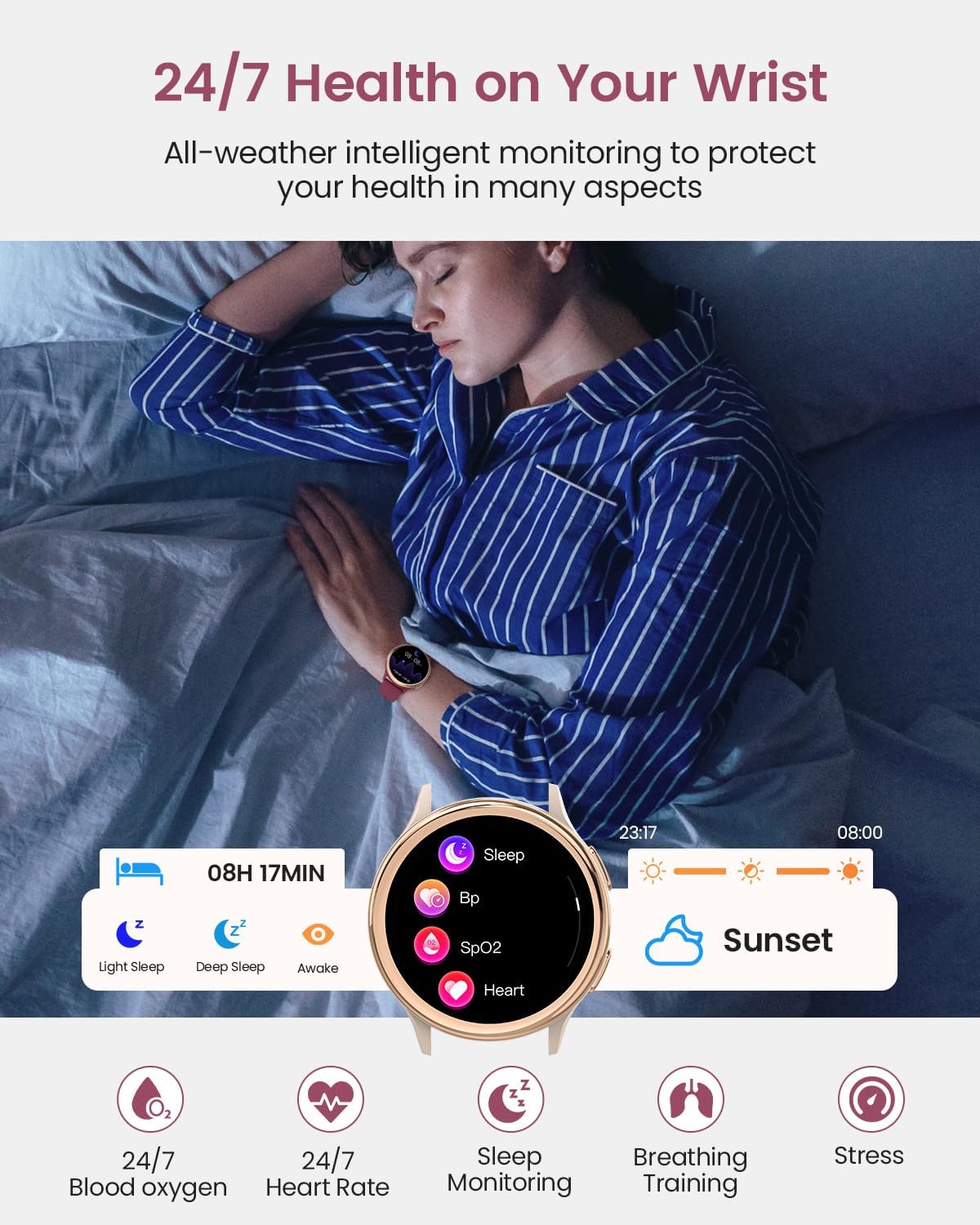
Image: Smart Watch displaying sleep monitoring data, including light sleep, deep sleep, and awake times.

Image: Smart Watch interface showing various health metrics like blood oxygen, heart rate, sleep, breathing training, and stress.
6. Sports Modes
With over 70 built-in sports modes, the TotsyFun Smart Watch is an ideal companion for your active lifestyle. It automatically tracks key metrics for your chosen activity, including:
- Steps taken
- Distance covered
- Calories burned
- Heart rate during exercise
The watch utilizes your smartphone's GPS for accurate route tracking during outdoor activities.

Image: Smart Watch displaying sports tracking data, including calories, distance, UV index, and steps, with a map of a tracked route.
7. Smart Connectivity
Stay connected without constantly checking your phone. The TotsyFun Smart Watch offers seamless integration with your smartphone:
- Bluetooth Calls: Make and receive calls directly from your wrist using the built-in speaker and microphone.
- Notifications: Get instant alerts for incoming calls, text messages, and notifications from popular apps such as Instagram, Facebook, WhatsApp, and Gmail.
- Quick-Reply Messages: Set up pre-defined quick-reply messages for incoming calls (Android only).
- Voice Assistant: Access your phone's voice assistant for hands-free control.

Image: Smart Watch showing an incoming call and notification alerts from social media applications.
8. Customization
Personalize your TotsyFun Smart Watch to match your style and mood:
- Watch Faces: Choose from over 400 preloaded watch faces available through the companion app.
- DIY Watch Faces: Upload your favorite photos to create unique and personalized watch faces.
- Dual Straps: The watch comes with two soft silicone straps and one breathable nylon watch band, allowing you to easily change the look to suit any outfit or occasion.

Image: Smart Watch displaying various personalized watch faces, including options to upload custom photos.
9. Women's Health Tracking
The TotsyFun Smart Watch includes a dedicated feature for women's health, providing exclusive care and smart protection:
- Menstrual Cycle Tracking: Log and predict your menstrual periods.
- Ovulation Tracking: Predict your ovulation period to assist with family planning.

Image: Smart Watch interface showing a calendar for tracking menstrual cycles and ovulation periods.
10. Battery Life and Waterproof Design
10.1 Long Battery Life
The TotsyFun Smart Watch is designed for extended use, keeping up with your busy lifestyle:
- Daily Use: Up to 7-14 days on a single charge.
- Standby Time: Up to 30 days.
- Charging Time: Approximately 2 hours for a full charge.
10.2 IP68 Waterproof Design
The watch features an IP68 waterproof rating, meaning it is resistant to dust and can withstand immersion in water up to 1.5 meters for 30 minutes. This ensures durability during:
- Workouts (sweat-proof)
- Rain
- Everyday use (hand washing, splashes)
It is not recommended for hot water activities, diving, or prolonged submersion.
11. Specifications
| Feature | Specification |
|---|---|
| Model Number | TotsyFun-53 |
| Screen Size | 1.27 Inches |
| Screen Resolution | 360*360 pixels |
| Connectivity Technology | Bluetooth 5.3 |
| Operating System Compatibility | iOS 9.0 & Android 4.4 or higher |
| Battery Capacity | 250 Milliamp Hours |
| Memory Storage Capacity | 128 MB |
| Waterproof Rating | IP68 |
| Item Weight | 3.84 ounces |
| Manufacturer | TotsyFun |
12. Maintenance
To ensure the longevity and optimal performance of your TotsyFun Smart Watch, follow these maintenance guidelines:
- Cleaning: Regularly wipe the watch screen and straps with a soft, dry cloth. For stubborn dirt, use a slightly damp cloth and mild soap, then dry thoroughly.
- Charging: Always use the original charging cable. Avoid exposing the charging contacts to water or sweat. Ensure the contacts are dry before charging.
- Storage: Store the watch in a cool, dry place away from direct sunlight and extreme temperatures.
- Avoid Chemicals: Do not use harsh chemicals, cleaning solvents, or strong detergents on the watch or straps, as they may damage the materials.
- Strap Care: If using silicone straps, clean them regularly to prevent skin irritation from sweat or dirt buildup.
13. Troubleshooting
If you encounter any issues with your TotsyFun Smart Watch, please refer to the following common troubleshooting tips:
- Watch Not Turning On: Ensure the watch is fully charged. Connect it to the charging cable and allow it to charge for at least 30 minutes before attempting to power it on again.
- Unable to Pair with Phone:
- Ensure Bluetooth is enabled on your phone and the watch is within range.
- Restart both your phone and the watch.
- Check if the app is updated to the latest version.
- Forget the device in your phone's Bluetooth settings and try pairing again through the app.
- Notifications Not Appearing:
- Verify that notification permissions are enabled for the app in your phone's settings.
- Ensure the app is running in the background and not being closed by your phone's battery optimization.
- Check notification settings within the watch's companion app.
- Inaccurate Health Data:
- Ensure the watch is worn snugly on your wrist, not too tight or too loose.
- Clean the sensor on the back of the watch.
- Remember that the watch is not a medical device; data is for reference only.
- Short Battery Life:
- Reduce screen brightness.
- Limit continuous heart rate monitoring or frequent use of power-intensive features.
- Ensure the watch is fully charged each time.
If these steps do not resolve your issue, please contact TotsyFun customer support for further assistance.
14. Warranty and Support
TotsyFun is committed to providing high-quality products. For specific warranty details and terms, please refer to the warranty card included in your product packaging or visit the official TotsyFun website. For any technical support, product inquiries, or assistance with troubleshooting, please contact TotsyFun customer service through the contact information provided in the user manual or on the brand's official channels.
Thank you for choosing TotsyFun!
Ask a question about this manual
Ask about setup, troubleshooting, compatibility, parts, safety, or missing instructions. Manuals+ will review the question and use this page’s manual context to help answer it.