
1. Introduction
The SKBAK Smart Bark Collar SM-03 mini is an advanced device designed to assist in training dogs to reduce excessive barking. Utilizing intelligent detection technology, it provides humane and effective correction through various modes. This collar is suitable for small, medium, and large dogs weighing between 10 to 100 lbs. Please read this manual thoroughly before use to ensure proper operation and the safety of your pet.
2. Product Overview
The SKBAK Smart Bark Collar features a TFT color screen display, offering clear visibility of settings and battery life. It incorporates sound and gravity sensors for accurate bark detection and false trigger protection. The collar offers 4 combination correction modes and 8 sensitivity levels, allowing for customized training based on your dog's size and temperament. It is lightweight, effective, and designed for dogs 8 lbs and up, with an adjustable static function and behavior correction tracking.

Image: Key features of the SKBAK Smart Bark Collar, including sound + gravity sensors, 4 correction modes, lightweight design, suitability for dogs 8 lbs and up, behavior tracking, and adjustable static function.

Image: Detailed overview of the SKBAK Smart Bark Collar components, including battery indicator, indicator light, E-Static level, trigger times, E-Static, Vibration, Warning, Type-C port, E-Static contactor, Sound sensor, ON/OFF Key, and Mode Key.
3. Package Contents
Upon opening your SKBAK Smart Bark Collar package, you should find the following items:
- Bark collar
- Charging Cable (Type-C)
- Test Light
- Metal Prongs
- Silicone Protective Covers
- User Manual

Image: Visual representation of the SKBAK Smart Bark Collar and its included accessories, such as the collar unit, charging cable, test light, metal prongs, silicone covers, and user manual.
4. Setup
4.1 Charging the Collar
Before initial use, fully charge the collar using the provided Type-C charging cable. The TFT screen will display the battery charge level. A full charge ensures optimal performance.
4.2 Attaching the Collar
Ensure the collar is fitted snugly but comfortably around your dog's neck. It should be tight enough for the contact points to touch the skin, but loose enough for you to insert one finger between the strap and your dog's neck. Improper fit can lead to ineffective operation or skin irritation.

Image: Illustration showing the adjustable nature of the collar, suitable for neck circumferences from 8 to 25 inches and dogs weighing 11-110 lbs, with various dog breeds depicted for size reference.
4.3 Adjusting Sensitivity
The collar features 8 sensitivity levels, allowing you to fine-tune its responsiveness to your dog's barking. The sensitivity can be adjusted based on your dog's weight, with higher sensitivity for lighter dogs and lower sensitivity for heavier dogs. The lower the pound-level setting, the more sensitive the trigger.

Image: Comparison of scientific grading and precise matching for sensitivity levels, showing pound-level customization for different dog sizes (8lb to 80lb) versus fuzzy sensitivity levels.

Image: A table illustrating sensitivity levels (8lb to 80lb) and their corresponding dog bark recognition, vibration detection, and barking sound volume, with a note that lower pound-level means more sensitive trigger.
4.4 Selecting Training Mode
The collar offers four correction modes: Beep, Vibration, Static, and a combination of these. You can select the most appropriate mode based on your dog's training needs and sensitivity. For static mode, ensure the metal prongs are properly installed, and consider using the silicone protective covers to prevent skin abrasion.

Image: Diagram showing the available correction modes: Beep, Beep + Vibration, Vibration, and Beep + Vibration + Static, allowing users to choose based on training requirements.

Image: Instructions for using the static electrode: in no static mode, use the included tool to disassemble the static electrode; in static mode, use 2 silicone protective covers to prevent skin abrasion.
5. Operating Instructions
5.1 Power On/Off
To power on the collar, press and hold the ON/OFF button until the screen illuminates. To power off, press and hold the ON/OFF button again until the screen turns off.
5.2 How it Works
The collar uses a combination of voice recognition and a gravity sensor to accurately detect barking, whining, and howling. This dual-sensor technology helps filter out other sounds, such as other dogs barking, head shaking, or ambient noise, preventing false triggers. If abnormal triggers occur repeatedly, the collar activates a protection mode to ensure humane operation.

Image: Illustration showing how voice recognition and a gravity sensor work together to provide accurate detection and false touch protection, filtering out other noise.
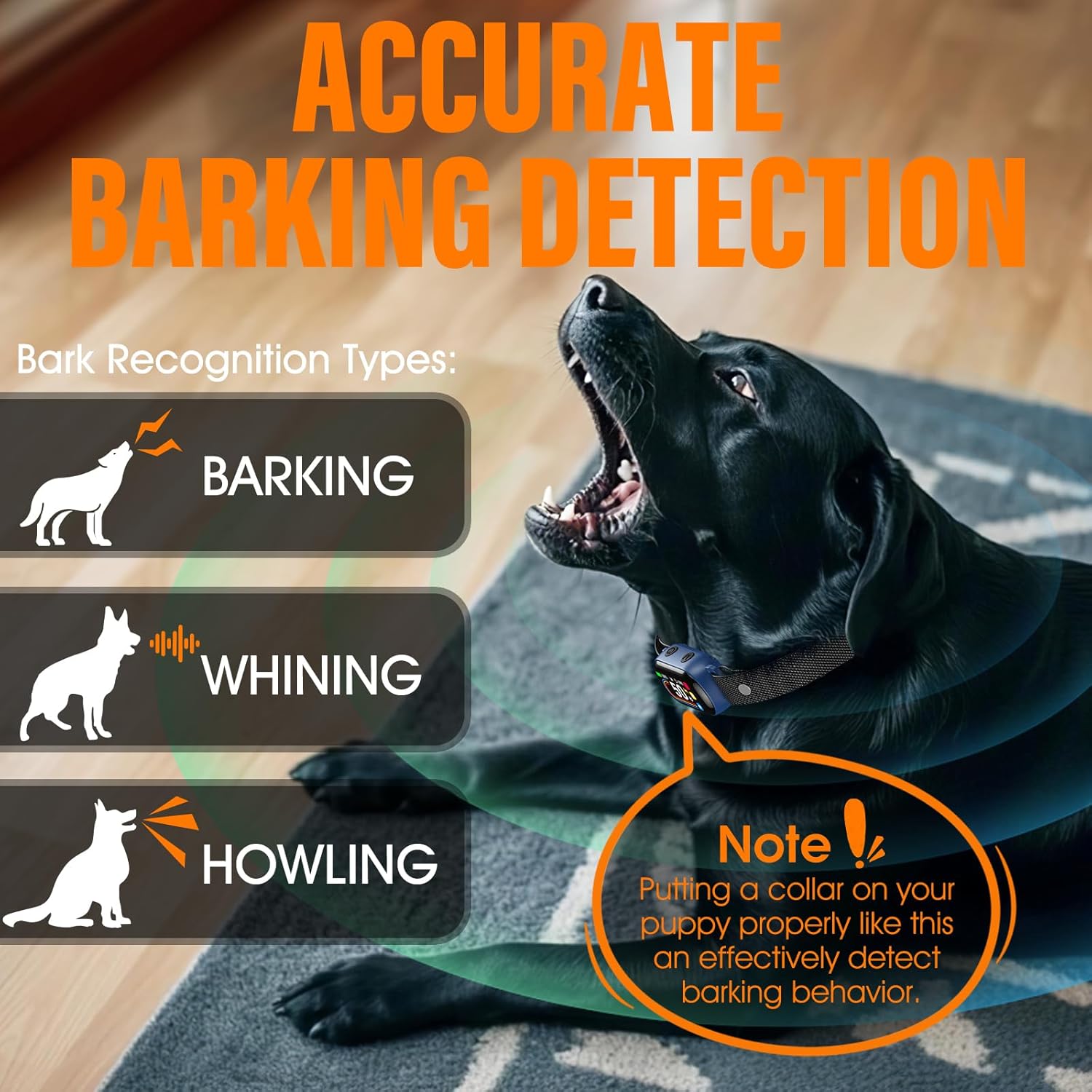
Image: A black dog wearing the collar, with text indicating the collar's ability to recognize barking, whining, and howling. A note emphasizes proper collar placement for effective detection.

Image: Two dogs, one barking and one wearing the collar, illustrating how the gravity sensor filters out external sounds like other dogs barking or head shaking, activating protection mode for humane operation.
5.3 Usage Guidelines
The collar tracks bark counts daily, allowing you to evaluate training progress. If bark counts decrease, the collar is effective. If not, consider switching modes or adjusting sensitivity for better results. It is recommended to use the collar for a few hours a day for training purposes rather than leaving it on continuously.

Image: A golden retriever wearing the collar, with graphics showing daily bark counts (15 on Day 1, 10 on Day 2, 5 on Day 3) to illustrate real-time bark tracking and progress evaluation.

Image: A French Bulldog demonstrating the scientific bark counting feature over three days, showing decreasing bark counts (015, 010, 005) with Beep + Vibration mode, indicating effective training.
6. Maintenance
6.1 Cleaning
Regularly clean the collar and contact points with a damp cloth to remove dirt, debris, or oils that may accumulate. Ensure the collar is completely dry before reattaching it to your dog. Do not use harsh chemicals or abrasive cleaners.
6.2 Storage
When not in use, store the collar in a cool, dry place away from direct sunlight and extreme temperatures. Ensure the collar is fully charged before long-term storage to maintain battery health.
7. Troubleshooting
- Collar not turning on: Ensure the collar is fully charged.
- Collar not triggering: Check if the collar is fitted correctly and the contact points are touching the dog's skin. Adjust the sensitivity level; a higher sensitivity might be needed for quieter barks or smaller dogs.
- False triggers: Ensure the gravity sensor is functioning correctly. Try lowering the sensitivity level. The collar's dual-sensor technology is designed to minimize false triggers from external noises.
- Ineffective correction: Experiment with different training modes (Beep, Vibration, Static) and sensitivity levels. Ensure the mode selected is appropriate for your dog's response.
- Skin irritation: Ensure the collar is not too tight. Do not leave the collar on for more than a few hours a day. Regularly reposition the collar on your dog's neck to prevent prolonged pressure on one area. Use the silicone protective covers if using static mode.
8. Specifications
| Model Number | SM-03 mini |
| Brand | SKBAK |
| Item Weight | 4.6 ounces |
| Batteries | 1 A battery (included) |
| Item Package Dimensions | 3.94 x 3.03 x 2.05 inches |
| Target Audience | Dogs (Adult) |
| Breed Recommendation | Small, Medium, Large |
| Dog Weight Suitability | 10-100 lbs (from product title), 11-110 lbs (from image) |
| Neck Circumference | 8 to 25 inches |
| Waterproof Rating | IP67 |
9. Warranty & Support
For warranty information and customer support, please visit the official SKBAK warranty page: