
Introduction
Thank you for choosing the CONOPUPlus DH-CS10 Dehumidifier. This manual provides essential information for the safe and efficient operation, maintenance, and troubleshooting of your new appliance. Please read it thoroughly before use and retain it for future reference.
Safety Instructions
- Ensure the dehumidifier is placed on a stable, level surface.
- Maintain a minimum distance of 20 cm (8 inches) from walls or furniture to allow proper airflow.
- Do not block the air inlet or outlet.
- Do not operate the unit near flammable gases or liquids.
- Always unplug the unit before cleaning or performing any maintenance.
- Keep out of reach of children and pets.
- Do not use the unit if the power cord or plug is damaged.
Product Overview
The CONOPUPlus DH-CS10 is a high-performance dehumidifier designed to remove up to 16 liters of moisture per day from spaces up to 60 m². It features intelligent humidity detection, an ultra-silent night mode, a 24-hour timer, and versatile drainage options.

Figure 1: Front view of the CONOPUPlus DH-CS10 Dehumidifier, showing the control panel, air outlet, and visible water tank.
Key Components and Features:
- Digital Mirage Display: Shows current humidity and settings.
- Integrated Handle: For easy portability.
- Visual Water Tank: Allows easy monitoring of water level.
- Universal Wheels: 360° swivel wheels for effortless movement.
- Washable Filter: Reusable air filter for easy maintenance.
- Intelligent Humidity Sensor: Automatically adjusts operation based on desired humidity levels.
- 3-Color Environmental Sensing Light Ring: Provides visual feedback on air quality (Blue <40%, Green 40-65%, Red >65%).
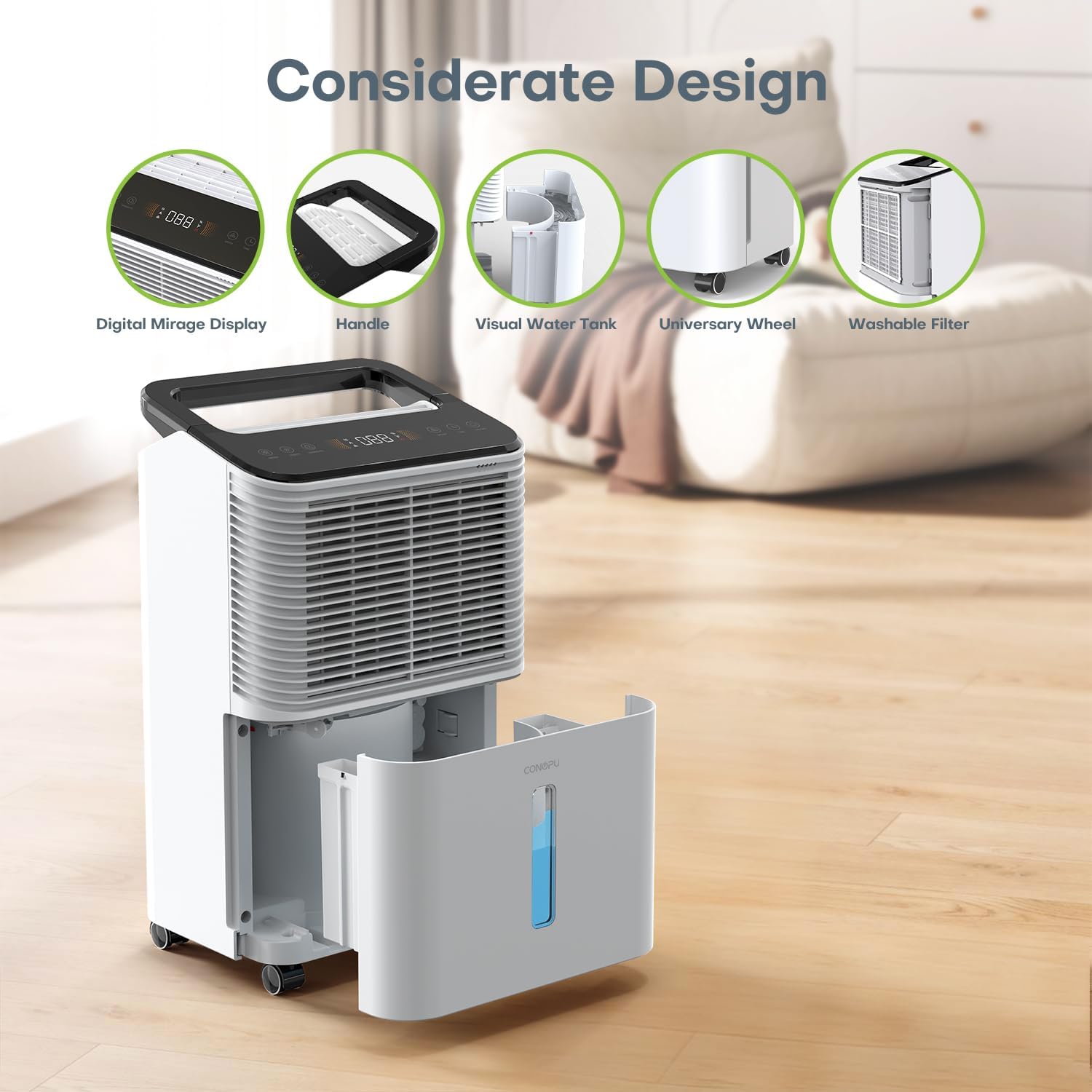
Figure 2: Detailed view of the dehumidifier's thoughtful design, highlighting the digital display, handle, visual water tank, universal wheels, and washable filter.
Setup
Unpacking:
- Carefully remove the dehumidifier from its packaging.
- Remove all packing materials and protective films.
- Inspect the unit for any damage. If damaged, do not operate and contact customer support.
Placement:
- Place the dehumidifier in the desired location, ensuring it is on a firm, level surface.
- Ensure adequate space around the unit for proper air circulation (at least 20 cm from walls or furniture).
- For optimal performance, place the unit in the center of the room or area requiring dehumidification.
Power Connection:
- Plug the power cord into a grounded electrical outlet.
- Ensure the voltage matches the specifications listed on the unit's rating label.

Figure 3: The dehumidifier showcasing its Auto mode, Continuous mode, and 16L/day dehumidification capacity, indicating its readiness for operation.
Operating Instructions
Control Panel:
The control panel is located on the top of the unit and features a digital display and various touch buttons for operation.
Power On/Off:
- Press the Power button to turn the unit on or off.
Mode Selection:
Press the Mode button to cycle through available modes:
- AUTO Mode: The unit automatically maintains the preset humidity level.
- Continuous Mode: The unit runs continuously, ideal for very damp conditions.
- Laundry Mode (Drying Clothes): Designed to assist in drying clothes indoors by continuously running the dehumidifier.

Figure 4: The dehumidifier operating in Laundry Mode, positioned near a washing machine and dryer, demonstrating its use for drying clothes indoors.
Humidity Setting:
- In AUTO mode, press the Humidity Set button to adjust the desired humidity level (typically between 40% and 70%).
- The unit will operate to reach and maintain this target humidity.

Figure 5: The dehumidifier displaying its 24-hour timer and humidity setting capabilities, offering energy-saving options for users.
24-Hour Timer:
- Press the Timer button to set a delayed start or stop time (from 1 to 24 hours).
- Use the Up/Down buttons to adjust the desired time.
Night Mode (Sleep Mode):
- Press the Sleep button to activate Night Mode.
- In this mode, the unit operates at a reduced noise level (approximately 30 dB), and control panel lights (except the Night Mode indicator) are dimmed for undisturbed sleep.
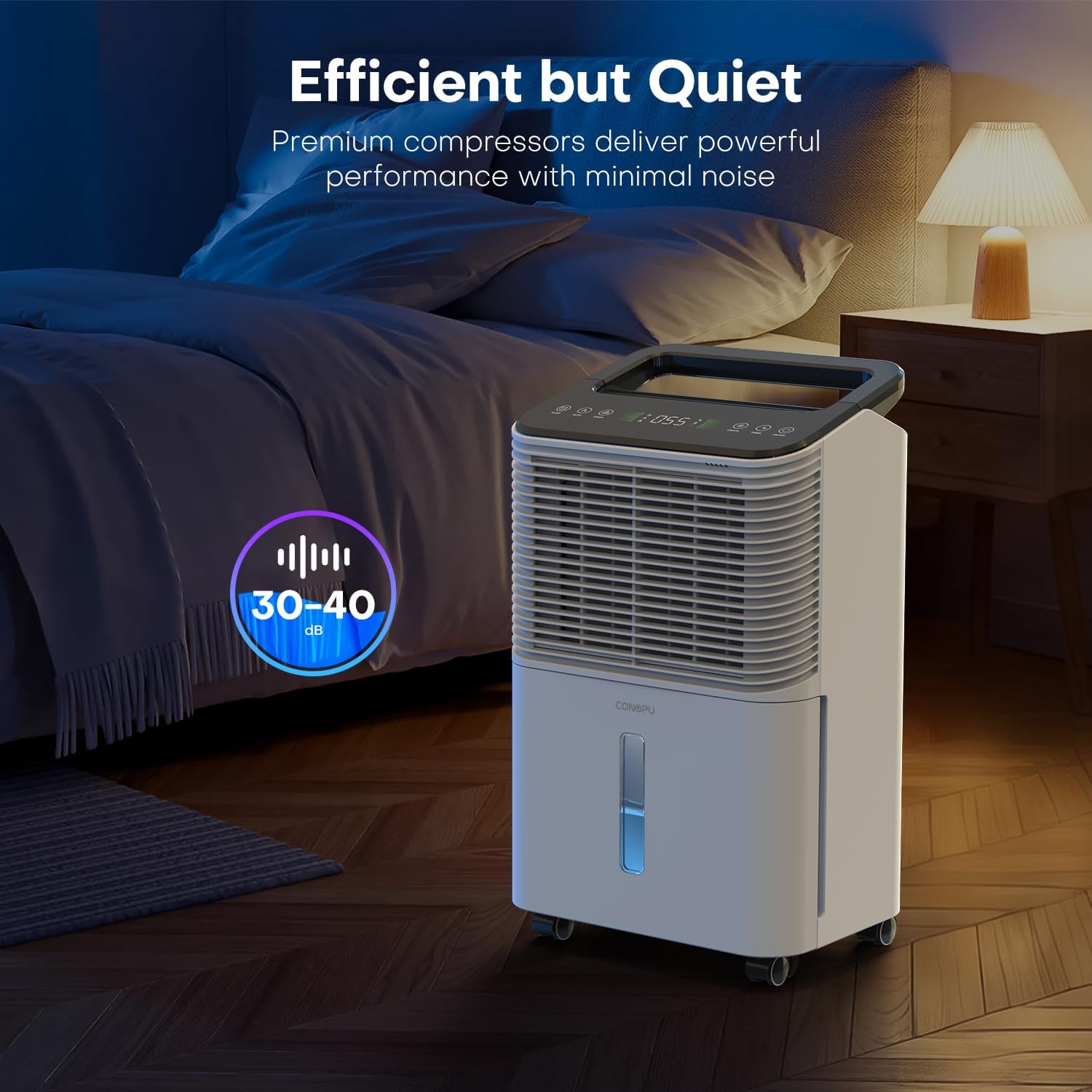
Figure 6: The dehumidifier operating in a bedroom setting, illustrating its quiet performance with a noise level of 30-40 dB, suitable for night use.
Humidity Indicator Light:
- The integrated light ring changes color to indicate the current humidity level:
- Blue: Humidity below 40%
- Green: Humidity between 40% and 65%
- Red: Humidity above 65%
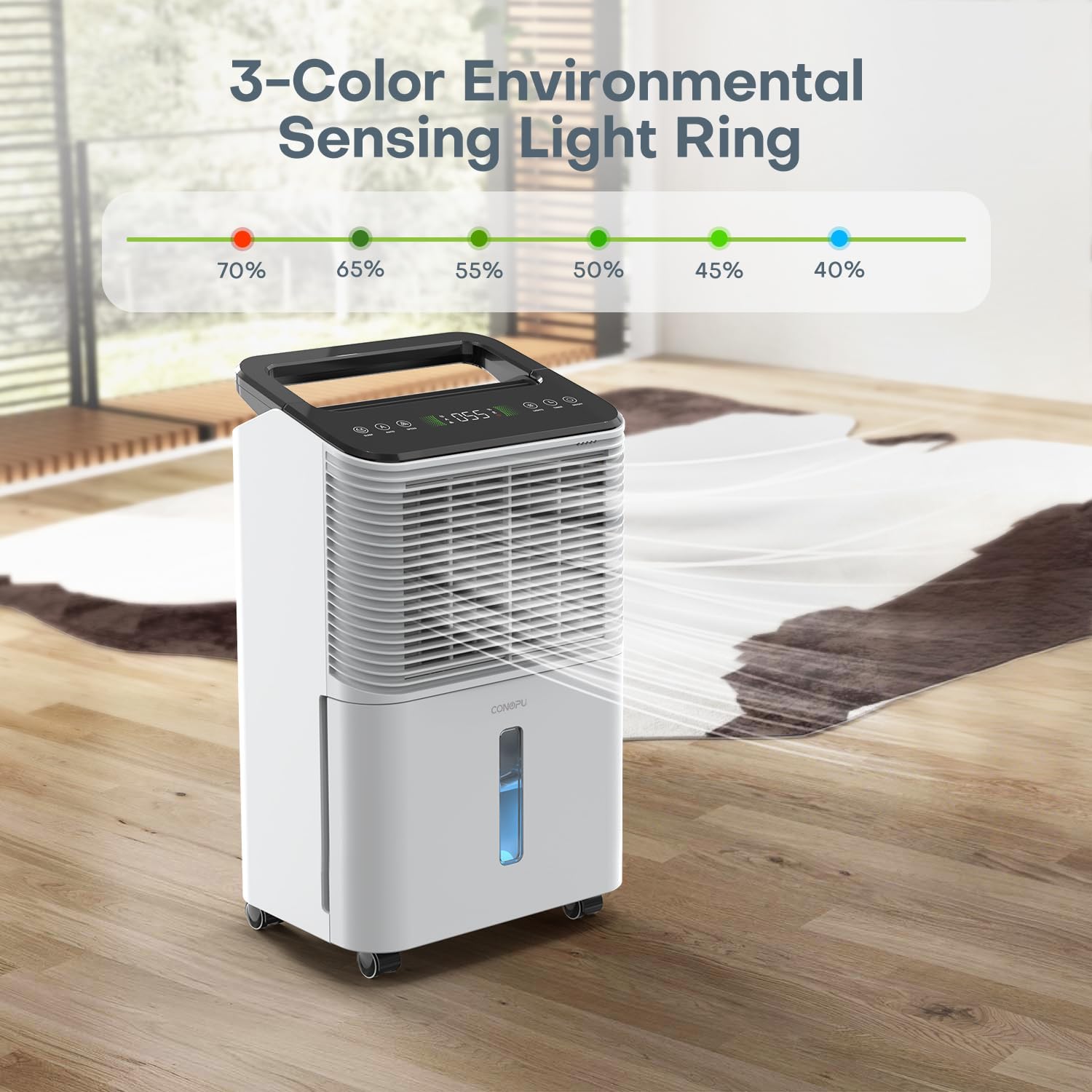
Figure 7: The dehumidifier displaying its 3-color environmental sensing light ring, which visually indicates the ambient humidity level.
Maintenance
Emptying the Water Tank (Manual Drainage):
- When the water tank is full, the unit will automatically shut off and an indicator light will illuminate.
- Carefully pull out the water tank from the front of the unit.
- Empty the collected water.
- Slide the water tank back into place until it clicks securely. The unit will resume operation.
Continuous Drainage Setup:
For continuous operation without needing to empty the tank, use the continuous drainage option.
- Locate the drainage outlet on the back of the unit.
- Connect the provided drainage hose (0.5m/1m) to the outlet.
- Ensure the hose is directed downwards to a suitable drain or container, allowing gravity to facilitate water flow.
- Ensure there are no kinks or blockages in the hose.

Figure 8: The dehumidifier illustrating its two drainage methods: manual emptying of the 2.5L water tank and continuous drainage via an included hose.
Cleaning the Air Filter:
- The air filter should be cleaned every two weeks or more frequently depending on usage and air quality.
- Unplug the unit.
- Remove the air filter from the back or side of the unit (refer to the diagram in the Product Overview section).
- Wash the filter with clean water and a mild detergent.
- Rinse thoroughly and allow it to air dry completely before reinserting.
Storage:
- If storing the unit for an extended period, ensure the water tank is empty and clean.
- Clean the air filter.
- Store the unit in a cool, dry place, away from direct sunlight and extreme temperatures.
Troubleshooting
| Problem | Possible Cause | Solution |
|---|---|---|
| Unit does not turn on | No power supply; Power cord not plugged in; Water tank full or not properly seated. | Check power connection; Empty and re-seat water tank. |
| No dehumidification | Air filter clogged; Room temperature too low; Humidity setting too high. | Clean air filter; Ensure room temperature is above 5°C; Lower desired humidity setting. |
| Unit is noisy | Unit not on a level surface; Air filter clogged; Obstruction in fan. | Place on a level surface; Clean air filter; Check for obstructions. |
| Water leaks | Water tank not properly seated; Continuous drainage hose loose or kinked. | Re-seat water tank; Check hose connection and ensure it's not kinked. |
| Humidity indicator light is red | High humidity level (>65%). | This is normal operation, indicating high humidity. The unit is working to reduce it. |
If the problem persists after attempting these solutions, please contact customer support.

Figure 9: The dehumidifier depicted in a room, illustrating how it addresses common humidity-related issues such as moisture stains on walls, respiratory allergy flare-ups, warped furniture, mold growth in closets, and unpleasant, stuffy air.
Specifications
| Feature | Specification |
|---|---|
| Brand | CONOPUPlus |
| Model Number | DH-CS10 |
| Dehumidification Capacity | 16 Liters/day |
| Water Tank Volume | 2.5 Liters |
| Power | 270 Watts |
| Dimensions (L x W x H) | 22 x 30 x 48 cm (8.66 x 11.81 x 18.9 inches) |
| Item Weight | 12.19 kg (26.87 lbs) |
| Material | Plastic |
| Color | White |
| Operating Mode | Automatic |
| Coverage Area | Up to 60 m² (645 sq ft) |
Warranty and Support
This CONOPUPlus product comes with a standard manufacturer's warranty. For specific warranty details, please refer to the warranty card included with your purchase or contact CONOPUPlus customer support.
For technical assistance, troubleshooting not covered in this manual, or to inquire about replacement parts, please contact CONOPUPlus customer service through the retailer where the product was purchased or via the official CONOPUPlus website.