
1. Introduction
Thank you for choosing the CONOPUPlus DH-CS11 Dehumidifier. This high-efficiency dehumidifier is designed to effectively reduce humidity in your home, creating a more comfortable and healthier environment. Featuring quad-core semiconductor technology, a real-time humidity display, auto defrost, and a timer function, it is suitable for rooms up to 30m².
This manual provides essential information for the safe and efficient operation of your dehumidifier. Please read it thoroughly before first use and keep it for future reference.

Figure 1: Front view of the CONOPUPlus DH-CS11 Dehumidifier.
2. Safety Instructions
To prevent injury to the user or others and property damage, the following instructions must be followed. Failure to observe instructions may cause harm due to incorrect operation.
- Read all instructions carefully before operating the appliance.
- This appliance is for indoor use only. Do not use outdoors.
- Always plug the unit into a grounded electrical outlet of the correct voltage (refer to specifications).
- Do not operate the dehumidifier if the power cord or plug is damaged. Contact customer support for repair.
- Keep the appliance away from heat sources, direct sunlight, and flammable materials.
- Ensure the air inlet and outlet are not blocked. Maintain at least 20 cm (8 inches) clearance from walls or other objects.
- Do not immerse the unit, power cord, or plug in water or other liquids.
- Always unplug the dehumidifier before cleaning, moving, or performing any maintenance.
- Do not allow children to play with the appliance. Supervise children when the unit is in use.
- Empty the water tank regularly to prevent overflow.
- Do not place heavy objects on top of the unit.
3. Product Components
Familiarize yourself with the main parts of your dehumidifier:
- Control Panel: Located on the top, with LED display and touch buttons for various functions.
- Air Outlet: Top grille for dehumidified air release.
- Air Inlet: Rear and side grilles for air intake.
- Water Tank: Removable tank at the bottom for collecting condensed water.
- Handle: Integrated handle for easy portability.
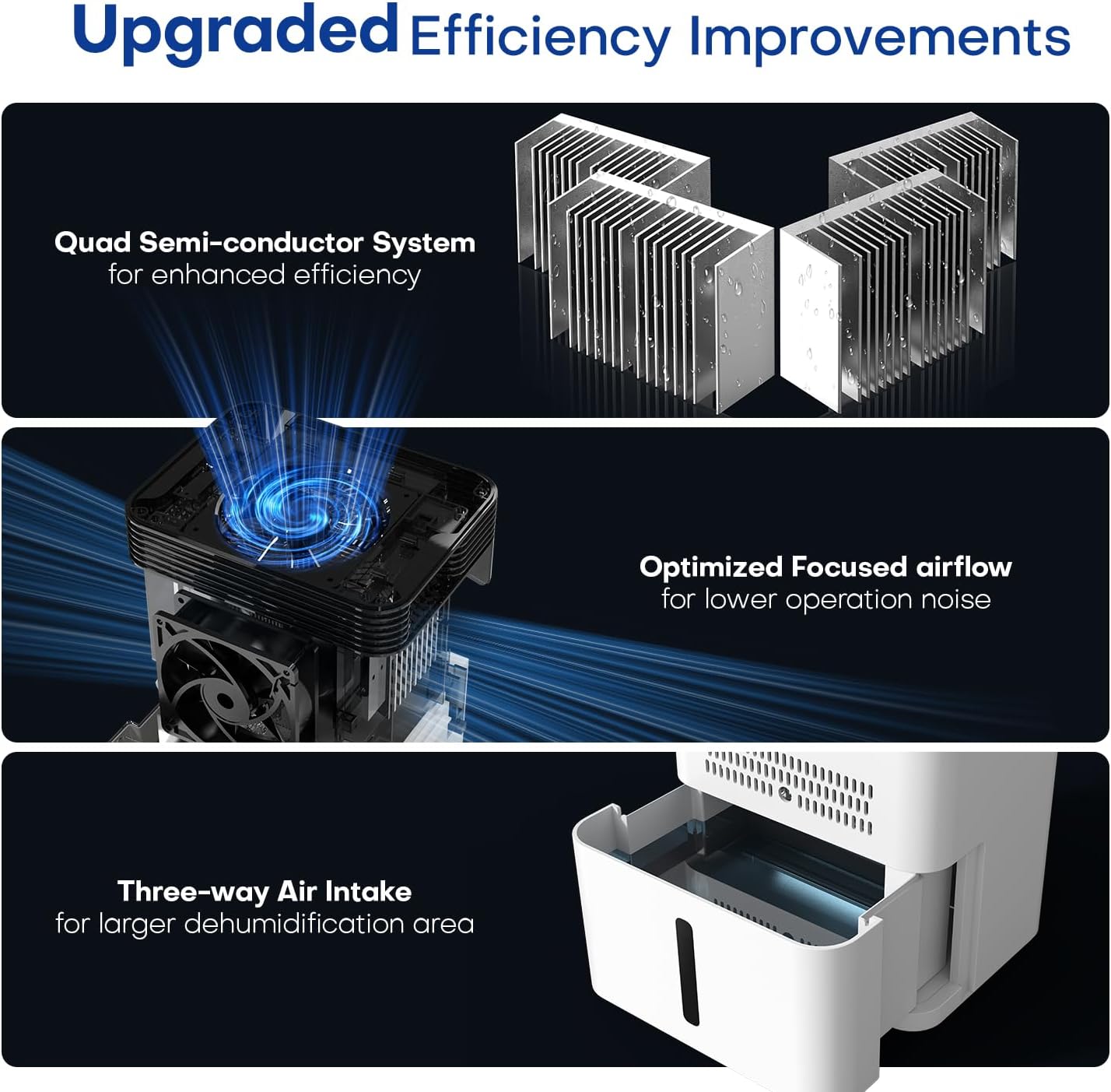
Figure 2: Illustration of the dehumidifier's internal structure and air intake.

Figure 3: Detailed view of the control panel and LED display.
4. Setup
Follow these steps for initial setup:
- Unpack: Carefully remove the dehumidifier from its packaging. Retain packaging for future storage or transport.
- Placement: Place the unit upright on a firm, level surface in the room where dehumidification is desired. Ensure there is at least 20 cm (8 inches) of free space around the unit for proper airflow. Do not place it in a closet or other confined space.
- Power Connection: Plug the power cord into a suitable grounded electrical outlet.
- Initial Operation: The unit is now ready for operation.
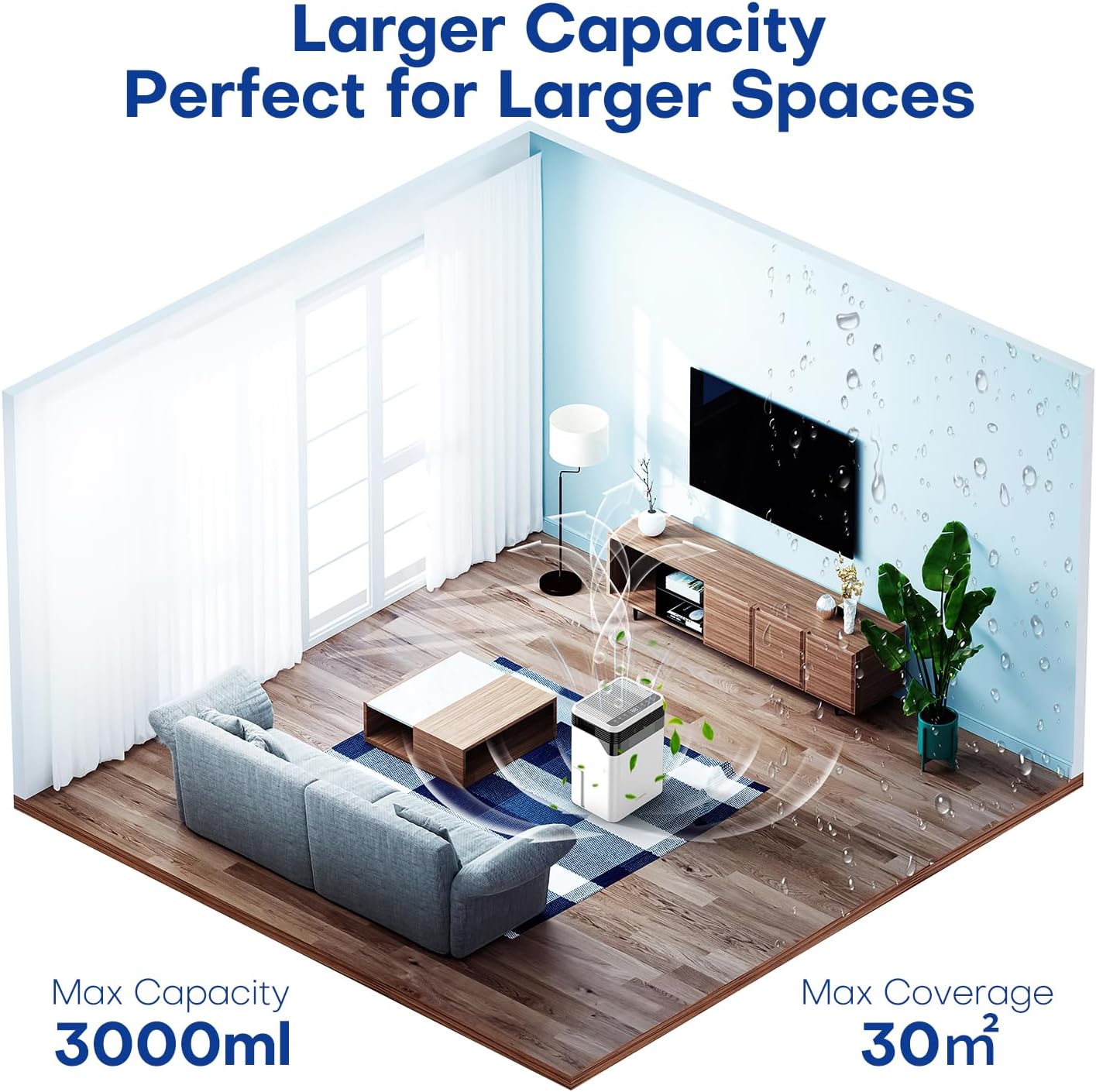
Figure 4: Recommended placement of the dehumidifier in a room.
5. Operating Instructions
The CONOPUPlus DH-CS11 Dehumidifier offers various modes and settings for optimal humidity control.
Control Panel Functions:
- ON/OFF Button: Press to turn the unit on or off.
- AUTO Mode Button: Activates automatic dehumidification. The unit will adjust operation based on the set target humidity (40%, 50%, 60%, 70%). The LED display shows real-time humidity.
- SPEED Button: Toggles between two wind speed modes:
L1 (Low Speed): Quiet operation, suitable for prolonged use in bedrooms or studies.
L2 (High Speed): Powerful dehumidification for faster results in damp areas like bathrooms. - SLEEP Mode Button: Activates sleep mode. All indicator lights will turn off, and the unit will operate at its lowest noise level (approx. 33dB) for undisturbed sleep.
- TIMER Button: Sets the operating time (e.g., 6, 12, 18, 24 hours). The unit will automatically turn off after the set time.
- LIGHTS Button: Controls the illumination of the LED display and indicator lights.
Automatic Defrost Function:
The dehumidifier is equipped with an automatic defrost function. At low ambient temperatures, frost may form on the internal components. The unit will automatically activate defrost mode to melt the frost, indicated by a viewing window. Once defrosting is complete, the dehumidification process will resume automatically.

Figure 5: The dehumidifier's quiet operation in sleep mode.
6. Maintenance
Regular maintenance ensures the longevity and efficient operation of your dehumidifier.
Emptying the Water Tank:
When the water tank is full, the unit will automatically stop operating and an indicator light may illuminate. To empty:
- Gently pull out the water tank from the side of the unit.
- Carefully carry the tank to a sink or drain.
- Pour out the collected water.
- Slide the empty water tank back into the unit until it clicks into place. Ensure it is properly seated for the unit to resume operation.
Cleaning the Unit:
- Always unplug the unit before cleaning.
- Wipe the exterior of the dehumidifier with a soft, damp cloth. Do not use abrasive cleaners or solvents.
- Clean the air inlet and outlet grilles regularly with a soft brush or vacuum cleaner to prevent dust buildup.
- The water tank should be cleaned periodically with mild soap and water to prevent mold or mildew growth. Rinse thoroughly and dry before reinserting.

Figure 6: Features highlighting ease of maintenance and design.
7. Troubleshooting
If you encounter issues with your dehumidifier, please refer to the following common problems and solutions:
| Problem | Possible Cause | Solution |
|---|---|---|
| Unit does not turn on. | No power supply. Water tank is full or not properly inserted. | Check if the power cord is securely plugged into a working outlet. Empty the water tank and ensure it is correctly reinserted. |
| Unit is running but not collecting water. | Room humidity is already low. Temperature is too low. Air inlets/outlets are blocked. | Check the current humidity level on the display. The unit will stop if humidity is below target. The unit may not operate efficiently below 5°C (41°F). Ensure no obstructions are blocking airflow. |
| Unit is noisy. | Unit is not on a level surface. Internal components vibrating. | Place the unit on a flat, stable surface. This is usually normal operation noise. If excessive, contact support. |
| Frost appears on internal coils. | Low ambient temperature. | This is normal. The auto defrost function will activate to clear the frost. |
If the problem persists after trying these solutions, please contact customer support.
8. Specifications
| Feature | Specification |
|---|---|
| Model Number | DH-CS11 |
| Dehumidification Capacity | Up to 1700 ml/day |
| Water Tank Capacity | 3000 ml (3L) |
| Recommended Room Size | Up to 30m² |
| Noise Level | Approx. 33dB (in Sleep Mode) |
| Dimensions (D x W x H) | 8.66 x 10.63 x 13.78 inches |
| Item Weight | 9.5 pounds |
| Color | White |
9. Warranty and Support
Your CONOPUPlus DH-CS11 Dehumidifier comes with a standard manufacturer's warranty. Please refer to the warranty card included with your purchase for specific terms and conditions.
For technical support, troubleshooting assistance, or warranty claims, please contact CONOPUPlus customer service through the retailer where the product was purchased or visit the official CONOPUPlus website for contact information.