Introduction
This manual provides essential instructions for the installation, operation, maintenance, and troubleshooting of your new Generic laptop keyboard. This keyboard is designed as a replacement part for various CLEVO laptop models, specifically the NJ50AU, NJ50CU, NJ50GU, NJ50LU, NJ50MU, NJ50PU, and NJ50ZU series, featuring a German (GR) layout.
Please read this manual thoroughly before attempting any installation or use to ensure proper function and to avoid potential damage to your device.
Product Overview
This replacement laptop keyboard is a component designed to restore or upgrade the input functionality of compatible CLEVO laptops. It features a German (GR) key layout and is supplied without a frame, requiring the use of the original laptop frame during installation.
- Item Type: Laptop Replacement Part
- Compatibility: CLEVO NJ50AU, NJ50CU, NJ50GU, NJ50LU, NJ50MU, NJ50PU, NJ50ZU series
- Layout: German (GR)
- Frame: No Frame (requires original laptop frame)
Setup and Installation
Replacing a laptop keyboard requires careful handling and basic technical knowledge. If you are not comfortable performing this procedure, it is recommended to seek assistance from a qualified technician.
- Preparation: Power off your laptop completely and disconnect it from the power adapter. Remove the battery if it is external.
- Disassembly: Carefully follow your laptop's specific service manual or online guides to remove the existing keyboard. This typically involves removing screws from the bottom of the laptop, detaching the keyboard bezel, and then releasing the keyboard itself.
- Disconnect Old Keyboard: Gently disconnect the ribbon cable(s) of the old keyboard from the motherboard connector. Be cautious not to damage the connector or the cable.
- Install New Keyboard: Align the new keyboard into the designated slot. Connect the ribbon cable(s) securely to the motherboard connector. Ensure the cable is fully inserted and the locking mechanism (if present) is engaged.
- Reassembly: Reattach the keyboard bezel and secure any screws that were removed during disassembly. Reinstall the battery and reconnect the power adapter.
- Testing: Power on the laptop and test all keys to ensure they are functioning correctly.
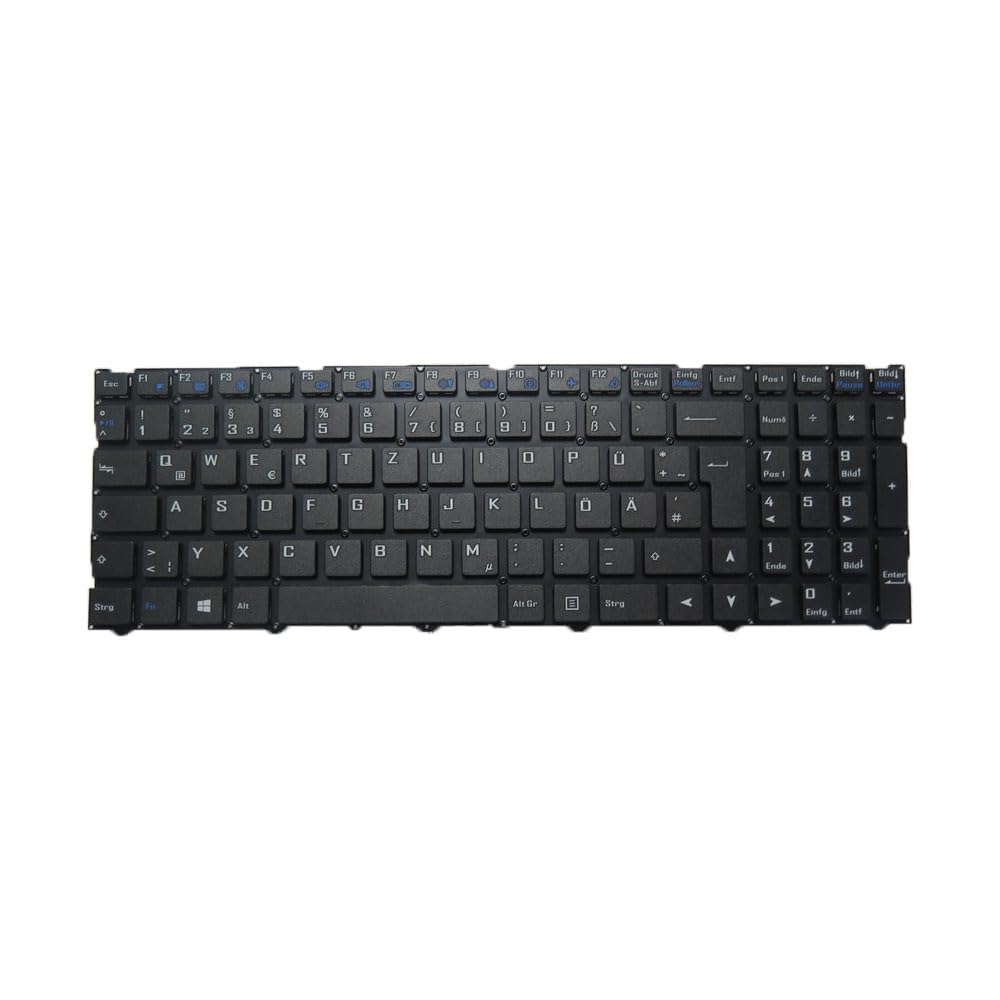
Image showing the underside of the laptop keyboard, highlighting the ribbon cable connector and mounting points. This view is crucial for proper installation and connection to the laptop's motherboard.
Operating Instructions
Once installed, the keyboard operates as a standard input device for your laptop. The German (GR) layout includes specific characters and key placements unique to the German language. Familiarize yourself with the layout for efficient typing.
- Standard Typing: Use the keys for alphanumeric input, symbols, and functions as you would with any standard keyboard.
- Function Keys (Fn): Many laptops utilize a 'Fn' key in combination with the F1-F12 keys for special functions such as brightness control, volume adjustment, Wi-Fi toggle, etc. Refer to your laptop's user manual for specific Fn key combinations.
- Language Settings: Ensure your operating system's language settings are configured for 'German' to match the physical keyboard layout.
Maintenance
Proper maintenance can extend the lifespan of your keyboard and ensure optimal performance.
- Cleaning: Regularly clean the keyboard surface with a soft, lint-free cloth. For dust and debris between keys, use compressed air. Avoid spraying liquids directly onto the keyboard.
- Spills: In case of a liquid spill, immediately power off the laptop, disconnect it from power, and remove the battery. Turn the laptop upside down to drain the liquid. Do not attempt to use the laptop until it is completely dry, which may take several days. Professional inspection is recommended after a significant spill.
- Protection: Consider using a keyboard protector to prevent dust and spills, especially in environments prone to them.
Troubleshooting
If you encounter issues with your keyboard, try the following troubleshooting steps:
- Keys Not Responding:
- Ensure the keyboard ribbon cable is securely connected to the motherboard.
- Restart your laptop.
- Check for any software conflicts or outdated drivers in your operating system's Device Manager.
- Incorrect Characters:
- Verify that your operating system's keyboard language setting is set to 'German'.
- Ensure no accessibility features (e.g., Sticky Keys, Filter Keys) are inadvertently enabled.
- Keyboard Not Detected:
- Power cycle your laptop (shut down, remove battery/power, hold power button for 15 seconds, then restart).
- Re-check the ribbon cable connection. A loose connection is a common cause.
- Consider updating your laptop's BIOS/UEFI firmware, if available from the manufacturer.
If problems persist after these steps, professional diagnosis may be required.
Specifications
| Feature | Detail |
|---|---|
| Product Dimensions | 16.93 x 7.09 x 2.76 inches |
| Item Weight | 1.76 pounds |
| Manufacturer | Generic |
| ASIN | B0DZ234MS5 |
| Item Model Number | NJ50AU NJ50CU German GR |
| Date First Available | March 3, 2025 |
Warranty Information
This product comes with a 90-day warranty from the date of purchase. This warranty covers manufacturing defects. It does not cover damage resulting from improper installation, misuse, accidents, or unauthorized modifications. Please retain your proof of purchase for warranty claims.
Support
For further assistance, technical support, or warranty inquiries, please contact the seller directly through the platform where the purchase was made. It is advisable to check your registered email after payment for any specific instructions or contact details provided by the seller.