1. Introduction
Thank you for choosing the Coowisty CW1 Slim 10000mAh Portable Charger. This device is designed to provide convenient and reliable power for your mobile devices on the go. Featuring built-in cables and multiple output options, it ensures you stay connected wherever you are. Please read this manual carefully before use to ensure optimal performance and safety.
2. Product Features
- Slim and Portable Design: Measuring 5.7 x 2.7 x 0.73 inches and weighing only 9.17 ounces, this power bank is lightweight and easy to carry.
- Built-in 4 Cables: Includes integrated USB-C, USB-A, Micro USB, and Lightning cables, eliminating the need for extra charging cords.
- Multiple Outputs: Equipped with 5 output ports (built-in USB-A, Micro USB, USB-C, Lightning cables, and an additional USB-A port) to charge up to 5 devices simultaneously.
- Dual Input Options: Recharge the power bank via the built-in USB-A cable (10W max input) or the bidirectional USB-C port (12W max input/output).
- LED Digital Display: Provides real-time battery percentage, so you always know the remaining power.
- Micro USB Lanyard Design: The Micro USB cable doubles as a convenient lanyard for easy carrying.
- Universal Compatibility: Compatible with a wide range of devices including iPhones, Android phones, tablets, and earbuds.
- 5-Layer Safety Protection: Built-in smart chip protects against overcharge, overvoltage, overcurrent, short circuits, and overheating.
3. Setup
3.1 Initial Charging of the Power Bank
Before first use, fully charge your Coowisty CW1 power bank. This ensures optimal battery performance.
- Using Built-in USB-A Cable: Pull out the built-in USB-A cable and plug it into a compatible USB wall adapter (not included).
- Using USB-C Port: Alternatively, connect a USB-C cable (not included) to the power bank's USB-C input port and a compatible USB-C wall adapter.
- The LED digital display will show the charging progress. The power bank is fully charged when the display shows 100%.

Figure 1: Two methods for recharging the Coowisty CW1 power bank.
4. Operating Instructions
4.1 Charging Your Devices
The Coowisty CW1 offers multiple ways to charge your devices:
- Using Built-in Cables: Gently pull out the appropriate built-in cable (USB-C, USB-A, Micro USB, or Lightning) and connect it directly to your device.
- Using USB-A Output Port: For devices requiring a standard USB-A connection, use your own USB cable and plug it into the dedicated USB-A output port on the power bank.
- Using USB-C Port (Output): The USB-C port is bidirectional. It can be used as an output to charge compatible USB-C devices with your own USB-C cable.
The power bank will automatically begin charging your device. The LED display will show the remaining battery percentage of the power bank.

Figure 2: Overview of built-in cables and ports.
4.2 Simultaneous Charging
The Coowisty CW1 supports charging up to 5 devices simultaneously using its various output options.
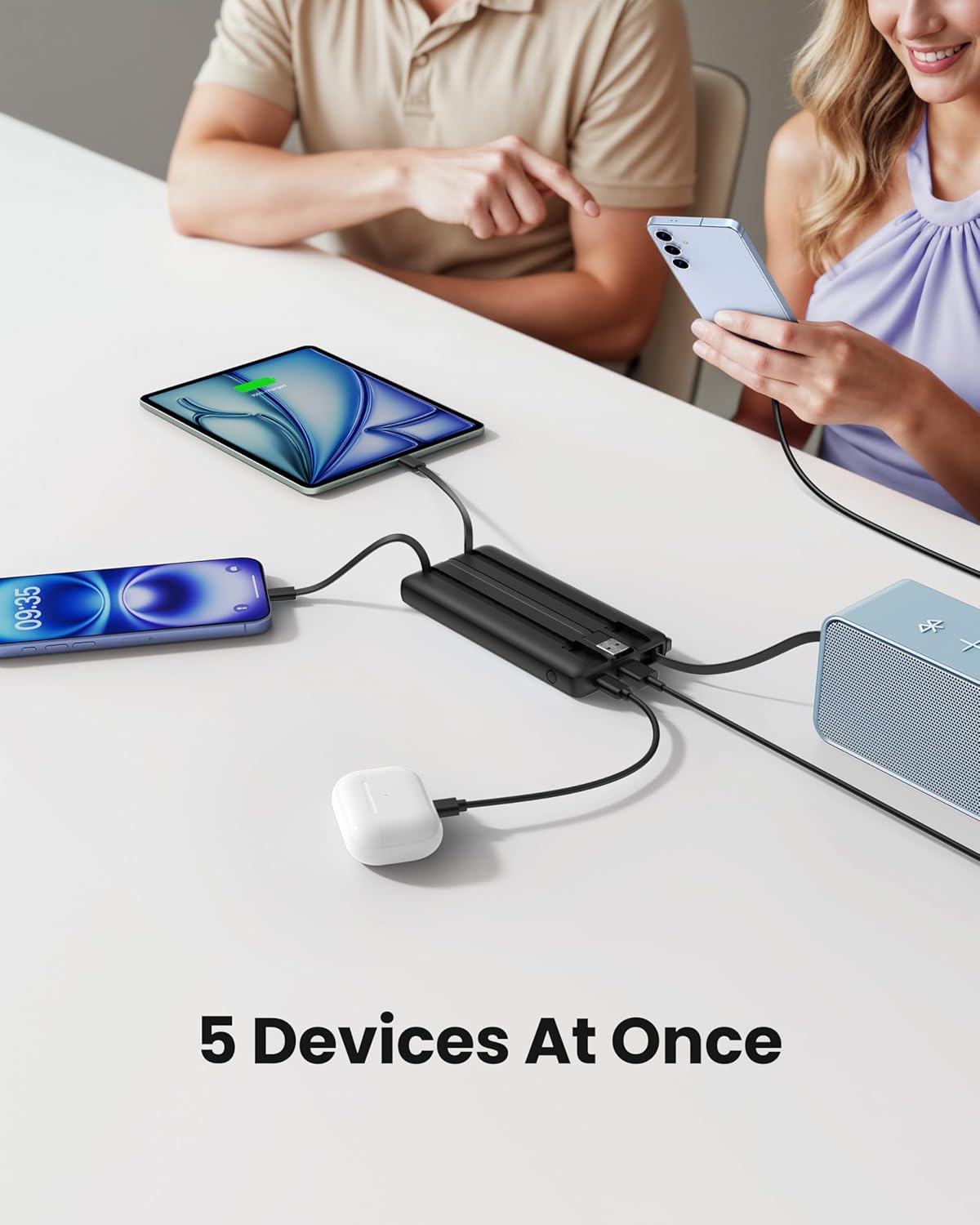
Figure 3: Charging multiple devices at once.
4.3 LED Digital Display
Press the power button on the side of the power bank to activate the LED digital display. It will show the current battery percentage of the power bank, allowing you to monitor its charge level accurately.
4.4 Lanyard Functionality
The built-in Micro USB cable is designed to also function as a convenient lanyard. When not in use for charging, it can be retracted and used to carry the power bank securely.

Figure 4: Strap-Cable Design for easy carrying.
5. Media Resources
5.1 Product Overview Video
Video 1: A brief overview of the Coowisty Slim 10000mAh Portable Charger with Built-in Cables, showcasing its design and key features.
5.2 Detailed Features Video
Video 2: A more in-depth look at the Coowisty Slim 10000mAh Portable Charger, detailing its built-in cables and various functionalities.
6. Specifications
| Feature | Detail |
|---|---|
| Brand | Coowisty |
| Model Number | CW1 |
| Battery Capacity | 10000 Milliamp Hours (37Wh) |
| Battery Type | High Density Lithium Polymer |
| Product Dimensions | 5.7 x 2.57 x 0.72 inches |
| Item Weight | 10.3 ounces |
| Input (USB-A Cable) | 5V-2A (10W max) |
| Input/Output (USB-C Port) | 5V-2.4A (12W max) |
| Output (USB-A Port) | 5V-2.4A (12W max) |
| Output (Micro USB Cable) | 5V-2.4A (12W max) |
| Output (USB-C Cable) | 5V-2.4A (12W max) |
| Output (Lightning Cable) | 5V-2.4A (12W max) |
| Operating Temperature | Input: 0°C - 45°C; Output: -10°C - 60°C |
7. Maintenance
- Store the power bank in a cool, dry place away from direct sunlight and extreme temperatures.
- Avoid dropping or subjecting the power bank to strong impacts.
- Do not disassemble or attempt to repair the device yourself.
- Clean the exterior with a soft, dry cloth. Avoid using harsh chemicals or abrasive materials.
- For prolonged storage, charge the power bank to approximately 50-70% every three months to maintain battery health.
8. Troubleshooting
- Device not charging: Ensure the power bank is charged. Check that the cable is securely connected to both the power bank and your device. Try a different built-in cable or an external cable if available.
- Power bank not recharging: Verify that the charging cable is properly connected to a power source and the power bank's input port. Ensure the wall adapter is functioning correctly.
- Slow charging: Ensure you are using a compatible wall adapter with sufficient power output. Charging multiple devices simultaneously may reduce individual charging speeds.
- LED display not working: Press the power button to activate the display. If it remains off, the power bank might be completely discharged or require service.
9. Warranty and Support
The Coowisty CW1 Portable Charger comes with a user manual and 24/7 friendly customer support to assist with any questions. Please refer to the product packaging or contact Coowisty customer service for specific warranty details and support inquiries.