
LUCORB RC12BR
LUCORB Gym Clock Timer User Manual
Model: RC12BR
Product Overview
The LUCORB Gym Clock Timer is a versatile digital clock designed for various time management needs, including gym workouts, daily routines, and special event countdowns. It features multiple display modes, customizable alarms, and convenient remote control operation.
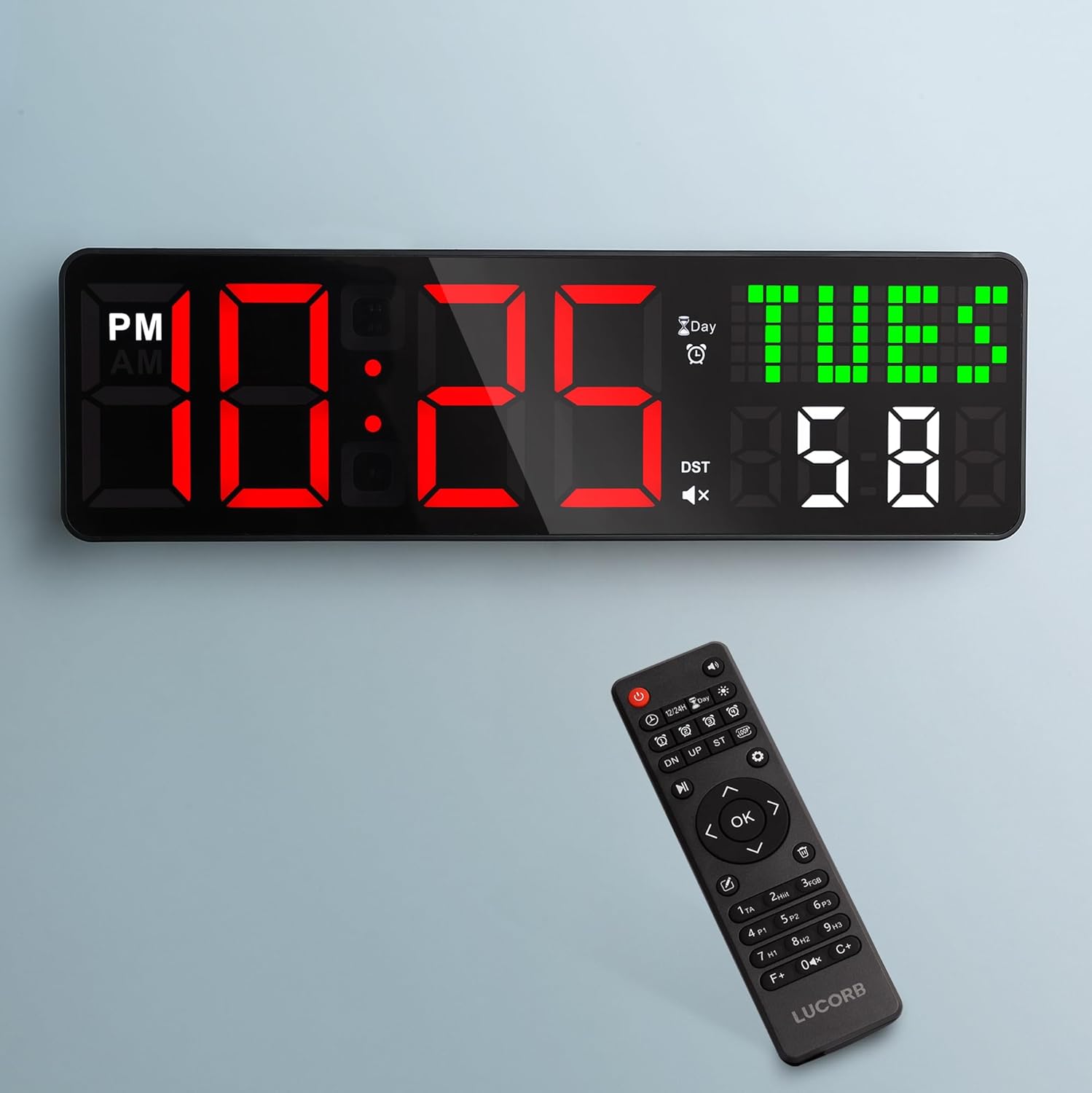
Image: The LUCORB Gym Clock Timer displaying time and day, with its remote control positioned below it. The clock features large, clear LED digits.
Key Features
- All-in-One Digital Gym Clock: Functions as a gym interval timer, countdown timer, stopwatch, 12/24H display, calendar, and alarm clock.
- Customizable Workout Programs: Set separate rounds for each interval with flexible combinations of countdown times and rounds.
- Voice Prompts: Tracks current round and progress in real-time, allowing users to focus on their workout.
- Remote Control: Easily edit workout intervals, manage time, brightness, and alarms without physically interacting with the clock.
- Four Customizable Alarms: Set up to 3 daily alarms and 1 future alarm for appointments or special days.
- 999-Day Countdown Timer: Ideal for tracking significant events like weddings, birthdays, or vacations.
- Auto DST & Auto-Dimming: Automatically adjusts for Daylight Saving Time and ambient light conditions.
- Multiple Time Zones: Supports 6 adjustable time zones with 12/24H format switching.
- Versatile Placement: Can be mounted on a wall or placed on a table.
Setup
Package Contents
Before beginning, ensure all components are present:
- LUCORB Gym Clock Timer
- Remote Control
- USB Power Adapter
- Mounting Hardware (screws, wall anchors)
- User Manual (this document)
Powering On
The LUCORB Gym Clock Timer is USB powered and requires continuous power. It is not battery operated for primary function.
- Connect the USB cable to the clock's power input port.
- Plug the USB power adapter into a standard electrical outlet.
- The clock display will illuminate.
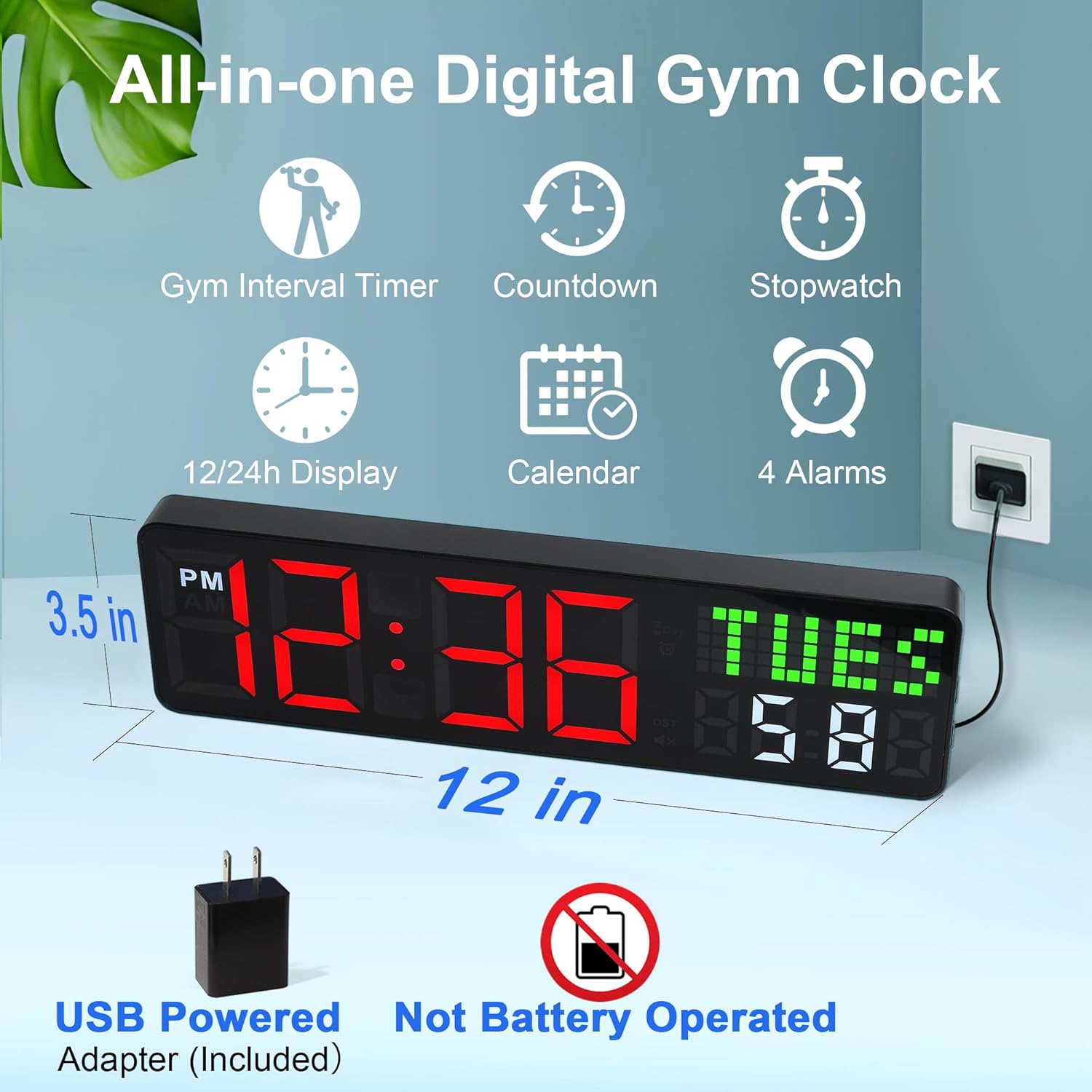
Image: The LUCORB Gym Clock Timer showing its dimensions (12 inches wide, 3.5 inches high) and indicating it is USB powered with an included adapter, and not battery operated.
Placement Options
The clock offers two primary placement methods:
- Wall Mounting: Use the provided mounting hardware to securely attach the clock to a wall. Ensure the power cable can reach an outlet.
- Tabletop Placement: The clock can stand independently on any flat surface.
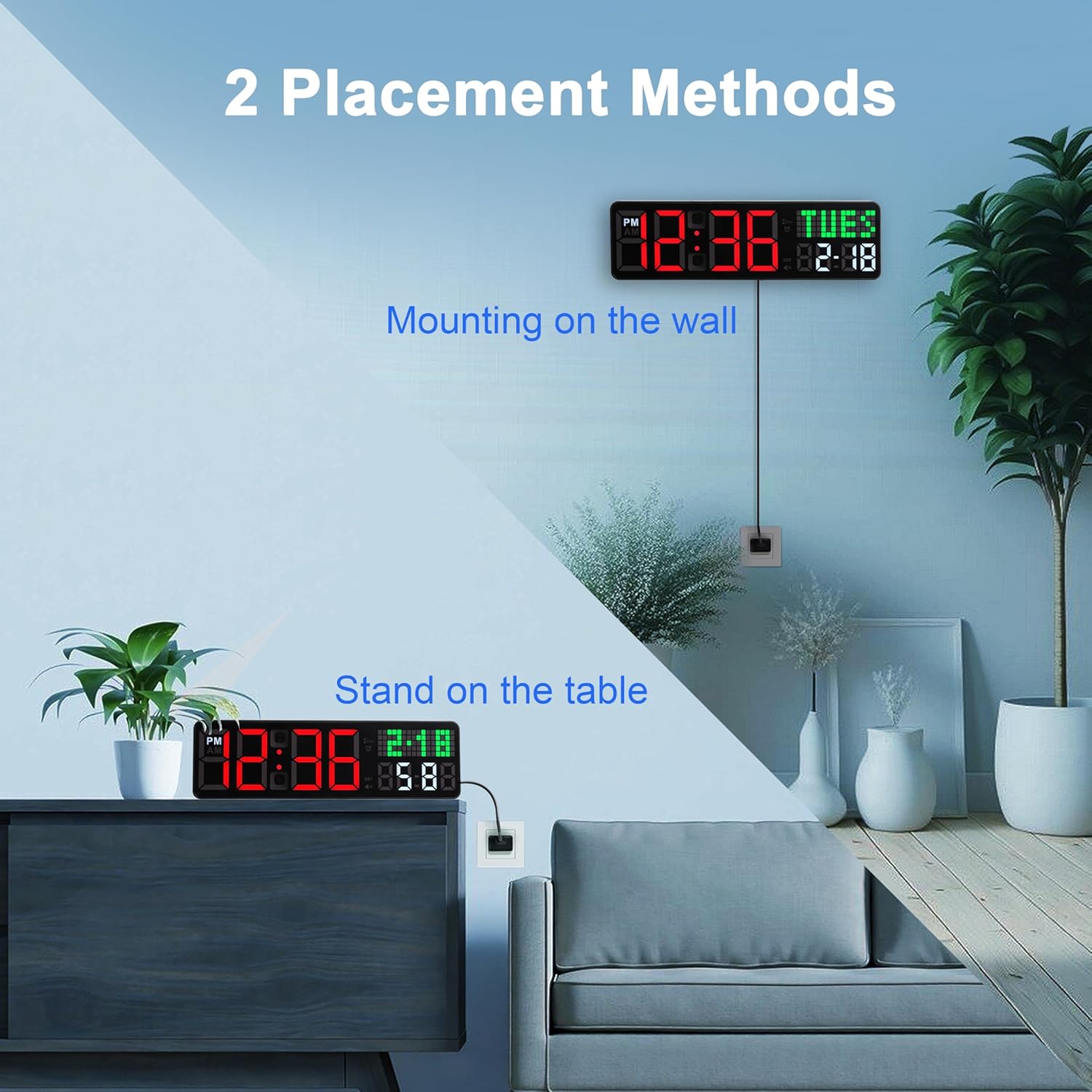
Image: Two placement methods for the LUCORB Gym Clock Timer are shown: mounted on a wall above a sofa, and standing on a table next to a plant.
Operating Instructions
Using the Remote Control
All functions of the LUCORB Gym Clock Timer are controlled via the included remote. Ensure the remote has working batteries.

Image: A hand holding the remote control, pointing it towards the LUCORB Gym Clock Timer mounted on a wall, illustrating the ease of remote operation.
Time and Date Settings
Refer to the remote control's specific buttons for setting time, date, and 12/24-hour format. The clock supports 6 adjustable time zones and automatically adjusts for Daylight Saving Time (DST).
Display Modes
The clock offers 5 display modes, including 4 fixed modes and 1 cycle display mode for timekeeping. Use the remote to cycle through these options.
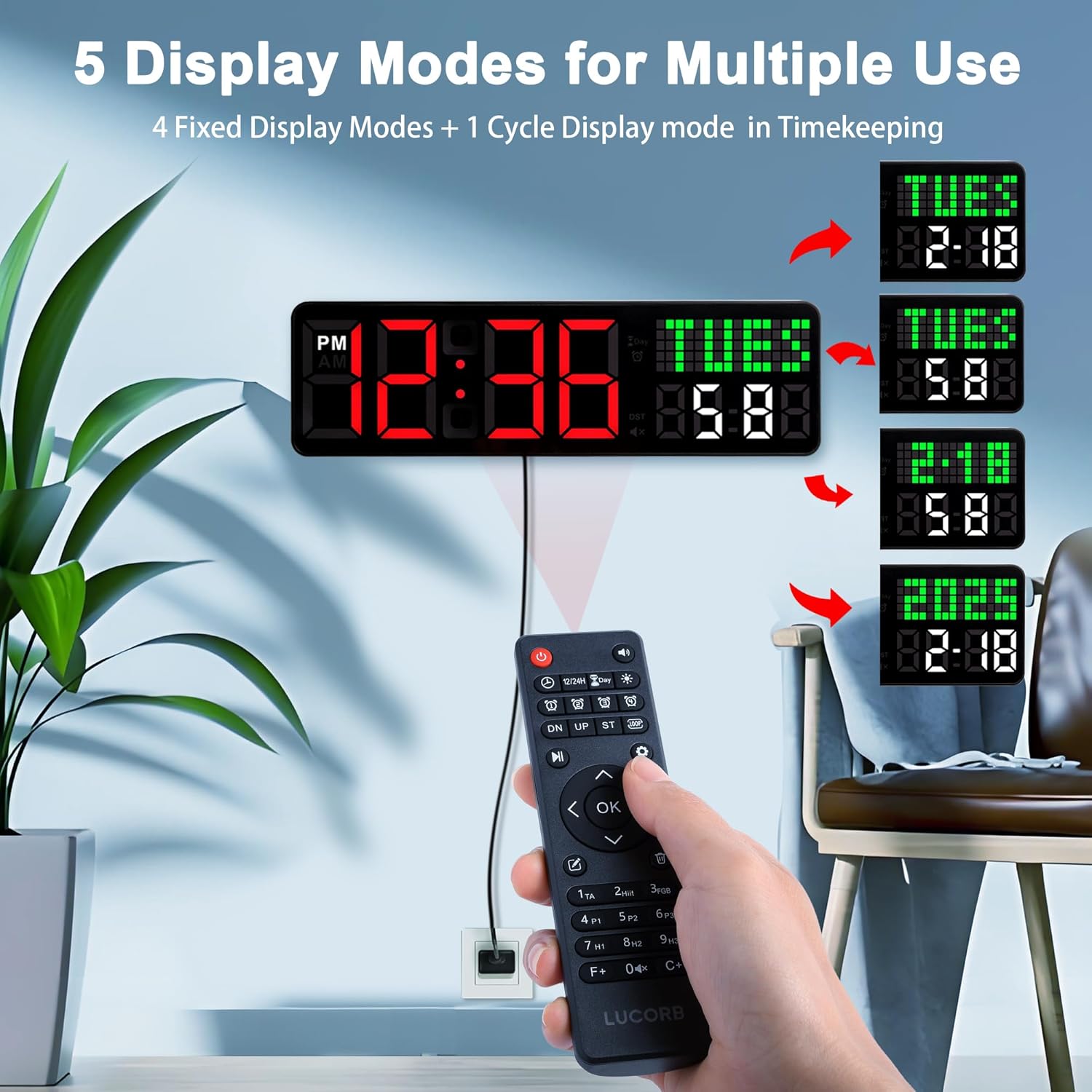
Image: The LUCORB Gym Clock Timer demonstrating its five display modes, including time, day of the week, date, and year, with arrows indicating the cycling options.
Adjusting Brightness
The clock features 9 levels of adjustable brightness and an auto-dimming function to adapt to ambient light conditions.

Image: The LUCORB Gym Clock Timer displaying three different brightness levels, from dim to bright, illustrating its 9-level adjustable brightness feature.
Setting Alarms
The clock supports 4 customizable alarms: 3 daily alarms and 1 future alarm. Use the remote to set alarm times and activate/deactivate them.

Image: The LUCORB Gym Clock Timer displaying alarm settings, with examples of a morning alarm (7:00 AM) and an afternoon alarm (4:30 PM), suitable for different daily routines.
Gym Interval Timer
The gym interval timer allows for setting customized workout programs with separate rounds and flexible combinations of countdown times. The upgraded voice feature provides real-time progress tracking.

Image: A man performing lunges with dumbbells, while the LUCORB Gym Clock Timer in the background displays "15:36 F12 Round 2", indicating its voice prompt feature for workout tracking.
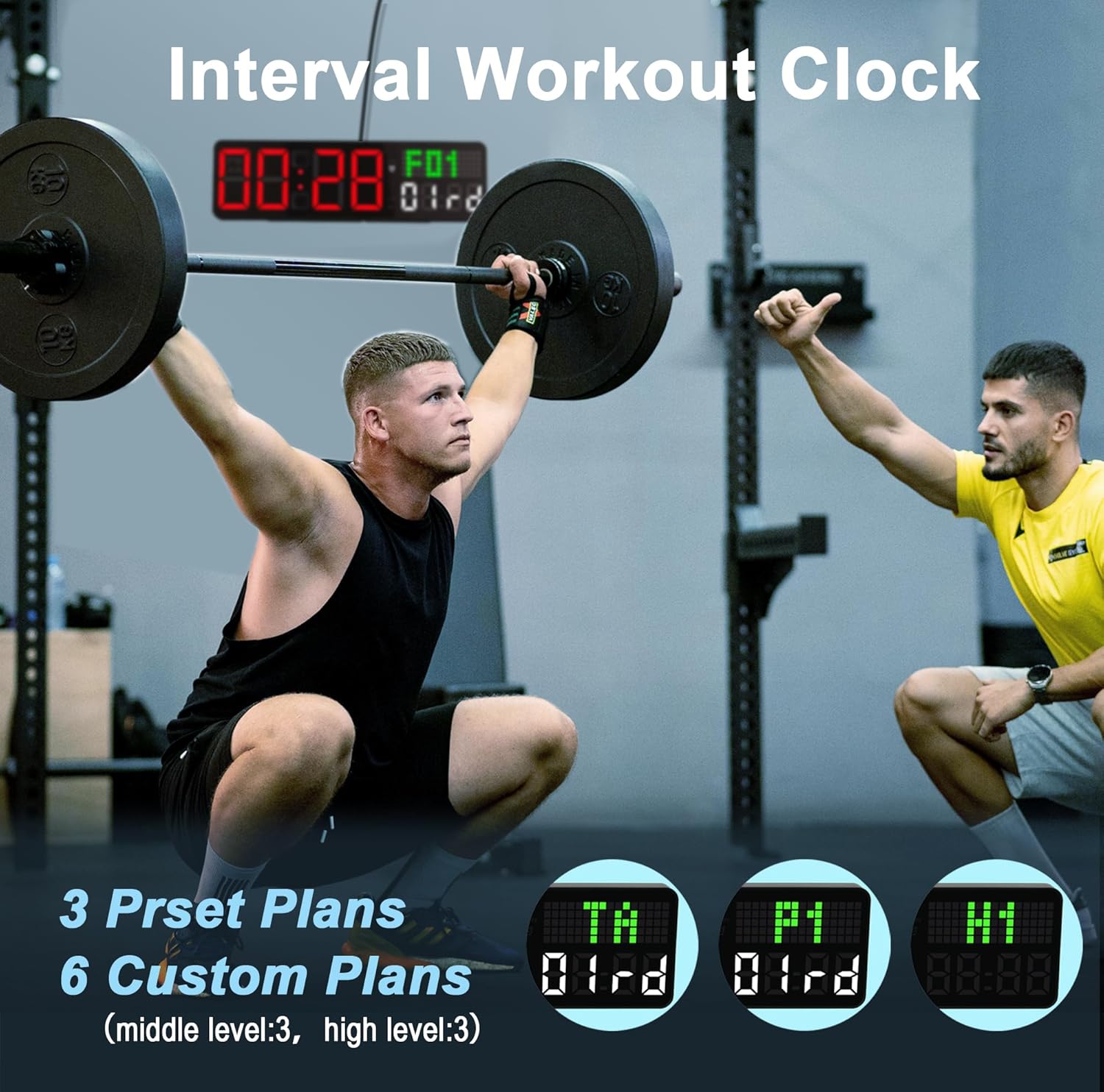
Image: Two men in a gym setting, one lifting weights and the other spotting, with the LUCORB Gym Clock Timer displaying "00:28 F01 01rd", illustrating its interval workout clock functionality with preset and custom plans.
999-Day Countdown Timer
Utilize the 999-day countdown feature to track important future events. Set the target date, and the clock will display the remaining days, hours, minutes, and seconds.

Image: A couple relaxing on a beach, with the LUCORB Gym Clock Timer superimposed, displaying a countdown of "98 DAYS 23 HOURS 59 MINUTES 59 SECONDS" until vacation, highlighting its 999-day countdown feature.
Maintenance
- Cleaning: Wipe the clock's surface with a soft, dry cloth. Avoid using abrasive cleaners or solvents.
- Power Supply: Ensure the clock is connected to a stable power source. Unplug during electrical storms or prolonged periods of non-use.
- Remote Control Battery: Replace the remote control battery when its range or responsiveness decreases. Refer to the remote's battery compartment for the correct battery type.
Troubleshooting
| Problem | Possible Cause | Solution |
|---|---|---|
| Clock display is off. | No power supply. | Check if the USB cable is securely plugged into the clock and the power adapter is connected to a live outlet. |
| Remote control not working. | Dead batteries; Obstruction between remote and clock. | Replace remote control batteries. Ensure no objects are blocking the signal path. |
| Time/settings reset after power outage. | The clock requires continuous power and does not have a backup battery for time retention. | Reset the time and other settings using the remote control once power is restored. |
| Display too dim/bright. | Brightness setting needs adjustment. | Use the brightness control buttons on the remote to adjust to your preferred level. |
Specifications
| Feature | Detail |
|---|---|
| Brand | LUCORB |
| Model Number | RC12BR |
| Colour | Black |
| Product Dimensions | 3.1 x 30.48 x 8.99 cm (1.22 x 12 x 3.54 inches) |
| Item Weight | 286 g (0.63 lbs) |
| Material | Plastic |
| Display Type | LED |
| Special Features | Digital Display, Multiple Time Zone, Timer, Auto Dimmable, Programmable |
| Power Source | USB Powered (Adapter Included) |
| Manufacturer | LUCORB Technology |
Warranty and Support
For warranty information or technical support, please contact LUCORB customer service. Refer to the product packaging or the official LUCORB website for contact details.
Please retain your purchase receipt as proof of purchase for warranty claims.
Related documentsRC12BR

Ask a question about this manual
Ask about setup, troubleshooting, compatibility, parts, safety, or missing instructions. Manuals+ will review the question and use this page’s manual context to help answer it.