1. Product Overview
The Generic BPW1 Fully Automatic Wrist Blood Pressure Watch is a high-precision health smartwatch designed to track your blood pressure, heart rate, SpO2 levels, sleep patterns, and activity in real time. It supports 17 different languages and features advanced cuff-based BP measurement for accurate readings. This user-friendly device is suitable for individuals seeking to monitor their well-being proactively, offering smart alerts, fitness tracking, and seamless lifestyle integration.
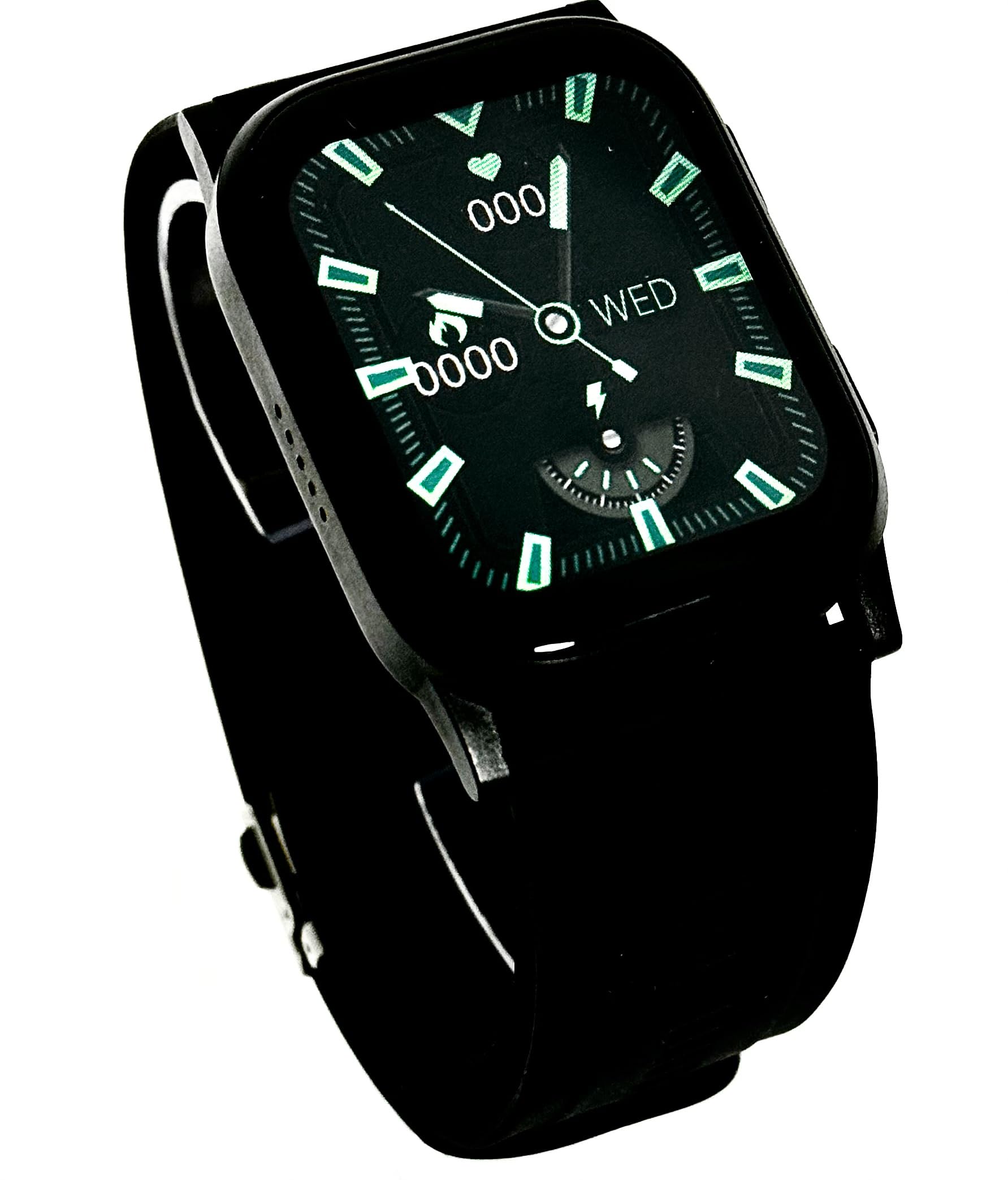
Image 1: The Generic BPW1 Smartwatch displaying real-time blood pressure readings.
Key Features:
- Automatic & Accurate Blood Pressure Monitoring: Equipped with cuff-based technology for real-time, clinical-grade BP readings directly from your wrist.
- Heart Rate & SpO2 Tracking: Monitors heart rate (HR), oxygen saturation (SpO2), and stress levels throughout the day.
- Fitness & Activity Tracking: Includes step counting, calorie tracking, and movement reminders for an active lifestyle.
- Sleep & Wellness Insights: Provides detailed sleep analysis, measuring duration, quality, and recovery patterns.
- Sleek, Comfortable & Easy-to-Use: Features a clear digital display, intuitive controls, and long battery life.
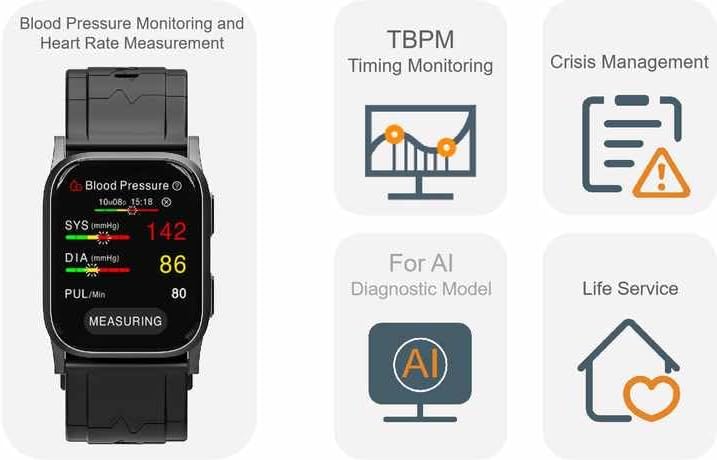
Image 2: Overview of the smartwatch's health monitoring capabilities, including BP, timing monitoring, and AI diagnostic model support.
2. What's in the Box
Your Generic BPW1 Smartwatch package includes the following components:
- Smart Watch (BPW1)
- User Manual
- Magnetic Charger
- Air Bag (for cuff-based measurement)
Video 1: An unboxing and overview of a similar AI Smartwatch, demonstrating included components and initial impressions.
3. Getting Started
3.1 Charging the Device
Before initial use, fully charge your smartwatch. Connect the magnetic charger to the charging points on the back of the watch and plug the USB end into a compatible power source (e.g., computer USB port, USB wall adapter).
3.2 Adjusting the Wristband
The smartwatch features an adjustable wristband to ensure a snug and comfortable fit, which is crucial for accurate blood pressure measurements. Measure your wrist circumference using a soft rule to determine the correct hole number for the watch buckle. Adjust the buckle accordingly to secure the watch firmly on your wrist, approximately 20mm from your wrist bone.
Video 2: Instructions on how to measure your wrist circumference and adjust the watchband for proper fit, essential for accurate blood pressure readings.
3.3 App Installation and Pairing
Download the companion app to unlock the full potential of your smartwatch. Follow the instructions in the included user manual to install the app on your smartphone and pair it with your BPW1 Smartwatch. The app allows for data synchronization, personalized settings, and access to additional features.
Video 3: A demonstration of how to use the smartwatch, including app features and navigation.
4. Operating Your Smartwatch
4.1 Navigating the Interface
The smartwatch features a touch-sensitive screen and physical buttons for navigation. Swipe left/right or up/down to browse through different functions and menus. Press the side buttons to access specific features or return to the home screen.
4.2 Blood Pressure Measurement
For accurate blood pressure readings, ensure the watch is worn correctly on your left wrist, approximately 20mm from the wrist bone, and is snug but not overly tight. Keep your wrist at heart level and remain still and quiet during the measurement process. Loose wearing or incorrect positioning can lead to inaccurate results.

Image 3: The smartwatch screen showing a blood pressure measurement in progress.
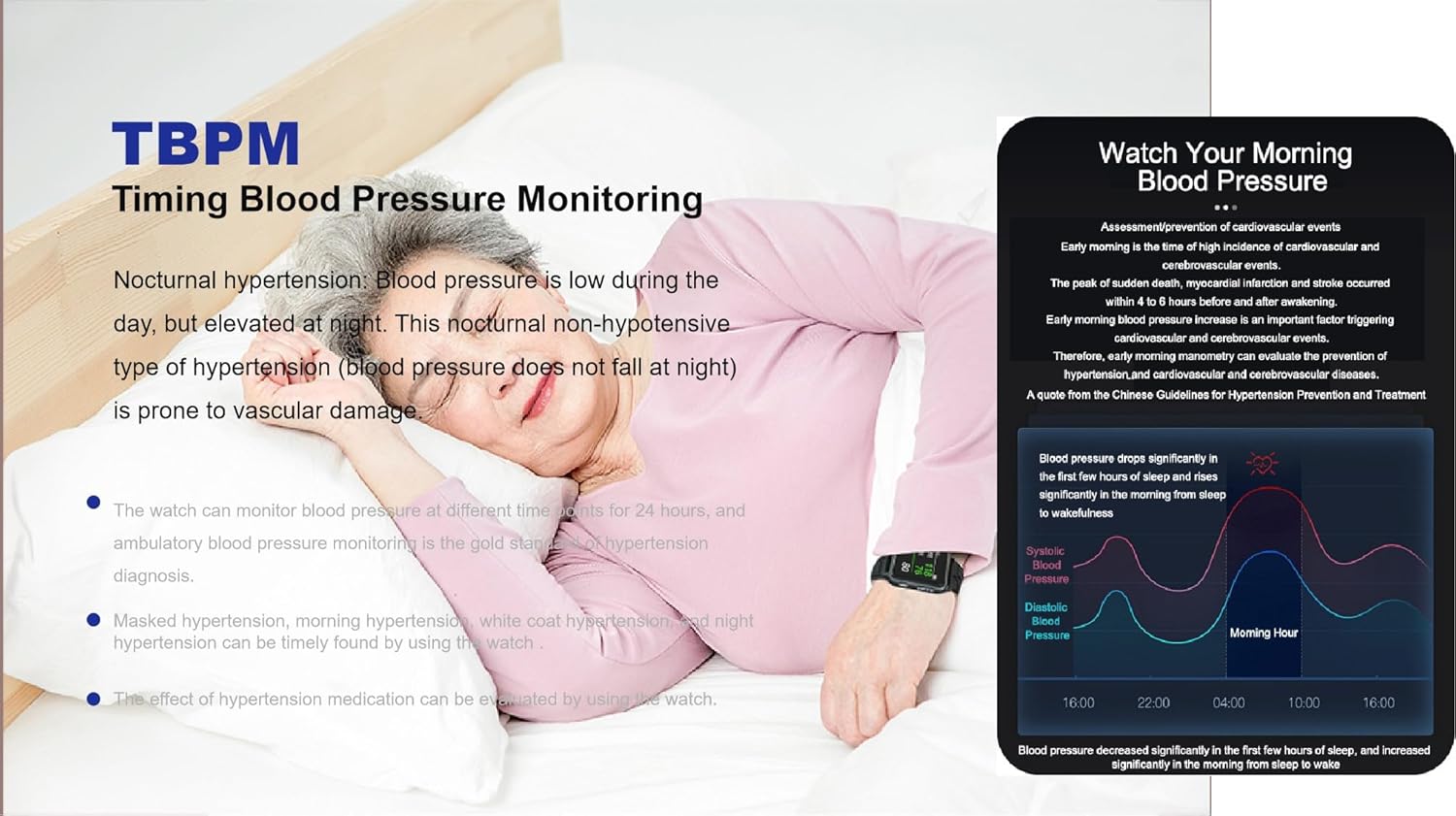
Image 4: Information on Timing Blood Pressure Monitoring (TBPM) and the importance of correct watch placement for accurate readings.
4.3 Heart Rate and SpO2 Monitoring
Access the Heart Rate or SpO2 (Blood Oxygen) monitoring function from the main menu. Ensure the watch is in firm contact with your skin. Remain still during the measurement for optimal accuracy. Readings will be displayed on the screen and synchronized with the app.
4.4 Sleep and Activity Tracking
The smartwatch automatically tracks your sleep patterns and daily activity. Wear the watch overnight for sleep analysis, which includes duration, quality, and recovery. During the day, it records steps, calories burned, and distance covered. View detailed reports in the companion app.
4.5 Smart Features (Calls, Weather, Alarms)
Once paired with your smartphone, the BPW1 Smartwatch can display notifications for incoming calls, messages, and app alerts. You can also check weather updates, set alarms, and control music playback directly from your wrist.
5. Care and Maintenance
- Cleaning: Regularly clean the watch and wristband with a soft, damp cloth. Avoid harsh chemicals or abrasive materials.
- Storage: Store the smartwatch in a cool, dry place when not in use.
- Battery: To prolong battery life, avoid extreme temperatures and fully charge the device before long periods of inactivity.
- Water Resistance: The device is designed to be water-resistant. Refer to the specifications for details on water depth and duration.
6. Troubleshooting
| Issue | Possible Solution |
|---|---|
| Inaccurate Blood Pressure Readings | Ensure the wristband is snug, the watch is 20mm from the wrist bone, and your arm is at heart level. Remain still and quiet during measurement. Avoid loose wearing. |
| Watch Not Powering On | Charge the device using the magnetic charger. Ensure the charger is properly connected and the power source is active. |
| Unable to Pair with App | Ensure Bluetooth is enabled on your smartphone. Restart both the watch and the phone. Check the app's pairing instructions in the user manual. |
| No Notifications | Verify that notifications are enabled in both the smartwatch settings and the companion app. Ensure the watch is connected via Bluetooth to your phone. |
7. Technical Specifications
| Feature | Detail |
|---|---|
| Model Number | BPW1 |
| Display Type | LCD |
| Item Weight | 8.1 ounces |
| Package Dimensions | 4.8 x 3.43 x 3.19 inches |
| Batteries | 1 Lithium Polymer batteries required (included) |
| Special Features | Activity Tracker, Air Bag Cuffed Blood Pressure, Blood Oxygen, Heart Rate Monitor, Temperature |
| Age Range (Description) | Adult |
8. Warranty and Support
For warranty information and customer support, please refer to the documentation included with your product or contact the manufacturer directly. Keep your purchase receipt as proof of purchase.


