1. Introduction
The Generic K5E is a portable 2-in-1 detector designed for real-time monitoring of Carbon Monoxide (CO) and Carbon Dioxide (CO2) levels. This device also displays ambient temperature and humidity. It is suitable for various environments including homes, schools, outdoor camping, and greenhouse farming, providing essential air quality information for safety and environmental management.
2. Key Features
- Real-Time Dual Gas Monitoring: Accurately detects carbon monoxide (CO) and carbon dioxide (CO2) levels.
- Temperature & Humidity Display: High-precision sensors provide real-time ambient temperature and humidity readings.
- Portable & Lightweight Design: Compact and easy to carry, weighing approximately 98 grams.
- Long-Lasting Battery Life: Built-in 1000mAh lithium battery supports up to 9 hours of continuous use with Type-C charging.
- Smart Over-Limit Alarm: Automatically triggers an audible alarm when CO or CO2 levels exceed predefined safe limits.
- HD Clear Display: Large screen for intuitive real-time data display.
- Versatile Application: Suitable for home safety, school classrooms, outdoor camping, and greenhouse farming.
- Fast-Response Sensors: Utilizes high-sensitivity electrochemical sensors for quick and accurate gas detection.
- Durable Material: Constructed with quality materials for reliability.
- Eco-Friendly Design: Low-power consumption for energy efficiency.
3. Setup
3.1 Unpacking
Carefully remove the K5E detector from its packaging. Verify that all components are present: the K5E detector unit, a Type-C charging cable, and this user manual.
3.2 Initial Charging
Before first use, fully charge the device. Connect the provided Type-C charging cable to the charging port on the K5E detector and plug the other end into a compatible USB power adapter (DC5V1A recommended). The battery indicator on the display will show charging status. A full charge typically takes a few hours.

Figure 3.2.1: The K5E detector connected to a Type-C charging cable.
3.3 Powering On
To power on the device, press and hold the power button (usually located on the front or side) for approximately 2 seconds until the display illuminates. The device will perform a brief self-test before entering monitoring mode.

Figure 3.3.1: The K5E detector in use, demonstrating its portable design.
4. Operating Instructions
4.1 Display Overview
The K5E detector features a high-definition digital display that shows real-time readings for CO, CO2, temperature, and humidity.

Figure 4.1.1: The K5E detector's display showing various readings.
- CO (Carbon Monoxide): Displays CO concentration in parts per million (ppm). Range: 0-500ppm (customizable up to 1000ppm).
- CO2 (Carbon Dioxide): Displays CO2 concentration in parts per million (ppm). Range: 400-5000ppm.
- Temperature: Displays ambient temperature in Celsius (℃) or Fahrenheit (℉). Range: 0℃~50℃ / 32℉~122℉.
- Humidity: Displays relative humidity (RH) as a percentage. Range: 20%~80% RH.
- Battery Indicator: Shows current battery level.
4.2 Alarm Functionality
The K5E detector is equipped with an audible alarm that activates when CO or CO2 levels exceed preset thresholds.
- CO Alarm Threshold: Default is 50ppm. The alarm will sound if CO concentration reaches or exceeds this level.
- CO2 Alarm Threshold: Default is 1500ppm. The alarm will sound if CO2 concentration reaches or exceeds this level.
Upon alarm activation, immediately ventilate the area and investigate the source of the elevated gas levels.
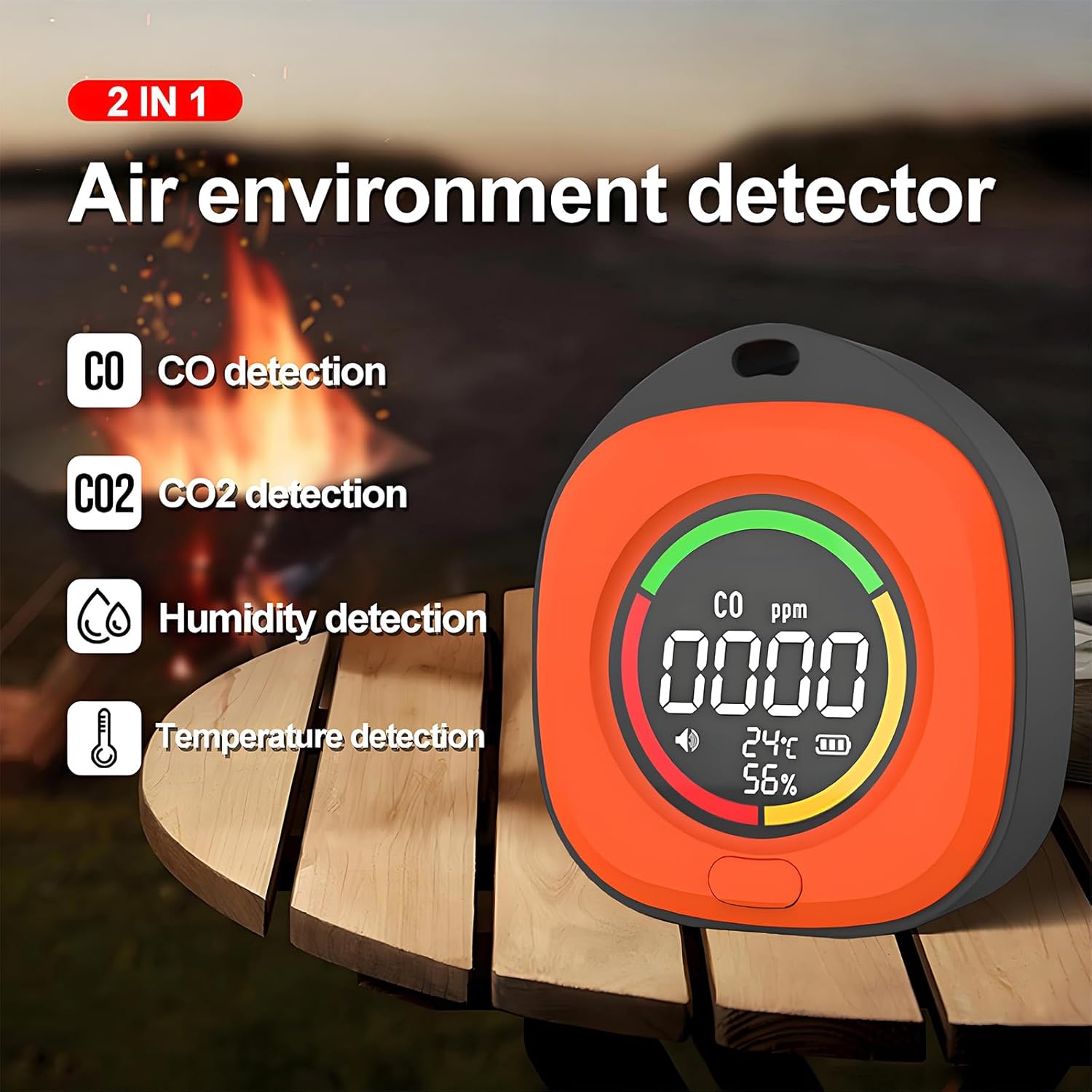
Figure 4.2.1: Visual representation of CO and CO2 concentration ranges.
4.3 Placement and Usage
The K5E detector can be placed on a flat surface or hung using its integrated hanging rope holes, allowing for flexible positioning in various environments.

Figure 4.3.1: The K5E detector positioned for monitoring in an outdoor setting.
For accurate readings, ensure the device is placed in an area with good air circulation, away from direct drafts, heat sources, or areas where gas might accumulate unnaturally.
5. Maintenance
5.1 Cleaning
To clean the exterior of the device, use a soft, dry cloth. Do not use abrasive cleaners, solvents, or immerse the device in water. Ensure the sensor openings are free from dust and debris.
5.2 Battery Care
To prolong battery life, avoid fully discharging the device frequently. Charge the device using the provided Type-C cable and a compatible power adapter. If storing the device for an extended period, charge it to approximately 50% and recharge every few months.
5.3 Storage
Store the K5E detector in a cool, dry place, away from direct sunlight, extreme temperatures, and high humidity. Refer to the technical specifications for recommended storage temperature.
6. Troubleshooting
| Problem | Possible Cause | Solution |
|---|---|---|
| Device does not power on. | Low battery or device not charged. | Charge the device using the Type-C cable. Ensure the power button is held for 2 seconds. |
| Inaccurate readings. | Sensor obstruction, extreme environmental conditions, or device malfunction. | Ensure sensor openings are clear. Move the device to a stable environment. If issues persist, contact support. |
| Alarm sounds frequently. | High CO/CO2 levels in the environment. | Ventilate the area immediately. Identify and eliminate the source of gas. Do not ignore alarms. |
| Display is dim or unresponsive. | Low battery or software issue. | Charge the device. If the issue persists after charging, try restarting the device. |
7. Technical Specifications
- Product Model: K5E
- Product Dimensions: 7.8 x 7 x 3 cm (3.07"D x 2.75"W x 1.18"H)
- Product Weight: Approximately 98 grams (3.52 ounces)
- CO Detection Range: 0~500ppm (customizable up to 1000ppm)
- CO2 Detection Range: 400~5000ppm
- Temperature Range: 0℃~50℃ / 32℉~122℉
- Humidity Range: 20%~80% RH
- Battery Specifications: 3.7V, 1000mAh Polymer Lithium Battery
- Charging Interface: Type-C, DC5V1A
- Continuous Use Time: Up to 9 hours
- Storage Temperature: -10℃~55℃ / 14℉~131℉
- Alarm Type: Audible
- Power Source: Battery Powered
8. Warranty Information
Specific warranty details for the Generic K5E detector are not provided in this manual. Please refer to the product packaging or contact your retailer for information regarding warranty coverage and terms. Keep your purchase receipt as proof of purchase.
9. Support
For technical assistance, troubleshooting, or further inquiries regarding your Generic K5E detector, please contact the retailer or manufacturer directly.
- Manufacturer: Luckylion
- Contact: Refer to your purchase documentation or the retailer's website for contact information.


