
1. Product Overview
The ICESOMNUS X12 Ultra Wireless Earbuds are designed for high-fidelity audio and comfortable wear, featuring advanced Bluetooth 5.2 connectivity and CVC call noise reduction technology. This manual provides essential instructions for setup, operation, and maintenance.
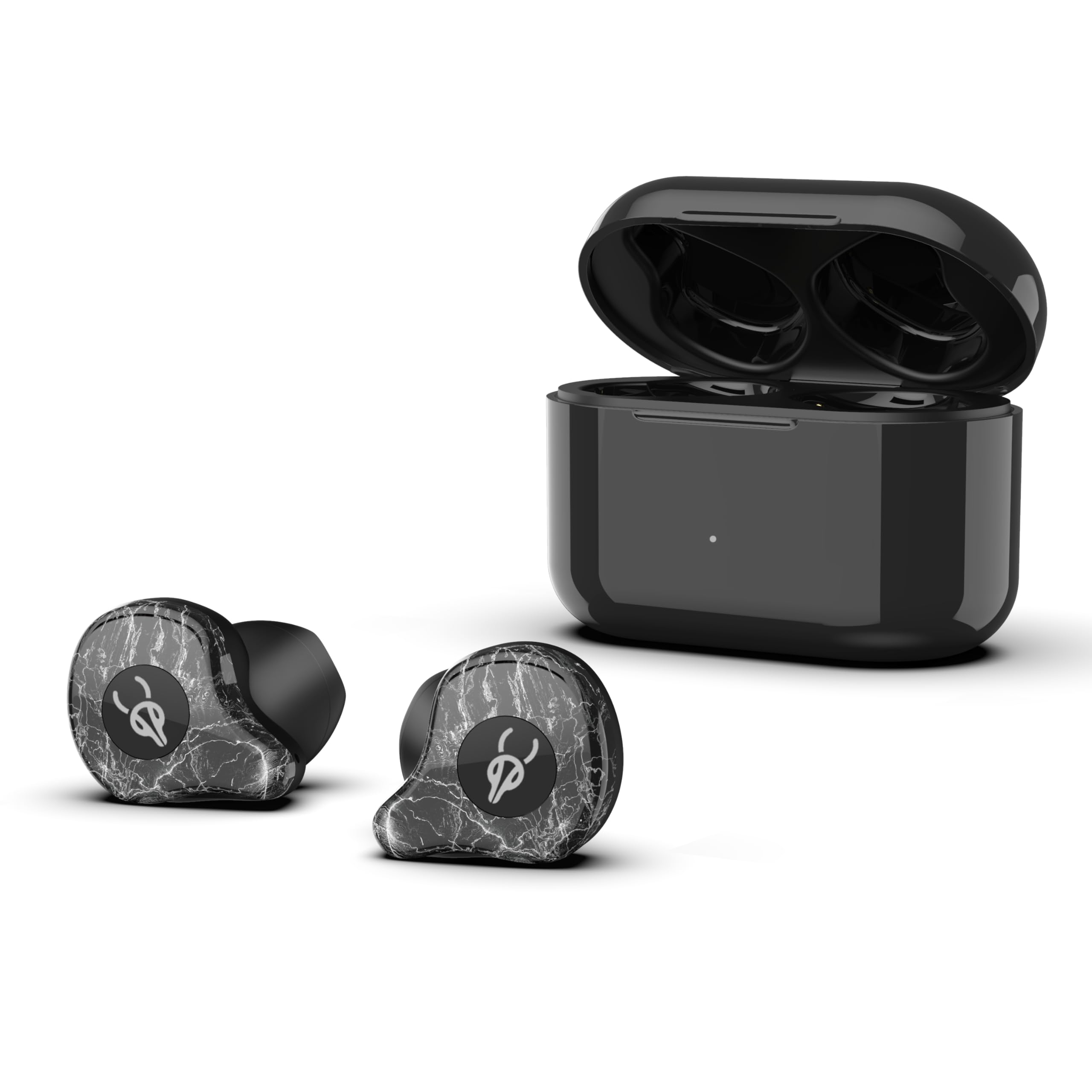
An image showing two ICESOMNUS X12 Ultra wireless earbuds with a marble-like finish, positioned next to their open black charging case. The earbuds feature a small logo and black ear tips. The charging case is sleek and black, with an indicator light visible on the front.
2. Package Contents
- ICESOMNUS X12 Ultra Wireless Earbuds (Left and Right)
- Charging Case
- Ear Cushions
- USB Type-C Charging Cable (not explicitly listed but implied by Type-C interface)
- User Manual
3. Setup and Initial Use
3.1 Charging the Earbuds and Case
- Place both earbuds into the charging case. Ensure they are correctly seated.
- Connect the charging case to a DC 5V power source using a Type-C cable.
- The indicator light on the charging case will show charging status. A full charge for the case and earbuds typically takes approximately 60 minutes.
Note: Fully charge the device before first use for optimal battery performance.
3.2 Pairing with a Bluetooth Device
- Open the charging case. The earbuds will automatically enter pairing mode, indicated by a flashing light (specific light pattern not provided, refer to product for details).
- On your smartphone, tablet, or computer, enable Bluetooth and search for available devices.
- Select "ICESOMNUS X12 Ultra" from the list of found devices.
- Once connected, a voice prompt or indicator light will confirm successful pairing.
The earbuds support independent use, meaning either the left or right earbud can be used alone after initial pairing.
3.3 Wearing the Earbuds
The X12 Ultra features a half-in-ear design for comfortable wear. Gently insert each earbud into your ear canal, adjusting for a secure and comfortable fit. Ensure the ear tips are properly aligned to maximize sound quality and passive noise isolation.
4. Operating Instructions
4.1 Power On/Off
- Power On: Open the charging case, and the earbuds will automatically power on. Alternatively, press and hold the touch control area on both earbuds for approximately 3 seconds.
- Power Off: Place the earbuds back into the charging case and close the lid. Alternatively, press and hold the touch control area on both earbuds for approximately 5 seconds.
4.2 Music Playback
- Play/Pause: Tap the touch control area on either earbud once.
- Next Track: Double-tap the touch control area on the right earbud.
- Previous Track: Double-tap the touch control area on the left earbud.
- Volume Up: Triple-tap the touch control area on the right earbud.
- Volume Down: Triple-tap the touch control area on the left earbud.
4.3 Call Management
- Answer/End Call: Tap the touch control area on either earbud once.
- Reject Call: Press and hold the touch control area on either earbud for 2 seconds.
4.4 Voice Assistant
- Activate Voice Assistant: Press and hold the touch control area on either earbud for 2 seconds (when not on a call).
5. Maintenance
5.1 Cleaning
- Regularly clean the earbuds and charging case with a soft, dry, lint-free cloth.
- Remove any earwax or debris from the ear tips and speaker mesh using a small, clean brush or cotton swab.
- Ensure charging contacts on both earbuds and the case are clean and dry to prevent charging issues.
5.2 Storage
- When not in use, store the earbuds in their charging case to protect them and keep them charged.
- Store the device in a cool, dry place, away from extreme temperatures and direct sunlight.
5.3 Battery Care
- Avoid fully depleting the battery frequently. Charge the earbuds and case regularly.
- Do not expose batteries to excessive heat or direct flame.
6. Troubleshooting
- Earbuds not pairing: Ensure both earbuds are in the charging case, then open the lid to activate pairing mode. Turn off and on your device's Bluetooth. If issues persist, try resetting the earbuds (refer to manufacturer's specific reset procedure if available, otherwise, forget the device on your phone and re-pair).
- Only one earbud working: Place both earbuds back into the charging case, close the lid, then open it again. Ensure both earbuds have sufficient charge.
- No sound or low volume: Check the volume level on your connected device. Ensure earbuds are properly seated in your ears. Clean any debris from the speaker mesh.
- Charging issues: Ensure the Type-C cable is securely connected to both the charging case and the power source. Verify that the charging contacts on the earbuds and inside the case are clean and free of obstruction.
- Intermittent connection: Ensure you are within the effective Bluetooth range (typically 10 meters/33 feet) and there are no significant obstructions between the earbuds and your device. Avoid strong electromagnetic interference.
7. Specifications
| Feature | Detail |
|---|---|
| Model Name | X12 ULTRA |
| Brand | ICESOMNUS |
| Power Input | DC 5V |
| Charging Interface | Type-C |
| Earbud Battery Capacity | 3.7V/40mAh |
| Charging Case Battery Capacity | 3.7V/750mAh |
| Call/Play Time | Approximately 6 hours |
| Charging Time | Approximately 60 minutes (1 hour) |
| Bluetooth Version | Qualcomm 5.2 chip |
| Supported Protocols | HSP/HFP/A2DP/AVRCP |
| Audio Decoding | Qualcomm aptX/AAC/SBC |
| Noise Control | Adaptive Noise Cancellation, CVC Call Noise Reduction Technology |
| Sensitivity | 101±3dB@1kHz, 1mW |
| Frequency Range | 20-20000Hz |
| Impedance | 32Ω |
| Audio Driver | 14.2MM Dynamic Unit |
| Design | Half-in-ear wearing design |
| Control Method | Touch |
| Compatible Devices | Smartphones, Tablets, Computers |
| Material | Plastic |
| Package Item Weight | 9.7 ounces |
| UPC | 714216840892 |
8. Warranty and Support
ICESOMNUS is committed to providing quality products and customer satisfaction. While specific warranty details are not provided in this manual, if you encounter any issues with your ICESOMNUS X12 Ultra Wireless Earbuds, please contact the seller or manufacturer directly for assistance.
For support inquiries, please refer to the contact information provided at the point of purchase or on the official ICESOMNUS website.