
Introduction
This manual provides instructions for the Lucyliy Flip PU Leather Phone Case, designed for the Samsung Galaxy A70 (SM-A705FN/DS). This case offers protection, convenience, and functionality through its design and features.
Package Contents
- 1 x Lucyliy Flip PU Leather Phone Case
Setup: Installing Your Phone
- Gently hold the phone case with the soft TPU inner shell facing upwards.
- Align your Samsung Galaxy A70 with the TPU inner shell.
- Carefully press your phone into the TPU shell, ensuring all corners and edges are securely seated. The flexible TPU material allows for easy insertion and removal while providing a snug fit.
- Verify that all cutouts for the camera, charging port, speaker, and buttons align correctly with your phone's features.

Figure 1: Illustrates the process of inserting the phone into the flexible TPU inner shell for secure placement.
Operating Instructions
Using the Kickstand Feature
The case features a built-in kickstand for hands-free viewing. To activate, simply fold the back cover of the case to create a triangular support. This allows your phone to stand horizontally, ideal for watching videos or making video calls.
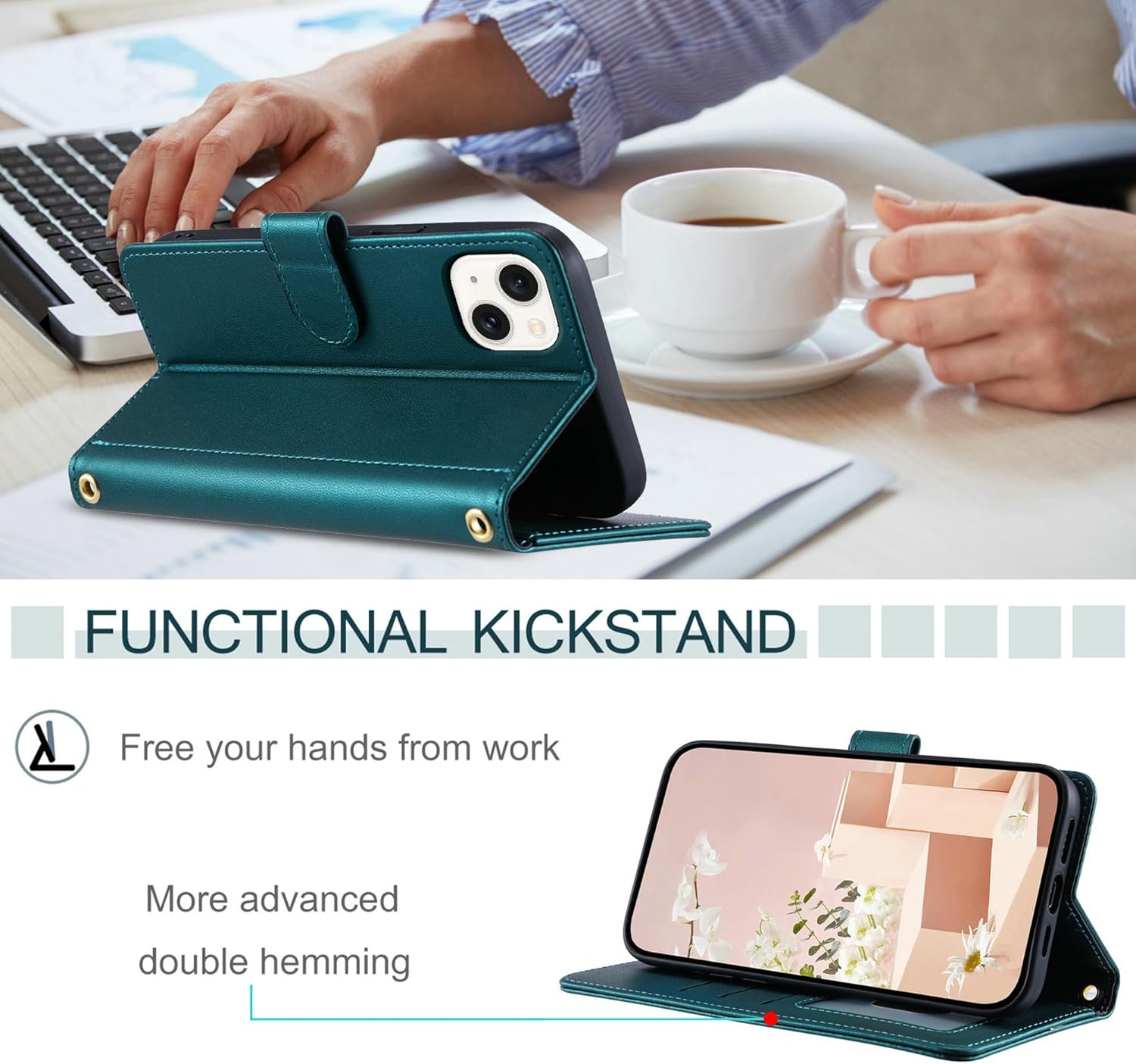
Figure 2: Demonstrates the case configured as a kickstand for horizontal viewing.
Utilizing Wallet Features
The flip cover incorporates multiple slots for convenience. These include two card slots, one photo slot, and one cash slot. Insert your cards, identification, or folded cash into the designated compartments.

Figure 3: Displays the internal wallet compartments for cards, cash, and photos.
Magnetic Closure
The case features a double-sided magnetic closure to keep the flip cover securely closed when not in use. This helps protect your screen and contents. To open, gently pull the magnetic strap away from the case. To close, simply bring the strap back into contact with the case, and the magnets will engage.

Figure 4: Illustrates the magnetic closure system of the case.
Lanyard Attachment
A short lanyard is included for additional carrying options. Attach the lanyard to the designated eyelet on the case for secure wrist carrying.

Figure 5: Shows the case with the included short lanyard attached.
Full Body Protection
The combination of premium PU leather and a soft TPU inner shell provides comprehensive protection for your device. The case design ensures that the edges are slightly raised above the screen and camera, offering additional protection against flat surface contact.
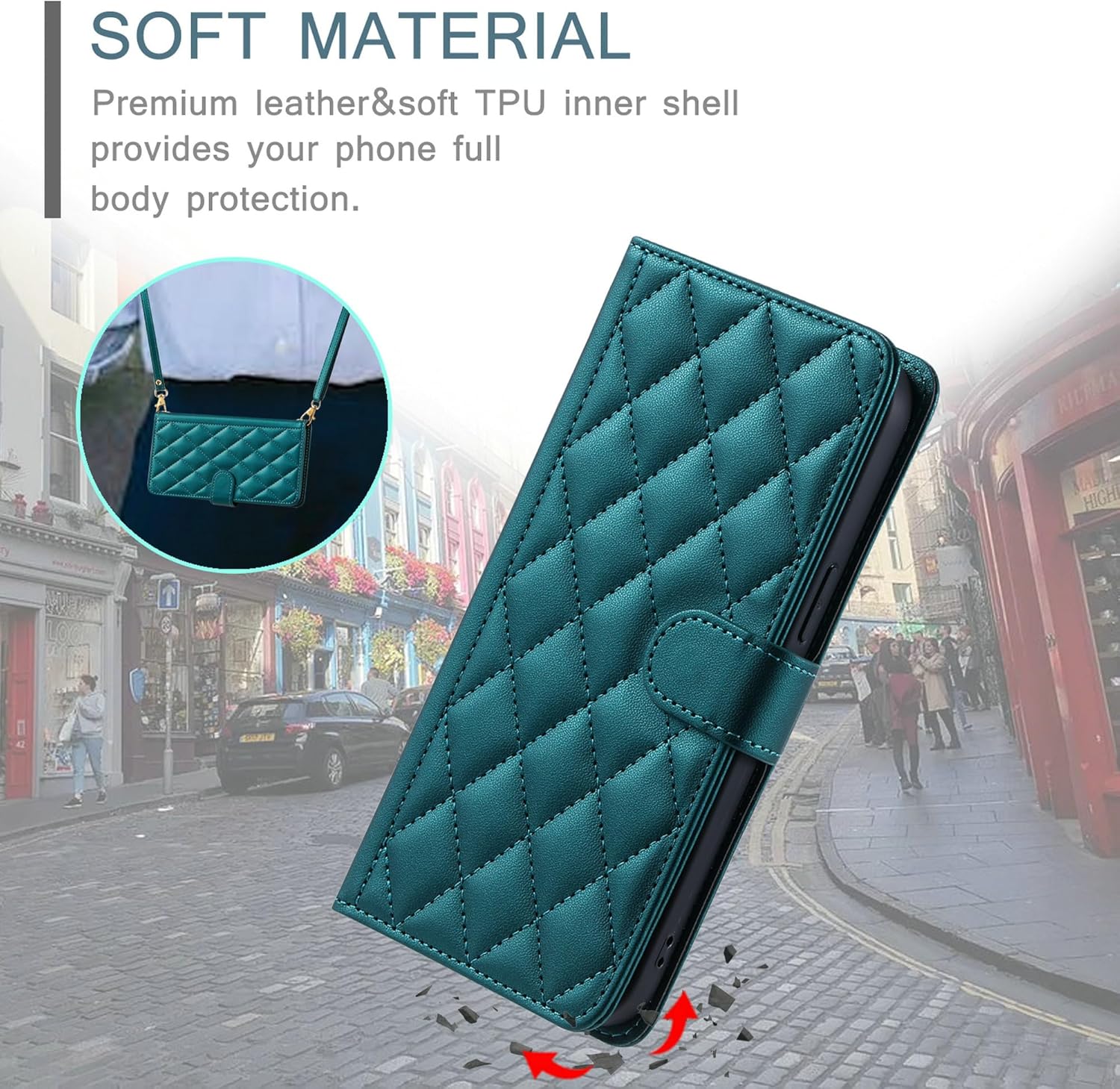
Figure 6: Illustrates the protective qualities of the case's soft material and design.
Maintenance and Care
- Cleaning: To clean the PU leather surface, gently wipe with a soft, damp cloth. Avoid using harsh chemicals, abrasive cleaners, or solvents, as these can damage the material.
- Storage: Store the case in a cool, dry place away from direct sunlight and extreme temperatures to prevent material degradation.
- Avoid Sharp Objects: Keep the case away from sharp objects to prevent scratches or punctures to the PU leather.
Troubleshooting
- Case not fitting correctly: Ensure you have the correct model (Samsung Galaxy A70 SM-A705FN/DS). Remove and re-insert the phone, ensuring it is properly seated in the TPU inner shell.
- Magnetic closure not holding: Check for any debris or objects obstructing the magnetic contact points. Ensure the case is not overfilled with cards or cash, which might prevent proper closure.
Specifications
| Brand | Lucyliy |
| Compatible Phone Models | Samsung Galaxy A70, SM-A705FN/DS |
| Material | Polyurethane (PU) Leather, Thermoplastic Polyurethane (TPU) |
| Form Factor | Basic Case, Flip Cover |
| Special Features | Wallet slots (2 card, 1 photo, 1 cash), Kickstand, Magnetic Closure, Lanyard, Full Body Protection |
| Product Dimensions | 0.39 x 0.39 x 0.39 inches (Approximate, for case only) |
| Item Weight | 2.46 ounces |
| Color | Green (MS-QN-green) |
Warranty Information
Please refer to the retailer's or manufacturer's website for specific warranty details regarding this product. Standard warranties typically cover manufacturing defects.
Customer Support
For further assistance or inquiries, please contact Lucyliy customer support through the platform where the product was purchased or visit the official Lucyliy website.