
1. Introduction
This manual provides essential information for the safe and efficient use of your Hyleton 120W 19V 6.32A Universal AC Adapter. Please read this manual thoroughly before using the product and retain it for future reference.
2. Safety Information
Your Hyleton AC Adapter is designed with multiple safety features to protect your devices and ensure reliable operation. Adhere to the following safety guidelines:
- Do not expose the adapter to water or excessive moisture.
- Avoid extreme temperatures.
- Do not disassemble or attempt to repair the adapter.
- Ensure proper ventilation around the adapter during use.
- Use only with compatible devices as specified in this manual.
Intelligent Protection Features
The adapter incorporates advanced safety mechanisms:
- Overcurrent Protection: Prevents damage from excessive current flow.
- Overvoltage Protection: Safeguards against voltage surges.
- Short Circuit Protection: Automatically shuts off power in case of a short circuit.
- Overheating Protection: Monitors temperature to prevent overheating.
- Overload Protection: Protects against drawing too much power.
- Surge Protection: Defends against sudden voltage spikes.
- Undervoltage Protection: Ensures stable power delivery.

Image: Intelligent Protection features of the Hyleton AC Adapter, illustrating safeguards against overcurrent, overvoltage, short circuit, and overheating.
Certifications
This product is UL Listed and complies with RoHS, FCC, and CE standards, ensuring quality and safety.

Image: Hyleton AC Adapter highlighting its UL, RoHS, FCC, and CE certifications, indicating a safe and stable power supply.
3. Package Contents
Verify that all items are present in the package:
- 1 x Hyleton 120W 19V 6.32A AC Adapter
- 1 x AC Power Cable
- 1 x DC Output Cable with 5.5mm x 2.5mm connector
- 1 x Type-C Adapter Tip
4. Setup and Installation
Follow these steps to connect your Hyleton AC Adapter:
- Connect the AC power cable to the adapter's input port.
- Plug the other end of the AC power cable into a standard wall outlet (100V-240V).
- Identify the correct DC output connector for your device. The adapter comes with a fixed 5.5mm x 2.5mm connector and a separate Type-C adapter tip.
- Connect the appropriate DC output connector to your device's power input port.
- Ensure all connections are secure before powering on your device.

Image: The Hyleton AC Adapter with its power cables, illustrating how the AC input cable connects to the adapter and the DC output cable extends to the device.
5. Compatibility
This Hyleton 120W AC Adapter is designed for broad compatibility with various devices requiring 19V DC input. Always verify your device's power requirements before use.
Compatible Devices
- GEEKOM Mini PCs: GEEKOM, A8, A8 Max, A6, A5, GT1 Mega, IT12, IT13, IT15, A9 MAX, GEEKOM QS.
- ASUS Mini PCs and Laptops: ASUS ROG, GL752VW, GL752VL, GL752V, GL752, GL753, GL753V, GL753VD, GL753VE, GL752VW-DH71, GL752VW-DH74, GL752VW-GS71.
- Other devices requiring 19V 6.32A (or lower wattage like 19V 65W) with compatible connectors.

Image: The Hyleton AC Adapter demonstrating its broad compatibility with various products including mini PCs, laptops, monitors, projectors, and NAS storage devices.
Connector Compatibility
The adapter is equipped with the following DC output interfaces:
- 5.5mm x 2.5mm: Standard barrel connector.
- Type-C: USB Type-C port for compatible devices.
Incompatible connectors include 7.4mm x 5.0mm, 6.0mm x 3.7mm, and 4.5mm x 3.0mm.

Image: Visual guide to connector compatibility, showing the supported 5.5mm x 2.5mm and Type-C connectors, and clearly marking several other common connector sizes as incompatible.
6. Specifications
| Feature | Specification |
|---|---|
| Model Number | hyleton-120W-1906320 |
| Input Voltage | 100V-240V AC, 50-60Hz |
| Output Voltage | 19V DC |
| Output Current | 6.32A |
| Maximum Power | 120W |
| DC Connector Type | 5.5mm x 2.5mm, USB Type-C |
| Dimensions (Adapter) | Approximately 6.89 x 4.13 x 1.93 inches (Package Dimensions) |
| Weight | Approximately 14.9 ounces (0.88 lbs / 399.8g) |
| Special Features | Fast Charging, Multiple Safety Protections |
| Certifications | UL Listed, RoHS, FCC, CE |

Image: The Hyleton AC Adapter demonstrating its compact and lightweight design, with a label displaying its electrical specifications and a note about its weight.
7. Maintenance
To ensure the longevity and optimal performance of your Hyleton AC Adapter, follow these maintenance guidelines:
- Keep the adapter clean and free from dust. Use a soft, dry cloth for cleaning.
- Store the adapter in a cool, dry place when not in use.
- Avoid bending or crimping the cables excessively, especially near the connectors, to prevent internal wire damage.
- Do not place heavy objects on the adapter or its cables.
- Regularly inspect the cables and connectors for any signs of wear or damage. Discontinue use if damage is observed.
Product Details
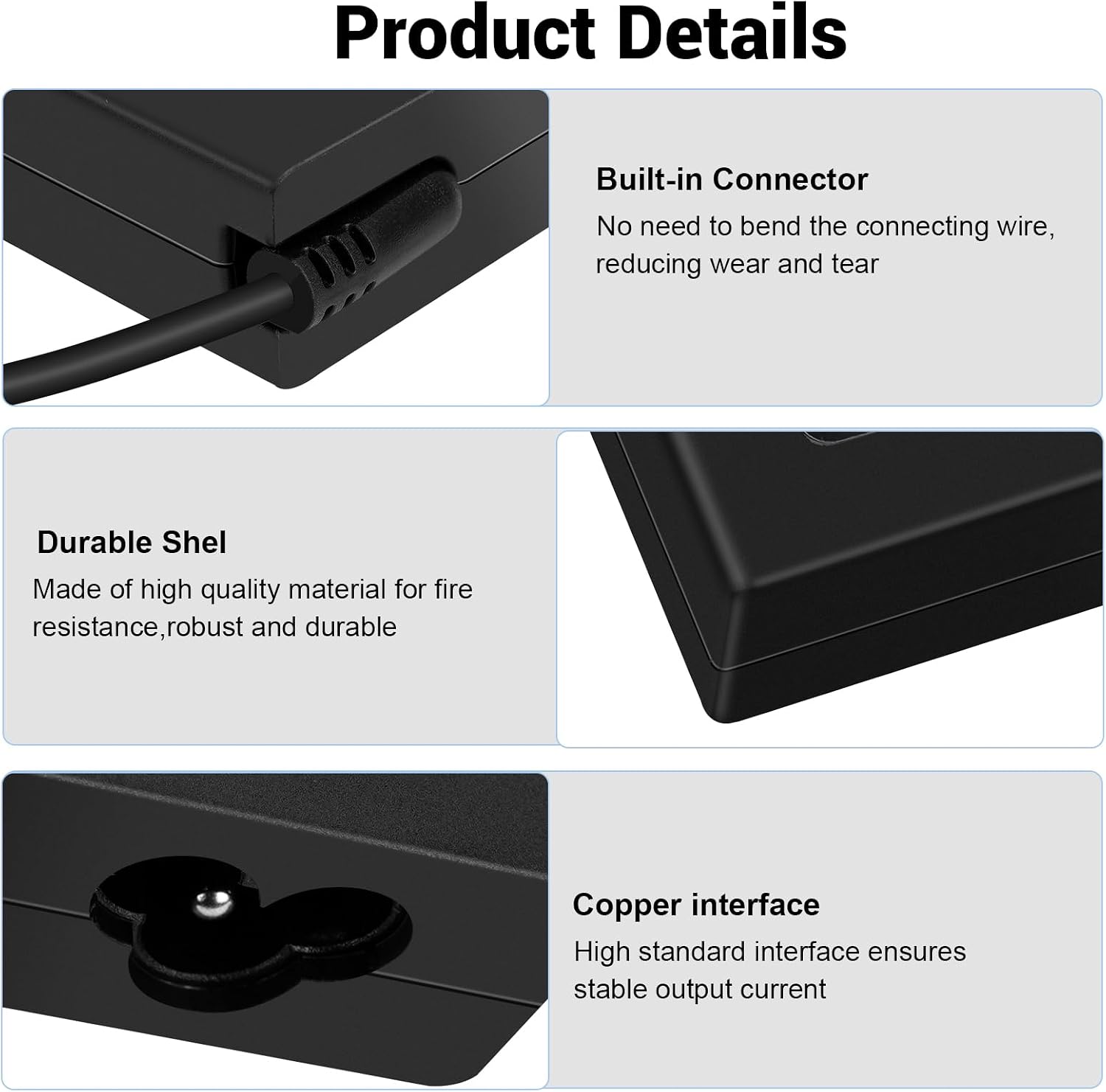
Image: Detailed views of the Hyleton AC Adapter, highlighting its built-in connector design to reduce wear, its durable shell made of high-quality material, and its copper interface for stable output current.
8. Troubleshooting
If you encounter issues with your Hyleton AC Adapter, refer to the following common problems and solutions:
- No Power Output:
- Ensure the AC power cable is securely plugged into both the adapter and the wall outlet.
- Verify the wall outlet is functional by testing it with another device.
- Check if the DC output connector is firmly seated in your device's power port.
- Confirm that your device is compatible with the adapter's voltage and current specifications.
- Slow Charging:
- Ensure your device is not running power-intensive applications during charging.
- Verify that the adapter's output (120W) meets or exceeds your device's power requirements.
- Check for any damage to the cables or connectors that might impede power flow.
- Adapter Overheating:
- Ensure the adapter is placed in a well-ventilated area, away from direct sunlight or heat sources.
- Do not cover the adapter with cloths or other materials during operation.
- If overheating persists, discontinue use and contact support.
9. Warranty and Support
Hyleton products are manufactured to high-quality standards. For warranty information or technical support, please refer to the product packaging or contact Hyleton customer service through your retailer or the official Hyleton website.
Please have your model number (hyleton-120W-1906320) and purchase date available when contacting support.