
1. Introduction and Overview
The EliteBloom FJ3390A Weather Station is a comprehensive device designed to monitor various environmental conditions. It provides real-time data on indoor and outdoor temperature, humidity, wind speed, wind direction, rainfall, and atmospheric pressure. The station also features a weather forecast function, alarm clock, and language selection for enhanced user experience.

Image 1.1: The main display unit and the multi-combination wireless remote sensor with their approximate dimensions. The main unit measures 20.5cm x 13cm x 3cm, and the sensor measures 38cm x 30cm x 9cm.
2. Package Contents
Please verify that all items listed below are included in your package:
- 1 x Weather Station (Main Display Unit)
- 1 x USB Power Cable
- 1 x Outdoor Sensor for Wind Speed and Rainfall
- 1 x Instruction Manual (Available in EN/DE/FR/IT/ES)
- 1 x Installation Accessories (screws, wall plugs, mounting bracket)
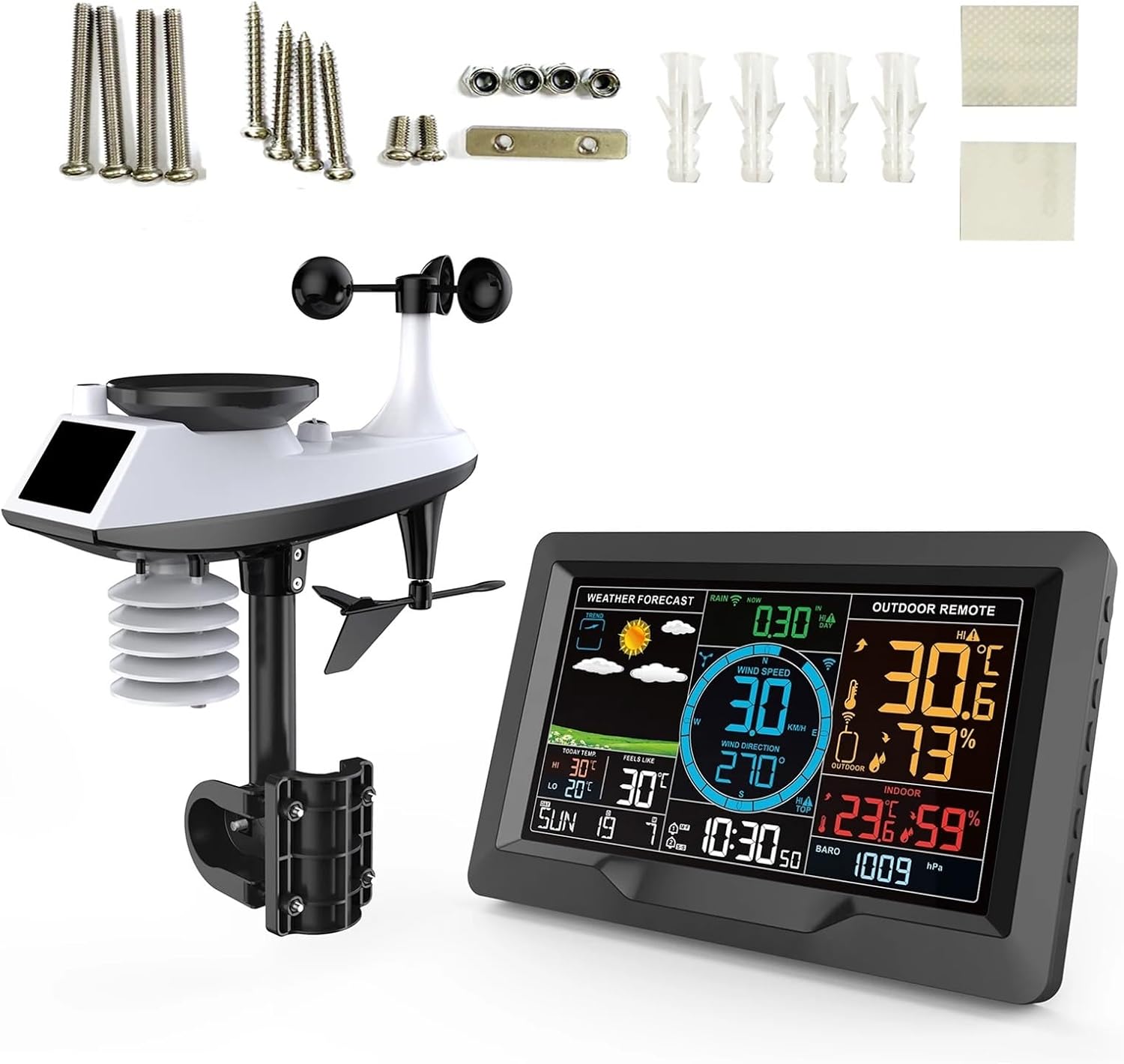
Image 2.1: Contents of the package, showing the main weather station display, the outdoor sensor, and various installation accessories.
3. Product Features
The FJ3390A Weather Station offers a range of features for comprehensive weather monitoring:
- Multi-Language Support: Eight-nation week language selection (English, German, French, Italian, Spanish, Dutch, Danish, Russian).
- Dual Alarms & Snooze: Two daily alarms with an automatic snooze function (OFF or 5-60 minutes, customizable alarm time, period, and snooze times).
- Warning Functions: Alerts for upper and lower limits of temperature and humidity, upper limit of wind speed, and upper limit of rainfall.
- Advanced Indices Display: Shows somatosensory temperature, wind chill index, thermal index, and dew point temperature, calculated from detected environmental data.
- Wireless Transmission: ASK remote transmitter signal reception with a 433.92MHz frequency, offering a 100-meter (300 feet) transmission range in open areas.
- Adjustable Backlight: Class 3 backlight brightness when powered by USB. Screen illuminates for 15 seconds when powered by batteries.

Image 3.1: The main display unit showcasing its professional multi-functional color screen, indicating wind speed, direction, weather forecast, temperature, humidity, time, and alarm status.
4. Setup
4.1 Powering the Main Unit
The main weather station unit can be powered in two ways:
- USB Power: Connect the provided USB power cable to the DC 5V/1.2A input port on the main unit and plug it into a suitable USB power adapter (not included). This allows for continuous backlight adjustment.
- Battery Power: Insert 2 x AA batteries (not included) into the battery compartment. When powered by batteries, the screen backlight will only illuminate for 15 seconds after a button press to conserve power.
4.2 Powering the Outdoor Sensor
The outdoor sensor requires 3 x AA batteries (not included). Open the battery compartment on the sensor and insert the batteries, ensuring correct polarity.
4.3 Sensor Installation and Placement
Proper placement of the outdoor sensor is crucial for accurate readings:
- Assembly: Assemble the outdoor sensor components, including the wind speed cups, wind direction vane, rain funnel, and temperature/humidity induction box, onto the installation base. Ensure the bubble level is centered for accurate wind and rain measurements.
- Location: Choose an open area for the sensor, free from obstructions like buildings, trees, or fences, which could interfere with wind, rain, or sunlight. Ensure it is within the 100-meter (300 feet) transmission range of the main unit.
- Mounting: Use the provided installation accessories to securely mount the sensor. It can be mounted on a pole or a flat surface. Ensure it is stable and level.
- Solar Panel Orientation: Position the sensor so its solar panel receives maximum sunlight to help extend battery life.

Image 4.1: Detailed view of the outdoor sensor components, including the rain funnel, wind speed cups, bubble level, solar panel, wind direction vane, temperature humidity induction box, and installation base.
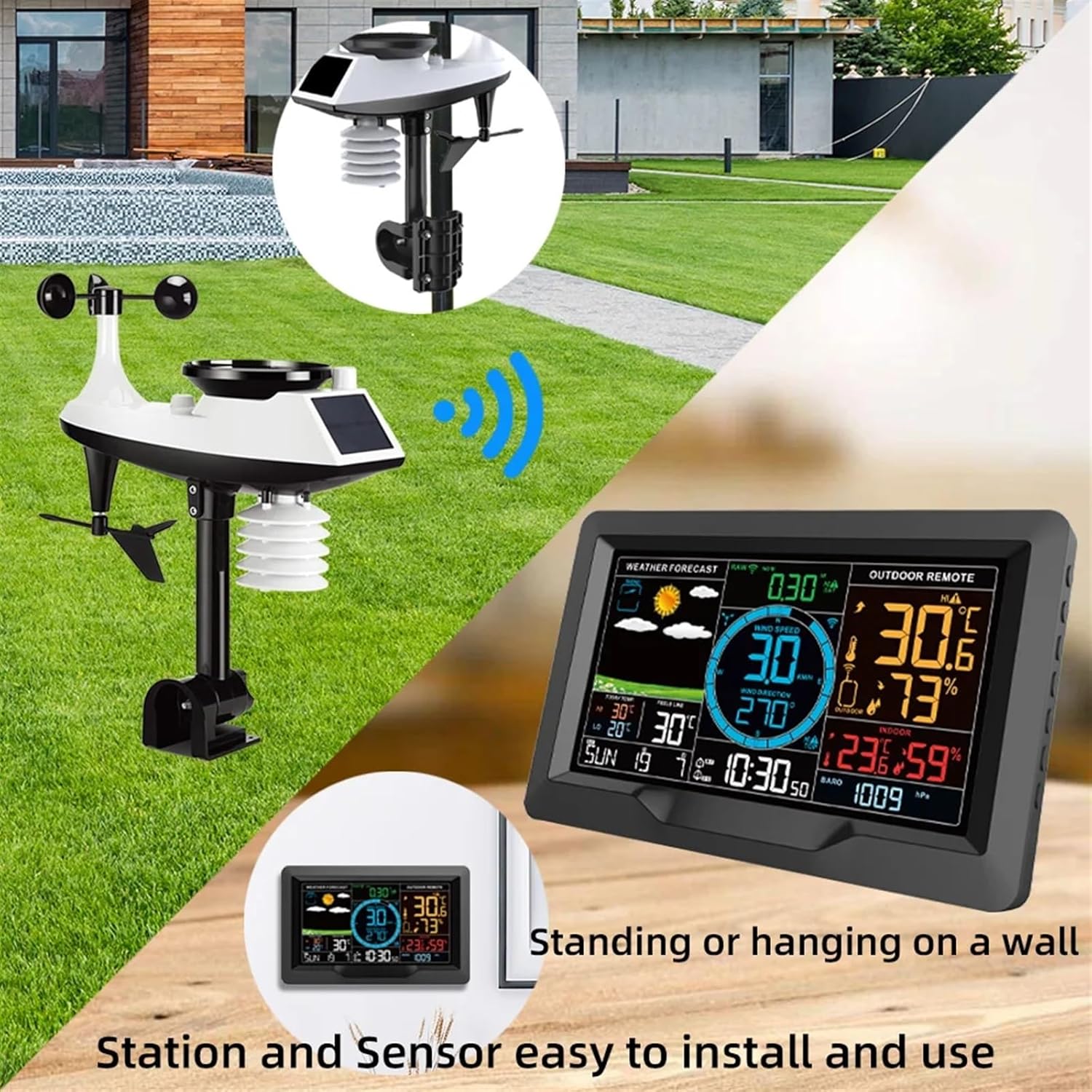
Image 4.2: Examples of how the weather station main unit can be placed (standing or wall-mounted) and the outdoor sensor installed in an open environment.
5. Operating Instructions
5.1 Initial Setup and Synchronization
After powering both the main unit and the outdoor sensor, the main unit will automatically attempt to synchronize with the sensor. This may take a few minutes. Ensure both units are within range.
5.2 Display Overview
The main display unit shows various parameters:
- Weather Forecast: Icons indicating predicted weather conditions.
- Indoor/Outdoor Temperature & Humidity: Current readings for both locations.
- Wind Speed & Direction: Current wind measurements.
- Rainfall: Accumulated rainfall data.
- Atmospheric Pressure: Current barometric pressure.
- Time & Date: Current time (12/24 hour format), date, and day of the week.
- Alarm Status: Indication of active alarms.

Image 5.1: Close-up of the weather station display, highlighting features such as 12/24 time, date, week display, weather forecast, temperature, humidity, atmospheric pressure, two daily alarms, snooze function, background lighting, and wireless sensor connectivity.
5.3 Setting Time, Date, and Language
Refer to the detailed instruction manual included in your package for specific button functions and navigation to set the time, date, 12/24 hour format, and select your preferred language from the eight available options.
5.4 Setting Alarms and Warnings
The device allows you to set two daily alarms and configure snooze duration. Additionally, you can set upper and lower limits for temperature and humidity, and upper limits for wind speed and rainfall. When these limits are exceeded, the station will trigger a warning.
6. Maintenance
6.1 Cleaning
Regularly clean the outdoor sensor, especially the rain funnel and wind cups, to prevent debris buildup that could affect accuracy. Use a soft, damp cloth for the main unit and sensor housing. Avoid abrasive cleaners or solvents.
6.2 Battery Replacement
Replace batteries in both the main unit and the outdoor sensor when the low battery indicator appears on the display. Ensure to use fresh AA batteries and observe correct polarity. For the outdoor sensor, replacing batteries may require re-synchronization with the main unit.
7. Troubleshooting
7.1 No Outdoor Sensor Data
- Check if the outdoor sensor batteries are installed correctly and are not depleted.
- Ensure the outdoor sensor is within the 100-meter transmission range of the main unit and there are no major obstructions.
- Try re-synchronizing the sensor by removing and reinserting its batteries, then restarting the main unit if necessary.
7.2 Inaccurate Readings
- Temperature/Humidity: Ensure the sensor is not in direct sunlight or near heat sources/vents.
- Wind Speed/Direction: Check for obstructions around the wind cups and vane. Ensure the sensor is level.
- Rainfall: Clear any debris from the rain funnel.
7.3 Display Issues
- If the display is dim or flickering, check the power source. If using batteries, replace them. If using USB, ensure the cable and adapter are functioning correctly.
- If the screen is blank, ensure the unit is powered on and batteries are not depleted or USB power is connected.
8. Specifications
| Parameter | Specification |
|---|---|
| Mainframe Power Supply | USB cable powered DC 5V/1.2A, or 2 x AA batteries (not included) |
| Outdoor Sensor Power Supply | 3 x AA batteries (not included) |
| Wireless Transmission Frequency | 433.92 MHz |
| Transmission Range | 100 meters (300 feet) in open area |
| Indoor Temperature Range | 0°C to +50°C (32°F to 122°F) |
| Indoor Humidity Range | 20% to 95% |
| Indoor Temp/Humidity Cycle | 60 seconds |
| Outdoor Temperature Range | -40°C to +70°C (-40°F to 158°F) |
| Outdoor Humidity Range | 20% to 95% |
| Air Pressure Range | 600 to 1100 HPA (17.72 to 32.48 INHG & 450 to 8251 mmHg) |
| Wind Speed Range | 0 to 180 km/h (0 to 111 mph) |
| Wind Direction Range | 0 to 359 degrees |
| Rainfall Detection Range | 0 to 9999 mm (0 to 393.7 inches) |
| Main Unit Dimensions | 20.5 x 13 x 3 cm (8.07 x 5.12 x 1.18 inches) |
| Sensor Dimensions | 38 x 30 x 9 cm (14.96 x 11.81 x 3.54 inches) |
| Material | ABS |
| Color | Black |