Introduction
Thank you for choosing the Generic Active Universal Smart Stylus Pen. This stylus is designed to enhance your digital creativity and productivity across various devices. Featuring capacitive pressure sensitivity and broad compatibility, it offers a natural and responsive experience for drawing, writing, and note-taking on iOS, Android, and Windows tablets. This manual provides essential information on how to set up, operate, maintain, and troubleshoot your new stylus pen.
Product Features
- Universal Compatibility: Works seamlessly with iOS (iPad 9th-10th Gen, iPad Pro/Air), Android (Samsung Galaxy Tab, Huawei), and Windows tablets (Surface Pro). No Bluetooth or apps required for basic functionality.
- Smart Pressure Sensitivity & Palm Rejection: Mimics real-pencil precision with a 1.5mm fine tip and 2,048 pressure levels, ideal for digital art, sketching, and note-taking.
- Instant Response: Battery-powered active capacitive technology ensures immediate response without delays.
- Sleek & Portable Design: Features a magnetic attachment for convenient storage on compatible tablets and an ergonomic anti-slip grip for comfortable extended use.
- Replaceable Tips: Includes 2 extra fiber tips for prolonged use.
Package Contents
Please check the package for the following items:
- Active Universal Smart Stylus Pen
- Protective Case
- 2 x Replaceable Fiber Tips
- Type-C Charging Cable (not explicitly mentioned but implied by charging port)
Charging the Stylus
The stylus pen features an internal rechargeable battery. Before first use, or when the battery is low, please charge the device.
- Locate the Type-C charging port on the stylus.
- Connect the provided Type-C charging cable to the stylus and a compatible USB power source (e.g., wall adapter, computer USB port).
- The charging indicator light will illuminate red during charging.
- Once fully charged, the indicator light will turn green.
- When the stylus is in use, the indicator light will be blue.
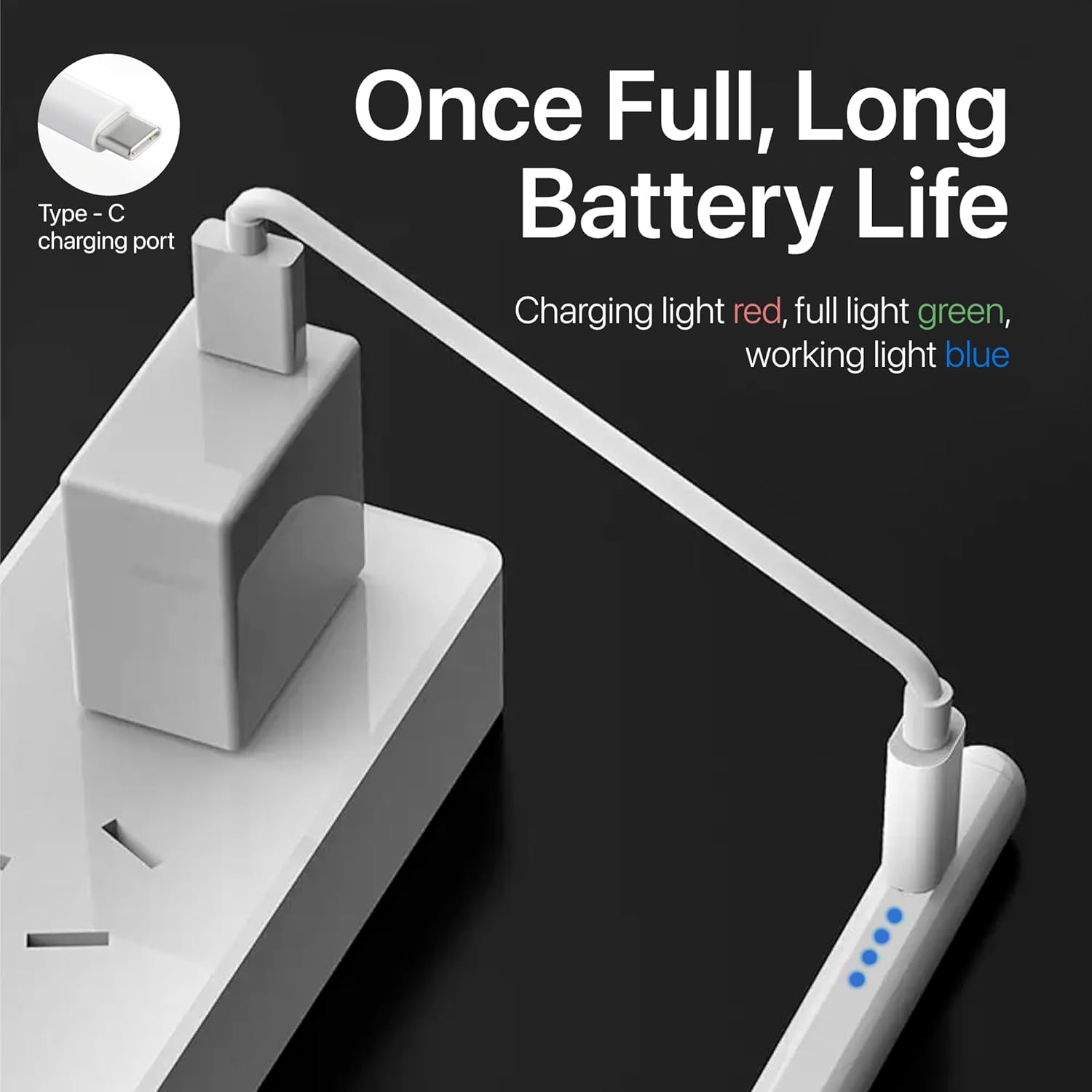
Image: Stylus charging via Type-C port, with indicator lights for charging status.
Setup and First Use
The Active Universal Smart Stylus Pen is designed for ease of use with no complex setup required.
- Ensure the stylus is sufficiently charged (refer to the "Charging the Stylus" section).
- To activate the stylus, simply touch the power switch located on the pen body. The indicator light will turn blue, signifying it is ready for use.
- No Bluetooth pairing is required. The stylus operates directly with compatible touchscreens.
- Begin using the stylus on your tablet for drawing, writing, or navigation.
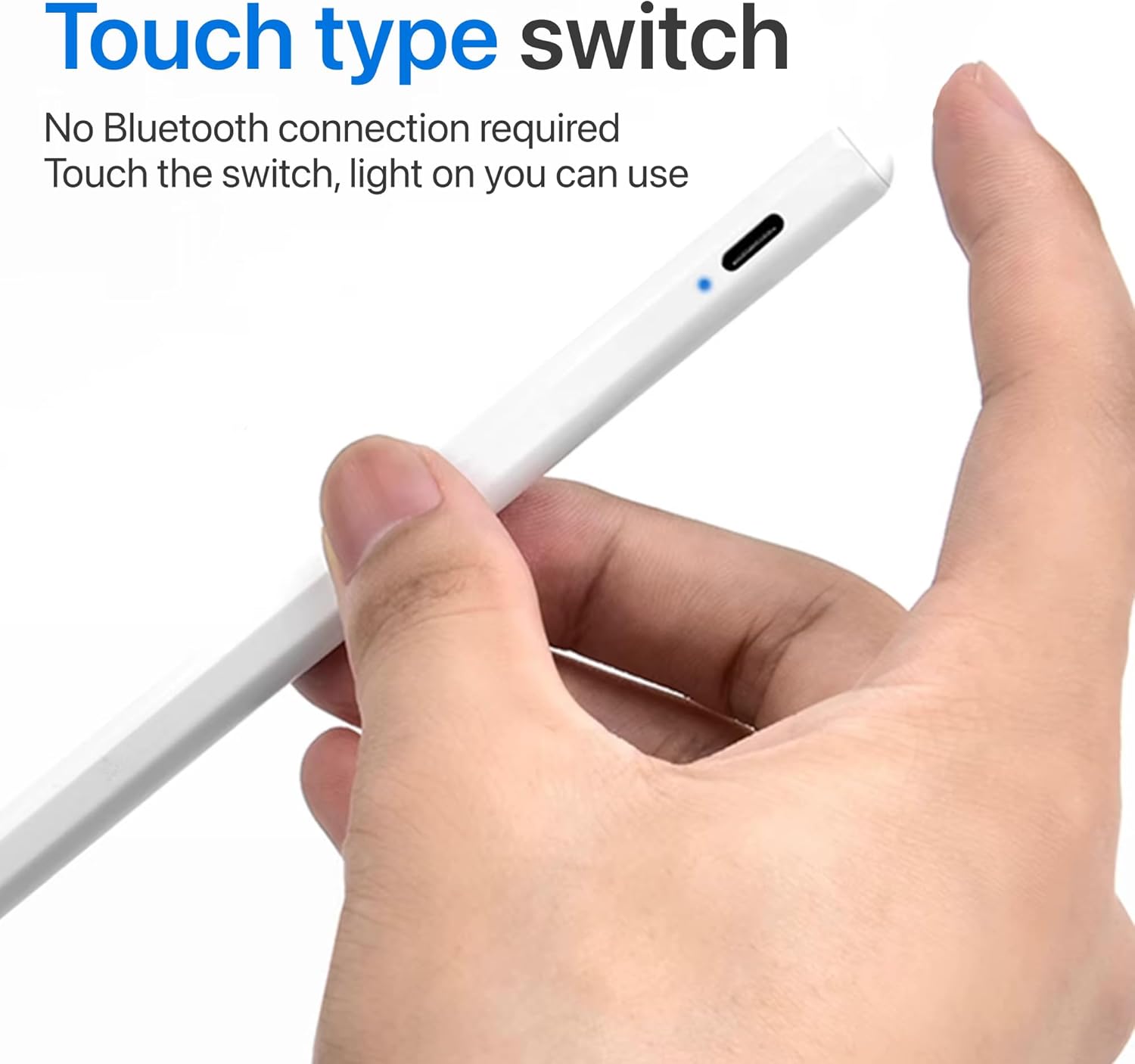
Image: Activating the stylus using the touch type switch.
Operating the Stylus
The stylus offers a precise and natural experience for various digital tasks.
- Drawing and Sketching: The 1.5mm fine tip and 2,048 levels of pressure sensitivity allow for detailed and expressive artwork. Apply varying pressure to create different line weights and shading effects.
- Writing and Note-Taking: Enjoy a smooth, continuous writing experience without lag. The palm rejection feature allows you to rest your hand naturally on the screen while writing, preventing unintended marks.
- Navigation: Use the stylus for precise navigation through menus, selecting small icons, and interacting with applications.
- Magnetic Attachment: For convenience, the stylus can magnetically attach to the side of compatible tablets for storage when not in use.
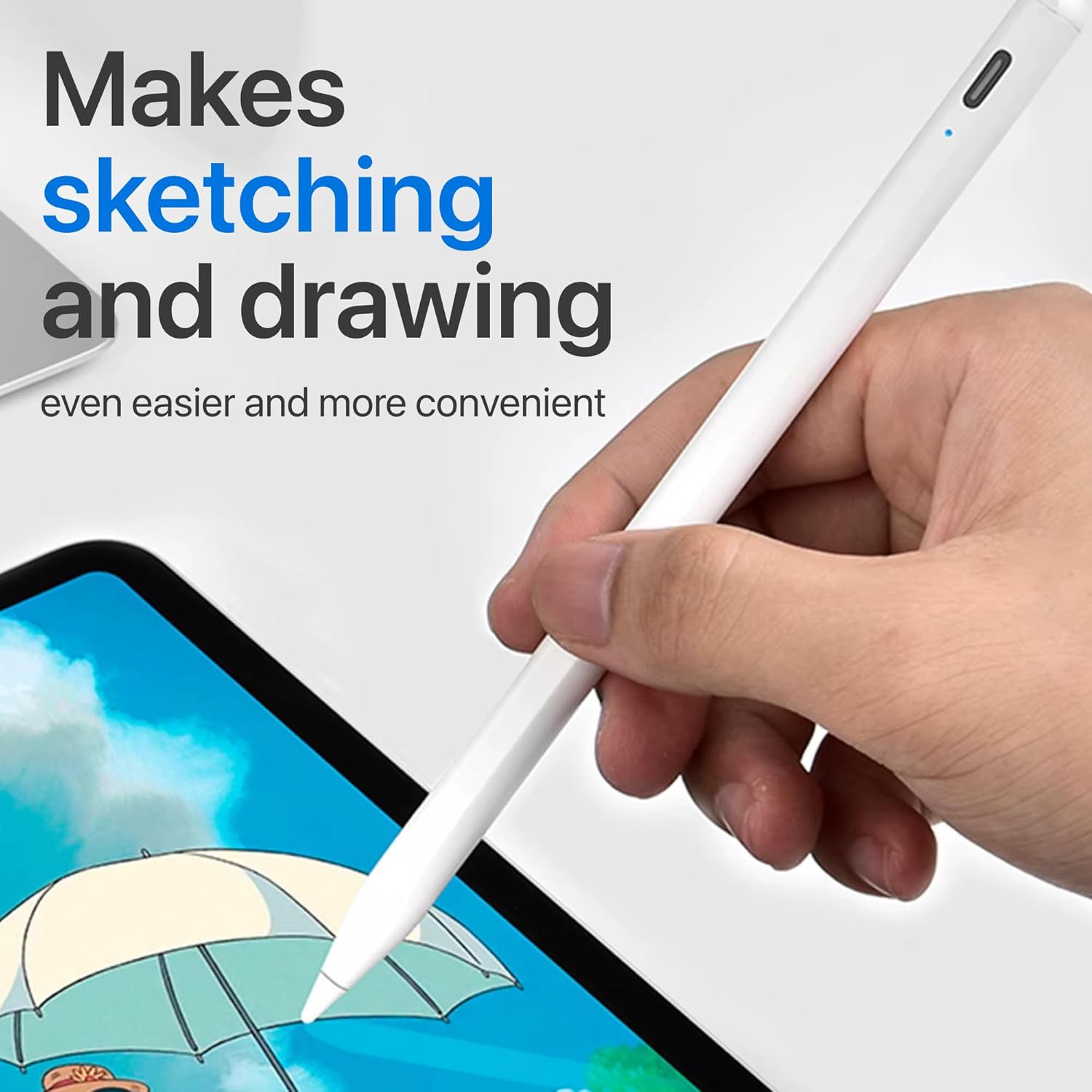
Image: Stylus in use for sketching and drawing on a tablet.

Image: Demonstrating the stylus's performance with no lag, continuous lines, and no slip.

Image: Stylus effortlessly attaching to the tablet's side.
Compatibility
The Active Universal Smart Stylus Pen is compatible with a wide range of devices. Please refer to the list below for confirmed compatibility:
- iOS Devices: iPad mini 6, iPad Air 4, iPad Air 5, iPad Pro (11 inch), iPad Pro (11 inch) 2, iPad Pro (11 inch) 3, iPad Pro (11 inch) 4, iPad Pro (12.9 inch) 3, iPad Pro (12.9 inch) 4, iPad Pro (12.9 inch) 5, iPad Pro (12.9 inch) 6, Apple iPad (9th generation)
- Android Devices: Samsung Galaxy Tab, Huawei tablets, and other Android devices.
- Windows Devices: Microsoft Surface Pro and other Windows tablets.
Note: This stylus is NOT compatible with iPad 6, iPad 7, iPad 8, iPad 9, iPad 10, iPad mini 5, or iPad Air 3.
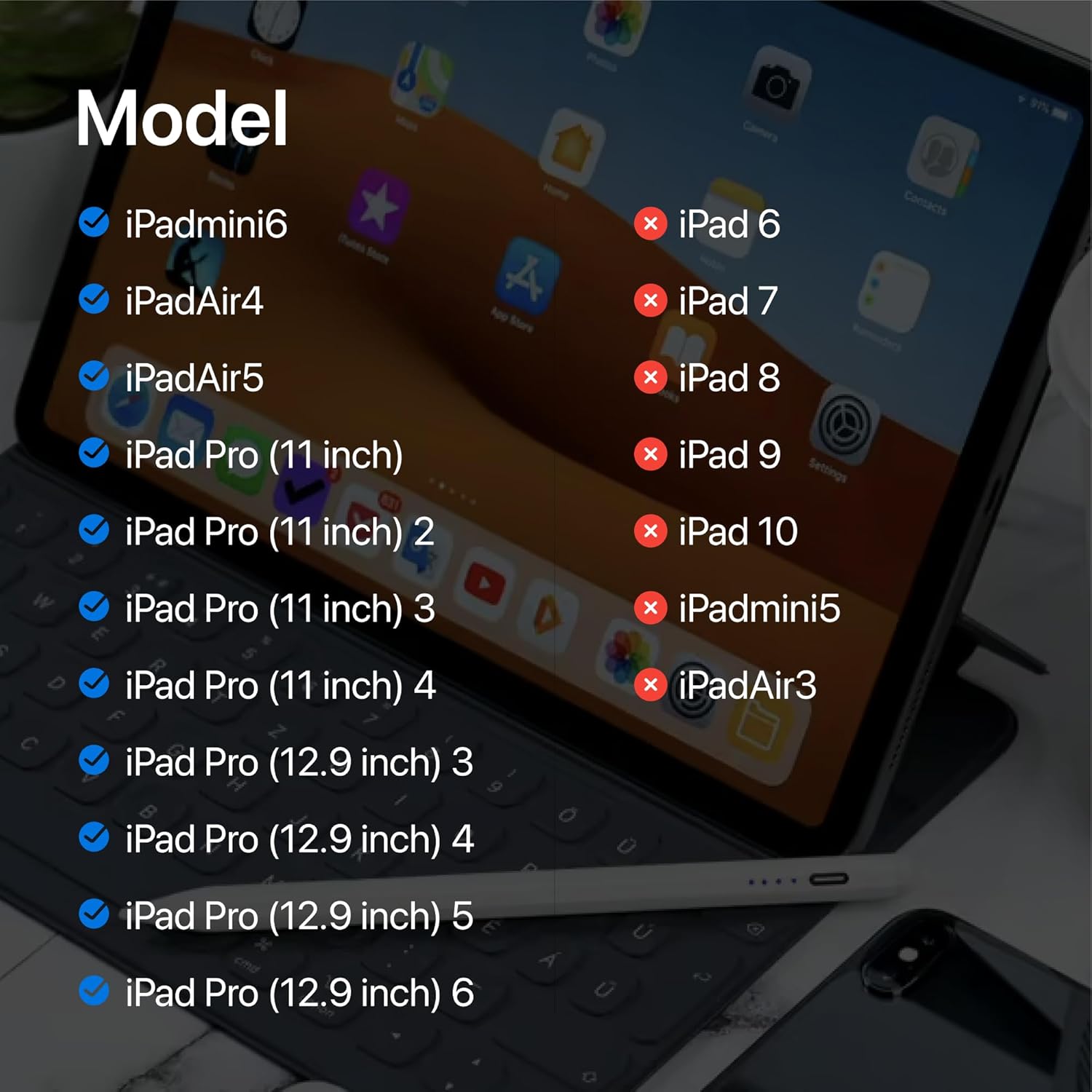
Image: Detailed compatibility list for various tablet models.
Maintenance
- Cleaning: Use a soft, dry cloth to wipe the stylus body. Avoid using harsh chemicals or abrasive materials.
- Tip Replacement: If the stylus tip becomes worn or damaged, it can be replaced. Gently twist the old tip counter-clockwise to remove it, then screw in a new fiber tip clockwise until secure. Two spare tips are included in the package.
- Storage: Store the stylus in its protective case or magnetically attached to your tablet when not in use to prevent damage.
Troubleshooting
If you encounter issues with your stylus, please refer to the following common solutions:
- Stylus is not responding:
- Ensure the stylus is turned on by touching the power switch. The indicator light should be blue.
- Check the battery level. If the light is off or red, charge the stylus fully.
- Verify that your device is compatible with the stylus (refer to the Compatibility section).
- Restart your tablet device.
- Ensure there are no other active stylus pens or Bluetooth pens connected to your device that might interfere.
- Stylus is not charging:
- Ensure the Type-C cable is securely connected to both the stylus and the power source.
- Try a different Type-C cable or USB power adapter.
- Check if the charging port on the stylus is clean and free of debris.
- Inaccurate or inconsistent performance:
- Check if the stylus tip is worn or damaged. Replace it if necessary.
- Ensure your tablet screen is clean.
- Some screen protectors may affect stylus performance. Try removing it temporarily to see if performance improves.
- Ensure your tablet's operating system and drawing/note-taking applications are up to date.
- Stylus does not attach magnetically:
- Magnetic attachment is only supported on specific tablet models that feature this functionality. Refer to your tablet's specifications.
Specifications
| Brand | Generic |
| Model | Active Universal Smart Stylus Pen |
| Material | Metal |
| Color | White |
| Pressure Sensitivity | 2048 Levels |
| Compatible Devices | Android, iOS, Windows Tablets |
| Item Weight | 0.705 ounces (approximately 20 grams) |
| Package Dimensions | 7.09 x 3.15 x 0.59 inches |
| Batteries Included | No (refers to disposable batteries; internal rechargeable battery is present) |
| Batteries Required | No (refers to disposable batteries; internal rechargeable battery is present) |
Warranty and Support
Limited Warranty: This product comes with a limited warranty against defects in materials and workmanship under normal use. The warranty period typically begins from the date of purchase. Please retain your proof of purchase for warranty claims.
Customer Support: For technical assistance, troubleshooting beyond this manual, or warranty inquiries, please contact the retailer or manufacturer's customer support channel where you purchased the product. Please have your product model and purchase information ready when contacting support.