
Introduction
This manual provides essential information for setting up, operating, and maintaining your Samsung Galaxy A36 5G smartphone. Please read this guide carefully to ensure proper use and to maximize the features of your device.

Image: Front and back view of the Samsung Galaxy A36 5G smartphone.
What's in the Box
Upon unboxing your Samsung Galaxy A36 5G, verify that all components are present:
- Samsung Galaxy A36 5G Smartphone
- Power Adapter
- USB Cable
- SIM Tray Ejector Tool

Image: The standard contents included with your Galaxy A36 5G.
Setup
1. Inserting the SIM Card
- Locate the SIM card tray on the side of your device.
- Use the provided SIM ejector tool to open the tray.
- Place your Nano-SIM card(s) into the tray with the gold contacts facing down.
- Carefully reinsert the tray into the phone.
2. Initial Power On and Setup
- Press and hold the Power button until the Samsung logo appears.
- Follow the on-screen prompts to select your language, connect to Wi-Fi, and set up your Google account.
- Transfer data from a previous device if desired.
- Set up security features such as fingerprint recognition or facial recognition.
Operating Your Device
Display and Navigation
The Galaxy A36 5G features a 6.7-inch Super AMOLED display with Vision Booster technology, providing vibrant colors and clear visibility even in bright sunlight. Navigation is primarily touch-based.

Image: The 6.7-inch Super AMOLED display of the Galaxy A36 5G, optimized for immersive viewing.
Camera Features
Your device is equipped with a versatile triple camera system, including a 50MP main camera, 8MP ultra-wide, 5MP macro, and a 12MP front camera.
- Nightography: Capture clear photos in low-light conditions.
- AI Features: Utilize intelligent editing tools to enhance your photos, create custom filters, and remove unwanted objects with the improved Object Eraser.
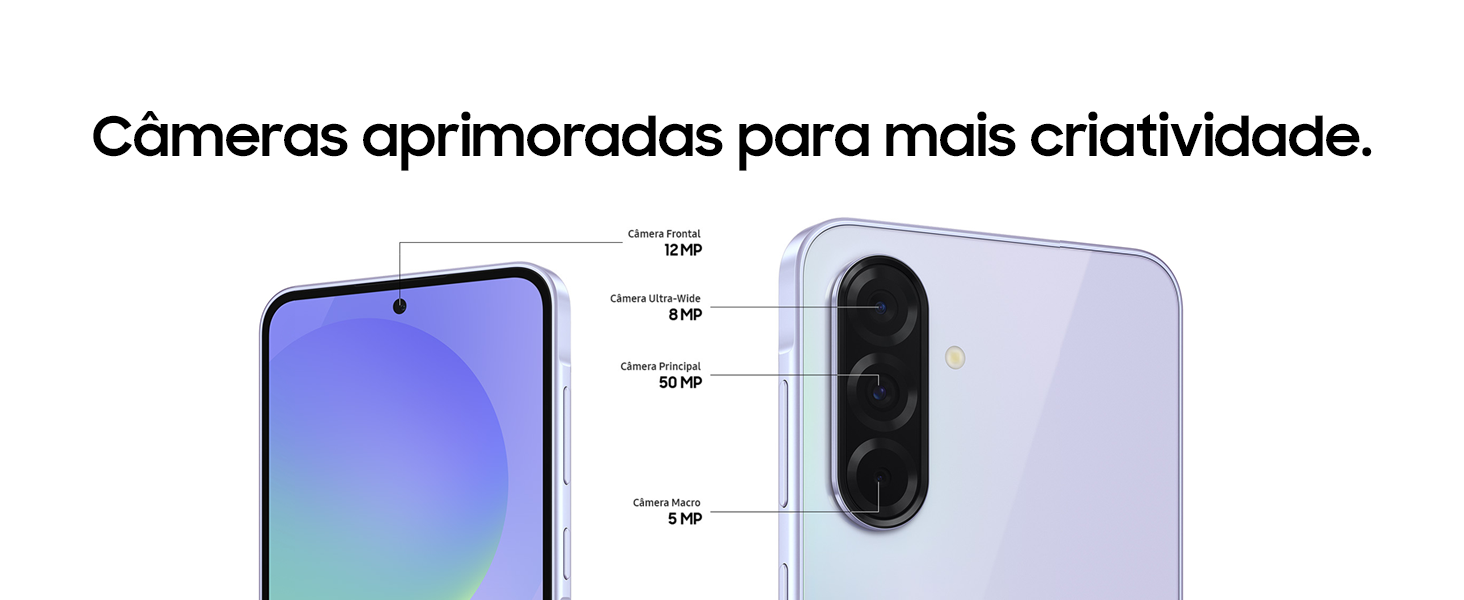
Image: Detailed view of the Galaxy A36 5G's camera system.

Image: Example of photo filters available on the Galaxy A36 5G.
AI Features: Circle to Search
The "Circle to Search with Google" feature allows you to instantly search for anything on your screen by simply circling it. This includes objects in images or text, providing immediate search results without switching applications.

Image: Using the Circle to Search feature on the Galaxy A36 5G.
Performance
Powered by the Snapdragon 6 Gen 3 (4nm) processor and up to 8GB RAM, the Galaxy A36 5G delivers smooth performance for multitasking, gaming, and streaming. It features an enhanced vapor chamber for efficient cooling.

Image: The Octa-Core processor ensures smooth operation for demanding applications.
Battery and Charging
The device is equipped with a 5000 mAh battery, providing extended usage. It supports fast charging up to 45W, allowing for quick power replenishment.

Image: The long-lasting 5000 mAh battery of the Galaxy A36 5G.
Maintenance
Software Updates
The Samsung Galaxy A36 5G is designed for longevity, receiving up to 6 Android OS updates and 6 years of security updates. Ensure your device is connected to Wi-Fi to download and install updates when available.
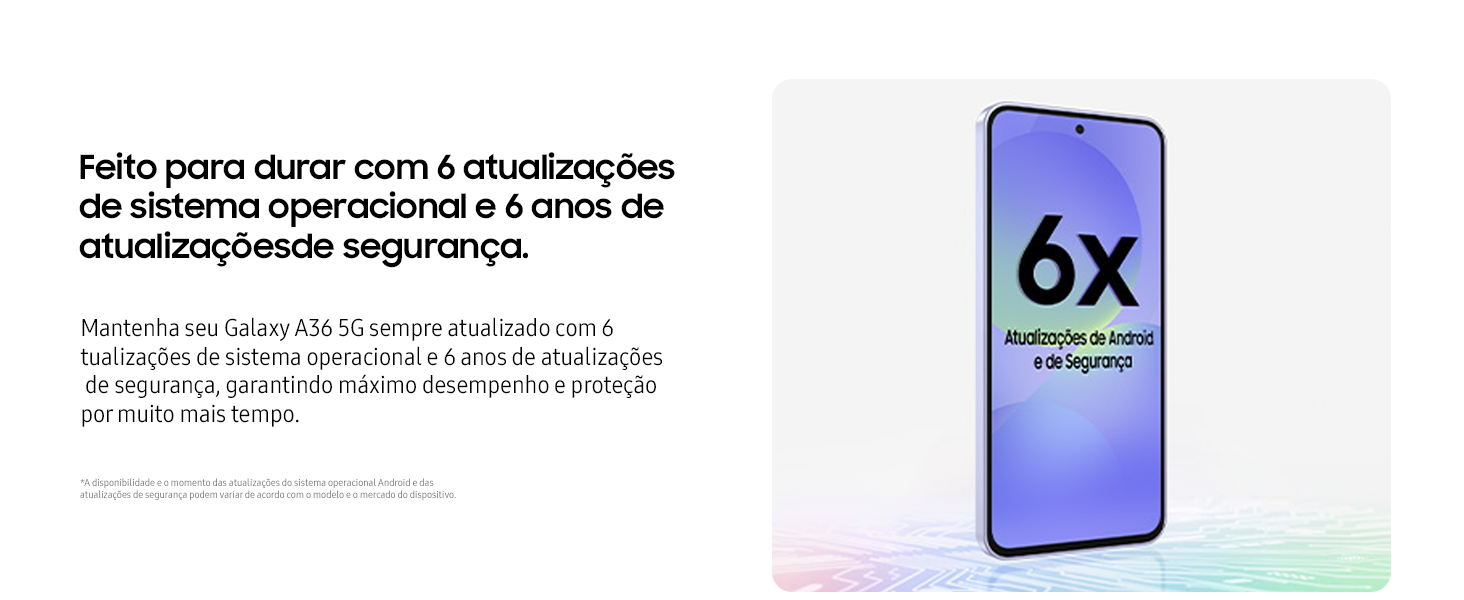
Image: Commitment to long-term software and security updates for the Galaxy A36 5G.
Water and Dust Resistance (IP67)
Your device is rated IP67 for water and dust resistance. This means it can withstand immersion in up to 1 meter of fresh water for up to 30 minutes. Avoid exposing the device to saltwater, chlorinated water, or other liquids. Ensure the SIM tray is properly closed to maintain water resistance.

Image: The IP67 rating ensures durability against water and dust.
The device also features Corning Gorilla Glass Victus+ for enhanced durability against scratches and drops.
Troubleshooting
- Device not turning on: Ensure the battery is charged. Connect to the charger and wait a few minutes before attempting to power on again.
- Apps crashing or freezing: Close background apps. Clear the cache of the problematic app or reinstall it. If issues persist, consider a factory reset (back up your data first).
- Poor network connection: Check your SIM card insertion. Restart the device. Verify network settings and contact your service provider if necessary.
- Battery draining quickly: Reduce screen brightness, disable unnecessary features like GPS or Bluetooth when not in use, and close background apps.
For more detailed troubleshooting, refer to the official Samsung support website or contact customer service.
Specifications
| Feature | Detail |
|---|---|
| Model Number | SM-A366E/DS |
| Operating System | Android 15.0 |
| Processor | Snapdragon 6 Gen 3 (4nm), Octa-Core, 2 GHz CPU Speed |
| RAM | 6 GB |
| Internal Storage | 128 GB |
| Display | 6.7-inch Super AMOLED, 2340x1080 Resolution |
| Rear Camera | 50MP (Main), 8MP (Ultra-Wide), 5MP (Macro) |
| Front Camera | 12MP |
| Battery Capacity | 5000 mAh |
| Charging | Supports up to 45W Fast Charging |
| Connectivity | 5G, Bluetooth, USB, Wi-Fi |
| Special Features | Dual SIM, Integrated GPS, IP67 Water/Dust Resistance, AI Features (Circle to Search, Object Eraser, Filters) |
| Dimensions | 16.29 x 7.82 x 0.74 cm |
| Weight | 195 g |

Image: Physical dimensions of the Galaxy A36 5G.
Warranty and Support
For warranty information, please refer to the documentation included with your device or visit the official Samsung website for your region.
For customer support, technical assistance, or to find service centers, please visit the Samsung Support website.
Legal Notice: For product homologation consultation, please visit: sistemas.anatel.gov.br/sch (ANATEL: 107352400953).


