
Introduction
This manual provides detailed instructions for the safe and efficient operation of your ultramic K26 Portable Bluetooth Karaoke Machine. Please read this manual thoroughly before using the product and retain it for future reference.
Product Overview
Package Contents
- 1 x ultramic K26 Karaoke Machine
- 2 x Wireless Microphones
- 2 x Type-C Charging Cables
- 1 x Quick Start Guide
Key Features
- 8W Bluetooth Wireless HD Speaker with 360° stereo sound.
- Two wireless microphones with dedicated storage slots.
- Multiple connectivity options: Bluetooth, Micro TF card, Flash USB, AUX-in.
- Dynamic multi-color LED light show with 6 light modes.
- 5 magic sound effects: Monster, Baby, Karaoke Mode, Pop Mode, Original/Accompaniment.
- Portable design with a durable shell, weighing 1 KGS (2.2 lbs).
- Rechargeable lithium-ion battery providing 4-10 hours of playtime (actual playtime varies).
- Compatible with Android mobile phones, TVs, iPads, tablets, and PCs.

Image: The ultramic K26 Karaoke Machine in purple-blue, featuring its main unit with an integrated tablet stand, two wireless microphones, and a colorful LED light display on the speaker grille.
Setup
- Charging the Device: Connect the provided Type-C charging cable to the karaoke machine and a suitable USB power adapter (not included). The LED indicator will show charging status. Ensure the device is fully charged before first use.
- Charging Microphones: Connect the wireless microphones to their respective Type-C charging cables and a USB power source.
- Power On: Press and hold the power button on the karaoke machine to turn it on. The LED lights will illuminate.
- Microphone Pairing: The wireless microphones are typically pre-paired with the karaoke machine. If pairing is required, turn on the microphone, and it should automatically connect to the main unit.
Operating Instructions
Bluetooth Connection
- Ensure the karaoke machine is powered on.
- Activate Bluetooth on your smartphone, tablet, or other compatible device.
- Search for "ultramic K26" (or similar name) in your device's Bluetooth settings.
- Select the device to pair. A confirmation sound will indicate a successful connection.
- You can now play audio from your connected device through the karaoke machine.
USB/TF Card/AUX Input
- USB Playback: Insert a USB flash drive containing audio files into the USB port. The machine will automatically switch to USB mode and begin playback.
- TF Card Playback: Insert a Micro TF card containing audio files into the TF card slot. The machine will automatically switch to TF card mode and begin playback.
- AUX-in: Connect an external audio device (e.g., MP3 player, PC) to the AUX-in port using a 3.5mm audio cable (not included). The machine will switch to AUX mode.
Microphone Usage
- Turn on the wireless microphones using their power buttons.
- Adjust microphone volume using the dedicated controls on the microphone or the main unit.
- The microphones feature separate function buttons for ease of use.
Sound Effects
The ultramic K26 offers 5 distinct magic sound effects to enhance your karaoke experience:
- Original Sound: Standard vocal output.
- Pop Mode: Optimized for pop music vocals.
- Karaoke Mode: Enhances vocal presence for singing along.
- Baby Voice: Modifies your voice to a higher pitch.
- Monster Voice: Modifies your voice to a lower, deeper pitch.
Refer to the Quick Start Guide for specific button presses to activate and cycle through these effects.
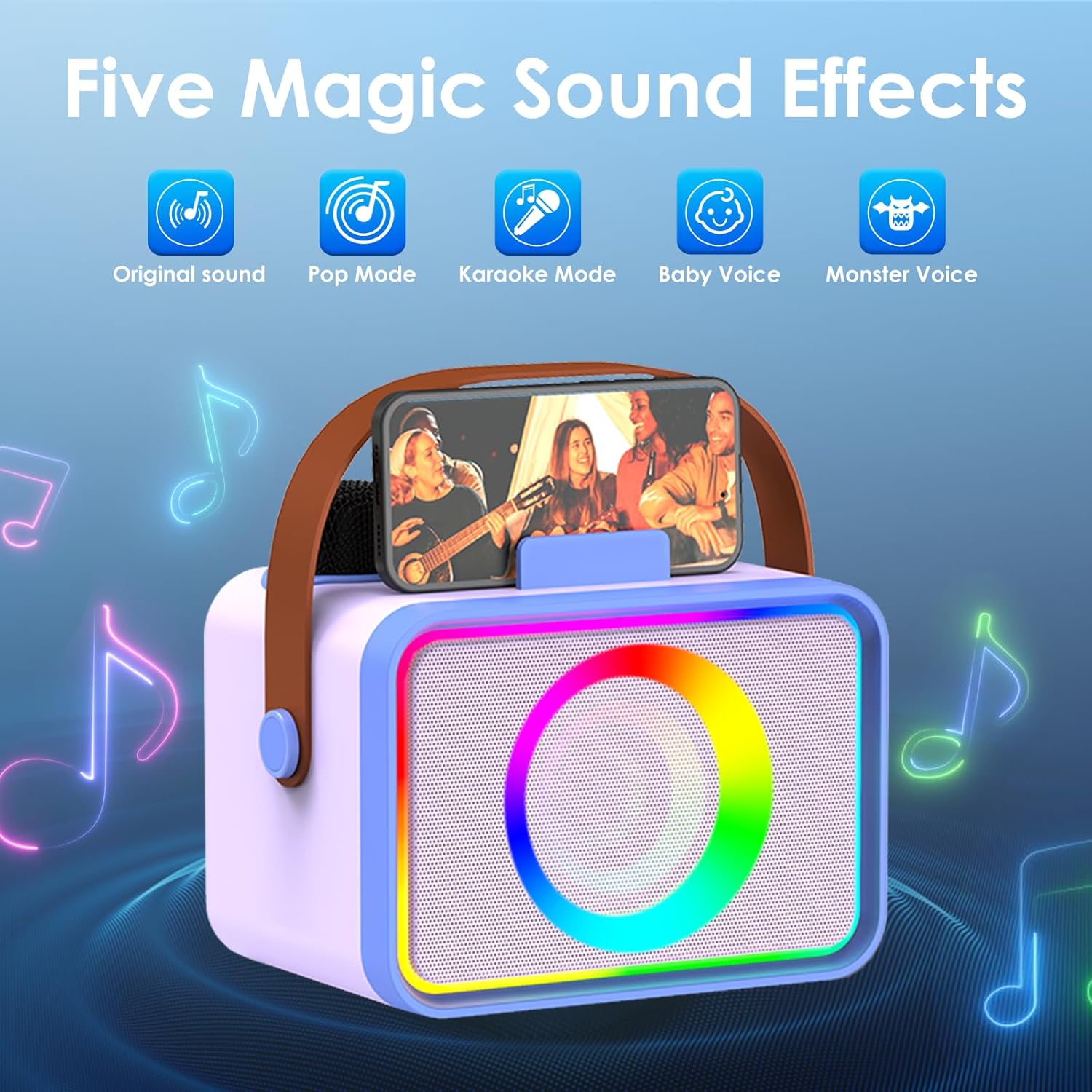
Image: The ultramic K26 Karaoke Machine with icons representing its five magic sound effects: Original sound, Pop Mode, Karaoke Mode, Baby Voice, and Monster Voice, surrounded by musical notes.
LED Light Show
The karaoke machine features a dynamic multi-color LED light show with 6 different modes. Press the dedicated light button on the unit to cycle through the available light effects and customize the visual atmosphere.
Maintenance
- Cleaning: Use a soft, dry cloth to clean the exterior of the karaoke machine and microphones. Do not use abrasive cleaners or solvents.
- Storage: Store the device in a cool, dry place away from direct sunlight and extreme temperatures.
- Battery Care: To prolong battery life, avoid fully discharging the battery frequently. Charge the device regularly, even if not in use for extended periods.
- Water Exposure: This device is not waterproof. Avoid exposure to water or excessive moisture.
Troubleshooting
| Problem | Possible Cause | Solution |
|---|---|---|
| No power | Battery is depleted. | Charge the karaoke machine using the provided Type-C cable. |
| No sound from speaker | Volume is too low; device not connected; incorrect input mode. | Increase volume; ensure Bluetooth is connected or correct input (USB/TF/AUX) is selected. |
| Microphone not working | Microphone is off; battery depleted; not paired. | Turn on microphone; charge microphone; re-pair if necessary (refer to Quick Start Guide). |
| Bluetooth connection unstable | Device is too far from the karaoke machine; interference. | Move the connected device closer to the karaoke machine; avoid obstacles. |
Specifications
- Brand: ultramic
- Model Number: K26
- Product Dimensions: 7.68 x 5 x 4.28 inches
- Item Weight: 1 Kilogram (2.2 pounds)
- Power Source: Battery Powered (Rechargeable Lithium-ion)
- Connectivity Technology: Bluetooth, Auxiliary, USB, Wireless, TF card
- Audio Input: Wireless Microphone, TF Card, USB, Auxiliary
- Number of Channels: 2
- Compatible Devices: PC, Smartphone, Tablet, Television
- Connectivity/Interface: USB Type C, Micro SD, Bluetooth
- Color: Purple Blue (Note: Other colors may be available for different models)

Image: An exploded diagram illustrating the internal components of the ultramic K26 speaker, highlighting the subwoofer and tweeter for powerful and clear stereo sound.
Warranty and Support
The product includes lifetime technical support. If you encounter any issues during the use of your ultramic K26 Karaoke Machine, please contact customer support. They are available to assist and resolve issues within 24 hours.
For support, please refer to the contact information provided in your Quick Start Guide or on the official ultramic website.