
1. Introduction
Thank you for choosing the MYXINFU Ear Wax Removal Kit. This manual provides detailed instructions for the safe and effective use of your new ear cleaning tool, which features a 1080P HD camera and LED illumination for clear visualization of the ear canal. Please read this manual thoroughly before first use and retain it for future reference.
2. Important Safety Information
- Consult a Professional: If you experience ear pain, discharge, or hearing loss, consult a medical professional before using this device.
- Gentle Use: When using the otoscope for the first time, familiarize yourself with its feel in the ear canal. Move it gently and slowly to avoid injury.
- Children: This device is not intended for use by children without adult supervision. Keep out of reach of infants and young children.
- Avoid Over-Insertion: Do not insert the ear pick too deeply into the ear canal. Excessive force or depth can cause damage to the eardrum or inner ear structures.
- Clean Before Use: Always ensure the ear pick and camera lens are clean before each use to prevent infection.
- Discontinue Use If Pain Occurs: If you feel any discomfort or pain during use, immediately stop and consult a medical professional.
- Charging: Use only the provided Type-C charging cable. Do not use damaged cables or chargers.
- Temperature: The device is designed with intelligent constant temperature control for the lens (approx. 25°C) and handles (approx. 32°C) to ensure comfort.
Legal Disclaimer: Statements regarding dietary supplements have not been evaluated by the FDA and are not intended to diagnose, treat, cure, or prevent any disease or health condition. This product is for personal hygiene and informational purposes only and should not replace professional medical advice.
3. Package Contents
Please check the package for the following items:
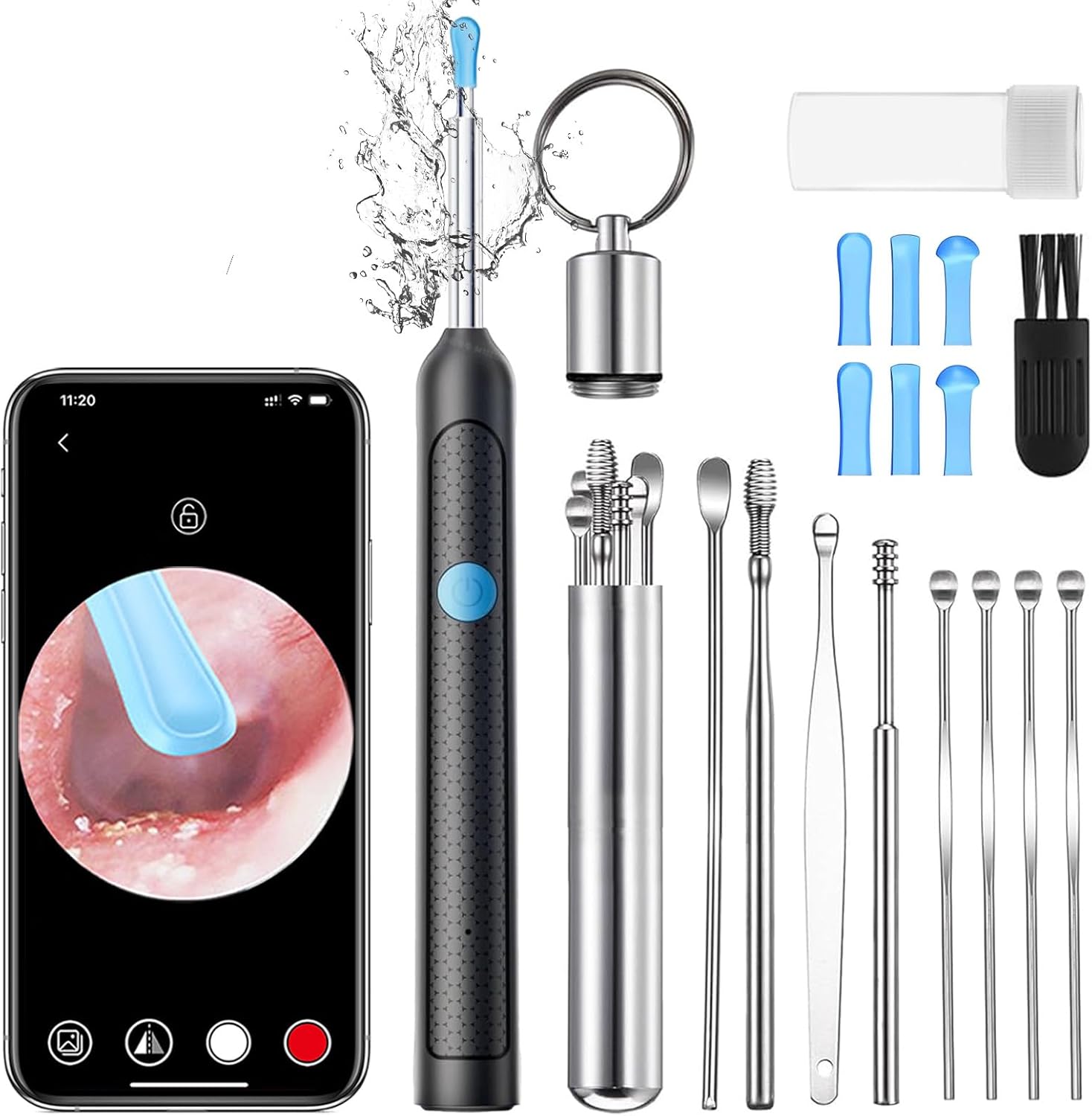
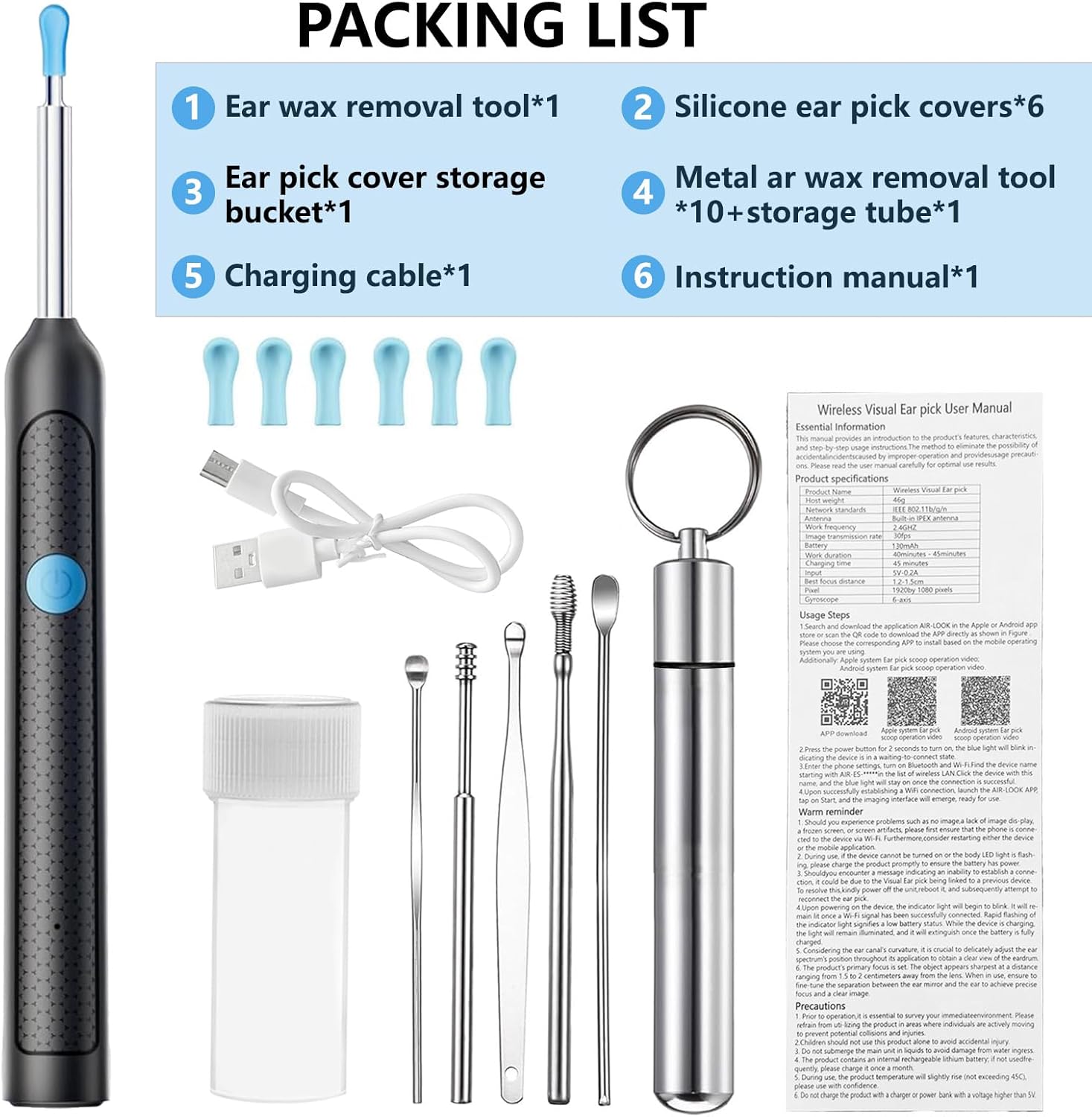
- 1 x Ear Wax Removal Tool Camera
- 6 x Silicone Ear Scoop Covers
- 10 x Earwax Removal Kits (various metal ear picks)
- 1 x Type-C Charging Cable
- 1 x Storage Bottle for ear picks
- 1 x User Manual
4. Product Overview
The MYXINFU Ear Wax Removal Kit combines a high-definition camera with an ear cleaning tool, allowing for a clear view of the ear canal during the cleaning process. Key features include:
- 1080P HD Camera: Provides a clear, real-time view of the ear canal on your smartphone or tablet.
- 6 Bright LED Lights: Illuminates the ear canal for enhanced visibility in dark environments.
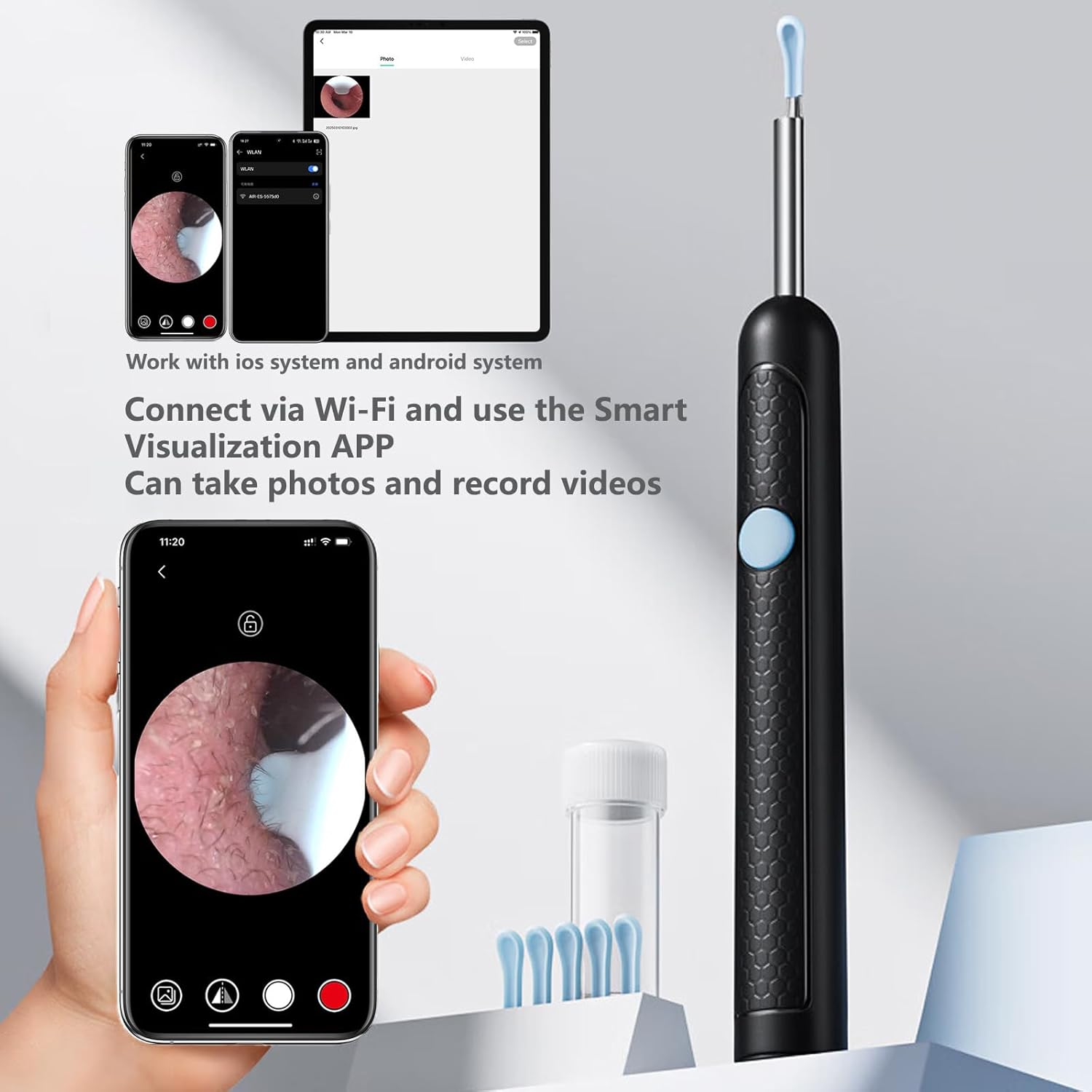
- Wi-Fi Connectivity: Connects wirelessly to your iOS or Android device via a dedicated app.
- Integrated Earspoon Design: Features a durable stainless steel rod and soft, replaceable silicone ear scoop covers for safe and comfortable use.
- Non-slip Textured Handle: Ensures a secure grip during operation.
- Type-C Charging: Convenient and modern charging interface.
- Waterproof Lens: Allows for easy cleaning of the camera lens after use.


5. Setup Guide
Follow these steps to set up your MYXINFU Ear Wax Removal Kit:
- Step 1: Download the App
Search for and download the "AIR-Look" APP from the Apple App Store (for iOS devices) or Google Play Store (for Android devices). Alternatively, scan the QR code provided in the manual or on the product packaging.

Image 8: Visual guide for connecting the device. For direct download, you can also visit: https://qr15.cn/D83xfi
- Step 2: Power On the Device
Press and hold the power button on the ear wax removal tool for 2 seconds to turn it on. The LED lights on the device will illuminate.
- Step 3: Connect via Wi-Fi
Go to your phone's Wi-Fi settings. Find and connect to the Wi-Fi network named "AIR-ES-XXXXXX" (where XXXXXX is a unique identifier for your device). No password is required.
- Step 4: Start the App
Return to the "AIR-Look" APP. The device should automatically connect. Click the "START" button within the app to begin viewing the live feed from the camera.
6. Operating Instructions
Once connected, you can begin using the ear wax removal tool:
- Attach a Silicone Ear Scoop: Select a suitable silicone ear scoop cover and securely attach it to the tip of the ear wax removal tool. Ensure it is firmly in place.
- Position the Device: Gently and slowly insert the tip of the device into your ear canal while observing the live feed on your smartphone or tablet.
- Adjust View: The 6 LED lights will illuminate the ear canal, providing a clear view. Adjust the angle and depth of insertion carefully to get the best view of the earwax.
- Remove Earwax: Using the silicone scoop, gently scrape or scoop out visible earwax. Always move slowly and avoid touching the eardrum. If you encounter hard or impacted wax, do not force it; consult a medical professional.
- Capture Images/Videos: The "AIR-Look" app allows you to take photos and record videos of your ear canal. This can be useful for monitoring ear health or sharing with a doctor.
- Other Tools: For larger or more stubborn wax, you may use the additional metal ear picks provided. Exercise extreme caution and always use them under direct visual guidance from the camera.
Important: Always prioritize safety. If you are unsure or uncomfortable, seek professional medical advice.


7. Maintenance and Cleaning
Proper maintenance ensures the longevity and hygiene of your device:
- Cleaning the Lens: After each use, the camera lens is waterproof and can be rinsed with water or wiped with an alcohol swab. Ensure it is completely dry before storing.
- Cleaning Ear Scoops/Picks: Remove the silicone ear scoop covers and wash them with soap and water, or wipe with an alcohol swab. The metal ear picks should also be cleaned thoroughly after each use.
- Storage: Store all components in a clean, dry place, preferably in the provided storage bottle and packaging, away from direct sunlight and extreme temperatures.
- Charging: Recharge the device when the battery is low. A full charge typically takes about 1 hour and provides approximately 90 minutes of continuous use.

8. Troubleshooting
| Problem | Possible Cause | Solution |
|---|---|---|
| Device does not turn on. | Low battery. | Charge the device using the provided Type-C cable. |
| Cannot connect to Wi-Fi. | Device not powered on or Wi-Fi not enabled. Incorrect Wi-Fi network selected. | Ensure the device is powered on. Go to your phone's Wi-Fi settings and select the "AIR-ES-XXXXXX" network. Restart the device and try again. |
| No image in the app. | App not started or connection failed. | Ensure the device is connected via Wi-Fi and you have pressed "START" in the "AIR-Look" app. Close and reopen the app. |
| Image is blurry or unclear. | Camera lens is dirty. | Clean the camera lens with water or an alcohol swab. |
| Device gets warm during use. | Normal operation. | The device has intelligent temperature control. A slight warmth is normal. If it becomes excessively hot, discontinue use and contact support. |
9. Specifications
| Feature | Detail |
|---|---|
| Model | B0DYVCYRS6 |
| Camera Resolution | 1080P HD |
| LED Lights | 6 Cold LED Lights |
| Connectivity | Wi-Fi (iOS & Android compatible) |
| Charging Port | Type-C |
| Battery Life | Approximately 90 minutes (continuous use) |
| Charging Time | Approximately 1 hour |
| Lens Diameter | 3.5mm |
| Temperature Control | Intelligent Constant Temperature (Lens ~25°C, Handles ~32°C) |
| Package Dimensions | 6.73 x 2.48 x 0.75 inches |
| Weight | 2.89 ounces |
10. Warranty and Support
MYXINFU is committed to providing high-quality products. If you encounter any issues with your Ear Wax Removal Kit, please refer to the troubleshooting section first. For further assistance, product inquiries, or warranty claims, please contact our customer support team through the retailer where you purchased the product. Please have your purchase details and model number (B0DYVCYRS6) ready when contacting support.
We value your satisfaction and are here to help.