
1. Introduction
Thank you for choosing the Catmart V12 10,000mAh Magnetic Wireless Portable Charger. This device is designed to provide convenient and efficient power for your mobile devices, featuring both magnetic wireless charging and wired USB-C fast charging capabilities. This manual provides essential information for the safe and optimal use of your power bank.
2. Product Overview
2.1 Key Features
- Ultra-Slim Design: Measures 14mm thin and weighs 188g, with a compact, card-sized form factor.
- High Capacity: 10,000mAh battery provides multiple charges for compatible smartphones.
- Fast Charging: Supports 15W wireless charging and 20W wired charging via USB-C.
- Magnetic Alignment: Equipped with 18 N52 magnets for secure and precise attachment to MagSafe-compatible devices.
- Advanced Temperature Control: Features NTC smart temperature control and a titanium cooling structure for enhanced heat dissipation and battery longevity.
- Premium Construction: Crafted from Grade 5 titanium alloy with a micro-sandblasted finish and a soft-touch silicone panel.
- Pass-Through Charging: Allows recharging the power bank while simultaneously wirelessly charging another device.
2.2 Product Components
The Catmart V12 includes:
- Catmart V12 Magnetic Wireless Portable Charger
- USB-C to USB-C Charging Cable
- User Manual (this document)
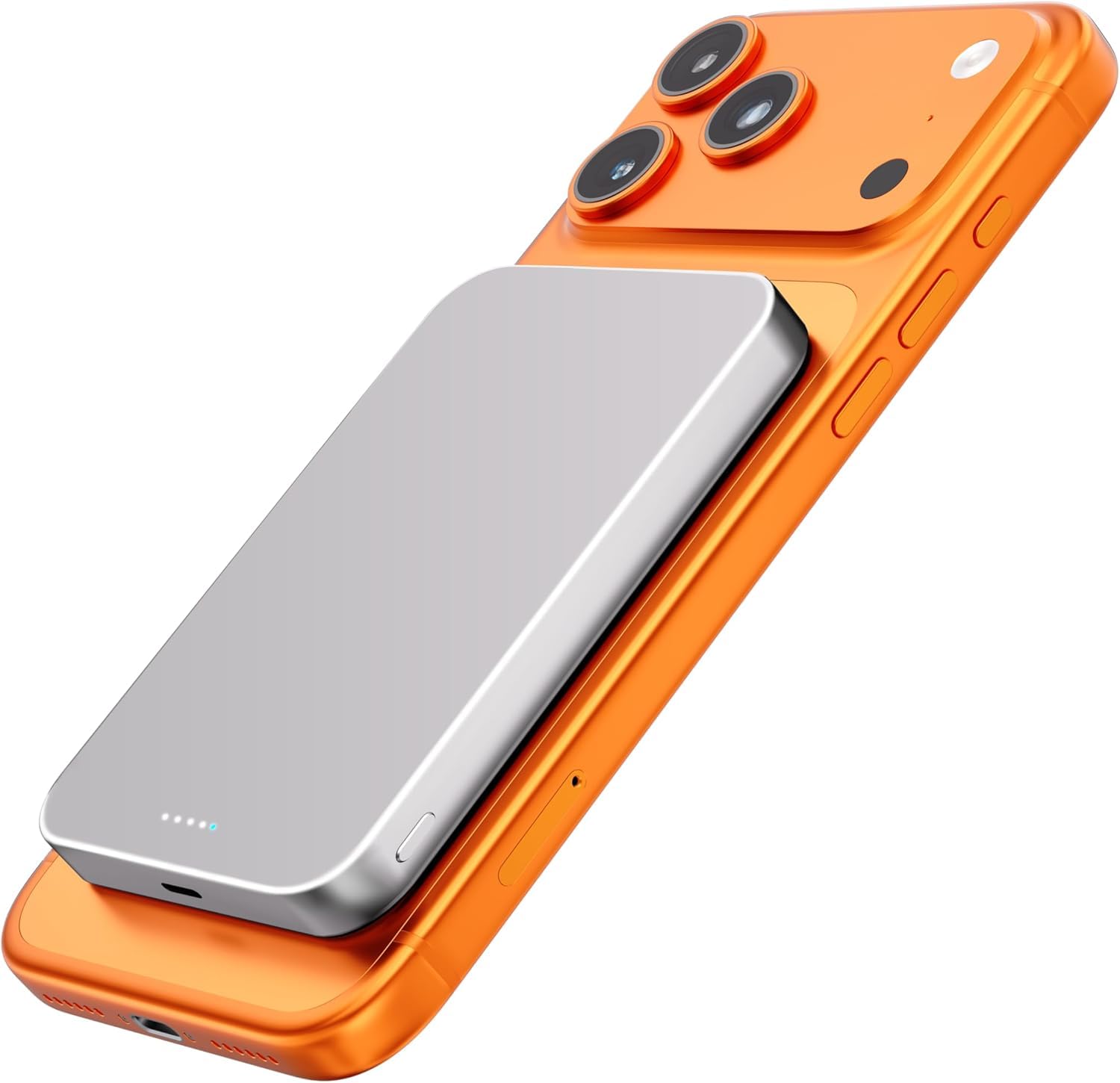
The Catmart V12 magnetic wireless portable charger, showcasing its sleek design and compact form factor.

The Catmart V12 is designed to be ultra-thin at 0.5 inches and lightweight at 0.4 lbs, making it highly portable.
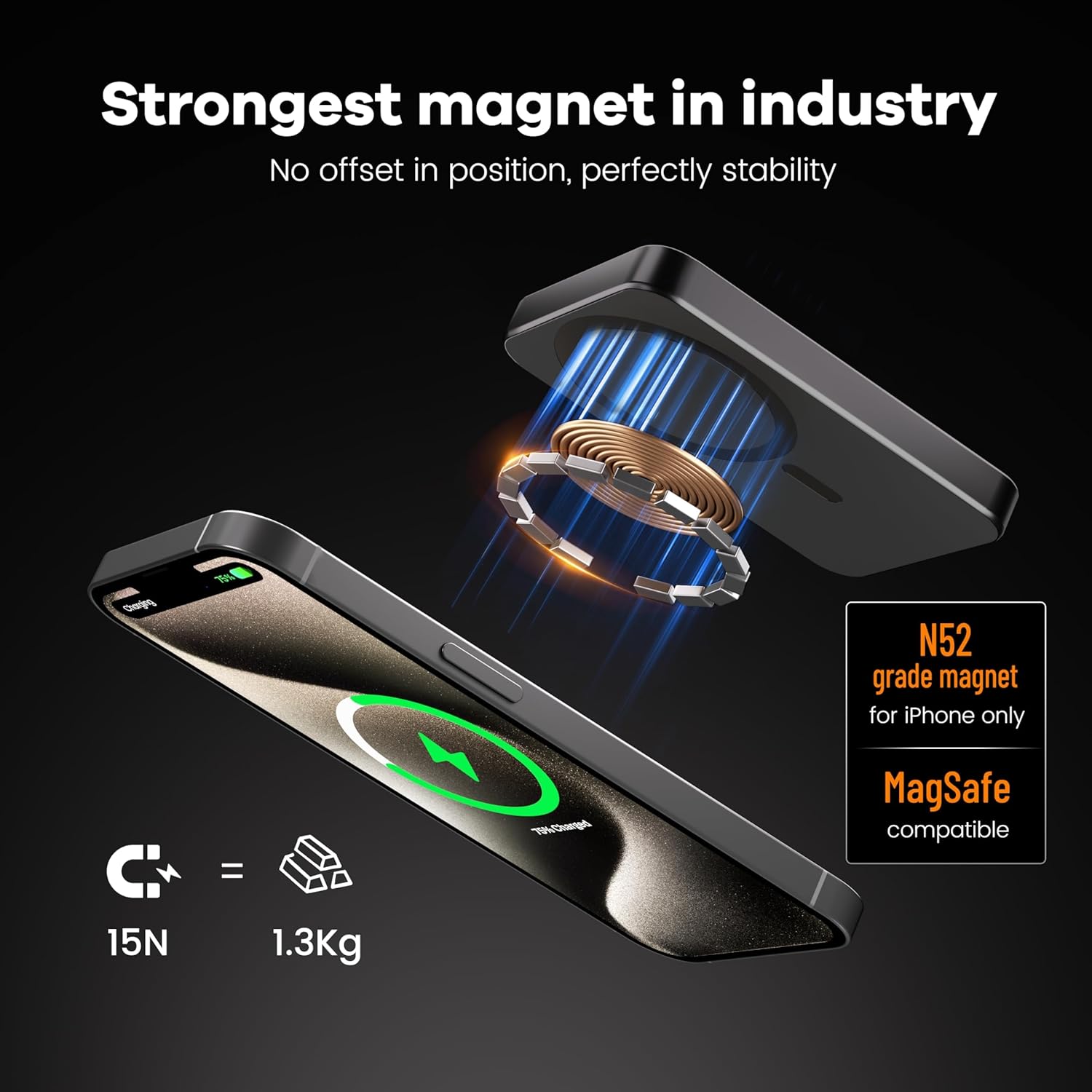
Equipped with N52 grade magnets, the Catmart V12 provides a strong magnetic hold for stable and aligned wireless charging.
3. Setup
3.1 Initial Charging of the Power Bank
- Connect the provided USB-C cable to the USB-C port on the Catmart V12 power bank.
- Connect the other end of the USB-C cable to a compatible USB power adapter (not included).
- The LED indicators on the power bank will illuminate to show the charging status. Allow the power bank to fully charge before first use.
4. Operating Instructions
4.1 Charging Your Devices Wirelessly (MagSafe Compatible)
- Ensure your device is MagSafe-compatible or has a magnetic wireless charging case.
- Align the Catmart V12 power bank with the back of your device. The magnets will automatically snap into place, ensuring proper alignment.
- Wireless charging will begin automatically. The LED indicators on the power bank will show its remaining charge.
4.2 Charging Your Devices via USB-C Cable
- Connect one end of a USB-C cable (the one provided or another compatible cable) to the USB-C port on the Catmart V12 power bank.
- Connect the other end of the USB-C cable to your device's charging port.
- Wired charging will begin automatically.
4.3 Simultaneous Charging (Wireless and Wired)
The Catmart V12 supports charging two devices concurrently: one wirelessly and one via the USB-C port. Connect both devices as described in sections 4.1 and 4.2. Note that the power bank may become warm during dual charging, which is normal operation.

The Catmart V12 supports both 15W wireless charging and 20W wired charging via USB-C, allowing simultaneous charging of two devices.
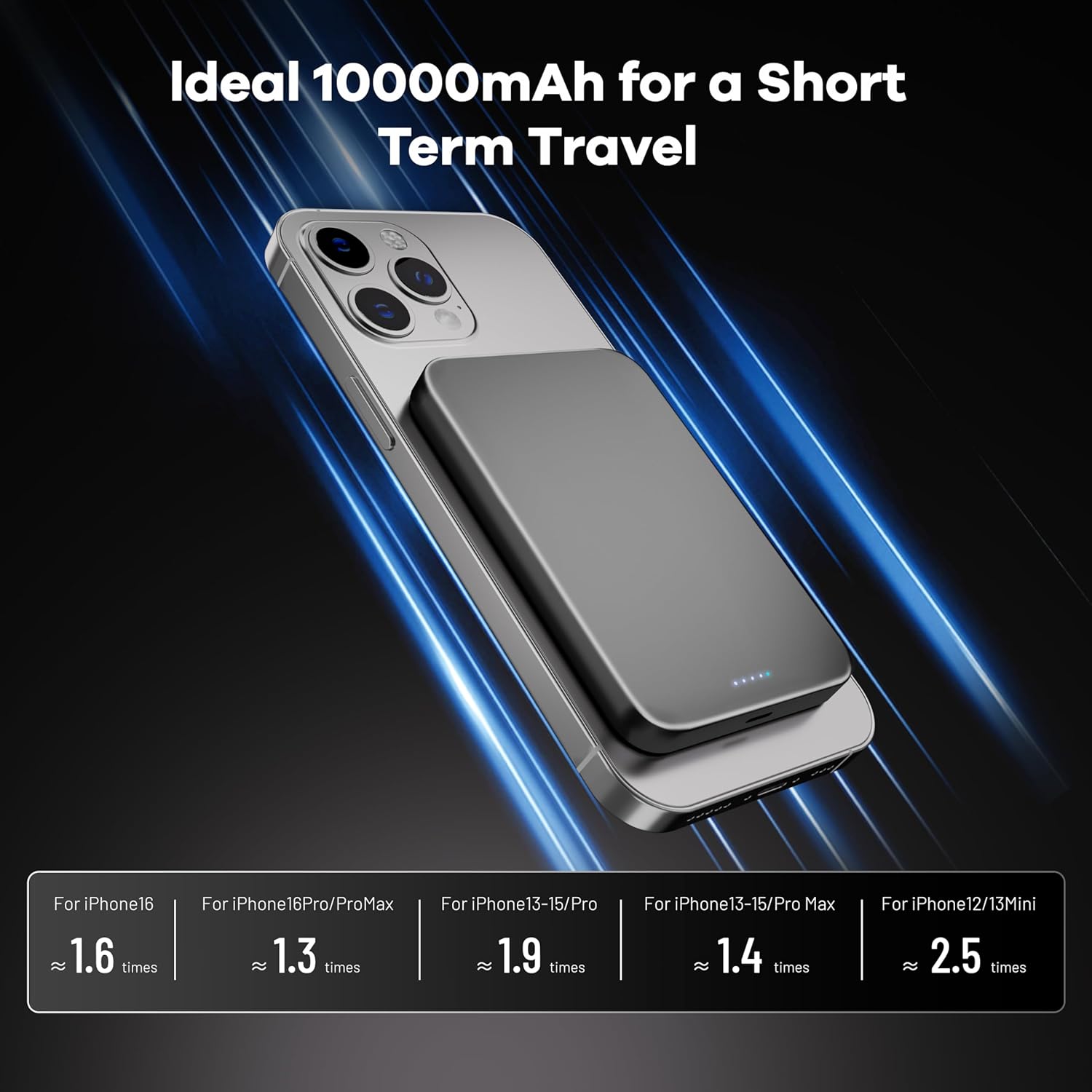
This image illustrates the approximate number of full charges the 10,000mAh power bank can provide for different iPhone models.
5. Maintenance
5.1 Cleaning
To clean the power bank, gently wipe its surface with a soft, dry, lint-free cloth. Do not use harsh chemicals, abrasive cleaners, or immerse the device in water.
5.2 Storage
Store the power bank in a cool, dry place away from direct sunlight, extreme temperatures, and high humidity. If storing for extended periods, charge the power bank to approximately 50% every three months to maintain battery health.
6. Troubleshooting
6.1 Device Not Charging Wirelessly
- Ensure your device is MagSafe-compatible or has a magnetic wireless charging case.
- Verify the power bank is sufficiently charged.
- Check for proper alignment between the power bank and your device. Remove any thick cases that might interfere with the magnetic connection or wireless charging.
- Restart the power bank by disconnecting and reconnecting it from any power source, then try again.
6.2 Device Not Charging via USB-C Cable
- Ensure the power bank is sufficiently charged.
- Try using a different USB-C cable to rule out a faulty cable.
- Check if the USB-C port on both the power bank and your device is clean and free of debris.
6.3 Power Bank Not Charging
- Ensure the USB-C cable is securely connected to both the power bank and the power adapter.
- Verify that the power adapter is functioning correctly and connected to a live power outlet.
- Try a different USB-C cable and power adapter.
6.4 Power Bank Becomes Warm During Use
It is normal for the power bank to become warm during charging or discharging, especially during fast charging or when charging two devices simultaneously. If the device becomes excessively hot, disconnect it immediately and contact support.
7. Specifications
| Model Name | V12 |
| Brand | Catmart |
| Battery Capacity | 10,000 mAh |
| Connector Type | USB Type C |
| Wireless Charging Output | 15W (Max) |
| Wired Charging Output | 20W (Max) |
| Voltage | 5 Volts |
| Power Source | Battery |
| Compatible Phone Models | iPhone 12/13/14/15/16 series (MagSafe) and most Android devices |
| Dimensions (L x W x Thickness) | 1 x 1 x 1 inches (Note: Product description states 14mm thin, which is approx 0.55 inches) |
| Weight | 188g (approx 0.4 lbs) |
| UPC | 704090976060 |
8. Safety Information
- Do not expose the power bank to water, moisture, or extreme temperatures.
- Avoid dropping, disassembling, or attempting to repair the device yourself.
- Keep out of reach of children.
- Do not place metal objects or foreign materials between the power bank and your device during wireless charging.
- Dispose of the power bank responsibly according to local regulations.
9. Warranty and Support
9.1 Warranty
The Catmart V12 Magnetic Wireless Portable Charger comes with an 18-month warranty from the date of purchase. This warranty covers manufacturing defects and ensures product quality.
9.2 Customer Support
For any issues or inquiries regarding your Catmart V12 power bank, please contact our customer support. You can typically find contact information by navigating to the product page on the retailer's website, then selecting the 'Seller' information, and choosing 'Ask a Question'.