
1. Introduction
Thank you for choosing the WYBOT A1 Cordless Robotic Pool Cleaner. This manual provides essential information for the safe and efficient operation, maintenance, and troubleshooting of your device. Please read this manual thoroughly before first use and retain it for future reference.
2. Important Safety Information
- Always ensure the pool cleaner is fully charged before use.
- Do not operate the cleaner if the water temperature is outside the recommended range (typically 50°F to 95°F / 10°C to 35°C).
- Keep the charging port dry and clean. Ensure the charging port cover is securely closed before placing the cleaner in water.
- Do not allow children to play with the pool cleaner. Supervise children when the cleaner is in operation.
- Only use the original charger provided by WYBOT.
- Do not attempt to disassemble or repair the cleaner yourself. Contact qualified service personnel for assistance.
- Remove the cleaner from the pool before adding chemicals or performing backwashing.
- For heavily soiled pools, clean the filter every 30 minutes to prevent clogging and potential damage.
3. Package Contents
Verify that all items are present in the package:
- WYBOT A1 Robotic Pool Cleaner
- Power Adapter / Charger
- Retrieval Hook
- User Manual
4. Product Overview
The WYBOT A1 is a compact and efficient robotic pool cleaner designed for above-ground pools. It features a dual-layer filtration system and powerful suction to effectively remove debris from your pool floor.
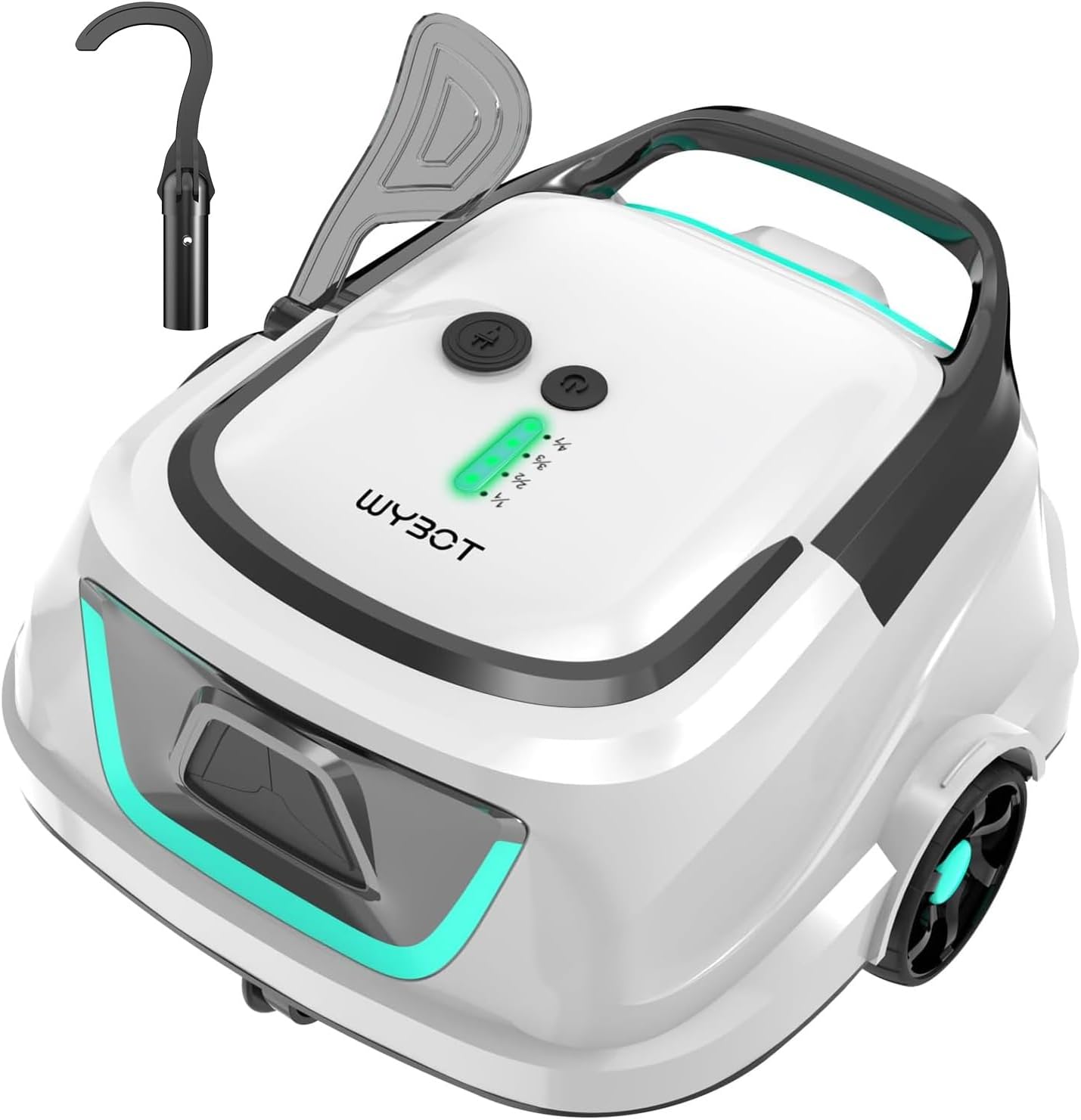
Image: Front view of the WYBOT A1 Cordless Robotic Pool Cleaner, showing its compact design and the included retrieval hook.
5. Setup Guide
- Initial Charging: Before first use, fully charge the pool cleaner. Connect the power adapter to the charging port on the cleaner and plug it into a power outlet. The LED indicator will show charging status. A full charge takes approximately 2.5 hours. Ensure the charging port is dry before connecting the charger.

Image: The WYBOT A1 cleaner connected to its charger, illustrating the charging process.
- Prepare for Deployment: Once fully charged, disconnect the charger and securely close the charging port cover to prevent water ingress.
- Place in Pool: Gently lower the cleaner into the pool. Ensure it sinks to the bottom and is fully submerged before activating.
6. Operating Instructions
6.1 Activating the Cleaner
Press the power button on the top of the unit to start the cleaning cycle. The LED indicator will illuminate to confirm activation.
6.2 Cleaning Cycles
The WYBOT A1 offers four selectable cleaning cycle modes to suit your pool's needs. Ensure the robot is fully charged before choosing a cycle.

Image: A diagram illustrating the four programmable cleaning cycles: 120 minutes (1st day), 60 minutes (2 days), 40 minutes (3 days), and 30 minutes (4 days over 7 days).
- Cycle 1 (1/1): 120 minutes, single cleaning session.
- Cycle 2 (2/2): Two 60-minute sessions over 2 days (one session per day).
- Cycle 3 (3/3): Three 40-minute sessions over 3 days (one session per day).
- Cycle 4 (4/7): Four 30-minute sessions over 7 days (sessions on 1st, 3rd, 5th, and 7th day).
6.3 Suction Performance
The cleaner features an upgraded high-suction dual-motor system, delivering 2140 gallons per hour (GPH) to effectively capture various debris, including fine leaves, sand, and more.

Image: The WYBOT A1 operating underwater, demonstrating its suction capability by collecting sand, leaves, stones, twigs, and hair.
6.4 Smart Self-Parking System
When the battery is low, the cleaner will automatically return to the poolside for easy retrieval.

Image: An illustration showing the WYBOT A1's self-parking feature, where it automatically navigates to the pool edge when its battery is low.
6.5 LED Indicator Colors
The cleaner is equipped with a dynamic LED system featuring five distinct colors for clear status updates:
- Green: Signals battery level.
- Blue: Indicates power on/working.
- Yellow: Warns of low battery.
- Purple: Signifies the selected cleaning cycle.
- Red: Alerts to any machine errors.

Image: A visual representation of the WYBOT A1's LED indicators, detailing what each color signifies for battery, power, low battery, cleaning mode, and fault status.
6.6 Enhanced Edge Cleaning
When the WYBOT A1 encounters a pool wall, it will pause for a few seconds to intensify cleaning along the pool edges, ensuring thorough coverage.
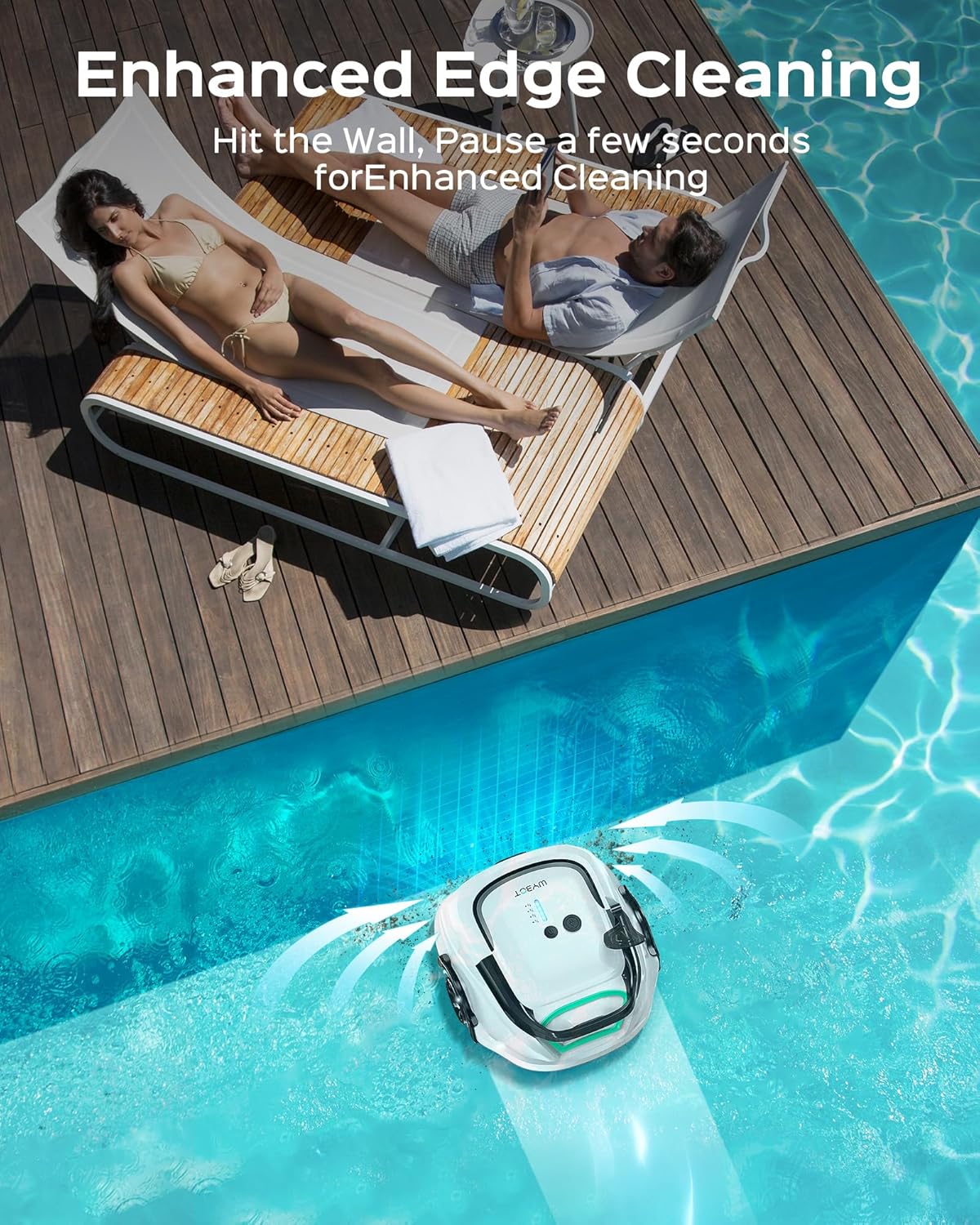
Image: The WYBOT A1 cleaner positioned against a pool wall, illustrating its enhanced edge cleaning capability.
7. Maintenance
7.1 Dual-Layer Filtration System
The cleaner features a dual-layer filtration system, combining a 180µm filter with a textured foam layer to enhance filtration efficiency. This system effectively captures various debris, from fine particles to larger leaves.

Image: An exploded view diagram showcasing the two layers of the filtration system, demonstrating how water and debris pass through for cleaning.
7.2 Cleaning the Filters
Regular cleaning of the filters is crucial for optimal performance. After each cleaning cycle, or more frequently for heavily soiled pools (every 30 minutes), remove and clean the filter basket. Rinse the filters thoroughly with a hose to remove all trapped debris. Ensure the filters are completely dry before reinserting them into the cleaner. Do not operate the machine without the filters installed.
8. Troubleshooting
| Problem | Possible Cause | Solution |
|---|---|---|
| Cleaner does not start. | Low battery; Power button not pressed correctly. | Charge the cleaner fully; Press the power button firmly. |
| Cleaner stops mid-cycle. | Low battery; Filter basket is full/clogged; Obstruction. | Recharge the cleaner; Clean the filter basket; Remove any obstructions. |
| Poor cleaning performance. | Filter basket is full/clogged; Impeller is blocked. | Clean the filter basket; Check and clear any blockages in the impeller. |
| Cleaner does not move or moves slowly. | Low battery; Wheels are obstructed; Pool surface is too uneven (for flat-bottom models). | Recharge the cleaner; Check and clear wheels; Ensure pool is suitable for flat-bottom cleaner. |
| Red LED indicator is on. | Machine error. | Refer to the LED indicator section for specific error codes or contact support. |
9. Technical Specifications
| Feature | Specification |
|---|---|
| Model Name | WYBOT A1-GW |
| Power Source | Battery Powered |
| Item Weight | 11 Pounds (5 kg) |
| Product Dimensions | 16.5 x 13.7 x 8 inches (41.9 x 34.8 x 20.3 cm) |
| Battery Type | Lithium-Ion (1 included) |
| Lithium Battery Energy Content | 58 Watt Hours |
| Charging Time | 2.5 Hours |
| Runtime | Up to 120 minutes |
| Max Cleaning Area | Up to 1076 square feet |
| Special Features | Lightweight, Dual Filtration System, Self-Parking, LED Indicator |
| Control Method | Touch |
| Installation Type | Robotic |
| Material | Plastic |
| Color | WhiteGreen |

Image: An aerial view of a pool with the WYBOT A1, highlighting its 2.5-hour charge time, 120-minute run time, and coverage area of 1076 sq. ft.
10. Warranty and Support
The WYBOT A1 Cordless Robotic Pool Cleaner comes with a limited warranty. For detailed warranty information, please refer to the warranty card included in your package or visit the official WYBOT website. If you encounter any issues or require technical assistance, please contact WYBOT customer support through their official channels. Provide your product model number (A1-DW2025) and purchase details for faster service.